Log in
EN
FR

Waves Pitch Shifters / Time Stretchers

10 products found

Filter
Sort by
Evaluation
  • Reviewed or not
  • Editor’s award
  • Reviewed by Audiofanzine
Availability
  • Available or not
  • Sold new or used
  • Sold new
  • Sold used
Must-have products
  • All products
  • Flagship products
  • Best rated products
  • Hot products
  • Popular products
Price
  • Freeware
  • Low-cost (< $60)
  • Mid-range ($60 - $100)
  • Premium (> $100)
€
Clear
Sort by
  • Popularity
  • User ratings
  • Price - low to high
  • Price - high to low
  • Used price, increasing
  • Used price, decreasing
  • Name (from A to Z)
  • Name (from Z to A)
  • Added on
Sort results
  • Popularity
  • User ratings
  • Price - low to high
  • Price - high to low
  • Used price, increasing
  • Used price, decreasing
  • Name (from A to Z)
  • Name (from Z to A)
  • Added on
Filter results 10 results found
Evaluation
Availability
Must-have products
Price
  • Freeware
  • Low-cost (< $60)
  • Mid-range ($60 - $100)
  • Premium (> $100)
Show results

The best Waves Pitch Shifters / Time Stretchers reviews

The reviews Audiofanzine members found the most helpful.
  • « The most transparent tuning option available »

    I'm a ProTools user so ,if you are too, just be sure the plug in/bundle is compatible with your OS and your software, (this same applies to MAC and PC users). Waves does great job of providing updates and fixes for their products, but be warned, you can easily mess yourself if you install the wrong version or update the WaveShell to an inappropriate version. Waves does provide very detailed lists and guidelines for how to do the upgrades/installs but they are a bit confusing and convoluted sometimes. I suppose that is what you have to deal with for buying such absolutely great products. As much as I love Waves products I have to say that their manuals, however detailed, really seem to leave you hanging alot of times. However, if you go to their website you can find a ton of video tutorials that are incredibly helpful. They also have "decent" customer service. All of the functions are relatively straightforward once you have familiarized yourself with their operation. Some, like the vibrato for instance, are a bit unnecessary in alot of cases but are nice tools to have in the arsenal when you really need them. SUITABILITY/PERFORMANCE I've been using Tune for about seven years now and I must say that it takes awhile to get used to and a bit longer to master. First off, as powerful and helpful as this product is, there are a few things you need to know before using it. -Always apply this plug-in first in your track plug-in list. This is not covered or even mentioned in the manual. Using other plug-ins "behind" it is no problem, but if they are placed before... then Tune will behave very erraticaly to the point of being useless. -It is immensely helpful to know the key and scale of the song. Applying those values into the interface will make your job significantly easier in most cases. Tune is a huge CPU hog. If your computer is a really slick machine, perhaps you may be able to get by without any problems. For me, Tune really disagrees with some of my more CPU hungry plug-ins. OVERALL OPINION At any price, this is the best, most transparent, and easiest to master of all the tuning plug-ins available. It will take you a bit to get there, but trust me, once you've got a handle on it, this plug-in will shine. At some point, after learning it's quirks, you can produce corrected vocal tracks that sound flawless and untouched. Also, you can create synth style voices easily. If you are looking for a high quality tuning plug-in, then you've found it Waves Tune.

  • « Variable but Pro Tools Exclusive... »

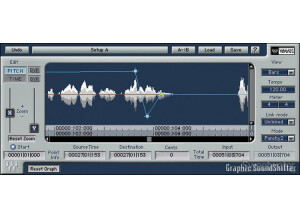
    There were no installation or compatibility issues getting Waves' Sound Shifter set up. Although I have never used the manual as I have not experienced the full version of this plugin (only available for Pro Tools users) and felt the necessity to look something up, I can imagine it would be very informative and clear as with the other Waves plug-ins. The set-up of my version is very simple - tonal shifts in semi-tones and cents as well as transposition options in intervals. All of these can be automated in your DAW as well to give a vast range of desired pitch shifting effects. In addition there are various other parameters and modes to keep you busy. SUITABILITY/PERFORMANCE Running on my MacBook Pro with an 2.7Ghz Intel Core i7 processor with 4GBs of RAM Sound Shifter works like a charm. It doesn't take up much CPU usage running along side a sizable array of other VSTs and is reliable and stable. I have found lots of success using this plug-in to automate pitch in my DAW and have been using it solidly for the past three months. At the time being I am satisfied with the capabilities I can draw from this plug-in without it being the full version. I have better VSTs for time manipulation but really have struggled to find good pitch shifters. There is something of great promise in Sound Shifter and I am determined to use this plug-in to it's fullest extent. Luckily one of the production studios at my school runs Pro Tools and has the entire set of Waves plug-ins. Although I haven't had time to check out Sound Shifter in that environment yet, I am excited to try it out when I go back. OVERALL OPINION Overall, Waves' Sound Shifter is a great pitch/time shifting plug-in that can easily be automated to fit your specific need. Like all of the Waves plug-ins, it is very reliable and unobtrusive. The only pitch shifting tool I used before this was the stock Ableton Frequency Shifter, and I am very happy I upgraded. Yet the fact remains that this plug-in is not available in full form to those of us who do not use Pro Tools. This simple fact has had me keeping a keen eye for better alternatives.

  • « Crazy good pitch shifter »

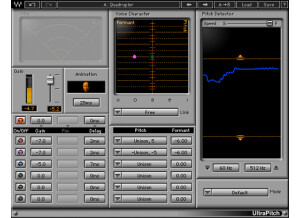
    Harmonized lines have long since been a staple in music, especially in melodic death metal. Ideally, you want to use two different takes (one root and one harmony) to do a proper harmony, but there are times when you want a different flavor. This plugin can not only do pitch shifting and harmonies, but it can also create all kinds of cool effects. We're talking anything from Rage Against the Machine's whammy effect to Steve Vai's crazy detune effects and beyond. The plugin has lots of different parameters to adjust such as input gain, animation, voice section, gain, pan, delay, pitch, formant, voice marking, scrolling speed, detection, min/max limiter, various modes and tons more. To use this, simply enable it on whatever buss you want to have the pitch shifter on. I've never read the manual, so I can't comment on that aspect. There are a few things going on here, so if you've never used a pitch shifter before, it might help to take a quick peek. SUITABILITY/PERFORMANCE I've been using the Mercury bundle for half a year or so now, and it's been awesome. I've never experienced a single crash or issue with any of these plugins, including this one. No matter how many plugins I tend to load, my machine still keeps chugging along. The plugin itself is cross platform compatible, so nearly anybody can use this on his or her favorite machine. Personally, I'm a Mac user, so I'm using OS X on a Mac Pro with Logic Pro. There is one issue that I've been having, however. For the OS X users out there, this plugin is a 32 bit plugin. That means that your DAW will need to utilize a special bridge application for this to work inside your 64 bit DAW. It's not a huge deal, but it can be a bit of a pain, depending on how your particular DAW handles the 32 bit conversion. OVERALL OPINION Most of the time, if I'm going to do a harmony, I just play the thing myself twice. One track will be the root, and the other will be something like the harmonized 3rd. I'm able to replicate something similar with this, but I actually prefer using this for a really cool detune effect on leads. It can create a really cool alternative to chorusing, and you get a very 80s feel without getting totally washed out. Detune is actually my go-to effect for leads at the moment, so I tend to use this plugin quite a bit.

  • « Simplified version of Tune »

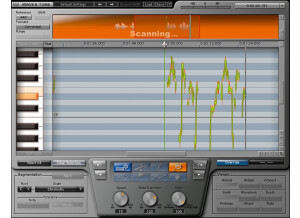
    As I said in the previous review, being off pitch is one of the three main things that can really destroy an otherwise perfect take. Waves has a plugin called Tune that works great for fixing this. However, not everybody needs the features that it has. This is a simplified version of that plugin to help people work faster. The plugin looks very similar, but it has a few less options than the actual Tune version. The plugin has adjustments for reference pitch, formant corrected/non-corrected, pitch shift meter, a nice edit window, segmentation controls for root note, scale selection, speed, note transition, ratio, various levels of undo/redo and a few more features. To use this, simply enable it on whatever vocal buss you have inside your DAW, and you're good to go. It's a very simple plugin, so there should be no real need to read the manual. SUITABILITY/PERFORMANCE Waves rules when it comes to things like performance and stability. I've never had a crash while using this plugin, and that goes for all of the Waves plugins I've used. They all seem super rock stable, and in something as mission critical as a recording environment, that's a huge plus. The plugin works on both Windows and OS X, so nearly anybody can use it without a hassle. The plugin itself doesn't take up much RAM or processing power which is another plus. There is one issue I have with it, but it's a somewhat minor complaint. The plugin itself is a 32 bit plugin inside of OS X. For my DAW, Logic Pro, to fully utilize this, it needs to run a special bridge application. Performance is still the same, but it's just a pain with the way Logic implements that bridge application because the plugin doesn't remain visible in the background. I've been using the Mercury bundle for the past six or so months, and it's been a wonderful experience. OVERALL OPINION This has less features than the normal Tune version, so if you're dealing with a mix that's nearly perfect, this plugin will probably be better suited for that purpose. However, I find myself wanting the extra controls that Tune offers, so I tend to reach for that version more often than not. That's not to say this isn't powerful; it is. It's a great plugin, but I'm just so used to using the regular version that I don't normally bother using this unless I just have a real quick correction to make.