Log in
EN
FR

Effect sequencers

49 products found

Filter
Sort by
Evaluation
  • Reviewed or not
  • Editor’s award
  • Reviewed by Audiofanzine
Availability
  • Available or not
  • Sold new or used
  • Sold new
  • Sold used
Must-have products
  • All products
  • Flagship products
  • Best rated products
  • Hot products
  • Popular products
Price
  • Freeware
  • Low-cost (< $40)
  • Mid-range ($40 - $90)
  • Premium (> $90)
€
Clear
Sort by
  • Popularity
  • User ratings
  • Price - low to high
  • Price - high to low
  • Used price, increasing
  • Used price, decreasing
  • Name (from A to Z)
  • Name (from Z to A)
  • Added on
Sort results
  • Popularity
  • User ratings
  • Price - low to high
  • Price - high to low
  • Used price, increasing
  • Used price, decreasing
  • Name (from A to Z)
  • Name (from Z to A)
  • Added on
Filter results 49 results found
Evaluation
Availability
Must-have products
Price
  • Freeware
  • Low-cost (< $40)
  • Mid-range ($40 - $90)
  • Premium (> $90)
Show results

The best Effect sequencers reviews

The reviews Audiofanzine members found the most helpful.
  • « An excellent alternative to Stutter Edit and other DJ style effectors »

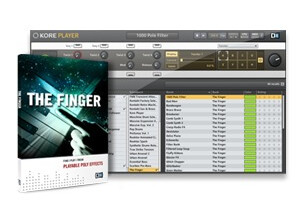
    What I like most about this unit is it is very similar to Stutter Edit in regards to actual effects but it doesn't have the issues I have been facing with Stutter Edit. Specifically, the ability to control the plugin from Ableton while it resides in another program. I do this using the IAC midi driver in Mac OSX. The issue is I control everything from Ableton in my live set, but I need the DJ effector to reside in a separate mixing app like Rax 3. I have tried numerous apps like RAX 3, Numerology, and AU Lab (built in mixing app in OSX) but cannot get stutter edit to behave properly. Infact, the only thing I can control is the Filter knob. So, I decided to check this unit out mainly based on my respect for Native Instruments and I was not disappointed. It functions flawlessly across all of my programs. Even though this doesn't effect me as I already own Reaktor 5, I was bothered by the rumor I heard that you are told you can buy this plugin and run it in the free Reaktor player, but even though you paid the same price as I did, you won't get all the features. I bought reaktor for my own reasons, but I don't see the need to spend $400 on reaktor, then another $80 on this plugin to get the full potential of this software. They should fix that. As for the price, if you already own Reaktor, than $80 is not very much to spend for this awesome piece of gear. The sound quality is not effected whatsoever by this plugin, being that it all resides in the digital, binary language and the quality is really determined by your AD/DA conversion which is handled by your sound card. I have used Stutter edit and Turnado for my software DJ effectors. I still use Turnado, but as it stands, I use "the Finger" as a replacement for stutter edit. Because Native Instruments makes excellent software that doesn't fail you when you need it, I highly recommend this software.

  • « Look Ma, No Hands!!! »

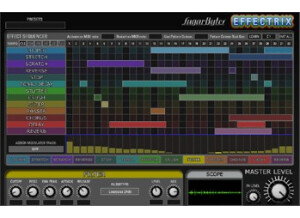
    I have had no compatibility issues running Effectix on a Macbook Pro i7 with a Fireface 800 in Ableton 8. The configuration is fairly simple and once you get going, its like second nature. It really a grid based effects plugin that lets you watch realtime as your effects are triggered according to the grid. Yet another plugin that I have never needed the manual. Yes, the typical functions are easily accessible. You click on an effect, and its parameters pop up. The grid is every present so you have no issues finding that. SUITABILITY/PERFORMANCE I run this in Ableton 8 on my master channel. It has never crashed or caused any errors. It doesn't use too much cpu either which is a serious plus in todays computer music world. I have to give this a 9 out of 10 for performance. Everything about this plugin rocks. It like having another pair of hands to perform dj style effects on your tracks. Basically you end up automating all that stuff and assigning it to a keyboard or other midi trigger and let it ride. It loses a point only because of the limitations with the grid. I'll explain below. OVERALL OPINION What I like most about this unit is its creative aspects. There is a lot to be said about using timing grids when doing electronic music. It helps keep your ideas streamlined and very easy to accomplish when you now what your after, but it also allows you to just click random squares in the grid to create entirely new ideas that can blossom in a matter of seconds. There is even a "randomizer" built in that can be fun, but for me personally, I like the human touch. What I don't like is two things actually. First has to do with the randomizer I mentioned above. I didn't notice an undo button, but if there is one, then this is a moot point. If you are crafting some really cool effects grid, and then, out of nowhere, as you are moving around the effect your hand twitches (which mine seems to do sometimes) and you click on the "randomizer" button, say goodbye to all your hard work. It's happen to me twice so far. The other thing I don't like is when you change the grid resolution, say from 1/16 to 1/32, it doesn't just give you more resolution, but decreases the length of the whole grid. For example, you have a 4 bar "effectrix" grid going. Say you want to have a phase effect blip in every other 1/16 note but your grid is set to 1/8 notes. Well, if you change the resolution, your grid is now only 2 bars long. Its as if the screen is only allowed to represent what you can see so increasing the resolution decreases the length of the effect. Very strange to me, and it really inhibits the amazing potential of this plugin. I notice no sound degradation from this unit whatsoever. This is the only plugin I know of that achieves this grid-type effect so I haven't used any other like it. Yes, despite the grid issue, I still love it. It's great for live performance if you want some craziness on a your mix but you need your hands free to do other things. I love dropping it to buy me time when switching instruments or anything that pulls me away from my computer.

  • « Awesome plugin, especially live! »

    There were no compatibility issues getting Izotope Stutter Edit up and running on my MacBook Pro in Ableton Live 8. The general configuration of the plugin is a bit confusing at first, but once the user realizes that the screen's parameters at any given time only affect one midi key it becomes much easier to maneuver through and set up a whole scale of sweet stutter, gating, and vinyl effects. As far as the plugin's particular parameters go, there are options for buffering the signal, delaying it, filtering it, bit-reducing it, gating it, and of course, stuttering it. Spend a couple hours studying and testing the interface and all of these options will be easily at your disposal. SUITABILITY/PERFORMANCE So the way that I like to use this plugin is to pre-program all of the buttons on my Novation Launchpad, set it on one or a couple tracks, or the master track, and then trigger the effects live. Stutter Edit works perfectly with the User 1 interface of the Novation Launchpad and adds some really cool, very unique sounds to a song or set. I actually did an entire project for a digital music composition class on live manipulation of a continuous audio signal using Stutter Edit and it performed very well. This is my sixth month using the product and I can say that I am happily satisfied and haven't had to resort to other similar software or VSTs. OVERALL OPINION Overall Izotope Stutter Edit is a performance must have for electronic musicians who want to display expressive and clearly live signal manipulation. The effects sound great and are very flexible in their parameters. Having each key set to a different effect allows for as many options as one's midi controller or DAW can handle and the CPU usage isn't excessive. Lots of pros for very few cons. For the price, not too bad seeing as though there are limited cheap or freeware glitch VSTs available for Mac. Bottom line, if glitching out your signal is the goal you can't go wrong with Izotope's Stutter Edit.

  • « So Cool!!! »

    Illformed's Glitch vst is an extremely tweakable vst plugin effect which lets you effect your music in ways ranging from quiet glitches to over the top madnes. The core of Glitch is it's sequencer, which syncs to the host tempo and slices the incoming audio up as you ask it to, applying a random selection of cool different effects to each slice. The onboard effects are a Tape Stop, a Modulator, a Retrigger, a Shuffler, a Reverser, a Crusher, a Gater, a Delay, and a Stretcher. You an individually tweak each effect and then program into the sequencer when the effect is applied, or let the sequencer do it for you at random. SUITABILITY/PERFORMANCE The software is easy to install, just drag and drop the windows VST .dll file into your chosen DAW and fire it up. It runs smoothly with no performance issues, even with larger audio files. It has yet to crash my computer or anything of that sort. It's rather easy to use once you get the hang of it and can easily produce some AWESOME effects. It's a great free alternative to plugins like SugarBytes Effectrix, and definitely lives up to the standard. I highly recommend this to anyone who wants to add an odd touch to some of their tracks. OVERALL OPINION Altogether, this is a really, really cool plugin that I plan on keeping around for the long haul. I would love to see a feature implemented where you could have slots for your own effects, and I'm sure the program will grow in the future. It's well worth the download, so if you need something to add a little spark to your tracks, this is it. Maybe you won't use it on EVERY track, but if you listen hard I'm sure you could find ways to apply it to nearly everything. Overall this is one of my favorite effects, and I highly recommend it.

  • « lots of options »

    Gross Beat from Image Line was a software that I have used after Dblue glitch. Gross beat can do so much more than glitch can that’s why I purchased it. It will take a little time for you to really get the hang of Gross beat. Not a lot of time though, but once you figure a few small things out you will be using it a lot. Gross beat comes with so many presets that you can experiment with and build your own patterns and save them as a preset so you can use them another time. You can also download a trial version of Gross beat so you can see if you really want to pay the 100 + price tag for it. But I will say that its worth that amount of money because of all that it can do. SUITABILITY/PERFORMANCE It came installed with FL Studio on my computer I just had to purchase it and get the reg code. No manual was needed it was all pretty self explanatory. Everything with this software works great and hasn’t caused me a single problem yet. I have been using it for a little over a year or so now and I have put Dblue glitch away for now because Gross beat is just way more advanced. OVERALL OPINION I love all of the options that you have to choose from to do to your sounds. I put this on my master track and really get some good effects for my build ups and breaks. Some of the things I don’t like about it are some of the gates really don’t fit my style and I havent found a way to really change most of them yet. Most of the gates are just a little too much for me. So I only mess with the patterns which is fine because that does exactly what I need it to do. I am happy with my purchase of the full version of Gross Beat.

Categories that may interest you