Log in
EN
FR

Software channel strips

385 products found

Filter
Sort by
Evaluation
  • Reviewed or not
  • Editor’s award
  • Reviewed by Audiofanzine
Availability
  • Available or not
  • Sold new or used
  • Sold new
  • Sold used
Must-have products
  • All products
  • Flagship products
  • Best rated products
  • Hot products
  • Popular products
Price
  • Freeware
  • Low-cost (< $75)
  • Mid-range ($75 - $200)
  • Premium (> $200)
€
Clear
Sort by
  • Popularity
  • User ratings
  • Price - low to high
  • Price - high to low
  • Used price, increasing
  • Used price, decreasing
  • Name (from A to Z)
  • Name (from Z to A)
  • Added on
Sort results
  • Popularity
  • User ratings
  • Price - low to high
  • Price - high to low
  • Used price, increasing
  • Used price, decreasing
  • Name (from A to Z)
  • Name (from Z to A)
  • Added on
Filter results 385 results found
Evaluation
Availability
Must-have products
Price
  • Freeware
  • Low-cost (< $75)
  • Mid-range ($75 - $200)
  • Premium (> $200)
Show results

The best Software channel strips reviews

The reviews Audiofanzine members found the most helpful.
  • « Great single channel eq and compression »

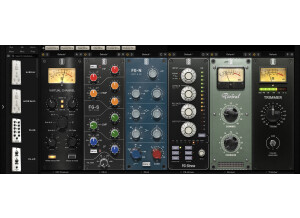
    Install is quick and easy. I wouldn't expect any less from Waves. It comes with some VERY usable presets including the ones from CLA if you want fast results. But I expect most users will read the manual and want to learn the ins and outs. Everything is laid out as if you had the console in front of you. Accurate controls and everything. The accuracy to the original here is very impressive and clearly Waves did a good job making a solid recreation here. SUITABILITY/PERFORMANCE I've used a lot of channel strip eq/comp plugins. Some cheap ones and some really expensive ones. If there's one thing I know it's that there's always something better. But I've been using the SSL for a couple of years now and for full band mixes, I'm convinced this is the best. For an EQ/comp strip this is the one I keep coming back to. It just has that magic tone that no other plug seems to give me. What's even odder is that the presets are actually usable. I can load up a whole project with drums/guitar/bass/vocals/keys and use the presets on all 10 or 15 tracks or so...and it works well. Sounds good. In that respect it's pretty incredible. I've never encountered a vst that can do that. The cpu use is great too. After you load up more than 6 or 7 you might have to freeze them individually depending on cpu use. OVERALL OPINION The SSL is on almost everything I do with a full band. On acoustic or relaxed mixes it can be a bit much but when you have a big mix, it goes a long way toward organizing the chaos. Both the eq and compression is gives to every channel is awesome and better than about anything I've used. The only thing that comes close for compression is T-racks plugs for me. The price isn't dirt cheap, but considering how much use I get it's a tremendous value.

  • « Rock 'n Roll Guitar Processing »

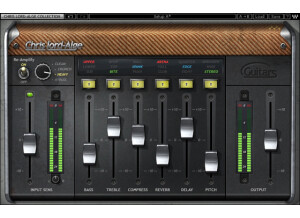
    The CLA Guitars plug-in is designed to process recorded guitar tracks inside a DAW. Waves installation is simple. Once you get the program up and running, it is simple to figure out the controls of the software. The basic processing functions are all available with this plug-in (eq, compressor, reverb, delay, chorus). The dial that selects the 'drive' adds a predefined eq curve based on CLA's preference. 'Bypass' seems to have a flat eq curve. If you turn 'Re-amplify' to 'On', the plug-in adds amplifier simulation processing. When this is selected, the dial that selects the 'drive' changes between different amp sims that have different amounts of distortion. Obviously the plug-in was intended to be used for guitar, although you could use the reverb or compressor for other instruments. SUITABILITY/PERFORMANCE Compared to other amp simulator software (Guitar Rig 5, Amplitube, Pro Farm 2, Eleven, Waves GTR), the amp simulation in CLA Guitars sounds equally realistic. The disadvantage is this software is you can't control any settings of the amp sim like overdrive for each amp. You really just have a choice between low-, mid-, and high-gain. Where this software excels compared to the previously mentioned amp sim software is the post effects after the amp sim. In my opinion, the other software focus on the amp sim and the other effects are just an after-thought. The secret to a professional sounding guitar track is both a good amp sound, but also a lot of post-processing. I would assume that the eq curves in CLA Guitars are specifically chosen with the corresponding amp sim. For this reason, I don't mind the fact that the plug-in doesn't give me the options to change a lot of detailed eq settings like frequency, bandwidth, etc. The compressors are not subtle and add a lot to the guitar sound. I rarely use the reverb in any of the CLA Signature plug-ins. However, I still think they sound good. My preference is to have a reverb bus track that I send all the instruments to. The 'pitch' or chorus effects are another way that this plug-in can make your guitar tracks sound rock 'n roll. This effect definitely adds a lot to the tone of a guitar track when it is part of a mix. This effect really makes your guitar sound thick and full. OVERALL OPINION Some people won't like that there aren't more controls for tweaking. Honestly though, I have plenty of other plug-ins if I want to tweak. I don't really need another one to do the same thing. What I like about this plug-in is that I can throw it on a track and it makes things sound better. Generally I will use other amp sims instead of the 're-amp' feature of this plug-in. I have a POD HD 500 for amp sims. But, I will always throw this plug-in for post processing. Compared to the other Signature Guitar plug-ins (Kramer, Maserati, JJP), this one is the most dramatic and the most rock 'n roll.

  • « Over the top drums! »

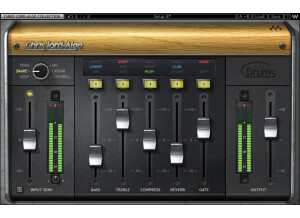
    The CLA Drums plug-in is designed to process recorded individual drum tracks inside a DAW. Waves installation is pretty easy. Once you get the program up and running, there isn't much of a learning curve to get it working. The basic processing functions are all available with this plug-in (eq, compressor, reverb, gate). The dial that selects 'drum' adds a predefined eq curve based on CLA's preference. Selecting different drums on the dial also changes how some of the other processing works behind the scenes. For instance, selecting 'cowbell' gives you access to a delay effect instead of a gate. Obviously the plug-in was intended to be used for drums. That's not to say that you couldn't use the reverb or compressor for other instruments. SUITABILITY/PERFORMANCE The processing in CLA Drums is not subtle. It immediately changes the sound of your drum tracks. I think some of the eq curves are pretty extreme (kick and snare). This kind of extreme processing will make your drums sound hyped up and closer to typical modern rock drums. This may or may not make your drums actually sound better. It is all a matter of preference. If you prefer to add your own eq curve for the kick and snare, one option to consider is that the cowbell setting has a flat eq response, which makes the processing of the plug-in much less extreme. The compressor options are the highlight of the plugin to me. I haven't really liked using the reverbs, and I don't use a drum gate in a lot of the music I make. In general, I do like the convenience of pulling of a plug-in, clicking a few buttons, and have a decent sounding mix. OVERALL OPINION Some people won't like that all the functioning of the effects are happening behind the scenes (no control of attack, release, ratio, knee for the compressors for instance). I'm sure part of the idea for this plug-in was to make a product for the amateur and semi-pro musician who doesn't know much about mixing. If you don't know much about mixing drums, this plug-in is probably a good idea. On the other hand, if you are an experienced mixing engineer and already have a bunch of effects with all the functions and knobs to tweak, do you really want another plug-in that does the same exact thing as all your other gear? This plug-in offers a nice change of pace with that respect. In conclusion, this plug-in will make your drums sound rock and roll, no doubt about it. My main gripe with the product is that it only does over the top rock drums. When you need that, its great. When you don't, you would be better off picking up the JJP Signature Collection. His drum plug-in can do a lot more than just rock.

  • « Another great collection from Waves! »

    Waves API Bundle Native Collection developed under license from API. Four modeled plugins: 550A 3-Band Equalizer 550B 4-Band Equalizer 560 Graphic Equalizer 2500 Stereo Compressor Read more at: https://www.waves.com/Content.aspx?id=3565 Mac and Pc Compatible. I-Lok required. SUITABILITY/PERFORMANCE I’ve used this in Logic Pro 8 and 9 without a problem. I have a Mac Pro 2.66 Quad Core with 8 GB of ram and a White Macbook with Intel Core 2 Duo Cpu with 4 GB of Ram. The installation is really easy and the the manual is well written. These plugins works like a charm, never had a problem in more than 2 years of use. However I’m still waiting for the release of the 64 Bit Compatible versions. OVERALL OPINION In the process of modelling legendary audio gear, Waves in conjunction with API trying to recreate the sonic characteristics of some of their hardware. They recreate 3 EQ and 1 Compressor Featuring four overlapped EQ bands, the API 550B is invaluable as both a problem solver and a sweetening device. With 7 switchable filter frequencies spanning up to 5 octaves per band, the 550B’s “Proportional Q” automatically widens the filter bandwidth at minimal settings and narrows it at higher settings. It even lets you undo previous processing, affect or even reverse tonal modifications. Modeled on the late 1960's legend, the API 550A EQ provides reciprocal equalization at 15 points in 5 steps of boost divided into three overlapping ranges. The high and low frequency ranges are individually selectable as either peaking or shelving, and a band-pass filter can be inserted independently of all other settings. Based on the 1967 classic, the API 560 10-Band Graphic Equalizer features precision filtering and high headroom, ideal for signal enhancement and room tuning. The API 560's curve shaping potential is unmatched, while API's unique "Proportional Q" design intuitively widens the filter bandwidth at lower boost/cut levels and narrows it at higher settings. And since boost and cut characteristics are identical, previous actions can be easily undone. For precision equalization with unmatched versatility, turn to the EQ heard on top recordings for decades: the API 560. The API 2500 is a versatile dynamics processor that lets you shape the punch and tone of mixes with absolute accuracy. Its dual channel design lets the 2500 also function as two separate mono channels via a single compression setting. Using auto-makeup gain, you can adjust Threshold or Ratio while automatically maintaining a constant output level. I’ve used these extensively on my projects and in a recording studio in the last 2 years and always with great results. The Compressor it’s my favourite on drum and buss sections. It can retain a lot of punch without losing clarity. I’ve also had the chance to try the 550b EQ with its real counterpart and in a “blind” test with some other engineers chances to catch the original and the plugin were really low, they really doing a great job recreating these plugins, and given the fact that the price dropped a lot in the last years, you will have fantastic mixing tools at an incredible price. My advice however, if you can afford it, to buy the Studio Classics bundle, you will need not

  • « Simple compressor for drums »

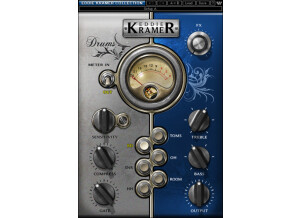
    Eddie Kramer is one of the world's most famous music engineers and producers. He's worked with everyone from Kiss to Hendrix and everyone in between. Waves has been working in conjunction with a lot of these famous producers to create plugins, so it's no wonder that this was created. The plugin takes an EQ/compressor approach to mixing with an all-in-one design. The plugin has knobs for sensitivity, gate, compress, bass, treble, output and fx. It also has buttons for bass drum, snare, hi-hats, overheads, toms and room. The plugin is very simple to use. To utilize this, just put this on whatever drum busses you may have for the overall mixing and mastering. I've never read the manual, but it's not really needed with this as it's such a simple to use plugin. SUITABILITY/PERFORMANCE Waves is the king when it comes to things like stability and performance. This plugin is great at using very little RAM and processing power. Considering there may be multiple instances of this plugin being used, that's a life saver. It's also very stable. I've never experienced a crash in relation to this program, and I've had probably seven or so instances of it on various drum channels. There is one problem, however. It's a 32 bit plugin. In today's world, most computers are moving towards 64 bit OSes and DAWs. Because of that, your DAW needs to run a special bridge application to utilize the 32 bit plugin in a 64 bit environment. Ideally, I'd like to do away with that, and I'm hoping Waves makes these all 64 bit compatible in their next update. I've been using the Waves Mercury bundle for the past six or so months now. OVERALL OPINION This is a fairly solid plugin, but I find that it's extremely limiting when it comes to producing drums the way I like to do them. It delivers a solid sound, but it's usually not the sound I'm looking for. It works nicely for rock, but when I'm doing metal, there are a bunch of different tricks I have to do, and I'm constantly dealing with mixing triggers and acoustic drums. I just find that my method is a bit better than utilizing this plugin on all my drum channels.

  • « Another vocal mastering plugin »

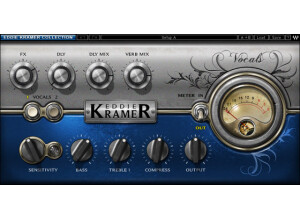
    For those who don't know, Eddie Kramer has done everything from Led Zeppelin to Kiss to Hendrix and beyond. He's crazy famous in the music engineering/production world, and considering that Waves has been doing some engineer collaborations lately, it's no surprise that he got his own plugins. The Kramer Vocal Channel is basically a compressor, eq and effects unit in one. There are two different toggles to select between vocal types, sensitivity control, bass control, treble control, compression control, output control, different effects controls for reverb and delay, and a few other tricks up its sleeve. To use this plugin, you simply enable it on whatever buss has your vocals and start adjusting. It's very simple to use. I haven't read the manual for this, but it's really not needed as it's crazy simple to use. Anybody should be able to start utilizing the tones out of this device within seconds. SUITABILITY/PERFORMANCE Waves is the king when it comes to things like stability and compatibility. The plugin is crazy stable. I've never experienced a single crash, stall or freeze while using these. It doesn't take up too much processing power, nor RAM. That's a good thing as there could be multiple instances of this plugin on different busses, depending on how you approach it. On top of all of that, it's also cross platform compatible, so just about anybody can use this. There is one problem, however. This plugin is a 32 bit plugin for OS X. That means that whenever I use this plugin in Logic Pro, it has to use a special application to work in the 64 bit environment. It's automatic, but it's a bit of a pain as it makes the plugin disappear when it's in the background. I've been using the Mercury bundle for about half a year now, and it's pretty awesome. OVERALL OPINION This works very nicely on clean vocals. Where as the JJP approach was more of a slider approach to mixing, this is more of a knob approach. Both work nicely, and it all depends on how you approach music. Personally, I have my own methods. That's not to say this plugin is bad; in fact, it's great. It's just that I have my own little methods for mixing and mastering vocals that works best for me. Waves gives you tons of options because they know everyone likes to do things differently.

  • « Interactive yet complex EQ »

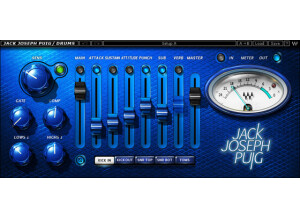
    Jack Joseph Puig is a one of the most famous, award-winning music engineer who's done everything from U2 to No Doubt. Considering his popularity, it was only natural that he would get some famous mixing/mastering plugins, and Waves stepped up to build and offer them to the public. The plugin features modes for kick in, kick out, snare top, snare bottom and toms, sensitivity, main, gate, comp, lows, master and high knobs, a meter switch to select between different views, a phase switch, and center fades that select between attack, size, attitude, punch, sub, length, sustain, tone, presence and verb. The plugin itself is basically an all-in-one plugin to allow for "ease of use" and versatility without having to flood the screen with tons of different plugin. You can really do a ton of shaping with this plugin, and that's the biggest reason for using this plugin. I never read the manual, so I can't comment on that. However, everything is fairly easy and intuitive to use. I never experienced any compatibility issues with this, either. SUITABILITY/PERFORMANCE Waves is one of the number one companies out there when it comes to things like stability and performance. JJP Drums is rock solid, and I've yet to experienced a single crash when using it in my favorite DAW -- Logic Pro. The plugin is also cross platform compatible, so there shouldn't be any issues running this on both Windows and OS X. I do have one minor issue, however. These plugins are 32 bit plugins for OS X, but my DAW is a 64 bit DAW. Because of that, my DAW has to run a special bridge program to fully utilize this. If possible, I'd much rather have to not use that if I don't have to, but it's a fairly minor complaint as they still work perfectly fine. The real cool thing about this plugin is that it doesn't take up too much memory, so you can use quite a few of these as necessary for your overall mix. I've been using the Mercury bundle for about half a year now, so I've had some decent experience with these plugins. OVERALL OPINION Drums are very hard to mix/master, and they take the longest time. You always have tons of different instances of triggers, having to move things closer to the grid without it sounding mechanical, parallel drum compression on the slower stuff and on and on. This plugin is cool for those who just want some simple all-in-one solution to help make their drums sound bigger without having to go through a ton of other plugins and work.

  • « Vocal mixer »

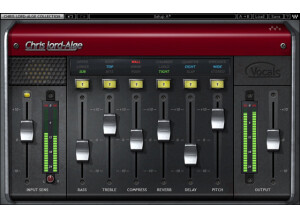
    CLA Vocals is part of the CLA bundle that Waves has to offer. These are plugins that were created by/for Chris Lord-Alge, the famous mixer who's done everything from Rocky IV to Slipknot. This plugin is great for those wanting to master your vocals. It has sliders for bass, treble, compress, reverb, delay, pitch, input and output. On top of that, there are small switches on top of each slider to adjust for different frequencies. To use this, you simply enable it on your vocal buss and start adjusting. I didn't experience any compatibility issues, so I can't comment on that. I never read the manual, but I don't think it's really necessary for these plugins. It's very easy and simple to use, so no issues there. SUITABILITY/PERFORMANCE Waves plugins have always been some of the most stable plugins I've experienced. They're cross platform compatible, so they'll work with both PCs and Macs. As a Mac user, that's a huge advantage for someone like me. They run in 32 bit mode, but Logic uses a wrapper-like application that runs so you don't interfere with your 64 bit interface. I've tried this on various different buses, and it seems to work on anything with ease. It even works nicely on MIDI, which I found a bit surprising. There are no performance issues at all, and that's a huge plus when working in a DAW filled with all kinds of synths and tracks running tons of plugins. These plugins came with my Mercury package, and I've had that for a few months now. OVERALL OPINION This is the other CLA plugin I find myself using quite a bit. It can really add another dimension when it comes to mixing vocals. I find myself treating vocals very similar to guitar leads. They generally act the same in a mix, and they have similar frequencies. As a guitarist, it's easier for me to visualize them that way and mix, so if you're a guitarist who's having trouble with vocals, try it out.

  • « Good bass mastering program »

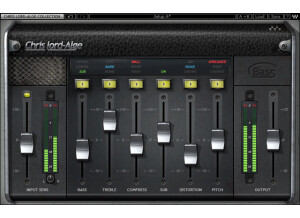
    CLA Bass is part of the CLA bundle that Waves has to offer. These are plugins that were created by/for Chris Lord-Alge, the famous mixer who's done everything from Rocky IV to Slipknot. This plugin is meant for those wanting to add some proper bass compression and mastering to the mix. The plugin itself is pretty easy to use. It has a slider for input, bass, treble, compress, sub, distortion, pitch and output. There are also buttons at the top of each slider to adjust the type of frequency you want to adjust. To use this, you simply enable it on your bass buss and start adjusting. I didn't experience any compatibility issues, so I can't comment on that. I never read the manual, but I don't think it's really necessary for these plugins. It's very easy and simple to use, so no issues there. SUITABILITY/PERFORMANCE Waves plugins have always been some of the most stable plugins I've experienced. They're cross platform compatible, so they'll work with both PCs and Macs. As a Mac user, that's a huge advantage for someone like me. They run in 32 bit mode, but Logic uses a wrapper-like application that runs so you don't interfere with your 64 bit interface. I've tried this on various different buses, and it seems to work on anything with ease. It even works nicely on MIDI, which I found a bit surprising. There are no performance issues at all, and that's a huge plus when working in a DAW filled with all kinds of synths and tracks running tons of plugins. These plugins came with my Mercury package, and I've had that for a few months now. OVERALL OPINION If you're looking for a good bass buss master plugin, this will work fairly nicely. It sounds great, and it's easy to use. I think Waves tries to push this as a simple solution to do any bass mastering, but it really depends on the mix. The best weapons you'll always have when it comes to getting bass to fit the mix will be high pass and low pass filters. Learn to master those, and it'll make your life so much easier when it comes to getting just the right amount of bass.

  • moosers's review

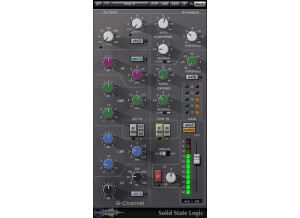
    The Waves Ltd. SSL E-Channel is a software emulation of an Solid State Logic console channel strip. The plug-in is really a few in one as it has sections for both compression and EQ. I didn't have any trouble at all installing the plug-in and the whole process only took a few minutes. There weren't any compatibility issues between the plug-in and my software configuration and in general I would say I've had no problems with the plug-in. The interface of the software is user friendly, even if you don't have any experience with a real SSL console. There are definitely a good amount of parameters to play with, most of which are pretty universal. The EQ has a parametric section and both a high and low pass filter. I've never had a need to look a manual for the Waves Ltd. SSL E-Channel, but I can say that I don't think it is necessary to learn how to use the plug-in. SUITABILITY/PERFORMANCE I am currently running the native version of the Waves Ltd. SSL E-Channel on a Mac Book Pro that has a 2.2 Ghz Intel Core 2 Duo processor and 4 GB of RAM. I run the plug-in in Pro Tools LE 7.4 that runs with a Digi 002R audio interface and I find that within this configuration the plug-in runs great. I've only needed to run a few of them within a single session and I've been able to do this quite successfully. However, if you are planning to use this on every track of a Pro Tools session, I would definitely recommend having a Pro Tools HD system for this type of use. Beyond this, as long as you have a pretty good system to run this on I don't foresee you having too many issues. OVERALL OPINION The sound quality of the Waves Ltd. SSL E-Channel is overall pretty great. While it doesn't have as warm of a sound as you would get with the actual hardware console version, it has a clean and realistic sound quality nonetheless. It is useful for pretty much any application in terms of what to use it with as the vast array of parameters makes it versatile. Both the EQ and compression sections make this a well rounded plug-in that can adapt to most situations. If you are looking for a channel strip plug-in that won't break the bank, I would definitely recommend trying out Waves SSL E-Channel.

  • « The famous SSL cannel strip as plug-in... »

    Everything is great with all U-Audio plug-ins. I'm a huge fan. SUITABILITY/PERFORMANCE Rock solid! OVERALL OPINION The SSL 4000 is famous as the console employed on more Platinum-selling records than any other. With its wide range of VCA compression characteristics and intuitive EQ — rich with colorful band interdependencies — it’s easy to hear why. Today, working in close partnership with Solid State Logic®, UA proudly unveils the SSL E Series Channel Strip plug-in for UAD-2 — an exacting circuit emulation of this certified hit-making machine. The SSL E Series Channel Strip plug-in allows UAD-2 users on Mac and PC to apply classic SSL 4000 EQ curves and dynamics control to their music. This unique plug-in is distinguished by its remarkably authentic sound, and its inclusion of both the Type E “black knob” and “brown knob” four-band EQ and filters, long considered favorites in SSL lineage. Other features include high and low cut filters, independent Expander/Gate, and bespoke Compressor/Limiter. The E Series’ middle EQ bands are fully parametric, while the high and low bands provide the user with switchable bell or shelving filters. The Comp/Limiter provides Threshold, fast or slow Attack time, a 0.1 to 4 second Release, and a continuously variable Ratio control. The Exp/Gate offers Threshold, fast or slow Attack time, a 0.1 to 4 second Release time, and a Range control to tailor the Gate or Expansion effect. In addition, the SSL E Series Channel Strip plug-in adds a second Gate setting, featuring a “no-chatter” circuit borrowed from later SSL designs. For increased flexibility, a PRE-DYN button allows users to reorder the signal chain, placing the EQ before the dynamics section. With the DYN-SC button, users may engage a sidechain feature, providing frequency-dependent com- pression using the EQ filters, cut filters, or both. Lastly, a Link button adds the ability to link or unlink the sidechain when using the stereo version of the plug-in. Taken together, these features make the SSL E Series plug-in for UAD-2 among the most flexible and best-sounding channel strip emulations available today, bar none.

  • « Cool it on the compression Jack! »

    I was skeptical about these artist plugin's but I'm a big fan of Jack's work so I decided to take the plunge. Setup of course is easy. Waves offers so many options for those with different setups. Stereo, mono, vst, whatever. I use cubase and I never have a problem with their stuff. Regardless of how much I like it I always find they have a consistent quality. The Puig vocal plugin isn't rocket science. You only have a handful of controls and the presets are pretty usable depending on what music you're doing. SUITABILITY/PERFORMANCE I'm guessing that this plugin was intended to work in a large band mix. That's how I use it at least. I'm not running a ton of channels in cubase. Just drums. bass, guitar. some synth, and the rare string track every so often. So my mixes probably aren't quite as dense as some. I do layer guitars a lot though. I will say this plugin does make the vocals cut through in a pleasant way. The tone shaping is great. But it seems like the plugin has this crazy strong compression that makes me want to rip my headphones out. I tried dialing it out and it's hard to get rid of it. Basically on all but the most meager of settings, my vocals end up sounding like they've been compressed to the absolute limits and back. Honestly though, I think if you have a super thick mix this would come in handy. Sometimes you really have to push vocals for them to come through in a large cluster of tracks. I can see the excessive compression being useful for that capacity and I guess I should've known better knowing JJP's catalog. He is known for epic mixes. I just wish there was a way to tone that whole thing down. For my uses I'll give it a 5 but I think for the right person it could be a 9. OVERALL OPINION I like how easy this plugin is to use and I think if it didn't sound so dynamically processed it might be my #1. The "magic" button is a mystery to me really. The manual doesn't really explain jack about it. Well, it tries but does more harm than good I think. I get the feeling this vst was supposed to be geared toward beginners. Makes sense. But honestly I still think it's a quality plug. I have the other JJP plugins and I have used some more than others. This one for me is a bit of a miss. I have found other waves plugs I like better for vocals.

Categories that may interest you