Log in
EN
FR

Software Filters

337 products found

Filter
Sort by
Brand
Evaluation
  • Reviewed or not
  • Editor’s award
  • Reviewed by Audiofanzine
Availability
  • Available or not
  • Sold new or used
  • Sold new
  • Sold used
Must-have products
  • All products
  • Flagship products
  • Best rated products
  • Hot products
  • Popular products
Price
  • Freeware
  • Low-cost (< $45)
  • Mid-range ($45 - $90)
  • Premium (> $90)
€
Clear
Sort by
  • Popularity
  • User ratings
  • Price - low to high
  • Price - high to low
  • Used price, increasing
  • Used price, decreasing
  • Name (from A to Z)
  • Name (from Z to A)
  • Added on
Sort results
  • Popularity
  • User ratings
  • Price - low to high
  • Price - high to low
  • Used price, increasing
  • Used price, decreasing
  • Name (from A to Z)
  • Name (from Z to A)
  • Added on
Filter results 337 results found
Brands
Evaluation
Availability
Must-have products
Price
  • Freeware
  • Low-cost (< $45)
  • Mid-range ($45 - $90)
  • Premium (> $90)
Show results

The best Software Filters reviews

The reviews Audiofanzine members found the most helpful.
  • « Double Team »

    This plugin runs perfectly fine on a Mac Pro Duo running Snow Leopard and Logic 9. There is no need for a manual. This basically a simple filter plugin that gives you control of two filters on the same channel. The general configuration is simple enough to understand after a minute or two if you are familiar with Filters. You get a Low pass, High pass and Band Pass with options to select the Filter "Slope" and "Character." All functions are easily accessed via the front face. SUITABILITY/PERFORMANCE The Simplon has never demonstrated any strange behavior whatsoever. No crashes or glitches. In all honesty I use FabFilters Micro Filter much more. I'm pretty sure that the Simplon is just two micros in the same plugin. They both sound fantastic in regards to digital Filters. Very clean and accurate and especially smooth. I do feel however it can get just a little harsh in high frequencies, but I am slightly biased by owning some Moog Filter Hardware. In contrast to the Micro, this one allows you to create some interesting Filter Behavior but personally I don't use it that much. It can be a nice effect on drums and overall mixes for remixing. I could see using it for performance remixing kinda stuff as well, but have yet to do that. I have been using this plugin sparingly for about 5 months. OVERALL OPINION What I like most about this plugin is the standard Fab Filter Undo/Redo buttons. Not enough plugins have these and they are indispensable in almost every situation. Other things to note is that FabFilter makes some of the best Plugin filters I have ever heard. Only thing I have to say negative is that this GUI isn't any where near as pretty as the others FabFilter offers. Excellent precision with smooth knobs and filter sweeps. The quality is some of the best I've heard in the computer world. I have used mainly my Moog Filters but would use the built in Logic filter as well. Yes, I recommend FabFilter highly.

  • moosers's review

    The Abbey Road Plug-ins RS 135 is a really simple, filter plug-in that is part of the Abbey Road Plug-ins Brilliance Pack. This comes along with two other plug-ins in this bundle - the RS 127 Rack and the RS 127 Box, both of which are similar sort of filter plug-ins. This one is probably the simplest of the bunch, however. As far as getting the plug-in up and running is concerned, I wasn't involved in the process since I don't own this plug-in pack and have only used these plug-ins at the studio where I'm working. I can however speak about the extreme ease of use you're getting with this plug-in and the full bundle. This is just a one band filter that is fixed at 8 K. So while you're not really getting any control, this is really meant for adding a bit of high end brilliance to your sound. A manual is surely not necessary... SUITABILITY/PERFORMANCE We're running the Abbey Road Plug-ins RS 135 and the full Brilliance Pack at the studio where I work on a few different Pro Tools HD systems. Running it on this system isn't a good judge of how much processing power plug-ins will take up, as they can handle pretty much anything since they're HD systems. However, I'd definitely be surprised if many users had problems running this plug-in since it's such a simple one. OVERALL OPINION Although limited in what it can do, the Abbey Road Plug-ins RS 135 is great for adding a little bit of brightness to your sound. It's a really warm sounding plug-in, which is really the main reason I like using this for boosting at 8 K rather than using a more traditional parametric or graphic EQ. I love using this on guitars mostly, but even for vocals if I feel the timbre could use a little bit of high end color. This and the other plug-ins in the brilliance pack are great for both mixing and mastering, so definitely check them out if you're looking to add some new high quality plug-ins to your DAW.

  • moosers's review

    The Abbey Road Plug-ins TG 12414 Mastering Filter is a plug-in that is found in the Abbey Road Plug-ins Mastering Pack bundle. It's a stripped down version of the TG 12412 equalizer plug-in that is also included in the same bundle. I didn't encounter any problems while installing this plug-in, as I had installed the proper formats and all. It should be simple and easy as long as you follow the instructions. As far as the user friendliness goes, I'd say it's a real easy plug-in to figure out how to use if you have some experience using equalizers. This one has high and low pass bands, as well as a middle 'presence' band, which has a pretty wide selection of frequencies to choose from. So essentially, this is a one band, semi-parametric EQ with high and low pass filters. The low pass has six frequencies to choose from, while the high pass has five. The middle band has eight frequencies to choose from, and a gain knob. There is also an overall output leveler. I didn't need a manual to figure out how to use this, and I really don't think that many users will. SUITABILITY/PERFORMANCE The system that I'm using the Abbey Road Plug-ins TG 12414 Mastering Filter (and the full Mastering Pack bundle) with is a Pro Tools LE based system. I'm running everything on a Mac Book Pro computer, made up of a 2.2 Ghz Intel Core 2 Duo processor, and 4 GB of RAM. I run Pro Tools with a Digi 002R audio interface and I monitor with a set of ADAM A7's. This has definitely been enough to support running this plug-in, and I've used it both for mixing and mastering. It's doesn't seem like the type of mastering plug-in that takes up too much of your system, or at least it hasn't on mine. OVERALL OPINION The Abbey Road Plug-ins TG 12414 Mastering Filter is a great overall equalizer plug-in for both mixing and mastering. While it's dubbed a mastering plug-in, and it certainly is, I've also found it to be great for mixing as well. It's not the most flexible plug-in, but for a one band essentially, there's definitely a lot that you can do with it. I think it has a great overall sound, as it's easy to add some grit or some brilliance with just using the single band. It's also nice that you can easily drop low or high frequencies off that you don't want or that are unnecessary. The Mastering Pack is just made up of this and the other aforementioned TG 12412. It's definitely best suited as a mastering plug-in and bundle, but it's more than nice that it's versatile. Abbey Road makes some great plug-ins that sound quite realistic - the TG 12414 and the Mastering Pack as a whole is absolutely worth checking out if you're in the market for something like this.

  • moosers's review

    The process of Ohm Force OhMyGod was quick and simple and was one without any issues. This plug-in comes free when you buy certain Ohm Force bundles and because of this is a great deal. The plug-in is compatible with Pro Tools so I didn't have any issues related to that, and didn't run into any other problems either. The interface of the software is self explanatory for the most part, but some of the parameters took me a try or two to figure out how it would affect my signal exactly as they aren't all traditional terms, or at least some that I was not familiar with (i.e, comb filter). There is definitely a lot to work with here in terms of types of parameters, and since the plug-in is designed and engineered well, everything is still easy to use. I've never had a need to look at the manual for this plug-in, but I think that unless you are a beginner or are having technical difficulties that a manual isn't necessary. SUITABILITY/PERFORMANCE Right now I'm running Ohm Force OhMyGod on a Mac Book Pro that has as 2.2 Ghz Intel Core 2 Duo processor and 4 GB of RAM. I run the plug in Pro Tools LE 7.4 that runs with a Digi 002R or a Digidesign Micro Box. Within this set up I'm able to run this plug-in without any problems at all. Of course if you are running an LE based system how good of a performance you get from it will always depend on how fast your computer. I've been running this plug-in for just a few months, but in this short time I've been able to run more than one of these within a single session without a problem. OVERALL OPINION In the short while that I've been using Ohm Force's OhMyGod filter, I've really been enjoying using it. I find that the sounds I'm able to get with this plug-in are varied and are overall of very high quality. This is a great creative plug-in to use for experimenting with sounds, and also offers a ton of presets that I find to be great starting points to get some interesting sounds. While I'm not sure that you can buy this plug-in on its own, I would say that it is definitely worth it to invest in an Ohm Force bundle regardless of if you are a pro or an amateur as they are very affordable and all of them that I have used, I love. All in all, this is a very cool plug-in that is a great bonus in a great bundle.

  • moosers's review

    Ohm Force Quad Frohmage is a filtering plug-in that is great for both creative and more practical uses. Installing the plug-in wasn't a problem as it only took a few minutes for me to go through the process. The interface of the plug-in was also easy to adjusted to, although there is a good amount of information here in terms of parameters and different sections. The typical functions are easily located as to start you've got four channels of filtering with a variety if parameters and then on top you've got sections for an LFO, envelope, and ADSR. The plug-in also has a number of switches and other parameters that would take too long to list, but are easily adapted to as they are all simple to understand. I haven't looked at the manual for Ohm Force Quad Frohmage so I don't know how well put together it is, although it might be worth seeking out if you are a beginner with filtering. SUITABILITY/PERFORMANCE I'm running Ohm Force Quad Frohmage on a Mac Book Pro that has a 2.2 Ghz Intel Core 2 Duo processor and 4 GB of RAM. I run the plug-in strictly in Pro Tools LE 7.4 that I run with a Digi 002R audio interface most of the time. I can't say I've ever had an issue running this plug-in within my configuration as the processing power is pretty well managed. Of course it doesn't run as well as it would if I had a Pro Tools HD system, but it really just depends on what type of system you have if this will run well or not. I'd say that if you currently have a system that is able to run plug-ins without a problem, that this shouldn't present too many problems for you in terms of performance. OVERALL OPINION Overall, I've been very pleased with Ohm Force's Quad Frohmage in the time that I've had it in my arsenal. It gives me a lot of creative options when I am seeking out a particular type of sound. The price isn't expensive at all, which is one of its best features. In terms of bang for your buck, Ohm Force has some of the best plug-ins in the business. If you are looking for a versatile and clean sounding filter that can be used for any type of use, definitely check out Ohm Force Quad Frohmage.

  • « A good filter but too simple »

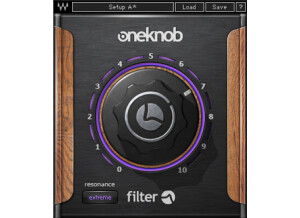
    There were no compatibility issues installing any of the other six One Knob plug-ins, One Knob Filter being no different. The general setup of the plug-in, as with the others, is as simple as it gets. One knob sits in the middle of the display. When you raise the knob an aesthetically pleasing purple light indicates the effect's level, also displayed in a number between 0 and 10 in the lower right hand corner. Yet the One Knob Filter differs from the others in that it has an additional parameter besides the one knob: a button in the bottom left corner that toggles the filter's resonance between none, moderate, high, and extreme. Because of it's simplicity I have never felt the need to read the manual, but I can imagine as with the rest of the Waves plug-ins that it would be well-written and helpful. SUITABILITY/PERFORMANCE Running in Ableton Live 8 on my MacBook Pro with a 2.7Ghz Intel Core i7 processor and 4GBs of RAM, Waves' One Knob Filter is as smooth as clockwork. Being a fairly light plug-in with regards to CPU usage, it is stable and reliable even in situations with many other effects and VSTs operating simultaneously. That said, I do not use the One Knob series too much. This is for the simple fact that they don't offer enough versatility. There is literally one, and only one way to affect the signal. Although easier for producers who may not want to go through the trouble of learning more complex interfaces for filtering their signal, is it worth the money? The product can either be purchased as a part of the Waves One Knob package deal, or with the Mercury bundle. If you are really dying the try it, get a much better deal by buy the Mercury bundle and getting the entire library of other top-of-the-line plug-ins that comes with it. OVERALL OPINION Overall I wasn't totally satisfied with the One Knob series by Waves, but there were some viable pros to help balance the cons. The pros: their simplicity, stability, and superior sound quality. Filtering my track's signal with this plug-in couldn't have been easier and sounded really great, perfect for the gradual rises and big sweeps of the electronic music I produce. The cons: lack of versatility in expression, and limited realistic use in a professional production environment. Although there is a One Knob to solve everything, it isn't always the right plug-in to just throw in the mix and crank up, because at the end of the day you don't have the ability to tweak it exactly how you want it. The One Knob Filter, although expressive in its own way, lacks enough flexibility for me to really recommend it as a worthwhile product to invest it, but if you get it as a part of the Mercury bundle I would encourage you to try it out just to know how it sounds. There are certainly great situations where the exact One Knob Filter sound is what you need.

  • « A Moogerfooger as a plug-in »

    U-Audio perfection! SUITABILITY/PERFORMANCE Nothing bad can be said about U-Audio on any of this. OVERALL OPINION If UA were able to conceive a product with Moog, what would it be? The answer is revealed in the new UAD Moog Multimode Filter, which delivers the first truly analog-sounding VCF (voltage controlled filter) emulation made for mixing, performing, creating, or destroying. The Moog Multimode Filter is a ‘digital-only’ tabletop filter set that combines the best of Bob Moog’s classic designs with select features from his final Voyager instrument. UA modeled the analog behavior of the historical 4-pole ladder filter conceived by the world’s most recognizable electronic instrument maker right down to the self-oscillation, saturation and non-linearities of its analog counterpart. As the name suggests, the heart of the Moog Multimode Filter is the switchable Low- pass, Highpass and Bandpass filter that allows Moog’s signature self-oscilla- tion and extreme resonance in any of the three modes, bringing a new level of sophistication to Moog filter designs of the past. The Moog Filter is true stereo, with separate filters for the left and right chan- nels. The dual filters share the same controls. The only time the left and right filters diverge is when Filter Spacing or LFO Offset are not zero. Drive controls the amount of saturation gain before the filter. Drive is where much of the sonic “juice” in the UAD Moog Fil- ter originates. Drive can change the signal from clean to slightly overdriven to extremely distorted, particularly when used in conjunction with the Boost switch The non-linear modeling of Drive characteristics is extremely DSP-intensive. For this reason, Drive is not available on the SE version of UAD Moog Filter. In UAD Moog Filter SE, the parameter is named Gain instead of Drive, and is a straight (non-modeled) input gain control. The range of Drive/Gain is 0 to +40 dB of gain. Drive/Gain affects both the wet and dry signals (the control is heard when Mix is zero and/or when Bypass is engaged). This gain range closely mimics the external input section of the Minimoog. The Envelope controls (Envelope knob, Smooth/Fast switch) closely mimic the controls of the MF-101 Moogerfooger. However, UA has broadened the sonic palette with a negative range allowing unique negative envelope effects. The cutoff frequency of UAD Moog Filter can be modulated by the amplitude of the signal coming into the plug-in. This function is typically called an “en- velope follower” or “auto wah” because the cutoff frequency “follows” the signal input level. The amount and speed of the envelope response can be ad- justed. The envelope knob determines how much the filter cutoff frequency is affected by the signal input level. Positive and negative values are possible. Positive values increase the filter cutoff as the input amplitude increases (the filter opens as the signal gets louder). Negative values decrease the filter cutoff as input amplitude increases (the filter closes as the signal gets louder). The greater the value (either positive or negative), the greater the amount of filter modulation (the cutoff frequency range is increased with greater values).

  • « Very smooth for a digital filter »

    We use this on a Mac Pro duo with snow leopard, Logic 9 and Ableton 8. There has been no issues to date. You will not need a manual for this plugin if you are familiar with a basic lowpass/highpass filter. It's a simple but solid plugin. The interface is quite pleasing too look at actually and very easy to read and navigate. All the functions are on the face with the exception of the "buttons" on the bottom (input/ouput and Midi Learn). Clicking on these makes the knobs for these parameters fade in. SUITABILITY/PERFORMANCE The software works perfectly fine in our setup. It loads quickly and no crashes or glitches whatsoever. This plugin is a very well tuned machine. The filter is very smooth especially for a digital one and has brought me back to believing that digital filters can sound good. I have been using this for 5 months extensively OVERALL OPINION What I like most about this filter is it brings a good name to digital filters. I started using the lowpass plugins that were built in Logic and Ableton respectively. Both were pretty bad with the ableton one being the worst. The big problem was when quickly swiping the filter, it was filled with all sorts of gaps and even little noise artifacts. Basically not smooth at all and therefore and ear sore. This filter is a huge step forward. It is much more rounded and fluid even when switching between highpass and lowpass via two buttons easily found on the interface. Midi learn those two buttons for some sweet filter flips. In all fairness this filter is not perfect. It gets sort of metallic and brittle with a lot of resonance. I guess that is the nature of digital filters though so maybe thats not fair. I often use my Moog Lowpass (and now my slim too so I can do stereo unlinked of course) on most of my filtering needs and its truly hard to beat. They are unbelievably full and warm across the board. So instead of saying "not perfect" I should say its a different beast. It definitely sounds good though. The studio bought the full package of 10 plugins. I've liked all of the fabfilter stuff so it was a good investment.

  • « Box or rack? What's the difference »

    Unlike the RS 127 rack, I don't seem to have any trouble "grabbing" the knobs on the interface. To be honest, that is the one thing that makes me feel the Box is any different than the Rack. I will talk more about that later. No need for a manual, two knobs. After using it for a minute, you get the general idea of what each one does (frequency range, db amount of brilliance added or taken away). The only thing simpler than this plugin is one with just one knob. Yes, both are located right on the front of the GUI. SUITABILITY/PERFORMANCE So far the RS 127 box has had zero issues running on a Macbook Pro i7, Fireface 800 and Logic 9. No crashes, no hiccups in audio. As for performance, I am having trouble distinguishing the difference between this plugin and it's sister plugin the RS 127 rack. I spent some time just A-B ing the two and sometimes I think the Box is a hair thinner. Other times, I think my mind is playing tricks on me. Either way, it's negligible enough not to really notice, at least for my ears. It kinda makes me wonder if they slapped a different GUI on the box in order to make you feel you got a better deal (3 plugins for $125 instead of 2). I am not officially saying that is what happened but its really hard for me to tell them apart. I have been using this plugin for about a month now. OVERALL OPINION Like I mentioned in my review of the RS 127 rack, this unit does get you quite close to that vintage Beatles sound. It can really reduce the mud in a mix quickly and efficiently but I really wish the DB knob wasn't so rigid. I feel like I would have been more apt to use this plugin if the knob was more fluid and allowed you to slowly increase the db instead of jumping up and down by 2 db. Of course if they did that, it wouldn't be a true replication of the real unit, so I should probably stop whining about it :) I will say this, if you have 5 minutes to impress a client on a mix, and said client likes vintage sound, grab this guy (or it's twin :) the RS 127 rack). Overall I prefer the BBE Sonic Maximizer's over these guys (hardware or plugins) mainly because there are a few more options to control. I would probably not get this (these) again, only because I tend to do more electronica these days and it (they) don't really do much for that field.

  • « Not as impressive as other offerings »

    I have noticed that occasionally it is "hard" to grab the main knob and change it. I don't know what the problem is but sometimes it takes me a few tries to "grab" the knob. That is really the only strange behavior I have found in this plugin. No real need for a manual. Just two knobs, one for frequency range and one to increase or decrease the "brilliance." I don't believe it could get any simpler. Yes the functions are all easily accessible as both reside on the face of the plugin. SUITABILITY/PERFORMANCE Other than the knob issue (which could be user/my fault) the plugin seems to perform fine. Yes, it is stable. There has been no issues running this on a MBP i7 8gb ram, RME fireface 800 and Logic 9. As for performance, it does what is says it will do, and I respect that, but it doesn't offer enough flexibility for modern applications. I should mention that I am generally biased against these "one knob" style plugins. Of course this has two knobs but essentially the same thing. The thing that bugs me most is the DB knob is not fluid. It simply jumps up or down 2db. What if you want 1db of "brilliance," well too bad. I will say that if you want that old Beatles sound, then this plugin will get you pretty close on its own. I enjoy that aspect but was hoping to get a little more flexibility. I have been using this for a month but it is essentially a one trick pony that I don't often reach for. OVERALL OPINION I guess what I like about it most is the EQ curve. It is very specific to that "Beatles" sound which can be quite popular with modern rock/pop/folk bands who want that vintage sound. What I don't like is the fact that it is a one trick pony in my mind. Well, for $125 you get three plugins, not just this one so it's a decent deal. I would only recommend this to studios who get a fair amount of people wanting that particular sound or you yourself love that sound. I feel like a good eq and compressor could probably achieve the same thing and also offer more flexibility. The sound quality is very good, just like all of Abbey Roads' plugins. I have used BBE products for many years and they essentially do the same thing but with much more options. I have to say, I prefer those in most of the situations that brilliance is needed. I should mention that I did use this plugin once for a client who thought the drums were sitting in the mix to "thick" as he described it. I separated the stereo channel into two monos, put one of these on each channel and within a minute, had the sound he wanted. So that was pretty convenient. Had I known the plugin would have come in handy like I mentioned before, I would definitely have bought it again. It pretty much paid for itself with that one situation. Other than that, I guess I wouldn't have though because I am a "got to have lots of options" kinda guy.

  • moosers's review

    The Eventide EQ65 is a software filter/equalizer plug-in that comes both as part of the Anthology II bundle and paired up with the EQ45 in it's own plug-in set. This one is definitely more of a filter as the EQ45 is more of a traditional EQ. I don't own this plug-in so I wasn't involved with installing it at any point. Learning to use it should be easy enough, regardless of if you've got any experience with the hardware model that this is modeled after. It's made up of four basic bands, with a high and low frequency cutoff band on each of the ends. The middle two bands are notch filters, while there are also controls for setting the depth, type of notch, and fine frequency in addition to the main frequency parameter. You can also flip them on or off independently. I haven't seen a manual for the Eventide EQ65 so I don't know how helpful it might be. SUITABILITY/PERFORMANCE The studio I work at has the Eventide Anthology II bundle with the Eventide EQ65 running on just about all of our systems. They are all Pro Tools HD systems, so we never have any problems running any plug-ins whatsoever. This one is no different as I've never had a problem running it on the few systems I've used it on here at the professional studio I work at. OVERALL OPINION The Eventide EQ65 filter is definitely a good one to have in your plug-in collection. It doesn't do anything super crazy but works very well as a traditional notch filter. It sounds really good and a capable of a lot considering it's make up. I don't know if it's worth buying the bundle of this and the EQ45, but the Anthology II bundle is definitely a good one to have as a whole as there are a ton of great plug-ins in there and it isn't overpriced at all. This EQ65 definitely has a clean sound quality and is flexible enough to be used in any and all situations where you might want a traditional notch filter. This one alone makes the Anthology II bundle worth checking out!

  • moosers's review

    Oli Larkin's Formant Filter is a free VST plug-in for Windows operating systems. It's not available in any other formats, unfortunately. You can download the plug straight from their website, and it's easy enough to install it as well, as it should only take a couple of minutes from start to finish. This isn't your average filter, as it's to be used with virtual software synthesizers. It's not the easiest plug-in to use in the world, but once you get the hang of it it's not too bad. It's been a couple of years since I've even used the plug-in however, since I don't have a compatible system for it any longer. The interface is made up of main sections for the five band pass filters, an LFO, and a main section. It has preset vowel sounds for getting your sound shapes, but you can also put your own in there as well, although I've only used the built in settings. A manual probably wasn't made for this software. SUITABILITY/PERFORMANCE All systems should be able to handle the Oli Larkin Formant Filter plug-in just fine. I was running it on a Hewlett Packard Pavilion dv8000 Notebook with a 3.0 Ghz processor and 2 GB of RAM and in Cubase SX software. I used it with some free synths, although I don't remember exactly which as it's been a good while now. I wish I could run this on my current system but it's not compatible. I'd be surprised if anyone was having trouble running it if you're already able to run a virtual synth smoothly. OVERALL OPINION The Oli Larkin Formant Filter is definitely a nice freebee for those who have access to it. If you have a virtual synth that doesn't have a formant filter built into it, this is going to be quite helpful. It sounds good and there's a lot that you can do with it between the five filters. I like that it has the vowel sounds built right into it as it makes it easy to get those kind of tones right out of your synthesizer. The only bad thing about this is that you can't get it unless you're running a PC and a VST compatible platform. If you meet these requirements, go ahead and get this plug-in now!

Categories that may interest you