Log in
EN
FR

Software EQs

856 products found

Categories
Filter
Sort by
Brand
Evaluation
  • Reviewed or not
  • Editor’s award
  • Reviewed by Audiofanzine
Availability
  • Available or not
  • Sold new or used
  • Sold new
  • Sold used
Must-have products
  • All products
  • Flagship products
  • Best rated products
  • Hot products
  • Popular products
Price
  • Freeware
  • Low-cost (< $100)
  • Mid-range ($100 - $300)
  • Premium (> $300)
€
Clear
Sort by
  • Popularity
  • User ratings
  • Price - low to high
  • Price - high to low
  • Used price, increasing
  • Used price, decreasing
  • Name (from A to Z)
  • Name (from Z to A)
  • Added on
Choose a category
Selected category: Software EQs
Sort results
  • Popularity
  • User ratings
  • Price - low to high
  • Price - high to low
  • Used price, increasing
  • Used price, decreasing
  • Name (from A to Z)
  • Name (from Z to A)
  • Added on
Filter results 856 results found
Brands
Evaluation
Availability
Must-have products
Price
  • Freeware
  • Low-cost (< $100)
  • Mid-range ($100 - $300)
  • Premium (> $300)
Show results

The best Software EQs reviews

The reviews Audiofanzine members found the most helpful.
  • « 4 band vintage EQ »

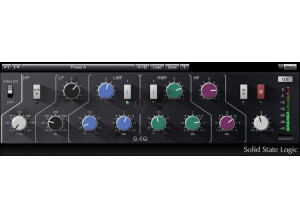
    This is very similar to the V-EQ3 that Waves also has. The main difference between this and the V-EQ3 is that this has an extra band. This plugin is actually modeled after the famous 1081 EQ. Waves set out to create a plugin that has the precision of a virtual/software EQ but has that famous vintage sound that so many people go after. The plugin has features such as LP filter frequency adjustments, HP filter frequency adjustments, on/off button, phase reverse button, LF filter frequency adjustment, LF filter gain, LF filter type, Bell filter frequency, LMF bell filter gain, LMF HiQ on/off, HMF bell frequency adjustments, HF frequency adjustments, analog on/off, output adjustments, train output gain adjustment and more. To use this plugin, you simply enable it on whatever buss you want to use it on. I've never read the manual, but the plugin is fairly simple to use and figure out if you've used EQs before. If not, turning knobs will probably get results quicker than reading the manual. SUITABILITY/PERFORMANCE Waves is pretty famous when it comes to both compatibility and stability. For one, these plugins are rock solid. I've never experienced any problems using these. There have never been any freezes, glitches or anything bizarre going on, even with a fairly heavy usage of other VSTs in the DAW. This is also cross platform compatible, so anybody on an Apple or Windows computer can easily use this without any problems. There is one problem, however. In OS X, this plugin is 32 bit only. That means that your DAW needs to enable a special bridge application if you want to use your environment in 64 bit while utilizing these 32 bit plugins. It's does it automatically, but I'd like to see the next revision be a 64 bit plugin if possible. I've been using the Mercury bundle for half a year now, and it's been a wonderful experience. OVERALL OPINION I find myself using this more than the V-EQ3 for whatever reason. I think that extra band tends to give me some more versatility. However, I don't use this plugin quite as much as other plugins out there. It's definitely a solid plugin, and it gives you a great sound. However, I usually just find myself using the stock Logic EQ as it's so versatile and clear sounding. It all depends on what you're going for in terms of tone. If you're after that more vintage sound, this could be exactly what you're looking for.

  • moosers's review

    The Waves Ltd. PuigTec MEQ-5 is a mid range EQ plug-in that comes in a number of Waves bundles, namely the Jack Joseph Puig Analog Legends pack. The plug-in is designed to be a software version of the Pultec equalizer of the same name. It's also meant to be a compliment to the EQP-1A program equalizer, a software version of which also appears in this bundle. No matter which bundle you get the plug-in in, you're going to install it all at once which should be quite simple as I didn't have any problems installing it along with the rest of the complete bundle of Waves plug-ins. It's interface is really simple and is a direct copy of it's hardware counterpart, consisting of three bands each with their own frequency and gain parameters. Two of them are just for boosting and one is for cutting. You don't have complete control over the frequencies as they are preset fixed frequencies. A manual shouldn't be necessary at all. SUITABILITY/PERFORMANCE I've currently got the Waves Ltd. PuigTec MEQ-5 plug-in running in my Pro Tools 9 based home studio. I run it on a Mac Book Pro computer that has a 2.2 Ghz Intel Core 2 Duo processor and 4 GB of RAM, while I've got Pro Tools 9 running with a Digi 002 rack version audio interface. I haven't had any problems at all running the PuigTec MEQ-5 within this system, and would think that most people would be in the same boat, but as always it's hard to predict how it will run on lesser systems. OVERALL OPINION The Waves Ltd. PuigTec MEQ-5 is probably the most realistic software version of this Pultec model that I've used. It has a great overall sound, regardless of how you would compare it to the original. Bomb Factory and Nomad Factory also have versions of the MEQ-5, but this is definitely my favorite. It has a very accurate interface and shouldn't be hard to use even if you haven't used any original Pultecs. As far as in the box EQ'ing goes, this is a great tool even when not comparing it to other Pultecs. The JJP Analog Legends bundle is one definitely worth checking out, especially if you love software modeled after real analog gear as I do...

  • moosers's review

    The Nomad Factory Program Equalizer PEQ-2B is an equalizer plug-in that's a part of the Blue Tubes Equalizer Pack. This is a Pultec style EQ and is actually labeled as the EQP-2B on the face of the plug-in, so I'm not sure why there's a difference there. Either way, the plug-in has an easy to use interface that should be simple regardless of if you're familiar with the general Pultec EQ make up. It's not identical in terms of make up to the original Pultec, but it's about as close as you can get. There are two bands, a low frequency one with seven fixed frequencies to choose from ranging from 20 Hz to 140 Hz and another with frequencies ranging from 4 kHz to 16 kHz. Each has it's own separate boost and attenuation knobs, and there's also a bandwidth parameter for the high frequency band. You can also set the attenuation frequency on the high band with a three way switch with frequencies of 5 kHz, 10 kHz, and 20 kHz to choose from. Lastly, there's a limiter button for light limiting and an overall output trim knob. A manual isn't something that most users will need, but if you're feeling lost you might as well have it around to help with this and the other plug-ins in the bundle. SUITABILITY/PERFORMANCE I don't own Nomad Factory's Blue Tubes Equalizer Pack but have been using the Program Equalizer PEQ-2B on a few different systems at the studio where I work. The main room we have it in consists of Pro Tools HD and a Mac Pro computer that has 10 GB of RAM and dual 2.66 Ghz Intel Xeon processors. I've never encountered any issues at all when it comes to performance, though this system isn't the best judge since it can handle virtually anything... OVERALL OPINION While useful, I haven't found myself using the Nomad Factory Program Equalizer PEQ-2B too much after initially using it a number of times for simple EQ jobs. It's best for bringing out a certain character in a sound rather than for finer EQ purposes, but I've got other EQ's that I think do the job better than this one. It will definitely do an okay job for use here and there, but I've found that it's not good enough to be used on a daily basis. There's nothing necessarily wrong with it, it just doesn't sound amazing. I've got other Pultec style plug-ins, including some others made by Nomad themselves that I like better than this one. It's definitely nice to have if you have the plug-in bundle it comes in, but the bundle isn't worth it for this plug-in nor do I think it's worth it to purchase it individually if possible...

  • moosers's review

    The Waves Ltd. PuigTec EQP-1A is an equalizer plug-in that's designed by Jack Joseph Puig and Waves, and of course modeled after the legendary Pultec EQP-1A Program EQ. I don't believe that the plug-in is available outside of buying a full bundle, with the JJP Analog Legends bundle being it's origin. It's also available in a number of other larger bundles from Waves. You'll install it along with whatever bundle you get it in, which shouldn't be a hard process in the least. Using the plug-in should be even simpler, even if you aren't familiar with the Pultec make up. It's about as simple a make up as you'll find in an EQ, and is one that has been copied by countless plug-ins and outboard EQ's. It consists of two bands, each with parameters for boost and attenuation, a well as a certain number of fixed frequencies to choose from on each. It also has a bandwidth parameter for setting how wide or small you want the Q to be, as well as an overall gain parameter which isn't something found on the original Pultec... SUITABILITY/PERFORMANCE Right now I've got the Waves Ltd. PuigTec EQP-1A running on my system at home, although it's not the only place I've used it. My home studio is Pro Tools HD 9, which I run on a Mac Book Pro laptop consisting of a 2.2 Ghz Intel Core 2 Duo processor and 4 GB of RAM. I run Pro Tools with a Digi 002R audio interface and monitor with a set of ADAM A7's. I've also used this plug-in on our systems at the studio where I work, which are all Pro Tools HD based. I can't say that I've ever had a problem running this plug-in on either system, as both have been adequate enough to run it smoothly. OVERALL OPINION The Waves Ltd. PuigTec EQP-1A is one of my favorite versions of the Pultec EQP-1A Program EQ, as it's quite solid and very useful for inside the box mixing. Using a Pultec in any form is super simple and I feel like this simplicity almost always helps to yield good results as there isn't too much here to get confused with. It's overall sound is pretty impressive for a software EQ as it's got a nice and warm feel. It's more realistic sounding than some of the other ones out there, as I like this one better than both the Bomb Factory and Nomad Factory versions of the EQP-1A. If you like plug-ins that are modeled after real gear, the JJP Analog Legends bundle is an absolute must try as you'll get this stellar EQP-1A in there!

  • moosers's review

    The FabFilter Pro-Q is an in depth equalizer/filter plug-in. It's available for both Mac and PC operating systems and in VST, AU, or RTAS formats. I don't own this plug-in, so I wasn't the one to install it. I work as an assistant engineer for a producer on a freelance basis and he's got this plug-in at his home studio, which he swears by and has really turned me on to it. I love the interface of the Pro-Q as beyond just looking awesome it's super easy to use and provides as much or more control over what you can do as any EQ plug-in out there. The graph is extremely helpful to plot your points, and you can have up to 24 bands of EQ, so you're never going to run out of options here. It also has a zero latency mode, which is always nice. I wouldn't say that it's necessarily hard to use this plug-in, but there's a ton that you can do with it and it certainly took me a number of uses to learn everything about it, and I'm still learning little things here and there. A manual or a general overview of the plug-in would be a good idea for a new user. SUITABILITY/PERFORMANCE The system that I've used the FabFilter Pro-Q on is Pro Tools HD based. I don't know all the specs for the system that he's running, but it's an Apple G5 computer and Pro Tools HD, so not too many plug-ins are going to lag here. Even while this may take up more processing power than most EQ's out there, you still should be able to run a good amount of them once if you're currently able to run plug-ins without issues. OVERALL OPINION The FabFilter Pro-Q is probably my favorite EQ plug-in. It's just so in depth that it trumps most other EQ's out there based on flexibility alone. It also has a number of features like zero latency monitoring that you're just not going to find on most EQ's. However, the crystal clear sound of the Pro-Q makes it what it is. This is the perfect one stop shop for equalization and filtering, whether you're looking to remove a certain frequency or bring out certain colors in your sound. The price of the Pro-Q isn't too bad considering what you're getting here. If you're looking for something really cheap to get started with, the Micro plug-in is a one band EQ and is good place to start. If you're looking for a top of the line EQ, the FabFilter Pro-Q is the one I'd recommend.

  • moosers's review

    The Softube Tube-Tech PE 1C is an equalizer plug-in that is a software version of the Tube Tech PE1C Pultec style EQ. I've used both this software version and the original hardware EQ, as we have the hardware version at the studio I'm working at now and I've used this plug-in in the past at one of the other studios that I used to work at. Since I don't own it, I didn't have anything to do with installing it and can't speak about what this process entails with this particular plug-in, although it's probably safe to assume it's much like installing any piece of software. Moving onto the interface of the plug-in itself, it's exactly like the hardware Tube-Tech PE1C, and when I say exactly, I mean exactly! It's got a stellar 3D interface that literally looks like a picture of the original. Since the PE1C is modeled after the classic Pultec EQ's, you'll certainly recognize this configuration if you're familiar with the Pultec make up. It's got two bands that each have both boost and attenuation leveling knobs, as well as a set of fixed frequencies to choose from on each. It also has a bandwidth parameter that applies to both of the bands in addition to it's overall output gain knob and it's attenuation selection knob. A manual isn't totally necessary here, as I have a feeling most users won't need it. SUITABILITY/PERFORMANCE Although I haven't used the Softube Tube-Tech PE 1C since the studio that I was working at closed down, when we were running this it was in a Pro Tools HD setting, so very rarely did we have performance issues with plug-ins. The computer was an Apple G5, and although I can't remember the exact specs, it was very quick for a G5. Even though the interface is 3D and all that, it still doesn't seem like it takes up too much processing power. However, it's definitely hard for me to say how it might react in an LE sort of setting... OVERALL OPINION Although the Softube Tube-Tech PE 1C doesn't have the same, warm tube driven sound that the original Tube-Tech PE 1C, it still sounds awesome and is great for use across the board, whether it be for mixing or not. I love the Pultec style EQ configuration, so I always found this plug-in easy to use. It's been a while since I used this in the old studio that I work at, but I'm lucky enough that the studio that I now work at has a real Tube-Tech PE 1C, which I have to say definitely sounds better when compared to my recollection of this plug-in. It's worth mentioning however that this plug-in was indeed developed in tandem with Tube-Tech, so they had a say in this thing and certainly thought it was a good enough emulation to put out under their name, and I'd definitely agree that it's as close as you're going to get sound wise. The plug-in is inexpensive enough where it's definitely worth checking out regardless of if you're a home or professional studio owner. I love Softube's line of plug-ins that emulate and are endorsed by their original manufacturers, and their Tube-Tech stuff is some of their best...

  • moosers's review

    The Waves Ltd. API 550B is a software equalizer that is part of the Waves API Collection of plug-ins. It can't be purchased individually as far as I know, so check out the full bundle if you're interested in this one. I recently got the full bundle of Waves plug-ins, so I installed this one along with the API Collection at once. The process should be quick and easy as long as you've got proper compatibility happening. The interface is quite easy to figure out as well as it's a four band semi-parametric EQ. If you're familiar with the general make up of equalizers, you'll definitely feel comfortable using this one. Each of the four bands has parameters for gain and frequency and there are switches for setting the bandwidth on the high and low bands to either a shelf or standard. The plug-in also has an 'analog' switch and an overall output parameter. I've never seen the manual for this plug-in and don't plan on ever needing too since it's pretty simple. SUITABILITY/PERFORMANCE The system that I'm running the Waves Ltd. API 550B consists of a Mac Book Pro and Pro Tools LE 8. The lap top has 4 GB of RAM and a 2.2 Ghz Intel Core 2 Duo processor, while I'm running Pro Tools LE with a Digi 002R and I'm listening with a set of Adam A7 monitors. This system has been more than adequate for running this plug-in, as I've never had any performance issues whatsoever. I don't tend to put it up on every track, but I've used enough instances of it at once that I wouldn't be concerned with doing so if needed. OVERALL OPINION The Waves Ltd. API 550B is probably the most useful equalizer of the EQ plug-ins in the Waves API Collection, as it's certainly the most flexible and shares the same pristine sound quality that the other Waves API EQs do. It's a really great sounding EQ in general and I'm a big fan of the make up of this as it reminds me of a console's EQ which feels most comfortable to me. I'll always try to use hardware equalizers when possible as to me there is nothing that can match running a sound through actually circuitry, but this is really as close as you can get inside the box. At home I don't have much outboard gear so I do rely a good bit on plug-ins. I'd definitely recommend the Waves API 550B as a fabulous software EQ!

  • moosers's review

    Softube's Trident A-Range is an equalizer plug-in that is designed after a real Trident console. This is one of the best console emulations out there that I've used, as it's endorsed by Trident themselves and has a very realistic interface. As long as you have a compatible system, you shouldn't have any issues installing it as it only took me a few short minutes to get it going. Learning the interface should be easy even if you are unfamiliar with the original Trident console that this is modeled after, which I'm not sure on the model #. It's a four band EQ, with each band consisting of four frequencies to choose from and a gain slider for cutting or boosting. It also has a high and low pass filter, each of which has three frequencies to choose from. Lastly, in keeping with the original Trident channel strip, it has a phase button, a saturation parameter and an overall output leveler. I haven't seen a manual for this plug-in so I can't speak to it's worth. SUITABILITY/PERFORMANCE Right now I'm running the Softube Trident A-Range plug-in in Pro Tools LE 8 on my Mac Book Pro that has a 2.2 Ghz Intel Core 2 Duo processor and 4 GB of RAM. I run Pro Tools LE with a Digi 002R audio interface and I monitor with a set of Adam A7's. Thus far I've been able to run the plug-in smoothly and without issues, but this is only while running a few instances at a time within a single session. I've yet to try and bring up a fully loaded session and try to throw EQ's on each, so I can't say what it's max power is. However, it only takes up a modest amount of processing power so most users shouldn't encounter too many performance issues. OVERALL OPINION I've only had the Softube Trident A-Range in my DAW at home for a couple of months, but I've really been loving my time with it in this short window. It's truly a great software EQ and it's super easy to use and has a clean tone. I can generally do everything I'd like on it in terms of finding the right frequencies, but it isn't fully parametric so if you're trying to zoom in on something it's probably not the best choice. However, for adding color via EQ here and there, it's pretty much perfect for a piece of software. I always prefer to use hardware, but at home where I don't have much it's great to be able to have something like this that sounds great and is easy to use inside the box. Softube's Trident A-Range is a must try for anyone interested in a nice software EQ.

  • moosers's review

    PSP's MasterQ plug-in is one that is available in any format and is a pretty in depth equalizer overall. No one should be having any issues as far as downloading and installing the plug-in goes, as once you've purchased the plug-in from PSP's site, you can download any version that you need. As long as you know what format you need the plug-in in, you should be all set. The interface of the MasterQ is a little more complicated than installing it, but not by all that much as it's pretty simple to follow if you know something about equalizers. The MasterQ is a seven band equalizer, with the five in middle consisting of parameters for frequency, gain, and Q (bandwidth), while the two bands on the outside act as low and high pass filters with parameters just for frequency and Q. There are a few other main parameters to work with, but nothing major that needs to be mentioned here. The most useful thing about this plug-in is that there is a detailed graph that shows all of the moves you're making. I've never had a need to check out the manual for this plug-in. SUITABILITY/PERFORMANCE I'm no longer running the PSP MasterQ plug-in on my current Pro Tools system, although they do have an RTAS version of it. I used to run it in Cubase SX 2.0 and later on it 3 on a Hewlett Packard Pavilion dv8000 lap top that had 2 GB of RAM and a 3.0 Ghz processor. I never really maxed out a session with this plug-in on the aforementioned system, but I was able to run a few of them simultaneously without any hiccups. While it's called the MasterQ, you can definitely used it either as a mixing or mastering plug-in. OVERALL OPINION The PSP MasterQ is a great plug-in to have available. It has a very clean sound to it and offers up just about as much control over your sound as you could ask for. I love having the graph in there, as it seems more detailed than most EQ graphs out there. The price however would have to be the best part about this plug-in. It's definitely affordable for anyone running any system, although I guess it wouldn't necessary for those doing smaller projects who already have built in EQ in their DAW. However, if you are looking for a new in depth equalizer to mess around with at a very low price for something like this, the PSP MasterQ would be something I'd encourage you to try a demo for.

  • moosers's review

    The Stillwell Audio 1973 EQ is a three band equalizer with a high pass filter as well. The plug-in pays tribute to the Neve 1073 equalizers, borrowing the frequencies found on these classic EQs. I didn't have any issues installing the plug-in as it was easy enough to download from their website and follow the instructions. The whole process took only a few minutes as I didn't have any problems at all. The interface of the software is incredibly simple to follow as well. The three main EQ bands have parameters for gain and sliders to choose a few different fixed frequencies, except for the high shelf which is stationary at 12 KHz. The high pass filter has four fixed frequencies to choose from, and there is also an oversample switch an overall output gain leveler. I've never needed to look at the manual, so I don't know how helpful it might be. SUITABILITY/PERFORMANCE I'm running the Stillwell Audio 1973 EQ plug-in on a Mac Book Pro that has a 2.2 Ghz Intel Core 2 Duo processor and 4 GB of RAM. I run the plug-in in Pro Tools LE 7.4, but understand that since Stillwell Audio does not offer this plug-in in RTAS form, you need the Fxpansion VST to RTAS converter in order to use this in Pro Tools! As far as performance goes, the 1973 EQ won't take up much processing space at all, as it runs at a very low level. I can't imagine anyone having trouble running it who already has a decent enough system to run plug-ins on in the first place. OVERALL OPINION My favorite part about the Stillwell Audio 1973 EQ and Stillwell Audio in general is the price! They offer up some nice sounding plug-ins at a seriously low price that you can download straight for their website. This certainly isn't the cleanest or most detailed plug-in equalizer plug-in that I've used, but it will get the job done for basic tone shaping for sure. The fixed frequencies are picked well since it is after the 1073, so that's certainly not something that you need to be concerned with. All in all, I'd definitely encourage those reading this and any bit somewhat interested in the 1973 EQ to at least check out the demo, and the plug-in is even cheap enough that you could buy it and it wouldn't be a big deal if you didn't like it, but I think you will anyway...

  • « Just perfect »

    I use this piece of software on an Asus x52jc laptop: - Core I5, 2.2 ghz - 4GB RAM - Cubase Element 7 DAW I use it for sound design and mixing. Performance and stability: 4/5. Ease of use: 5/5 for someone used to manipulating EQs. Basic manual (in Englsh only). Efficiency: 5/5. This software perfectly fits my expectations. Pros: - Sober, flexible and practical interface. - The ability to listen and mute frequency bands. - A very complete plugin. Cons: - The spectrum analyzer could have been made bigger.

  • « Legit EQ »

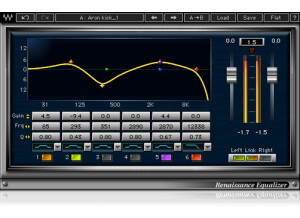
    It's a bit difficult to think of too much to say about this EQ other than it is a solid, well-made plug-in with no foreseeable downsides. I personally used this as my go-to EQ for a few years before getting a bundle of PSP plug-ins which have replaced a lot of the Waves stuff for me. I find this EQ to be very nice and clear, without producing any harshness when you boost the upper frequencies, which can happen in cheaper EQs. I use the PSP MasterQ for most of my general work now and couldn't tell you that it is any superior performance-wise, only that I like the look and feel of working with it a bit more. The Renaissance EQ isn't quite as point-and-click friendly and seemed somehow obtrusive in that way but I think that's more about my style than any weaknesses of the product itself. I like it on my Master bus for a bit of soft tweaking to the overall mix. If you know and understand basic EQing then you will have no problems opening this up and working with it right away. There are plenty of helpful presets and all parameters are pretty well labeled. The layout is fine although I prefer plug-ins that aren't so dark when I have the choice. Again, a style thing, but I don't like looking at dark, black plug-ins when I have to work with it all day. Stability was never an issue and I can't recall ever having any issues with my program crashing or otherwise having problems with most of the Renaissance series, which is sadly not something I can say about a couple of PSP plug-ins. I've never needed to look in the manual so I don't have any experience about whether it is helpful or not. Like I said, if you know your way around an EQ it shouldn't be a problem, but even if you don't this is fairly user friendly and you should be able to figure it out quickly. I also can't comment directly on the price, as I got it as part of a big bundle and not separately. For $150 though, which is the price I've seen for it now, I can't imagine it being my first choice of new gear when I get my paycheck. If you're just getting going or are more into production as a hobby, I'd spend your money on something else before coming to this product. It's definitely good but not really necessary unless you're producing professional stuff on a frequent basis. Cheers!

Categories that may interest you