Log in
EN
FR

Software Exciters/Enhancers

145 products found

Sort results
  • Popularity
  • User ratings
  • Price - low to high
  • Price - high to low
  • Used price, increasing
  • Used price, decreasing
  • Name (from A to Z)
  • Name (from Z to A)
  • Added on

The best Software Exciters/Enhancers reviews

The reviews Audiofanzine members found the most helpful.
  • moosers's review

    I didn't have any problems installing the BBE H82 Harmonic Maximizer as I installed it along with the other plug-ins within the BBE Sonic Suite plug-in bundle. It only took a few minutes as I didn't have any compatibility issues or any other problems. The interface of the software is easy to follow as it has a pretty simple lay out. It has five knobs to control different parameters including lo tune, lo mix, hi tune, hi mix, and output level. It also has metering for both input and output levels. I've never seen a manual for the BBE H82 Harmonic Maximizer so I can't say if it would be helpful or not. SUITABILITY/PERFORMANCE Running the BBE H82 Harmonic Maximizer is always quite easy as it doesn't take up too much processing power at all. I am able to run a few of them at once if I choose to, but I generally only have one or two going at once if at all. I am currently running the plug-in on a Mac Book Pro that has a 2.2 Ghz Intel Core 2 Duo processor and 4 GB of RAM. I run Pro Tools LE 7.4 with a Digi 002R audio interface and this configuration is quite stable when considering this plug-in. OVERALL OPINION I've had the BBE H82 Harmonic Maximizer for about a year or so after purchasing it within the BBE Sonic Suite. It has a pretty good sound and will add some life to your sound as you can effect both the top and low end of your signal. The price of the suite (as I don't think that they sell this plug-in on its own) is pretty reasonable. It is one of the better plug-ins in the bundle and is also one of the most versatile. This is definitely a useful plug-in, but isn't a necessity and unless you think you will be using all the plug-ins in the suite, I don't know if it would be worth it.

  • moosers's review

    The process of installing the BBE D82 Sonic Maximizer plug-in was quick and easy as I had no compatibility issues or any other problems. After a few minutes I had the plug-in running and was learning how to use it, which also didn't take too long. The plug-in has a simple interface and those with any experience with any other version of the BBE Sonic Maximizer will already understand how to use it because it is pretty much the same as any other version of it. It has three parameters - one for lo contour, one for process, and one for output level. It also has metering for overall output and a button to bypass the plug-in. I don't have a manual for the BBE D82 Sonic Maximizer but it is easy enough to use that you don't really need one. SUITABILITY/PERFORMANCE I am currently running the BBE D82 Sonic Maximizer on a Mac Book Pro that has a 2.2 Ghz Intel Core 2 Duo processor and 4 GB of RAM. I use the plug-in in Pro Tools LE 7.4 that runs with a Digi 002R audio interface. Although I don't use the plug-in all that often, I have used both this version of the plug-in and another one so I do have a good amount of experience with BBE Sonic Maximizer plug-ins. Within my set up, the plug-in works pretty flawlessly if you use only a few of them as the plug-in won't take up much processing power at all. Even if you wanted to run a lot of them at a time you shouldn't have a problem if you have an adequate machine, but it really depends on what type of system you are running it on. OVERALL OPINION I've been using the BBE D82 Sonic Maximizer for only a short while as this is the newest version of the plug-in. I've been quite satisfied with the plug-in since I started using it even though I only use it every once in a while. It works great for adding a little punch to your sound, but I try not to use it too much as I find that you can suck the mids out of a sound if you use it too often. The price isn't too bad at all and once you have it you won't ever need another plug-in like this as this will do the job. All in all, this is a nice little plug-in that is cool to have, but is by no means essential to any recording set up.

  • « Another one knob solution to a multi-knob problem »

    There were no compatibility issues installing any of the other six One Knob plug-ins, One Knob Phatter being no different. The general setup of the plug-in, as with the others, is as simple as it gets. One knob sits in the middle of the display. When you raise the knob an aesthetically pleasing amber light indicates the effect's level, also displayed in a number between 0 and 10 in the lower right hand corner. Because of it's simplicity I have never felt the need to read the manual, but I can imagine as with the rest of the Waves plug-ins that it would be well-written and helpful. SUITABILITY/PERFORMANCE Running in Ableton Live 8 on my MacBook Pro with a 2.7Ghz Intel Core i7 processor and 4GBs of RAM, Waves' One Knob Phatter is as smooth as clockwork. Being a fairly light plug-in with regards to CPU usage, it is stable and reliable even in situations with many other effects and VSTs operating simultaneously. That said, I do not use the One Knob series too much. This is for the simple fact that they don't offer enough versatility. There is literally one, and only one way to affect the signal. Although easier for producers who may not want to go through the trouble of learning more complex interfaces for fattening a sound, is it worth the money? The product can either be purchased as a part of the Waves One Knob package deal, or with the Mercury bundle. If you are really dying the try it, get a much better deal by buy the Mercury bundle and getting the entire library of other top-of-the-line plug-ins that comes with it. OVERALL OPINION Overall I wasn't totally satisfied with the One Knob series by Waves, but there were some viable pros to help balance the cons. The pros: their simplicity, stability, and superior sound quality. Fattening the bass with this plug-in couldn't have been easier and sounded really great, not just boosting the lows, but enriching them. The cons: lack of versatility in expression, and limited realistic use in a professional production environment. Although there is a One Knob to solve everything, it isn't always the right plug-in to just throw in the mix and crank up, because at the end of the day you don't have the ability to tweak it exactly how you want it. The One Knob Phatter, although expressive in its own way, lacks enough flexibility for me to really recommend it as a worthwhile product to invest it, but if you get it as a part of the Mercury bundle I would encourage you to try it out just to know how it sounds. There are certainly great situation where the exact One Knob Phatter sound is what you need.

  • « Surprisingly effective, but still limited »

    There were no compatibility issues installing any of the other six One Knob plug-ins, One Knob Brighter being no different. The general setup of the plug-in, as with the others, is as simple as it gets. One knob sits in the middle of the display. When you raise the knob an aesthetically pleasing teal light indicates the effect's level, also displayed in a number between 0 and 10 in the lower right hand corner. Because of it's simplicity I have never felt the need to read the manual, but I can imagine as with the rest of the Waves plug-ins that it would be well-written and helpful. SUITABILITY/PERFORMANCE Running in Ableton Live 8 on my MacBook Pro with a 2.7Ghz Intel Core i7 processor and 4GBs of RAM, Waves' One Knob Brighter is as smooth as clockwork. Being a fairly light plug-in with regards to CPU usage, it is stable and reliable even in situations with many other effects and VSTs operating simultaneously. That said, I do not use the One Knob series too much. This is for the simple fact that they don't offer enough versatility. There is literally one, and only one way to affect the signal. Although easier for producers who may not want to go through the trouble of learning more complex interfaces for raising high-ends, is it worth the money? The product can either be purchased as a part of the Waves One Knob package deal, or with the Mercury bundle. If you are really dying the try it, get a much better deal by buy the Mercury bundle and getting the entire library of other top-of-the-line plug-ins that comes with it. OVERALL OPINION Overall I wasn't totally satisfied with the One Knob series by Waves, but there were some viable pros to help balance the cons. The pros: their simplicity, stability, and superior sound quality. Raising the brightness with this plug-in couldn't have been easier and sounded really great, not just boosting the highs, but enriching them. The cons: lack of versatility in expression, and limited realistic use in a professional production environment. Although there is a One Knob to solve everything, it isn't always the right plug-in to just throw in the mix and crank up, because at the end of the day you don't have the ability to tweak it exactly how you want it. The One Knob Brighter, although expressive in its own way, lacks enough flexibility for me to really recommend it as a worthwhile product to invest it, but if you get it as a part of the Mercury bundle I would encourage you to try it out just to know how it sounds. There are certainly great situation where the exact One Knob Brighter sound is what you need.

  • « Bass you can really feel »

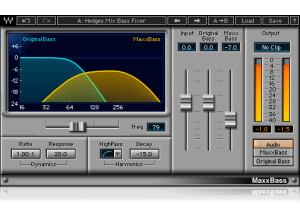
    Getting Waves MaxxBass up and running was, as with all of the other Waves plug-ins I've used, a piece of cake. There were no compatibility issues and, although I didn't read the manual I can definitely say it's a fairly easy VST to get the hang of. The interface consists of a cut-off frequency fader, an input bass, original bass, and maxx bass fader, and parameters that affect the dynamics and harmonics of the signal. All in all a pretty straight-forward, easy to use plug-in. SUITABILITY/PERFORMANCE Again, as with all of the other Waves plug-ins I've had the pleasure of using, MaxxBass has been a completely stable, reliable addition to my VST library. I'm using a MacBook Pro with a 2.7 Ghz Intel Core i7 processor and 4GBs of RAM and so far everything has been working like a charm. Of course I don't really automate functions on MaxxBass, which may put more stress on my DAW's CPU usage, so I'm not entirely sure how it performs under more strenuous circumstances. I can say, however, that as a sound shaper for some really punchy, fat bass, this is one of my favorites. It really adds a level to your bass that you can feel, sort of like a 32 or 64 ft. organ pipe would. I have successfully employed its effects in Hip-Hop, DubStep, and House tracks and it has done the job well in each scenario. I've only had this plug-in for a couple months, but I feel like it will be a prominent player in my arsenal for a little while. OVERALL OPINION Overall Waves MaxxBass is one of the best ways to get a deep thump in your low ends. This is a huge asset seeing as though drowned out bass is a serious problem in mixes - just watch your levels and be conservative because after all, it packs a punch. Very effective and extremely reliable, in the right doses you can't go wrong with MaxxBass.

  • « What the BBE never could've done... »

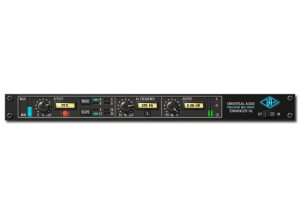
    Typical U-Audio, everything is spot on. SUITABILITY/PERFORMANCE See above. OVERALL OPINION The Precision Enhancer Hz allows the user to selectively add upper harmonics to bass fundamentals, sometimes referred to as “phantom bass.” This signifi- cantly enhances the perception of low-end energy beyond the conventional frequency response of small speakers. These harmonics stimulate a psychoa- coustic bass-enhancing effect in the listener, giving even the smallest speakers greater translation of low frequency sources. Universal Audio’s unique ap- proach to this common problem combines a simple control set that yields ex- acting results with minimal adjustment and allows the widest range of tonality available in its class, from subtle to decidedly audible. The Hz Frequency control sets the corner frequency of the bass-isolation low pass filter, while Effect blends the generated signal into the original signal. Four effect slopes are available for variations in harmonic density, while five modes present various internal control configurations to support the widest ar- ray of source material. Finally, the Precision Enhancer Hz includes control over the final output with metering to compensate for gain changes created by the effect. Precision Enhancer Hz does for low frequencies what Precision Enhancer kHz does for the highs. Together, they are a great complementary pair. The Precision Enhancer Hz effect can serve multiple purposes. When the fre- quency control is set low, the effect extends into the audible low end. Lower frequencies work well for adding a low end thump or beefing up percussive bass/kicks, but be careful not to overdo it. With the frequency control set to mid to higher frequencies, the effect is designed to add bass tone that would ordinarily disappear on smaller speakers. For the most predictable results, it is recommended to audition your mix on both full range systems with a subwoofer, as well as small consumer systems such as a boombox or computer speakers. A different effect response will be achieved when the plug-in is used pre- compression. It is recommended to experiment with processing order as re- sults can vary substantially.

  • « powerful plug in »

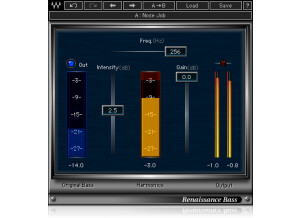
    The Cry Sonic Xtasy v3 was easy to install and had no compatibility issues setting it up with my Mac and Pro Tools 7.4. It is pretty much your basic plug in installation process. I never looked at the manual as it was easy enough to install and is even easier to use! It only has 3 virtual sliders to control. SUITABILITY/PERFORMANCE I have the Cry Sonic Xtasy v3 running on a Mac Book Pro with a 2.2 Ghz processor and 4 GB of ram. The software works exactly as it should on my machine and I never had any problems using it. My machine is pretty sturdy and is able to handle a bunch of plug-ins at once, but like all plug ins, R-Bass will only take you as far as your machine will allow it to. OVERALL OPINION I've been using the Cry Sonic Xtasy v3 for about a year and a half and since then I have put it on almost every bass guitar track that I have recorded. It adds a fullness and depth to the bass that is hard to live without after hearing the difference between the signal with and without the plug in applied to it. It is incredibly easy to control as it only has three sliders - one for intensity, one for gain, and one to set what frequency you want to boost. Since it is designed especially for bass instruments, the frequency range is pre set for frequencies that will enhance the bass in your mix. I haven't been able to find any plug ins that do the same things that Cry Sonic Xtasy v3 does. If you get Sonic Xtasy v3 in plug in pack, it really isn't too expensive and is definitley worth it as you won't be able to live without it after you use it! All in all I'm a big fan of Xtasy and would recommend it to anyone who wants a generally richer bass tone!

  • « Beefs up the bass »

    Bass can be one of the hardest things to mix. The low frequencies itself are harder to hear than midrange frequencies, and there are a lot of sound systems out there that have trouble capturing the full scale of the bass end of music. As a result, a lot of people tend to overmix bass. It then creates a mix that is way too flubby on a set of professional monitors. This is especially noticeable with headphones. This plugin helps try to beef up your bass without having you overmix it too much. However, I still noticed that you can overmix if you're not careful. The plugin is very simple and only has three slides -- intensity, gain and frequency. By utilizing these three sliders, you can tighten up the bass a bit so it's not as ridiculously fat. On the opposite end, you can also beef it up real good if you play your frequencies right. I never had a problem using this, and there shouldn't be a need to read the manual for it as it's very simple. SUITABILITY/PERFORMANCE Waves is really one of the best companies out there when it comes to implementing solid plugins with no real fuss. These plugins are always rock solid and super stable; this plugin is really no different. I've never experienced a single crash or hiccup while using this plugin. The plugin is also cross platform compatible, so Windows and OS X users alike can use these without any problems. There is one issue that I always gripe about, however. These plugins are 32 bit for OS X. Right now, I'm using a 64 bit DAW, and for me to utilize these plugins, it needs to launch a special bridge application. I'm not a huge fan of the way my DAW utilizes these, so I'm hoping they update these in the future. I've been using the Waves Mercury bundle for the past six or so months, and it's been a very enlightening experience to say the least. OVERALL OPINION The plugin is good, but I don't tend to use it all that often. Personally, I just throw a compressor on the bass buss, and if I need it to be more aggressive, I'll add a gain plugin. Most of the time, a simple VST amp for the bass can get me there. It's not a bad plugin, but I wonder if it's meant more for electronica than bass.

  • « Very nice on the master buss »

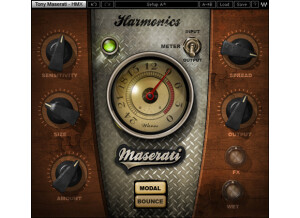
    Harmonic generators can be a true godsend to certain mixes. They can really add some cool depth and life to something that would otherwise sound a touch dull. Tony Maserati has been a long time master at putting out quality mixes, and this plugin helps represent his philosophy on mixing. This plugin is really meant to be added to the master buss, but you can use it on whatever you want. It's super simple to use, so there's no real need to read the manual. The plugin has knobs for sensitivity, size, amount, spread, output, fx and wet. There are also different switches you can utilize to change the overall sound. SUITABILITY/PERFORMANCE When it comes to things like stability and overall performance, Waves tends to be at the top of the totem pole. I've never experienced a single crash, freeze or hiccup while using any Waves plugin, let alone this one. They all seem to be super stable, which is a huge plus for something as critical as a recording environment. The plugin itself is cross platform compatible, so there is no issue when it comes to using this with either an Apple or Windows based computer. The biggest problem I experienced simply has to do with the recently technological evolution of OSes. My DAW and OS are now 64 bit. However, these plugins are still 32 bit. For Logic Pro to fully utilize this plugin, it needs to run a bridge application, unless I want to gimp down my DAW. It's a bit of a pain, but it works. I'm hoping they update these to 64 bit in the future. I've been using the Mercury bundle for the past half a year or so, and it's been working out great. OVERALL OPINION I've used this plugin fairly successfully in various mixes that I've done. It can really help make a mix stand out, but be sure not to use too much of it. Once you start overusing it, it tends to make everything sound overly processed. Definitely give it a try; it should work with most styles of music.

  • « Works great for that low end thump »

    Tony Maserati is one of the kings when it comes to things like R&B and pop music. He's helped produce and engineer stuff from Destiny's Child to Tupac, and he knows this genre inside and out. Considering how famous he is, it's no wonder he got his own signature plugins. This one is for the bass buss. To use this, simply enable it on your bass buss inside of your DAW, and you're good to go. The plugin itself is laid out in a very easy to utilize manner, so there should be no issues when it comes time to use this. The plugin has knobs for sensitivity, bass, treble, output, fx, tone and fx out. There are also buttons to select between different settings and whatnot. SUITABILITY/PERFORMANCE Waves is, by far, one of the best software companies out there when it comes to things like performance and stability. First of all, this plugin is cross platform compatible. That means that nearly anybody can use this without any issues. As a Mac user, that's a huge plus for me. The plugin itself is rock solid, and I've never experienced a single crash directly related to utilizing this plugin inside of my DAW. There is one one issue that I did experience, and it's why I rated it a 9 instead of a 10. This plugin is a 32 bit plugin inside of OS X. Today, we're mostly living in a 64 bit world. For Logic Pro to utilize this plugin, it needs to run a special bridge application so I can have my higher RAM limit inside the actual DAW. I realize that the plugin is kinda old, but I'm hoping Waves will update this for 64 bit operation in future updates. I've been using the Mercury bundle for the past half a year or so, and it's been a wonderful experience. OVERALL OPINION Bass doesn't usually need a ton of attention compared to, say, drums. However, it's very easy for bass to totally destroy a mix if you don't know what you're doing. I find that a heavy hi-pass and lo-pass filter to solidify where the bass will sit tends to work the best. This plugin has helped me in a few ways for rock productions, but I wouldn't really use this on a metal mix. Worth checking out for sure, though.

  • « Great for the master bus »

    Waves has released a plugin modeled after the very famous Aphex Aural Exciter. The original hardware device, used throughout the 70s and 80s, was considered to be the pinnacle of technology when it first came out. The plugin itself operates in a complex way of enhancing the vibrancy of whatever bus it's put on, but it's a pretty simple to use plugin. You have a mode selector that selects between Mix 1, Mix 2 and Ax. The Meter is simply a meter to view so you can monitor what's going on with the waveform. The Input controls the input gain, the Ax Mix controls the amount of aural excitement that's being mixed into the original signal, the Output controls the gain, Mains give it a unique analog-esque characteristic that make this act like the original unit and the noise controls the amount of "analog noise" added to the sound. SUITABILITY/PERFORMANCE Waves plugins are pretty well known for being the industry standard plugins out there, and for good reason. First of all, the plugins are cross platform. That means that both PC and Mac guys can use them. Given that I'm a Mac guy, that's a huge plus for me. The plugins themselves are very stable. I've never experienced a crash directly related to inserting a Waves plugin into any audio or MIDI bus in Logic. I've never read the manual, so I can't really comment on that. However, most of these plugins are fairly intuitive when it comes to their usage. While the names may be a touch convoluted if you don't know what they're modeling, you can get a good idea as to what they do if you just mess around. It doesn't take up much memory when in use, even with the 32 bit bridge application in Logic, and I've been using these for quite awhile now. OVERALL OPINION I like to use this plugin on the master bus. To me, it's best when used on the overall mix to enhance the complexity of the sound. I don't really use it on guitar tracks alone as I tend to keep those mostly dry with as little effects and EQ as I can get away with. The biggest issue is that this only comes with the Mercury bundle as far as I know. That means that you'll be shelling out a few grand just to get this plugin. If you ever get a chance to find a recording studio with Waves Mercury, give this thing a try.

  • moosers's review

    The Waves Ltd. LoAir plug-in is a subharmonic, low end generator specifically designed for post production and sound design, but certainly useful across the board. The plug-in is a part of a few different bundles, but I have since I've got the full Waves Complete bundle. It's also available in the Waves Sound Design Suite and the 360 Surround Tools bundle. I didn't install this plug-in individually as you do the full bundles at once, but this process was quick and easy enough where it's not really even worth mentioning. As far as using the plug-in goes, it took me a bit of messing around with it to get the hang of it as not all of the parameters are clean cut. The main parameters are for frequency range for the low pass filter, LoAir, which is controls the volume level of the pitch, Lo, direct level, LFE output (for 5.0 and 5.1) and then there's a feed section as well. A manual would definitely be a good idea for this one. SUITABILITY/PERFORMANCE Right now I'm running the Waves Ltd. LoAir plug-in on a Mac Book Pro and in Pro Tools LE 8. The computer has a 2.2 Ghz Intel Core 2 Duo processor and 4 GB of RAM, while I'm running Pro Tools LE 8 with a Digi 002R audio interface. This has definitely been enough for me to run this plug-in without issues, although I've really only tried to run one instance of it at a time. OVERALL OPINION While I haven't exactly been using the Waves Ltd. LoAir plug-in for what it's designed for, I've been finding it to be a pretty cool and useful tool for adding some more low end presence to kick drums. It can definitely be a bit too much, but when used in moderation I think it can add some depth if the kick drum sound is lacking it. I don't do any post production or sound design work, so I'm afraid I won't be able to review the plug-in on this sort of basis. Having said this, if you too have the Waves Complete bundle and are looking to make the most of every single on in it, the LoAir plug-in can definitely be a friend when trying to beef up your low end signals. However, I wouldn't buy this plug-in unless you're using it for the original intended purposes, as there's only so far it will take you otherwise...

Categories that may interest you