Log in
EN
FR

Software parametric EQs

564 products found

Filter
Sort by
Brand
Evaluation
  • Reviewed or not
  • Editor’s award
  • Reviewed by Audiofanzine
Availability
  • Available or not
  • Sold new or used
  • Sold new
  • Sold used
Must-have products
  • All products
  • Flagship products
  • Best rated products
  • Hot products
  • Popular products
Price
  • Freeware
  • Low-cost (< $100)
  • Mid-range ($100 - $300)
  • Premium (> $300)
€
Clear
Sort by
  • Popularity
  • User ratings
  • Price - low to high
  • Price - high to low
  • Used price, increasing
  • Used price, decreasing
  • Name (from A to Z)
  • Name (from Z to A)
  • Added on
Sort results
  • Popularity
  • User ratings
  • Price - low to high
  • Price - high to low
  • Used price, increasing
  • Used price, decreasing
  • Name (from A to Z)
  • Name (from Z to A)
  • Added on
Filter results 564 results found
Brands
Evaluation
Availability
Must-have products
Price
  • Freeware
  • Low-cost (< $100)
  • Mid-range ($100 - $300)
  • Premium (> $300)
Show results

The best Software parametric EQs reviews

The reviews Audiofanzine members found the most helpful.
  • « Low-CPU Eq »

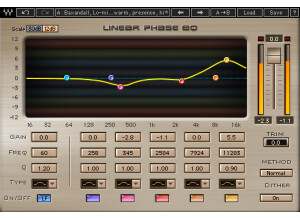
    The Waves Q10 Equalizer is a software plug-in that can be used inside a DAW. The software is easy to download and install from the Waves website. Authorization can be completed using an iLok or any USB memory stick or with the Waves Authorization application if you computer is connected to the internet. It is very easy to get started with this plug-in if you have any intuition about equalization. Different eq modes are available - shelving, band pass/stop, high/low pass. The 'gain' setting makes the amplitude of that filter louder or quieter. 'Freq' changes the frequency of the filter. The 'Q' setting controls the slope of the filter curves to broaden or narrow the frequency response. SUITABILITY/PERFORMANCE The Q10 is meant to be a digital equalizer. If you want a modeled version of an analog equalizer, Waves has plenty of other products to look at. If you really need to do some precise, 'surgical' equalization, Q10 is the way to go. I own the Waves SSL bundle and the Neve (V-Series) bundle, but they don't offer the same precision as the Q10. For me, the utility of the Q10 is for 'subtractive' equalization. I almost always load Q10 in my first plug-in slot to find any 'harsh' frequency regions in my recorded signal. Using a relatively narrow 'Q' setting, I pull these problem frequencies out. I think it is also a good idea to take out any low frequencies below 30 Hz from my signal using the Q10. Later on in the signal chain, I will use the SSL EQ to boost some mid-range frequencies with a broad 'Q' setting, and the Neve EQ to boost some top-end. OVERALL OPINION The Q10 equalizer has been around a long time. The best part of the plug-in is that it has a low CPU demand. If you aren't very experienced with eq'ing audio, the included presets are a good place to start. It is great to have some analog modeled eq's in your arsenal, but it is also essential to have a digital eq available whenever you are trying to avoid adding analog 'color' to a recording. Q10 is a great choice in this category. The H-Eq from Waves is another option because it gives you the option of both digital filters, and analog modeled filters.

  • « Vintage style EQ »

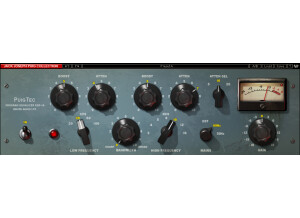
    The Pultec Bundle by Bomb Factory has been one of the main equalizers that I have been using over the last two years. I have not had any compatibility issues when using it with Cubase, Reason, Ableton Live or FL Studio. No matter which computer or DAW I use it in it works great. It does come with a manual that is easy to read through if you need it but chances are you won’t need it because it is that easy to operate. All of the basic functions of the Pultec Bundle are easy to access and operate. Installing and setting up the Pultec Bundle was quick, I installed it on my Windows Vista 32 bit system and it was very smooth. It gave me zero troubles during the installation and worked great. It does not take up much CPU either. SUITABILITY/PERFORMANCE I have been using the Pultec Bundle for 2 years now and it is running at a high performance. No crashes or freezes have happened on either of my computers. You can also use the Pultec Bundle with Pro Tools, I don’t prefer to use it with Pro Tools though because my Pro Tools already has some powerful EQ plug-ins installed. OVERALL OPINION In the Pultec Bundle you will get a few vintage style EQ’s, the Equalizer EQP-1A, the MEQ-5, and the EQH-2. Each one of these plug-ins are made to model after the real vintage products. I love using all of the EQ plug-ins on vocal tracks. Using the EQP-1A has really allowed me to take my engineering skills to the next level. My least favorite thing about these plug-ins is that if you run them multiple times on the same track in the same session it will start to eat your CPU. So running it simultaneously multiple times could cause you some issues depending on how fast your computer is.

  • « A Good plug-in with all the needed features »

    As always, please, please do yourself a favor and make sure that the software that you purchase is compatable with your system and recording software when necessary. Otherwise, this software in no more difficult than any other to install or to begin using. Manual? Well, if you really need a guide book to enlighten you to the mysteries of using EQ, such as Q and high-shelf, low-shelf, etc., then you really need to put yourself back into school. Overall, the Renaissance EQ is fairly easy to use and all of your typical options and adjustments are easily accesible. SUITABILITY/PERFORMANCE Yet again. It is your responsibility to ensure that the software products that you purchase are all compatable with your hardware and yourself. End of Story. The Waves REQ series are widely compatable with alot, and I mean it, ALOT, of existing programs. You shouldn't have much trouble. Performance wise, the Renaissance series of EQ's are not huge CPU hogs. You, again, shouldn't have many problems, if at all. The Renaissance EQ has been a LONG TIME staple of Waves'. I personally have been using their slightly less pretty version of the REQ since about 1999. OVERALL OPINION The Renaissance EQ series was essentially created to be able to model a wide variety of vintage EQ's. Some being much sought after units and some being rare units that only a few engineers were partial to. That being said, the REQ series are extremely versatile, once you get a hands on chance with the options and possibilties of the REQ's you will see just how handy these guys can be. The Renaissance EQ's and the brethern compressor have been offered as a bundle and they have also been included in many Waves bundles. I encourage you to go ahead and buy them bundled, with whatever other plug-ins you desire, and at whatever cost you can afford. Waves' software really is the best, so bundling is always a good idea. For the most part the REQ series doesn't seem to color the sound in any depreciable or negative way. Really, it seems as though your own adjustments play the most significant role in how the plug-in responds to incomming sounds. This is not entirely uncommon, there are many different EQ's that seem to react differently according to source information and user settings. Chalk it up to the nature of how many older "vintage EQ's" were constructed and the technology available/used and the concept has a certain logic. Keep in mind that the REQ series, among others, were designed to mimic the performance of many sought after vintage EQ's. The Renaissance Eq's are a guaranteed solid choice. You should have these in your arsenal.

  • « A Must Have »

    As always, make sure that you've got the right version software that is compatible with your OS and whatever recording/audio software that you've got and your installation should be golden! The EQP-1A is fairly self explanitory, so you should have no difficulty becoming familiar with it. SUITABILITY/PERFORMANCE I've been using the EQP-1A for about 7 years and I have to say that the EQP-1A and it brothers, the MEQ-5 and the EQH, are simply some of the best emulated hardware plug-ins that you could possibly buy. Performance and Compatability-wise you shouldn't have any problems. This family of EQ's are very minimal CPU hogs and can really be essential in your arsenal once you become comfortable with them. The EQP-1A really shines when used as a plug-in in a mastering session. The 'P' in EQP stands for program. It should be inferred that that implies that it's intended use is for material that is already "mixed". Of course, that shouldn't scare you away from trying this guy out on other things. Just try this plug-in on an overhead track sometime.However, I strongly suggest that you employ this plug-in in your mastering sessions. That is what it was designed for, trust me you will love it. Strangely, the EQP-1A, and it's counterparts, behaves differently depending on the source input. For example, if you throw something with REALLY prominent high end, then the treble section of the plug-in will respond differently than it would if you input something REALLY bass-heavy. The opposite is true as well. Another odd fact about the EQP-1A, is this: The low end boost and cut knobs can actually be used simultaniously. You may initially think, "OK, so I can boost or cut some frequency in the low end, no big deal." You would be correct, but, if use boost and cut together, and this means simultaniously boosting and cutting the same frequency, what ends up happening is that you can alter the phase relationship of that particular range of frequencies. It may sound strange but, try using that technique to really tighten up a bassline and kick drum during mastering. I promise that the results will tell the tale. Yet again, strangely, the high end sction of this EQ does not operate on the same principle. It does however, regardless of the "Q" knob setting, have a slightly different "Q" between the boost and cut settings. You may have a 5K cut and a 5K boost but the phase relationship will remain unaffecred, but the difference in "Q" width will alter the sound in unusual and quite often pleasing ways. If you really want to get the most out of this plug-in, do yourself a favor and purchase a good real-time spectrum analyzer so that you can SEE just how subtle and incredibly awesome the EQP-1A really is. OVERALL OPINION The EQP-1A is an absolute must have if you are creating your own masters. It's versatility when used on other, single instruments(specifically strings), is amazing. You really cannot go wrong by buying the EQP-1A.

  • « You must try the eyeQ »

    Presonus’s EyeQ will run great on your system. Its one of the lightest (as far as cpu uses goes) that you will every purchase. Never overlook the power of your eq plug in that you use and most of them that just come with your basic DAW software aren’t powerful enough to really get what you want. You need a high quality EQ plug in to single out those frequencies and get the right / perfect sound you are looking for. You will have no compatibles issues with Presonus EyeQ and no manual will be needed if you understand how to eq then you will be able to use this plug in very quickly. SUITABILITY/PERFORMANCE The Presonus EyeQ seems to be very stable though I haven’t been using it long enough and have only used it on one system it seems to work great. Not too sure how it will old up over time or if it will class with any of my other computers but this far I haven’t had a problem. OVERALL OPINION Overall, for some reason when I used Presonus EyeQ I get a better mix on my music. I use the EyeQ on several channels to basically eq all of my vocals and instruments and then even use it on my Master channel. Using it multiple times hasn’t done anything out of character to my computer or to the program with cpu usage. It runs great, the price isn’t too bad either and there are other eq’s that cost more and wont give you as good as a result as the Presonus EyeQ will. You will be satisfied with it, I am not sure if they have a trial version of it which I don’t think they do but you will have to buy it to try it. Its defiantly better than the standard eq plug ins that come in most DAW software’s today, so you really cant go wrong with adding this to your arsenal.

  • « Super useful... »

    Can't fault U-Audio on any of this. SUITABILITY/PERFORMANCE They got their stuff together very solidly. OVERALL OPINION The Universal Audio Precision EqualizerTM is a stereo or dual-mono four band EQ and high-pass filter designed primarily for mastering program material. The Precision Equalizer may also be used in recording and mixing where the utmost in EQ quality is required. The Precision Equalizer is based on industry standard analog mastering filters, and uses the classic parametric controls ar- rangement. The Precision Equalizer utilizes the best from those designs while incorporating features convenient to digital mastering. To preserve the great- est sonic detail and ensure a minimum of artifacts in the upper frequency range, the Precision Equalizer is upsampled to 192 kHz. In Dual mode (dual-mono mode), the left and right parameters can be inde- pendently adjusted so that each side of the stereo signal can have different EQ settings. Note that this mode is infrequently used during mastering be- cause phase, imaging, and level inconsistencies may be induced in the result- ing stereo signal. Mode Selection Any of the below methods may be used to modify the Mode value: • Click the Stereo button to cycle through modes A and B • Click the Dual button to activate dual-mono mode • Click the indicator light above each mode • Click+hold+drag the indicator light above each mode. n Stereo mode, the L and R equalizer sections both control one side of the ste- reo source signal. The L and R controls are linked in stereo mode. In stereo mode there are two sets of EQ settings (referred to as A and B), with each set containing the full set of L and R parameter values (the high-pass filter value is global per preset). This feature enables easy switching between two EQ settings for comparison purposes. Both the A and B parameter sets are contained within a single Precision Equalizer preset. Each control set (L and R) has four EQ bands. Two bands are overlapping low frequency bands labeled L1 and L2, and two bands are overlapping high fre- quency bands labeled H1 and H2. Each of the four bands has a control for bandwidth, enable, frequency, and gain. All four of the EQ bands can be used in parametric or shelf mode. The controls are exactly the same for each band; only the available frequency val- ues differ. The Bandwidth (Q) knob defines the proportion of frequencies surrounding the band center frequency to be affected by the band gain control. The numbers represent the filter slope in dB per octave. The available selec- tions are 4, 6, 9, 14, 20, and Shelf. When set to Shelf on the L1 and L2 bands, the band becomes a low shelving filter. When set to Shelf on the H1 and H2 bands, the band becomes a high shelving filter. Each band can be individually engaged with the Enable button. All bands default to disabled. When a band is enabled, the button glows blue. To enable a band, click the Enable button or move the band Gain knob. You can use these buttons to compare the band settings to that of the original signal, or to bypass the individual band.

  • « Simple yet sophisticated.... »

    Easy as always download authorization, and it's on. SUITABILITY/PERFORMANCE Super staple on either Mac or PC platform. OVERALL OPINION The original Trident A-Range desk holds near-mythic status in the professional recording industry, and is arguably the best loved of the classic Trident con- sole designs. Particularly noted for its fantastic preamps and the unique band interactions of its colorful EQ section, the Malcolm Toft / Trident-designed A-Range console has made an indelible impact on the sound of record mak- ing. During the “Golden Years” of rock, the A-Range was employed to record some truly great records — David Bowie’s The Rise and Fall of Ziggy Stardust, Lou Reed’s Transformer and Queen’s Sheer Heart Attack, to name a few — helping to solidify this console’s reputation forever. And now, this sound comes to the UAD Powered Plug-Ins platform, courtesy of the Trident A-Range Classic Console EQ plug-in. Working in partnership with Trident Audio Developments, UA scrupulously analyzed and faithfully reproduced the EQ section from the specific Trident A-Range console used to record classic albums by both The Police and Rush. One of only 13 A-Range consoles ever built, this desk was hand-picked by El- liott Smith for his private studio, and now resides at New Monkey Studio in Van Nuys, CA. The unique inductor-based EQ section of the board is what the Trident A-Range sound is all about. A series of three high pass filters and three low pass filters are arranged at the ends of the EQ section (see Figure 181). These are unique in that the switches can be pushed in simultaneously, offering dis- tinct cut filter combinations with unusual filter curves. The rest of the EQ section contains four bands: low shelf, low-mid bell, high-mid bell, and high shelf (see Figure 181). Each band has four selectable fixed frequencies and ±15 dB of gain. These were the good old days before sweepable frequencies and bandwidth controls, but the results are wonder- fully warm and musical. The controls complement is rounded out with phase, output level, and bypass. There is band interaction between the high and low shelving filters, and also between the low-mid and high-mid bell filters. The midband interactions can be significant if the center frequencies are near each other.

  • « A Great EQ »

    Download authorisation for your UAD card and you're good to go. SUITABILITY/PERFORMANCE Can't say enough good things about the UAD plugs stability on OSX or PC. OVERALL OPINION The Harrison 32C is the EQ channel module from the prestigious Harrison 4032 console. Countless hit records have been made with Harrison consoles, with artists from Abba to Sade. Most notably, the 4032 is famous as the mixer from which many Michael Jackson records including Thriller—the best-selling album of all time—were made. An original 4032 still resides in Florida with Thriller engineer and Bill Putnam protégé Bruce Swedien, where he continues his love affair with the desk he calls “marvelous sounding.” Universal Audio’s plug-in version of the all-important 32C EQ module is measured from Mr. Swedien’s personal console. This colorful 4-band EQ with high and low cut fil- ters will impart the same “warm and rich sound” from his Harrison, and will impart the same “impact, sonic clarity and creativity” as he experienced mak- ing some of the best-loved records of our time. The Harrison 32C contains four overlapping parametric peaking bands. Each band has fully sweepable Frequency and Gain controls. Instead of traditional Q controls, the 32C has special circuitry that, according to the original hard- ware documentation, “automatically adjusts the effective bandwidth under all conditions.” This dynamic property, and the interplay between the overlap- ping bands, contribute to the device’s musicality and unique sonic signature. The low EQ band can be switched from peak to shelf mode, and high/low pass filters are available. Additional “digital only” features not included on the original hardware include gain, phase invert, and a global power switch. An SE version is also provided for higher instance counts. The UAD Harrison 32C SE is derived from the UAD Harrison 32C. Its algo- rithm has been revised in order to provide sonic characteristics very similar to the Harrison 32C but with significantly less DSP usage. It is provided to allow Harrison-like sound when DSP resources are limited. Nobody with “golden ears” will say it sounds exactly like the full version, but it still sounds great and is very usable in most situations. The Harrison 32C SE interface can be differentiated from the Harrison 32C by knob color and the module name. The Harrison 32C SE blue knobs instead of the Harrison 32C’s ivory knobs, and the module name on the upper right of the interface panel includes “SE.”

  • « What a sweet EQ »

    It's the usual Universal Audio procedure. Buy it on-line, download the authorization, record. SUITABILITY/PERFORMANCE I've run this on UAD1, UAD2 Duo, and UAD 2 solo laptop powered cards...on PC and Mac, and it works like a champ in any recording program I used it in. Whether it's Cubase/Nuendo, Samplitude/Sequoia, Pro Tools, Samplitude/Sequoia or Reaper. OVERALL OPINION Helios consoles were used to record and mix some of the finest rock, pop and reggae classics ever produced. The Beatles, Led Zeppelin, The Rolling Stones, The Who, Roxy Music, Queen, Jimi Hendrix and Bob Marley are just a few that recorded with these amazing wrap-around consoles. Moreover, many great musicians of the era purchased Helios consoles for their personal use. Of all the Helios consoles produced between 1969 and 1979, the original “Type 69” is considered the most musical. Universal Audio modeled the EQ section of the very first Type 69. This console was originally found at Island’s Basing Street Studio in London; it now resides with Jason Carmer in Berkeley, California, where it continues to record multi-platinum albums. The simple yet powerful Helios Type 69 Passive EQ adds a unique sonic tex- ture to the music that passes through it. It can be pushed to its most extreme boost settings while retaining openness and clarity. The Type 69 Passive EQ replicates all the controls of the original hardware. The Treble band is a fixed 10 kHz shelf EQ, while the Bass band functions as a stepped 50 Hz shelf filter (-3,-6,-9,-12,-15 dB) or frequency selectable Peak EQ (60, 100, 200, 300 Hz). The Mid band operates as a frequency selectable Peak or Trough (Notch) EQ with eight frequencies (.7, 1, 1.4, 2, 2.8, 3.5, 4.5, 6 kHz). Other features include Level Adjust, EQ Cut (bypassing the EQ circuit while retain- ing the native sound of the unit), and Phase Reverse. The Helios Type 69 design works in such a way that (depending on the set- tings) entire EQ circuits are switched in and out. In the hardware that often meant audible popping Which is not the case here. This is a very nice sounding EQ plug!

  • « Great, great EQ plug-in »

    Designed by the Rupert Neve company in 1970, perhaps no other studio tool is as ubiquitous or desirable as the Neve 1073 channel module. Without exaggeration, Neve consoles have been used on a majority of popular recordings of the late 20th century, and the 1073 easily tops the short-list of audio design masterpieces. The 1073 is famous for adding an unmistakable sheen and clarity of pres- ence to elements in the mix that is deemed unattainable with any other unit. Modeling the 3-band EQ and high-pass filter in painstaking detail and thor- oughness, Universal Audio's Neve 1073 EQ will deliver the same sonic ex- perience expected from its analog cousin with exacting detail. Bundled to- gether come two versions: The 1073 EQ with absolute sonic accuracy, and the 1073SE EQ for high instance counts. The install was the usual download, install, authorize, get to work procedure. No hitch as expected. SUITABILITY/PERFORMANCE Runs amazing on my PC desk top on 2 UAD-1 and a UAD2 duo card, and on my Mac Book Pro with a UAD 2 solo PCMCIA card. OVERALL OPINION This is one of my favorite, if not my favorite EQ plug-in. Especially on guitars. Now the only difference between this and the hardware is that the software version of course doesn't emulate what happens when you crank a real 1073 and you get all the sonic gooeyness on your signal. But, with a little warming up of the signal before it will have you believe that you're listening to your guitar through an old Neve board. Beautiful! The only downside to it is that the controls are laid out as on the hardware version it models...obviously. And that is kinda reverse from where we all expect the bass and treble controls to be situated. If you need more instances of it there is a less processor hungry version included the Neve1073 SE. But I rather use the full version and freeze tracks if I need to.

  • « easy to install and set up »

    The SSL X EQ was easy to install as I had no compatibility issues with my computer and setup. The configuration of the plug-in is easy to follow and just about as straight forward as a parametric EQ can get. It has five bands and controls for gain, frequency, and Q for each. It also has a nice graph that can be controlled to zoom in on exactly what you want to do. I don't have a manual for this but it was easy enough to install and figure out that I didn't need one, but can't say how thorough it is. SUITABILITY/PERFORMANCE I am running the SSL X EQ on a Mac Book Pro with a 2.2 Ghz Intel Core 2 Duo processor and 4 GB of RAM. I am using it in Pro Tools LE 9 and a Digi002R audio interface. I have never had any problems running this plug-in with this configuration as it has always run smoothly. I've been able to run up for four or five of these at once on different tracks. It has always been stable with this configuration and have had no issues with it whatsoever. OVERALL OPINION I've been using the SSL X EQ about a year and in that time it has become one of my favorite EQ plug-ins because of the high sound quality and the ease of use. The sound is clean and it won't color your tone beyond what you set it to do. This is definitely better sounding and more versatile than Digidesign EQ III, but of course will cost you much more because EQ III is free with Pro Tools and SSL X EQ is not. The price is a little expensive I think, but it is definitely a great EQ plug-in just as capable as any EQ plug-in out there. I compare this to the eq bundle that comes with pro tools. But this can be used with a wide number of DAW’s.

  • « great tone »

    The DMG EQuality plug-in was easy to install without any problems or compatibility issues at all. The interface is very easy to follow, as it is modeled after the old DMG EQuality . There is a knob for line in gain, low pass, low mid, hi mid, and high pass. I don't have a manual for this plug-in, but it is easy enough to use that you shouldn't need one if you don't already have it. SUITABILITY/PERFORMANCE I am currently running the DMG EQuality plug-in on a Mac Book Pro that has a 2.2 Ghz Intel Core 2 Duo processor and 4 GB of RAM. I run this plug-in in Pro Tools LE 7.4 that runs off of a Digi 002 R audio interface. With this configuration I've never had any issues running as many of these at a time as I'd like, which is sometimes one on almost every track. I have also run this plug-in on a Pro Tools HD system with the same results. Whether I am running the DMG EQuality EQ in Pro Tools LE or HD, it always runs smoothly and stably. This wont crash on your or mess up your system, its pretty compatible with almost everything. OVERALL OPINION I've been using the DMG EQuality EQ plug-in for about two years and it has become of my favorite EQ plug-ins to use. It is easy to follow and has a killer tone. I'm a huge fan of any old DMG EQuality , and the 1073 is one of the best models. This plug-in is a great emulation of the 1073 and has a very accurate display to it. The price of the Universal Audio Neve 1073 EQ is pretty reasonable, and makes it a great EQ plug-in for both home and professional studio owners. Overall, I highly recommend the DMG EQuality EQ plug-in for those looking to expand their EQ capabilities.

Categories that may interest you