Log in
EN
FR

Waves Software parametric EQs

15 products found

Filter
Sort by
Waves
Evaluation
  • Reviewed or not
  • Editor’s award
  • Reviewed by Audiofanzine
Availability
  • Available or not
  • Sold new or used
  • Sold new
  • Sold used
Must-have products
  • All products
  • Flagship products
  • Best rated products
  • Hot products
  • Popular products
Price
  • Freeware
  • Low-cost (< $80)
  • Mid-range ($80 - $100)
  • Premium (> $100)
€
Clear
Sort by
  • Popularity
  • User ratings
  • Price - low to high
  • Price - high to low
  • Used price, increasing
  • Used price, decreasing
  • Name (from A to Z)
  • Name (from Z to A)
  • Added on
Sort results
  • Popularity
  • User ratings
  • Price - low to high
  • Price - high to low
  • Used price, increasing
  • Used price, decreasing
  • Name (from A to Z)
  • Name (from Z to A)
  • Added on
Filter results 15 results found
Brands
Evaluation
Availability
Must-have products
Price
  • Freeware
  • Low-cost (< $80)
  • Mid-range ($80 - $100)
  • Premium (> $100)
Show results

The best Waves Software parametric EQs reviews

The reviews Audiofanzine members found the most helpful.
  • « Very powerful paragraphic EQ »

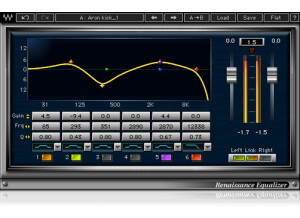
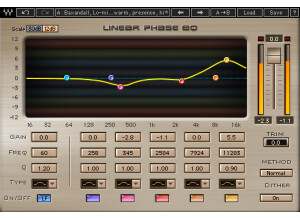
    EQ is easily one of the most abused tools in today's audio world. One of the biggest issues I always find is that people tend to boost way too much and bloat up the entire mix. With paragraphic EQs like this, it can help try to prevent you from EQing too much without hindering any functionality. The plugin is laid out very nicely; it has adjustable gain per band, two/four/six band settings, frequency per band, Q factor per band, filter types for asymmetric bell, resonant hi/low shelf, hi/low pass all per band, in/out switch per band, output gain fader, trim output adjustment, link button and more. To use this, simply enable it on whatever buss you want to EQ. You can even enable multiple instances of this per buss, depending on what sound you're trying to achieve. I couldn't tell you how well the manual is written, but the plugin is simple enough to where you should be able to get the hang of it without much of an issue. SUITABILITY/PERFORMANCE Waves is, by far, one of the best software companies out there when it comes to things like performance and stability. First of all, this plugin is cross platform compatible. That means that nearly anybody can use this without any issues. As a Mac user, that's a huge plus for me. The plugin itself is rock solid, and I've never experienced a single crash directly related to utilizing this plugin inside of my DAW. There is one one issue that I did experience, and it's why I rated it a 9 instead of a 10. This plugin is a 32 bit plugin inside of OS X. Today, we're mostly living in a 64 bit world. For Logic Pro to utilize this plugin, it needs to run a special bridge application so I can have my higher RAM limit inside the actual DAW. I realize that the plugin is kinda old, but I'm hoping Waves will update this for 64 bit operation in future updates. I've been using the Mercury bundle for the past half a year or so, and it's been a wonderful experience. OVERALL OPINION I used to use this plugin all the time before I got Ozone 4. It's a very powerful paragraphic EQ that can really shape and taylor a sound to your liking. One tip that I always give to people is that they should try cutting instead of boosting. By doing so, you'll be less likely to bloat and overload certain frequencies to the point where there's crazy distortion and weird artifacts.

  • « A classic parametric EQ »

    Waves has been around for a long time. I think they've officially been around for about 20 or so years now. During the 90s, they released a plugin that was a parametric EQ. This parametric EQ single handedly revolutionized the digital recording world thanks to its versatility and transparency. The plugin itself is mostly meant for the master buss, but you can use it on whatever you'd like. I've used this on guitar busses without any issues at all. The plugin features 10 adjustable bands, input gain fader, input phase inverter switch, the ability to turn on and off each band, various different filter types such as low shelf, high pass, etc., gain adjustment, frequency adjustments, Q control, output gain fader, trim output gain adjustment, and tons more. I've never read the manual, but anybody who has ever used a parametric EQ will feel right at home with this plugin. SUITABILITY/PERFORMANCE Waves rules when it comes to things like performance and stability. I've never had a crash while using this plugin, and that goes for all of the Waves plugins I've used. They all seem super rock stable, and in something as mission critical as a recording environment, that's a huge plus. The plugin works on both Windows and OS X, so nearly anybody can use it without a hassle. The plugin itself doesn't take up much RAM or processing power which is another plus. There is one issue I have with it, but it's a somewhat minor complaint. The plugin itself is a 32 bit plugin inside of OS X. For my DAW, Logic Pro, to fully utilize this, it needs to run a special bridge application. Performance is still the same, but it's just a pain with the way Logic implements that bridge application because the plugin doesn't remain visible in the background. I've been using the Mercury bundle for the past six or so months, and it's been a wonderful experience. OVERALL OPINION Despite its age, it's still an awesome parametric EQ. I don't use it as much as I used to since Ozone has it sown little built-in parametric EQ, and I usually have that on the master buss somewhere, but this used to be my go-to plugin for all kinds of different EQing. I tend to prefer the parametric EQs as opposed to graphic EQs due to me being able to control the Q a bit easier.

  • moosers's review

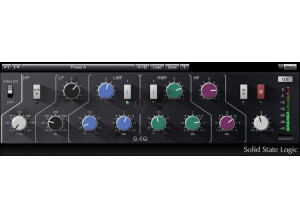
    The Waves Ltd. SSL G-Equalizer is a plug-in that is part of the Waves SSL 4000 Collection. This is basically the same EQ that you'll find on the full SSL G-Channel plug-in. I first used this plug-in at a studio I used to work at, but have since picked up the full Waves Complete bundle that includes all of these SSL plug-ins. You install the whole bundle at once, and it shouldn't be much of a problem anyway. The EQ is just like that found on an SSL console, which is made up of four bands and a high pass filter. The two middle filter have parameters for gain, frequency, and band width, while the two outer bands have lack the band width setting. The plug-in also has an output leveling. If you know how to use a parametric EQ, you'll be fine with using this one even if you haven't used a real SSL EQ console. I haven't checked out a manual for this one, nor do I think most people will have a need. SUITABILITY/PERFORMANCE I've used the Waves Ltd. SSL G-Equalizer on Pro Tools HD systems, but have most recently been using it on my home system which is Pro Tools LE based. I'm running it and Pro Tools on a Mac Book Pro that has a 2.2 Ghz Intel Core 2 Duo processor and 4 GB of RAM. I've got Pro Tools running with a Digi 002R audio interface or a Digidesign Micro Box if I'm not at home or at a studio. Obviously I can run more of these at once on a Pro Tools HD, but my home LE system is quite adequate to run it as well... OVERALL OPINION The Waves Ltd. SSL G-Equalizer is undoubtedly one of the cleanest sounding software EQ's that I've used to date. It's got a more than adequate amount of control here between all of the bands, but the super clean and pristine sound is really what makes this software EQ so valuable. In fact, the entire SSL 4000 Collection of plug-ins has this sort of precise and pristine sound to it, and if you want this one you're going to have to get the full bundle, so they're definitely all worth looking into. As far as getting precise with a software EQ, this is one of the best for the job, and it certainly doesn't hurt that it has the familiar SSL interface...

  • moosers's review

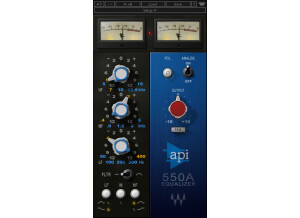
    The Waves Ltd. API 550A is a parametric equalizer plug-in that is available within the Waves API Collection of plug-in. I'm not sure if it's available outside of this bundle, but I don't think it is. This is basically a software version of the API 550A, which for those of you who don't know is a popular Lunchbox series EQ module. Installing this plug-in and the full Waves API Collection bundle is really simple as you just follow the step by step instructions as you would for any other plug-ins. Learning how to use this plug-in should also not be difficult, even if you aren't familiar with the hardware 550A. The EQ is a made up of three bands in addition to a high and low pass filter. It also includes an output leveler knob. I haven't seen a manual for this plug-in, so I can't say if it would be helpful or not. SUITABILITY/PERFORMANCE I'm currently running the Waves Ltd. API 550A on my home system which consists of a Mac Book Pro and Pro Tools LE 8. The computer is a lap top and has a 2.2 Ghz Intel Core 2 Duo processor and 4 GB of RAM. I've been running Pro Tools LE 8 with a Digi 002R audio interface or a Digidesign Micro Box if I'm on the go. This isn't the type of plug-in that's going to kill your processing power by any means, but it will of course take up a small amount and more with each instance. It's hard to say how well it would run on any given system, but on mine I haven't had any troubles with it. OVERALL OPINION The Waves Ltd. API 550A is a nice little plug-in, as it sounds clean and is very easy to use. It wouldn't be the first plug-in that I'd go to for equalization, but it still sounds very good and can be very useful. I've used a real 550A many times before and can't really say that this has the same sound. Even so, it's good enough to use and it's definitely nice to have it around. The Waves API Collection in general is a very nice bundle of plug-ins and I'd definitely recommend scoping it out if you're looking to add some high quality plug-ins to your DAW.