Log in
EN
FR

Waves Software simulators

11 products found

Categories
Series
Filter
Sort by
Waves
Evaluation
  • Reviewed or not
  • Editor’s award
  • Reviewed by Audiofanzine
Availability
  • Available or not
  • Sold new or used
  • Sold new
  • Sold used
Must-have products
  • All products
  • Flagship products
  • Best rated products
  • Hot products
  • Popular products
Price
  • Freeware
  • Low-cost (< $35)
  • Mid-range ($35 - $75)
  • Premium (> $75)
€
Clear
Sort by
  • Popularity
  • User ratings
  • Price - low to high
  • Price - high to low
  • Used price, increasing
  • Used price, decreasing
  • Name (from A to Z)
  • Name (from Z to A)
  • Added on
Choose a category
Selected category: Software simulators
Choose a series
Sort results
  • Popularity
  • User ratings
  • Price - low to high
  • Price - high to low
  • Used price, increasing
  • Used price, decreasing
  • Name (from A to Z)
  • Name (from Z to A)
  • Added on
Filter results 11 results found
Brands
Evaluation
Availability
Must-have products
Price
  • Freeware
  • Low-cost (< $35)
  • Mid-range ($35 - $75)
  • Premium (> $75)
Show results

The best Waves Software simulators reviews

The reviews Audiofanzine members found the most helpful.
  • « Unique Selection of Amps »

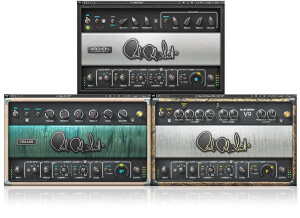
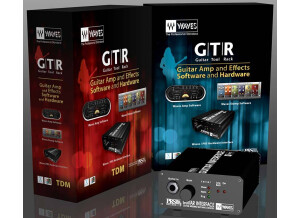
    The GTR3 software is very easy to use. It is intuitive if you are familiar with guitar effects/amp chains. There are decent presets included to get you started if you aren't experienced at creating your own tones. Compared to other amp sims, I think the presets in GTR3 are actually a lot better than the presets in NI Guitar Rig, Amplitube, Pod Farm, etc. One thing that was a little strange for me was the dual amps in the full version of the plug-in. They come set up with two amps (one panned left, and one panned right). Most of the time when I am working on a tone, my preference is to only use one amp. It was a little frustrating to have to disable one amp everything I opened the software, but I guess it is just a matter of preference. SUITABILITY/PERFORMANCE One thing that I like about the software is that it comes with "lite" versions as separate plug-ins. This can be useful when you don't have use for the entire toolrack, but just want to add a single amp or an effects box. This can be done to save CPU processing when working on a full mix. The other main benefit of having the different versions of the plug-in is for tracking. A big problem when tracking guitars is latency when the computer needs to process the signal, so it plays back the audio with a slight delay. Most DAWs give you the option to decrease the latency with the trade-off of decreased processing power for decreased latency. Therefore, I like to use the "lite" versions of the plug-ins during tracking with low latency. Then I switch to the full versions of the plug-in during mixing when I want to add more effects, dual amps, etc. OVERALL OPINION The Waves GTR3 is an amplifier simulator (and effects too) plug-in to be used in a DAW. It includes models of guitar amps ranging from 'clean' to 'high-gain.' Many of the classic guitar amps are included (fender, vox, marshall), although it is a little difficult to tell some times which amps are which. Other amp sims are more obvious about which amp you are using, but just change the name due to licencing. In Waves GTR3, it is harder to tell, but it is more about finding one that sounds good rather than picking a particular amp. There are some unique amps included that aren't included with other amp sims. I think this is probably due to the partnership between PRS and Waves for this product. Nonetheless, there are some cool sounding amps that you won't find elsewhere. The effects are decent. Waves is best known for their general effects (eq, compressors, etc) and less known for amp sims in particular, so I had high expectations for what they would include in this effects package. I would have liked to see some better effects like an 1176 compressor model or SSL eq model inside GTR3, similar to how Native Instruments has these effects as options to be used inside Guitar Rig.

  • « Great Tape Saturation/Echo »

    Kramer MPX Master Tape is a plug-in from Waves to be used inside a DAW. The software is easy to install and authorize. There are only a few controls, but they aren't immediately intuitive when you first try out the plug-in. This plug-in can be used for a couple of different processing reasons. It can add some subtle tape compression/glue to your tracks. It can add heavy tape saturation/distortion. It can add tape delay/echo. It can even add some extra bottom end to your tracks. Tape Hiss/Noise can be mixed in at different volumes. Wow & Flutter is also variable, which can be added in subtly or with extreme settings. I've found in practice I always turn off the noise and wow & flutter. SUITABILITY/PERFORMANCE The main function of the plug-in to add glue/saturation to your tracks is controlled by the input level and the 'flux'. I read an interview on the Waves website that suggested using the input dial so the signal is peaking at 0 on the VU meter. This was typical of how the level was set on real tape machines back in the day. Then it was suggested to crank up the flux to achieve the desired glue/saturation. In my opinion, turning up the input dial so that the signal is peaking well above 0 on the VU meter can achieve good tape saturation as well. Its all up to you to experiment with. I usually use the 15'' tape speed because it doesn't color the sound to much. The 7.5'' setting adds some boost to the low-end and rolls off some of the top-end. Occasionally, this can be useful - like on a drum bus or to tame the top-end of distorted electric guitars. OVERALL OPINION Tape saturation/compression effects are useful as a cumulative effect across all your tracks - on every track, and on your mix-down bus. Kramer MPX is a good tool to take off the digital edge/sharpness of recording in the box (ITB). I also own the Slate Digital Virtual Tape Machine plug-in. I have never used or heard the UAD tape plug-ins. Compared to VTM, I prefer Kramer MPX for heavy saturated tape effects compared to VTM. However, I use VTM more for the subtle glue of tape on more of my tracks. I also like that VTM offers a modeled 'bus' tape machine along with the single 'track' tape machine. VTM only offers a single tape model.

  • « Adds that vintage tape sound »

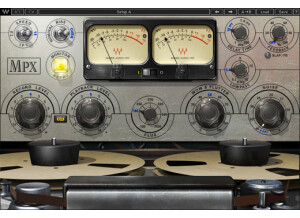
    This is yet another Eddie Kramer product that Waves has released. This time, they made a plugin based off of the famous Ampex 350/351. For those that don't know, this was a very famous master tape device that was used for some saturation and other cool effects on the master bus and even individual tracks at times. The device is a bit complex, so I'll break down what everything does: Speed - this selects the tape speed that you want Monitor - there are various monitoring modes you can select with this Bias - adjusts the overall bias of the sound. This is mostly used for fine tuning everything. VU Meter - simply displays the meter VU Calibration - this sets the overall limit of what you're going for Delay Time - this is probably the coolest feature as you can add some real neat delays to enhance the quality of the mix or add a totally unique sound Delay Tape - this simply selects different modes for the delay Feedback - this controls the amount of the delay signal Lowpass - just as it says, it's a lowpass filter Record level - this is simply the input level Link I/O - links the record and playback levels Playback level - controls the total output Flux - this emulates some of those more bizarre sounds that would occur with the real units Wow & Flutter - controls different modulations Noise - you can actually add noise with this for that more vintage feel SUITABILITY/PERFORMANCE Waves plugins are pretty well known for being the industry standard plugins out there, and for good reason. First of all, the plugins are cross platform. That means that both PC and Mac guys can use them. Given that I'm a Mac guy, that's a huge plus for me. The plugins themselves are very stable. I've never experienced a crash directly related to inserting a Waves plugin into any audio or MIDI bus in Logic. I've never read the manual, so I can't really comment on that. However, most of these plugins are fairly intuitive when it comes to their usage. While the names may be a touch convoluted if you don't know what they're modeling, you can get a good idea as to what they do if you just mess around. It doesn't take up much memory when in use, even with the 32 bit bridge application in Logic, and I've been using these for quite awhile now. OVERALL OPINION This works great on the master bus for that more vintage kinda feel, but I find it works especially nice for guitar lead tracks. You can get some really killer effects by placing this on the guitar bus, adding in some delay, cranking the wow & flutter knob and going for it. Definitely try it out!

  • moosers's review

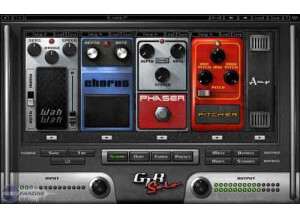
    The Waves Ltd. GTR Solo is guitar amp and effects modeling software that Waves has made free for a year! The software can be downloaded from Waves' website and with a short registration process. It shouldn't take too long and is available for all DAW's that I'm aware of. The software comes with a series of modeled amplifiers as well as stomp boxes for effects of all kinds. It splits it up into separate plug-ins for your amplifiers and effects. There is also a tuner for helpful inside the box guitar tuning. The plug-ins aren't hard to use and there's definitely a lot that can be done with them. I've never checked out the manual for GTR Solo but there is one available for it that I'm sure is in depth enough for users on all levels. SUITABILITY/PERFORMANCE I'm running the Waves Ltd. GTR Solo software in Pro Tools 9 on my system at home. My computer is a Mac Book Pro that has a 2.2 Ghz Intel Core 2 Duo processor and 4 GB of RAM, while I'm running Pro Tools 9 with a Digi 002R audio interface (or standalone as is possible with PT 9). It doesn't take up too much processing power from what I can tell and from how I've been using it on my system. Of course it will vary depending on the system you're running it on, but in general I think users will be able to run it without problems. OVERALL OPINION It's really awesome that Waves is letting everyone get GTR Solo free for a year, and of course I'd highly recommend taking advantage of this. It's a pretty awesome tool for in the box guitar modeling and for getting effects of all kinds. It's never going to sound like the real thing, but considering how many different options there are here between the amp modeling, cabinets, effects, and utilities, it's great that everything sounds great. You don't need to take my word for it, just check it out for yourself today and see what's it's all about...