Log in
EN
FR

Waves Dynamic Processor Software

49 products found

Categories
Series
Filter
Sort by
Waves
Evaluation
  • Reviewed or not
  • Editor’s award
  • Reviewed by Audiofanzine
Availability
  • Available or not
  • Sold new or used
  • Sold new
  • Sold used
Must-have products
  • All products
  • Flagship products
  • Best rated products
  • Hot products
  • Popular products
Price
  • Freeware
  • Low-cost (< $65)
  • Mid-range ($65 - $150)
  • Premium (> $150)
€
Clear
Sort by
  • Popularity
  • User ratings
  • Price - low to high
  • Price - high to low
  • Used price, increasing
  • Used price, decreasing
  • Name (from A to Z)
  • Name (from Z to A)
  • Added on
Sort results
  • Popularity
  • User ratings
  • Price - low to high
  • Price - high to low
  • Used price, increasing
  • Used price, decreasing
  • Name (from A to Z)
  • Name (from Z to A)
  • Added on
Filter results 49 results found
Brands
Evaluation
Availability
Must-have products
Price
  • Freeware
  • Low-cost (< $65)
  • Mid-range ($65 - $150)
  • Premium (> $150)
Show results

The best Waves Dynamic Processor Software reviews

The reviews Audiofanzine members found the most helpful.
  • moosers's review

    The Waves Ltd. Pie Compressor is a relatively new plug-in that was partially developed with renown recording engineer Eddie Kramer. It is modeled after a compressor used in during the 1960's in London at Olympic Studios where Kramer recorded the likes of Jimi Hendrix and many other notable artists. While I didn't expect the Pie Compressor to give me the same tone of the original, I was curious to hear what they had come up with. After installing it, which only took a few minutes after following the step by step instructions, I was able to have the plug-in up and running. The interface of the plug-in makes it easy to use, and it also looks real cool as they have modeled it to look like a vintage piece of gear. As far as parameters go, it has knobs for threshold, output, decay time, and compression ratio, and switches for choosing what you view of the VU meter (it's between input, output, and gain reduction), and a switch for what is essentially a high pass filter to get rid of noise if you have some at either 50 or 60 Hz. Overall, everything about using the Pie Compressor is pretty straight forward. I don't think a manual is necessary for use with the plug-in. SUITABILITY/PERFORMANCE I'm currently running the Waves Ltd. Pie Compressor on an Apple Mac Book Pro that has a 2.2 Ghz Intel Core 2 Duo processor and 4 GB of RAM. I'm running it with Pro Tools LE 7.4 that runs with a Digi 002R audio interface. I can't say that I've had any trouble running the plug-in, as it doesn't seem to take up much processing power. As long as you have an adequate system where you're presently running plug-ins, I think you'll be okay with this one, but as always it really just depends on what kind of system you have to run it with. OVERALL OPINION The Waves Ltd. Pie Compressor has a generally thick sound, and is great for a variety of applications. I think it can be useful in a lot of different situations, especially when a sound needs a little bit more beef. I've used it on electric guitars, vocals, and a Rhodes electric piano, all of which in situations where I was aiming to get a bit more thickness. The price of the native version of the Waves Ltd. Pie Compressor is about half that of the TDM version, which is pretty average, but depending on what system you are running, it may make a difference on if it is worth it for you. This is definitely a much better than average compressor at a decent price for those looking for a grittier and beefier compressor plug-in.

  • moosers's review

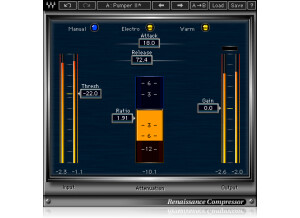
    I can't say too much about the installation process of the Waves Ltd. Renaissance Compressor as it was already installed on the machine at the studio that I have used it on. There haven't been any compatibility issues or any other problems with it really that I know about. The interface of the software isn't hard to follow at all and it only took me a few minutes to understanding everything that is going on here. In terms of parameters you have sliders for threshold, ratio, gain, attack and release, which is pretty much the five standard parameters that are seen on most compressors. I've never seen the manual for the Waves Ltd. Renaissance Compressor plug-in so I can't say too much about it, but I don't think that one is necessary because of how easy the interface is to follow. SUITABILITY/PERFORMANCE I've never had any problems running this plug-in and I have been able to run a bunch of them within a single session if I want to. I use the Waves Ltd. Renaissance Compressor on an Apple G5 that runs with a Pro Tools HD system and this system is definitely enough for me to be able to run this plug-in effectively. Even if you have Pro Tools LE I think that if your computer is fast enough that you generally shouldn't have a problem with running this plug-in as it won't take up much processing power. OVERALL OPINION I've been using the Waves Ltd. Renaissance Compressor for about two years and it is definitely a nice compression plug-in. Waves is known for making some of the best plug-ins out there as they are realistic sounding, which is the case with this one. While it isn't my favorite plug-in compression out there, I do find myself using it a lot as it has a certain sound that makes it good for drums and guitars amongst other things. The price isn't bad and is a great deal if you buy this within the Renaissance bundle. If you are in the market for a nice compression plug-in that won't break the bank, I would definitely recommend looking at Waves Ltd. Renaissance Compressor.

  • moosers's review

    I had no problems at all setting up and installing the new Waves Ltd. V-Comp compression plug-in. The whole process was just as simple as installing any other plug-in and only took a few minutes. After installing it I got into using it right away to see what it could do and I found that it didn’t take me too long to get accustomed to it. While it may seem like there is a lot going on, it only adds to the amount of things that you can do with this powerful plug-in. The interface has parameters for input, output, limit level, ratio, attack, release, and analog. It also has a switch for limiting and a bypass switch embedded in the plug-in. It actually has two release knobs, one of which is for the limiter and has a de-esser switch as well. The meter is pretty cool looking and has options for input, output, and gain reduction. I didn’t need a manual for the Waves Ltd. V-Comp and I don’t think one is necessary. SUITABILITY/PERFORMANCE In terms of how well this plug-in will run, it really depends on what type of system you are running it on. Since it is a powerful plug-in, it will take up a decent amount of processing power and for this reason I would really only recommend it using it with a powerful LE or HD system if you are running Pro Tools. I have used it on a Pro Tools HD system and haven’t had any problems using a few at a time, but I do know that it will eat up some processing power if you want to use it on a LE system. OVERALL OPINION I’ve only been using the Waves Ltd. V-Comp for a few months but it has become a plug-in that I use pretty often within this time period. It not only has a top notch tone quality but it easy to use for the most part and offers a ton of options and parameters, making it quite versatile. The price of the plug-in isn’t cheap and for this reason I would really only recommend it to professional engineers and studio owners, but if you can afford it, it is definitely worth trying out.

  • moosers's review

    I didn't have any trouble installing the Waves Ltd. C4 compression plug-in as there were no compatibility issues or problems otherwise. It only took a short amount of time to get the plug-in up and running and since I have installed it on my machine I haven't encountered any issues with this plug-in whatsoever. The interface of the software isn't hard to follow and after playing around with it for a short amount of time I was able to understand everything that was going on within the software. The Waves Ltd. C4 has four separate sections for compressors that each control a certain section of the frequency spectrum and there is a graft that displays this, which really comes in handy. I haven't seen the manual for the Waves Ltd. C4 plug-in so I don't know how if it is helpful enough, but I would only recommend seeking one out if you don't have much experience with compressors or plug-ins. SUITABILITY/PERFORMANCE I am currently running the Waves Ltd. C4 plug-in on a Mac Book Pro that has a 2.2 Ghz Intel Core 2 Duo processor and 4 GB of RAM. I run the plug-in in Pro Tools LE 7.4 that runs off of a Digi 002R audio interface. I have also used the plug-in extensively on a Pro Tools HD, and no matter which system I use I find that the software runs efficiently and without issues. I can run a few of them at the same time, but I tend to only use three or four at most at a time. I've been using the Waves Ltd. C4 for about two or three years and it has been a real beneficial plug-in to have that I use a lot. OVERALL OPINION After using the Waves Ltd. C4 plug-in for the last few years in my Pro Tools system, I can confidently say that I really enjoy using this multi-band compressor. It is easy to use and is helpful for all sorts of instruments and applications. It has a really good sound quality and especially is good for drums and for vocals, as it allows you a great deal of control over your sound. Since it is made by Waves you know that you are getting a good product, even if it isn't the cheapest plug-in out there. I would definitely recommend this plug-in to anyone looking for an effective multi-band compressor, even though it isn't my best compression plug-in.

  • « My Favorite Signature Series Plug-in »

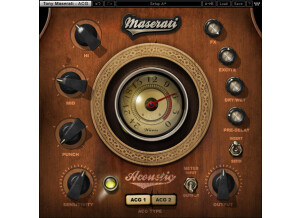
    The Waves Signature Series plug-ins are designed to be simple to use. They are simple to install and simple to authorize. They are almost 'dummy-proof' in the sense that as soon as you load them up in your session, your mix will mix will improve. There aren't a lot of controls to worry about, which is a good thing. There are plenty of other plug-ins on the market with a lot of controls. I like having option to pull up a plug-in and not have to worry about parameters. I own all the signature series plug-in bundles (Maserati, CLA, JJP, Kramer). Of all the individual plug-ins in all the bundles, I think this particular plug-in is the most useful and most unique. I would recommend the Maserati bundle just for this plug-in alone. SUITABILITY/PERFORMANCE The plug-in has one main function: make an acoustic guitar sound better. It does this in three ways. First, it adds an eq filter curve tuned for an acoustic guitar. To my ears, the plug-in rolls off the low-end booming of an acoustic guitar. This really helps when the acoustic guitar is in a mix with other instruments like drums and bass guitar. The plug-in also adds some nice top-end frequencies to help the instrument cut through. The 'eq' controls are simple and are set up for appropriate frequency ranges. Second, the plug-in controls the dynamics of the acoustic guitar signal. I assume it does this with some kind of compression that works well for an acoustic guitar. Whatever it is, it makes the acoustic guitar loud, and make it cut through a mix. Third, the plug-in has some great sounding reverb/delay to add to the signal. This adds some tasteful effects to help an acoustic guitar fill a 'perceptual' space. OVERALL OPINION The Waves Maserati Signature Series Acoustic plug-in is part of the Maserati bundle. As the name suggests, it is fine-tuned for processing the recordings of an acoustic guitar. This plug-in is very unique in the sense that none of the other signature series plug-ins have a specific 'acoustic' guitar plug-in. Although, there are no other 'acoustic specific' plug-ins to compare it to, the Maserati Acoustic plug-in stands out as an exceptional processor. It really makes the recording of an acoustic guitar sound better, and also sit well in a mix. There are just enough controls to make the plug-in flexible, but not too many controls to make the plug-in confusing and complicated. In fact, this plug-in is almost like to separate acoustic guitar processors in one. The 'ACG1' and 'ACG2' settings sound noticeably different, which increases the usefulness of the plug-in for different sounding guitars and different sounding sounds.

  • « Basic DeEsser »

    Waves DeEsser is a software effects plug-in to be used in a DAW. All Waves plug-ins can be installed by downloading them off the Waves website. Authorization is completed using a USB stick as a dongle, or using an authorization manager application if your computer connects to the internet. Waves plug-ins are known for working well without bugs. The 'DeEsser' plug-in has been around a long time and works in all popular DAWs. SUITABILITY/PERFORMANCE De-essing can be a very important part of mixing.Sometimes you can get by without it. However, if a vocalist makes really loud 'esss' and 'essshhh' sounds, it can ruin everything. If do almost any mixing, and don't have any method of 'de-essing', you really should consider adding a 'de-esser' to your arsenal. The Waves DeEsser is cheap. It is really simple to use, and the controls are pretty self-explanatory. But, it has just enough flexibility to get good results. I received the Waves DeEsser as part of the Gold Bundle. I have tried using it, but found that I actually like 'de-essing' with the 'C1' better. It adds a little bit more control than the DeEsser. Although, 'de-essing' is most commonly used for vocals. I also recommend using it on electric guitars, especially if they have a lot of distortion. In this case, you would only want to compress the problematic high-frequencies using split-band mode rather than wide-band mode. OVERALL OPINION De-essing is often over-looked as a mixing technique. A de-essing specific plug-in a really nothing more than a frequency specific dynamic compressor. This kind of processing can be achieved with a standard compressor by using a side-chain input. Waves made it really simple to 'de-ess' by creating a specific plug-in where the side-chain is set up internally. Not only does this plug-in make it possible to compress a signal based on the energy in a specific frequency range (wide-band de-essing), it also makes it possible to compress a particular frequency region without compressing a lower frequency region (split-band de-essing). Depending on your application it may be more appropriate to choose one method over the other.

  • « Transparent Compression + More »

    Waves C1 is a software effects plug-in to be used in a DAW. All Waves plug-ins can be installed by downloading them off the Waves website. Authorization is completed using a USB stick as a dongle, or using an authorization manager application if your computer connects to the internet. Waves plug-ins are know for being stable, and rarely have any bugs. The 'C1' plug-in has been around a long time and doesn't have any problems running in all popular DAWs. SUITABILITY/PERFORMANCE The C1 is definitely a 'transparent' dynamics processor. Waves has plenty of plug-ins for compression, gating, and de-essing that intentionally add some analog 'color' to a signal (SSL, V-comp, H-comp, CLA comps). This plug-in is useful in the situations where it isn't appropriate to add some analog 'flavor'. Aside from being a 'transparent' compressor, my favorite parts of the plug-in are the other features. I love using the expander/gate to filter off the 'sustain' of drums tracks. This really helps them punch in a mix. It is really easy to use the C1 to do this. I also really like to 'de-ess' with this plug-in. In fact, the C1 is a more versatile 'de-esser' than the Waves DeEsser plug-in. The C1 allows for split-band de-essing. Therefore, a specific frequency band can be compressed rather than compressing all frequencies. I like this technique better for vocals. My favorite use of this technique is to actually 'de-ess' distorted electric guitars. For this, I find the problematic resonant frequency between 1k-4k. Then I compress just that frequency range, and leave the rest of the signal unprocessed. I find that I like this result better than just eq-ing out the problematic frequencies. OVERALL OPINION The Waves C1 plug-in was designed to be a complete dynamics processor. It can be used for compression/limiting, gating/expanding, and even de-essing. Waves includes a few different versions of the software in the package - a compressor only, compressor with gate, compressor with side-chain, and a version with all the settings. These individual modules can be useful if you want to save on CPU processing during mixing.

  • « Decent Analog Compressor Sound »

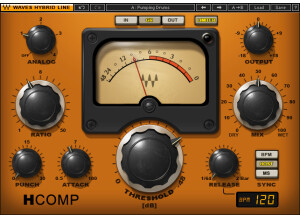
    The H-Comp compressor is a plug-in by Waves to be used inside a DAW. Installation of all Waves product is pretty easy. With v9, you no longer need an iLok, any USB stick can be used to run the software on multiple computers. Authentication can also occur without a dongle if your computer is connected to the internet. The H-Comp is part of the 'hybrid' line of plug-ins from Waves. These plug-ins are marketed to have an analog sound with digital functionality. H-comp definitely has some features that aren't typically found on analog compressors. There is a 'mix' knob to blend in an uncompressed signal to achieve the popular parallel compression internally, removing the need to have duplicate tracks to achieve the same processing. The release control can be synced to the tempo of the host DAW. I don't know of any hardware compressor that can do that. This functionality might be useful if you are trying to side-chain a kick drum to compress a synch. This makes sure the pumping is in sync with the tempo of your song. SUITABILITY/PERFORMANCE The H-Comp has most of the typical controls of a compressor - attack, release, threshold, ratio, and gain. There is no control for the knee of your compressor. I am not discerning enough to tell the difference between the different choices on the analog dial. Number '3' sounds like some high frequencies are filtered. The other settings are hard for me to tell a difference between. With other products from Waves, switching on 'analog' really just adds some low level noise to simulate analog hiss. The punch knob seems like a great idea. A huge reason to compress drums is to get some extra punch. Usually when I have used the H-Comp I haven't like the results of the 'punch' knob, so I usually leave it at zero. OVERALL OPINION The H-Comp does a decent job of adding the analog sound of a compressor to your tracks. There are times when you want a compressor to reduce the amplitude of your tracks without any noticeable coloration. This it not that kind of compressor, it definitely adds some decent 'color' to your tracks. I think the CLA Compressors have a better sound if you want to 'color' your tracks. However, you don't have the options of the 'mix' with the CLA Compressors to get the parallel compression internally. When I am in a hurry, the H-Comp does a decent job at getting the analog sound of a compressor.

  • « From Warm To Cool »

    The L3-L16 is a 16 band limiter with EQ, and Maximization. It will give a very warm tone, or any type of tone you would want from warm to cool. It is an all in one mastering VST that can be used in a bunch of different DAW’s and programs. Waves allows you to try this plug in before you decide to purchase it. The L3-L 16 is a very powerful tool. It has everything you need to not mix, but to master your recordings. You will need the manual if you want to do things the right way and get the exact sort of a tone you are looking for on your complete finalized track. The manual is easy to use and to understand. All of the main functions are easy to use you will just need the manual to understand how to use them and locate them. SUITABILITY/PERFORMANCE I ran L3-L16 on my Apple Macbook Pro 2.66 Ghz i7 Dual Core 4GB laptop and it worked great, it does take a little more time to install than most of the other Waves plug ins did on my computer. I have not tried to use the L3-L16 on my PC because I hardly every “master” on my PC. The L3-L16 was very stable on my Mac and has never gave me any issues or errors and has not crashed once. I have been using it for around 10 months now and I have got way more than my money’s worth. I have really learned some new mastering techniques with this VST and I use it to help me dictate the mood of the whole track by making it warmer or cooler. OVERALL OPINION The L3-L16 is a full mastering program, if you have a little knowledge with mixing then it is time to start learning how to master your own songs. I didn’t want to have to send my stuff off to get mastered anymore and pay twice the amount of this software just to get a few masters done. I wanted to learn to do it myself and the L3-L16 has really helped me. I am happy with my purchased and I would do the same purchase again if I needed to. The quality is amazing now!

  • « MV360 Rocks »

    The Waves MV360 is a high level compressor that has automatic makeup output and gain level control. The Waves MV360 came to my attention when I was doing some research on the Waves Renaissance Vox because it is very similar. The MV360 is very easy to use and to understand, mainly it is controlled by a Threshold Fader. The MV360 has 5 main modes and using them you can also choose up to 3 different side chains. The modes are All Linked, Front Rear Sub, 5 Linked/Sub, Center Quad Sub, Center Front LR/Rear. The manual for MV360 is very thorough and in depth, it has everything in it broken down and makes the MV360 seem a lot more complicated then it really is. But for the serious users you can really get a hang of how MV360 works and will amaze you on what you can really do. SUITABILITY/PERFORMANCE I currently run MV360 on my Apple Macbook Pro 2.66 Ghz i7 Dual Core 4GB laptop. It works great and has never caused any issues, I have also used it on my desktop PC and it works fine on that too. I just the Waves MV360 in Pro Tools on both systems. It has never crashed or had in sort of an error since I have been using it which has been over a year now. OVERALL OPINION My favorite part of the MV360 is how easy it is to use, but it is still a high quality compressor that is very in depth. If you take the time to fully understand the features of MV360 you will learn some great compression techniques. The compression itself on the MV360 should cost a lot more than what it does. I have seen hardware compressors that are of quality like the MV360 that cost double what the MV360 Cost. I am very happy with my purchase of MV360. It is well worth every penny spent.

  • « Easy does it »

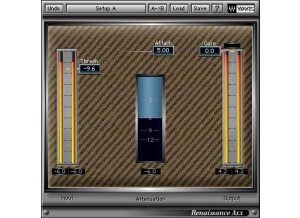
    The Waves Renaissance Axx is a compressor that was aimed for guitars but can be used for so many different tracks. It has 3 different efficient controls as well as a fixed ratio curve and automatic release value. The Waves Renaissance Ax can support TDM, RTAS, VST, and AU. You can download the demo version of Waves Renaissance Axe first to try it before you buy it (which is what I highly suggest and recommend doing). I have not seen a manual and I am pretty sure you wont need one if you understand compression. All of the basic functions of the plug in are easy to use and they are right on the main panel of the plug in. Setting up Waves Renaissance Ax was quick easy and painless. SUITABILITY/PERFORMANCE I have been using Renaissance Axx (off and on) for almost a year now, and it works perfect with my i7 Quad Core PC running Windows 7. I have never experienced any crashes or freezes when running Renaissance Ax. It works great every time I use it, I have used it in Cubase and Ableton. You can purchase Waves Renaissance Axx online now for around 80 bucks and if you start with version 9 of Waves Plug ins you will no longer be required to us iLok. You can just register your purchase plug ins from Wave normally now. OVERALL OPINION The best thing about Waves Renaissance Axx is that there are only 3 main controls, Threshold (input), Attack (Attenuation), and Gain (Output). So you really can not have many issues using Ax. It is really simple but still packs a punch and can give you a great quality compressor that you will use a lot throughout your projects. It is by far better than in “pre installed” compressor that comes with most of the main DAWS including but not limited to: Cubase and Ableton. It is worth the Try, download the demo and try it out.

  • « A classic limiter, but outdated »

    There were no compatibility or installation issues getting Waves' L1 Ultramaximizer up and running. Although outdated today, the L1 was the original adaptive limiter released by Waves and is certainly an effective way of boosting your signal without blowing up/distorting the mix. The display is fairly simple and the parameters (input, output ceiling, threshold, release, etc.) are largely self-explanatory. Although I have never required its assistance, I'm sure the manual for the L1, as with all of the other Waves plug-ins I have used, is well indexed and helpful. SUITABILITY/PERFORMANCE Running in Ableton Live 8 on my MacBook Pro with a 2.7Ghz Intel Core i7 processor and 4GBs of RAM, Waves' L1 Ultramaximizer is as smooth as clockwork, but worry not Windows users as this plug-in is cross compatible. Being fairly light with regards to overall CPU usage, it is stable and reliable even in situations where many other effects and VSTs are operating simultaneously. As far as performance is concerned, I just through the L1 on either an individual track, my sends, or my master, and set the parameters to boost the mix without clipping. I've had the L1 Ultramaximizer for almost four months now and although it has been far surpassed by the L2, L3, MaxxVolume et. al, I certainly don't regret my purchase. OVERALL OPINION Overall you can definitely pick up something in the Waves series that is a much better plug-in for loudness, but you will be hard pressed to find something more classic. Though limited compared to today's standards, I still use the L1 as a temporary device if I need a brick-wall limiter to keep a production in the works from clipping before it is mastered. My recommendation is to get something more recent, but if you are a true aficionado, you can pick the L1 up in its Native version, or in the Mercury bundle deal. Although I wouldn't endorse it, the Native version which was originally $150, it is now on sale for $64 on the Waves website. Not that bad deal I guess, but probably still more bang for your buck if you get the Mercury bundle deal and upgrade to something much better. Then at least you have it if you wanna try it.