Log in
EN
FR

Waves Other software dynamics processors

14 products found

Filter
Sort by
Waves
Evaluation
  • Reviewed or not
  • Editor’s award
  • Reviewed by Audiofanzine
Availability
  • Available or not
  • Sold new or used
  • Sold new
  • Sold used
Must-have products
  • All products
  • Flagship products
  • Best rated products
  • Hot products
  • Popular products
Price
  • Freeware
  • Low-cost (< $65)
  • Mid-range ($65 - $100)
  • Premium (> $100)
€
Clear
Sort by
  • Popularity
  • User ratings
  • Price - low to high
  • Price - high to low
  • Used price, increasing
  • Used price, decreasing
  • Name (from A to Z)
  • Name (from Z to A)
  • Added on
Sort results
  • Popularity
  • User ratings
  • Price - low to high
  • Price - high to low
  • Used price, increasing
  • Used price, decreasing
  • Name (from A to Z)
  • Name (from Z to A)
  • Added on
Filter results 14 results found
Brands
Evaluation
Availability
Must-have products
Price
  • Freeware
  • Low-cost (< $65)
  • Mid-range ($65 - $100)
  • Premium (> $100)
Show results

The best Waves Other software dynamics processors reviews

The reviews Audiofanzine members found the most helpful.
  • « Pump it up. »

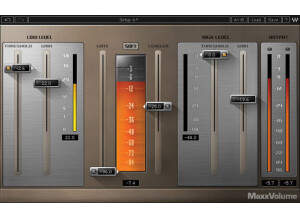
    There were no compatibility issues getting Waves' MaxxVolume working on my MacBook Pro. The installation, as with all other Waves Plugins I have installed, was a breeze - whether you buy it as a bundle package or as a solo plugin its easy (waves also provides the option of demoing it). As far as approaching the plug-in goes, you can set it up in your DAW however you want - on individual tracks, on sends or busses, etc. The interface provides faders for low and high level threshold and gain, as well as two additional slides for gating and a leveler with a soft/loud toggle in between to affect the overall compression. Along with being aesthetically pleasing, the interface is very easy to use. SUITABILITY/PERFORMANCE Like all of the other Waves Plugins I have used, Maxx Volume is a very stable VST. Running in my Ableton Live 8 with a 2.7 Ghz Intel Core i7 processor and 4GBs of RAM it works like a charm. I've only been using this plugin for about three months, but I can say that it has seriously bolstered some of my sounds since then. This isn't a plugin I use all the time, mind you. It's something I find works well on the master track or on individual vocal tracks, but can easily be substituted by an EQ and a compressor with a different quality timbre. OVERALL OPINION Overall if you're going to use Waves Ltd Maxx Volume, watch your levels carefully and don't abuse the power entrusted to you. Its easy to clip and wash out a mix with this compressor so be conservative with its use. That said, I am glad I purchased it and would encourage you to do the same and enjoy another great plugin from Waves.

  • « runs great »

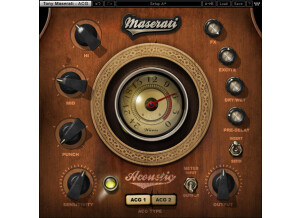
    I didn't have any problems with installing and getting the Waves Maserati ACG up and running. I had no compatibility issues with my machine and the configuration of the plug-in is easy to follow and manipulate. It is laid out fairly simple with a section for a compressor, a limiter and a filter. I had no use for a manual as this plug-in is easy enough to use without one. SUITABILITY/PERFORMANCE I am running the Waves Maserati ACG with a Mac Book Pro that has a 2.2 Ghz processor and 4 GB of RAM. I am running this plug-in in Pro Tools LE 7.4 with a Digi 002 rack audio interface. I've never had a problem running this plug-in with this configuration and I am able to run a few of these at once. OVERALL OPINION I've been using the Waves Maserati ACG for about three years and it is one of my favorite compressor plug-ins for a number of reasons. The first reason is its overall sound quality. It really has a bit of vintage sound that is warm and full. It sounds great on everything from vocals to guitars and drums. The second major reason is the plug-in's versatility. It isn't just a strict compressor - it has a section for limiting and filtering as well, both of which prove to be extremely handy. It is this versatility which makes it great for applications of all kinds. It also has a nice metering system. I would probably compare this plug-in to Smack, and while I love Smack as well, this plug-in is cheaper and has more options. The sound quality of both is great, but the extremely cheap price of the URS plug-in makes it my choice. I've become of big fan of not only the 1975 Classic Compressor, but a number of Waves plug-ins! This is a must try!

  • « 5.1 surround dynamics processor »

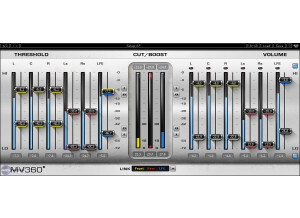
    This is meant for anybody who works with 5.0 or 5.1 audio on a regular basis. One of the biggest issues faced with working with audio that's not stereo is trying to find plugins that can adjust every channel. A lot of times, you have to break every track down into one single buss for certain effects, and it becomes a huge pain trying to sort everything out with levels and volume. This is basically a bunch of independent compressors that can be applied to a mix and allow you to tweak the individual bands to you leisure. It has sliders for low threshold range, high threshold range, low volume range, high volume range, high level compression on/off, low level compression on/off, high level compression master control, low level compression master controls and a link selector. There are also a few other tricks up its sleeve that you can mess with. I never read the manual, but it really doesn't need one as, despite it looking a bit daunting, it's very easy to use. SUITABILITY/PERFORMANCE When it comes to things like stability and overall performance, Waves tends to be at the top of the totem pole. I've never experienced a single crash, freeze or hiccup while using any Waves plugin, let alone this one. They all seem to be super stable, which is a huge plus for something as critical as a recording environment. The plugin itself is cross platform compatible, so there is no issue when it comes to using this with either an Apple or Windows based computer. The biggest problem I experienced simply has to do with the recently technological evolution of OSes. My DAW and OS are now 64 bit. However, these plugins are still 32 bit. For Logic Pro to fully utilize this plugin, it needs to run a bridge application, unless I want to gimp down my DAW. It's a bit of a pain, but it works. I'm hoping they update these to 64 bit in the future. I've been using the Mercury bundle for the past half a year or so, and it's been working out great. OVERALL OPINION I don't use a lot of 5.0 and 5.1 surround stuff, but when I'm working with Final Cut Pro and have to do some complex audio work, I like to use this plugin. It's saved me a few times with adjusting volume levels and transients before. Keep in mind that I just mess around with FCP and plugins like this just to see what they're about. I'm not a big user of video based audio, so my opinion may be a bit skewed.

  • « Simple compressor that sounds good »

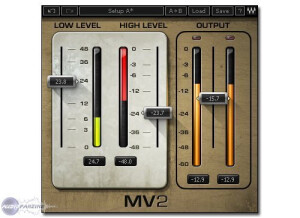
    Compression has been the effect of choice for nearly everything ever since the 60s. This is actually a very simple compressor compared to some of the other plugins out there, including the other Waves plugins. All you have is a slider for low level, high level and overall output. The plugin is basic, but that's kind of the charm of the actual plugin. It's for those who just want that basic compression sound without having to go through tons of options to get the sound they want. To use this, simply enable it on whatever buss you're looking to use it on. This plugin really needs to manual, and I couldn't tell you how well written the Waves one is because I never used it. SUITABILITY/PERFORMANCE Waves is really one of the best companies out there when it comes to implementing solid plugins with no real fuss. These plugins are always rock solid and super stable; this plugin is really no different. I've never experienced a single crash or hiccup while using this plugin. The plugin is also cross platform compatible, so Windows and OS X users alike can use these without any problems. There is one issue that I always gripe about, however. These plugins are 32 bit for OS X. Right now, I'm using a 64 bit DAW, and for me to utilize these plugins, it needs to launch a special bridge application. I'm not a huge fan of the way my DAW utilizes these, so I'm hoping they update these in the future. I've been using the Waves Mercury bundle for the past six or so months, and it's been a very enlightening experience to say the least. OVERALL OPINION The plugin is very basic, but it still delivers a solid compression sound. I've used it successfully on both guitars and drums in the past. However, when dealing with very high gain guitars, I don't like it as much because it's not as versatile. I've also never tried it on drums before, so I can't comment on that. I wouldn't use it on electronica music, but this can work pretty cool on the master buss for some overall volume increase.

  • « Got some cool tones out of this »

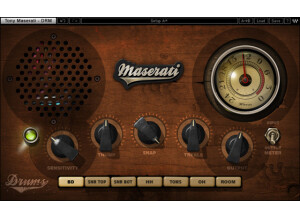
    Tony Maserati is mostly known as an R&B style producer, so my approach to drums and his approach are a bit different. This plugin is meant for those more acoustic sounding kinds of drums instead of the heavily sampled ones that I tend to utilize. The plugin has knobs for sensitivity, thump, snap, treble and output. There are also a ton of buttons at the bottom to select what you're adjusting -- bass drum, snare top, snare bottom, toms, hi-hats, room, overhead, etc. There's also a meter selection switch on this which helps with monitoring. The plugin is super easy to use; simply enable it on whatever drum busses you need and start adjusting. SUITABILITY/PERFORMANCE Waves rules when it comes to things like performance and stability. I've never had a crash while using this plugin, and that goes for all of the Waves plugins I've used. They all seem super rock stable, and in something as mission critical as a recording environment, that's a huge plus. The plugin works on both Windows and OS X, so nearly anybody can use it without a hassle. The plugin itself doesn't take up much RAM or processing power which is another plus. There is one issue I have with it, but it's a somewhat minor complaint. The plugin itself is a 32 bit plugin inside of OS X. For my DAW, Logic Pro, to fully utilize this, it needs to run a special bridge application. Performance is still the same, but it's just a pain with the way Logic implements that bridge application because the plugin doesn't remain visible in the background. I've been using the Mercury bundle for the past six or so months, and it's been a wonderful experience. OVERALL OPINION Considering that I play and record metal most of the time, this plugin had a more limited usage for me. On my more rock productions, it did a fairly solid job, and I believe the sounds I was getting out of this is what Tony was thinking of when he helped co-design this. However, considering that most of my drums are triggered, it didn't seem to give me the tone I was going for.

  • « Make anything louder »

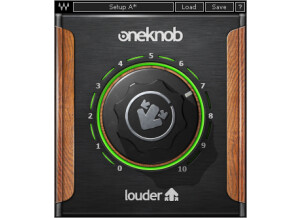
    Waves has recently released a new products for those who need something very simple to use. The software is part of the OneKnob series, and just as the title says, these plugins only have one single knob to control the effect. In a way, these plugins are a bit gimmicky. However, they really do work quite nicely. The plugin is very simple to use. To increase the loudness of your mix, you simply add this to whatever bus you want brighter, turn the dial until you get the loudness you want and leave it be. It's that simple. The OneKnob Louder is included in the OneKnob package series or the Mercury bundle. Both of these will get you the product, so it's not like you're just buying a single plugin. In one way, it can be a bit of a pain as the OneKnob package alone is around $300ish. Even though it includes seven of their plugins, I find it to be a bit of a ripoff. The Mercury bundle makes it a bit easier to swallow, but that thing costs a ton anyway, so you'd better be getting every single plugin that Waves offers. SUITABILITY/PERFORMANCE Waves plugins have always been some of the most stable plugins I've experienced. They're cross platform compatible, so they'll work with both PCs and Macs. As a Mac user, that's a huge advantage for someone like me. They run in 32 bit mode, but Logic uses a wrapper-like application that runs so you don't interfere with your 64 bit interface. I've tried this on various different buses, and it seems to work on anything with ease. It even works nicely on MIDI, which I found a bit surprising. There are no performance issues at all, and that's a huge plus when working in a DAW filled with all kinds of synths and tracks running tons of plugins. These plugins came with my Mercury package, and I've had that for a few months now. OVERALL OPINION This is probably the plugin I use the most out of the entire OneKnob series. If you're looking for a simple way to increase the loudness of your tracks, definitely check this out.

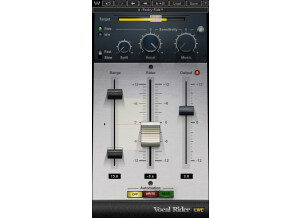
  • moosers's review

    The Waves Ltd. Vocal Rider was an easy plug-in to install (as is usually the case with Waves plug-ins) as it was straight forward and took about as long as it usually takes to do a basic install of a plug-in. While I not completely convinced that this is a necessary plug-in to have, it does have an easy enough to use interface. You've go three sliders - one main one labeled 'rider' to control the vocals in a mix and two others for range and output. It also has knobs for vocal, music, and another slider for sensitivity. It also has automation options on the bottom of the plug-in. I haven't seen a manual for this plug-in, but I don't think that you need one as it is easy enough to use on its own. SUITABILITY/PERFORMANCE I've never had any issues trying to run Waves Ltd. Vocal Rider as it doesn't take up much processing power at all. I have used the plug-in on an Apple G5 desk top that runs with a Pro Tools HD system. The plug-in has always run smoothly for me whenever I have wanted to use it, which hasn't been all that often since the first time I used it. Even if you are running this on a Pro Tools LE system I don't think that you'll have any issues running this as long as you have a system that can run other plug-ins. It really depends on your system and how well it can handle plug-ins. OVERALL OPINION To be honest, since I first used the Waves Ltd. Vocal Rider about a year ago I have only used it a few more times as I just don't think that it is necessary. I can do exactly what it does without the plug-in and don't think that it saves me enough time to warrant using it. I didn't have to buy the plug-in as I have used it at a studio and I don't think that I would buy one and use it otherwise. While I can see why people will find this helpful, for me it gets in the way more than anything. I don't believe that it is worth the price but would encourage those interested to try it out to see if it will be helpful for them as every engineer likes to work differently...