Log in
EN
FR

Other software dynamics processors

294 products found

Filter
Sort by
Brand
Evaluation
  • Reviewed or not
  • Editor’s award
  • Reviewed by Audiofanzine
Availability
  • Available or not
  • Sold new or used
  • Sold new
  • Sold used
Must-have products
  • All products
  • Flagship products
  • Best rated products
  • Hot products
  • Popular products
Price
  • Freeware
  • Low-cost (< $85)
  • Mid-range ($85 - $250)
  • Premium (> $250)
€
Clear
Sort by
  • Popularity
  • User ratings
  • Price - low to high
  • Price - high to low
  • Used price, increasing
  • Used price, decreasing
  • Name (from A to Z)
  • Name (from Z to A)
  • Added on
Sort results
  • Popularity
  • User ratings
  • Price - low to high
  • Price - high to low
  • Used price, increasing
  • Used price, decreasing
  • Name (from A to Z)
  • Name (from Z to A)
  • Added on
Filter results 294 results found
Brands
Evaluation
Availability
Must-have products
Price
  • Freeware
  • Low-cost (< $85)
  • Mid-range ($85 - $250)
  • Premium (> $250)
Show results

The best Other software dynamics processors reviews

The reviews Audiofanzine members found the most helpful.
  • « Great Utility When You Need It »

    The Waves InPhase plug-in is easy to get set up and working. Installation of Waves plug-ins are as straight-forward as any other company. Once installed, it is simple to load in your DAW of choice. I am using Pro Tools 8 LE. It can be used as a traditional plug-in, running in 'real-time', and can also be used as an audiosuite 'off-line' processor. I rarely use plug-ins as audiosuite offline processors, but as I started to use the plug-in, I've found I like using it as an audiosuite plug-in. When adjusting 'phase' for an audio file, unless you are trying for a special effect, there is not a whole lot of tweaking you can do. Therefore, in my initial use, I had two recorded tracks, opened the audiosuite plug-in, performed phase alignment and moved on. The InPhase plug-in introduces around 1000 samples of processing delay when inserted in real-time in Pro Tools. There is not automatic delay compensation in Pro Tools 8 LE, so I am a little hesitant to want to use it in real-time because the ~1000 samples of delay can screw up any phase correction I was performing. If your DAW has automatic delay compensation, this shouldn't be a problem for you. If your DAW does not have ADC, then you should be aware of this. I suppose if you want to use the plug-in to fix phasing issues that occur after the processing of other plug-ins, then it would be appropriate to use it as a traditional real-time plug-in at the end of your processing chain. Waves provides some useful videos to help you get started with the plug-in. I definitely referred to these videos when I started using the plug-in because it wasn't entirely intuitive how to get audio into the plug-in in different scenarios (side-chaining, mono, stereo, etc.) I would definitely recommend these videos. SUITABILITY/PERFORMANCE Waves generally make plug-ins that have rock-solid stability. I have never had an issue of a Waves plug-in crashing Pro Tools. Sometimes their plug-ins can be computationally intensive, so older systems might have a hard time performing all the processing. There was one weird thing (possibly a bug) that I noticed when I have been using the plug-in as an audiosuite processor. If I set the alpha channel to receive from CH1+2, set the beta channel to receive from the side-chain, and lastly pick the key-input side-chain, there is no audio received in the beta channel. However, if I pick the key-input side-chain first, then set the alpha channel and beta channel second, then the audio is fine. To me, it would make sense if it worked right either way, but it doesn't. It might just be a problem with PT 8 LE. Just something to watch. In use, watching the 'correlation' meter is important. When correlation is positive, it means that the signals are aligned. When correlation is negative, it means that the signals are not aligned. I usually try to maximize the correlation as a starting point. As with everything, let your ears be the final judge, thought. OVERALL OPINION This plug-in was designed for a very specific purpose - to adjust the phase of an audio signal. It does exactly what it is meant to do. Phase alignment is a subtle but important detail to consider in a recording. In some cases, it can make the difference between a really good sound and a great sound. If you haven't considered phase alignment in your recordings before, Waves InPhase is an easy way to help take your sound to the next level.

  • « Came out when the M360 did. »

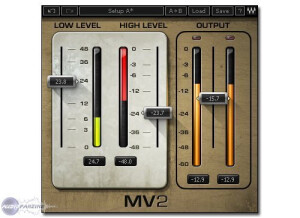
    The MV2 has both high and low level compression, the interface of this plug in couldn’t be any easier to use and understand. You only have a low level fader, a high level fader and an output fader. That is all, the MV2 installs very quickly and it has never crashed on me. It supports RTAS, Audio Suite, VST and AU modes. You can use it on your PC or your Mac and almost any DAW that takes VST’s (which most do). The low level compression is 0 to +48 and the high level compression is 0 to -48 DBFS. Waves does offer a demo version of this plug in so you can try it before you buy it, but there is no doubt in my mind that after you try it you will want to purchase it right away. It is very inexpensive but still a powerful compressor to have in your arsenal. I have been using this compressor since 2008 when Waves released it, It was released around the same time as the MV360. The MV360 is just much more complex an dof that matter it wil cost you more. SUITABILITY/PERFORMANCE You can see the MV2 in almost any of the Waves bundles. If you already own any of the popular Waves bundles (Diamond, Platinum , Gold and Mercury) you can download MV2 for free if it didn’t come with your bundle because you got your bundle before the release of MV2. The MV2 works great and has never gave me any issues on my Macbook or my PC. I have been using it for 4 years and continue to use it from time to time. It is very stable and simple to use. OVERALL OPINION For the price, you have nothing to lose. It is a very affordable compressor that will work on your system and with your DAW. Not to mention how easy it is to use and still get high quality compression. It is a better compressor that comes with most of the DAW’s and programs that you already use. It is always a good idea to have a good external plug in for compression when using it in programs like Cubase and Ableton. Those Programs come with some really bad compressors.

  • « Level rider for vocals »

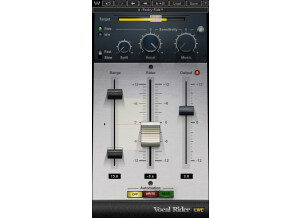
    Levels are something that should always be watched, and when you have vocals with a huge dynamic range, constantly tweaking the level with automation gets to be a real pain. Waves has released a vocal rider plugin which helps try to even everything out without having to manually write in tons of different volume automation. It's an extremely handy plugin, despite it being simple in operation. The plugin has quite a few features for being such a simple plugin. Aside from the main sliders of range, vocal ride and output, it also has knobs for vocal/music, a switch for fast/slow and a few other small features that really help shape how you want the vocal rider to function. To use this, simply enable it on whatever vocal buss(es) you have and set it. You generally want to put all the vocal busses into one master aux buss and put this as close towards the last plugin. I never read the manual, but this is so easy to use that it shouldn't be needed. SUITABILITY/PERFORMANCE Waves plugins have always been some of the most stable plugins I've experienced. They're cross platform compatible, so they'll work with both PCs and Macs. As a Mac user, that's a huge advantage for someone like me. They run in 32 bit mode, but Logic uses a wrapper-like application that runs so you don't interfere with your 64 bit interface. I've tried this on various different buses, and it seems to work on anything with ease. It even works nicely on MIDI, which I found a bit surprising. There are no performance issues at all, and that's a huge plus when working in a DAW filled with all kinds of synths and tracks running tons of plugins. These plugins came with my Mercury package, and I've had that for a few months now. OVERALL OPINION With today's metal vocals, you tend to find a mix of singing, growls, screaming and other types of styles mixed in. It can be a real pain to constantly adjust all of those levels manually, and I've found that this plugin can help quite a bit. When things get very extreme, I find that it can sometimes be a bit odd, but it could just be me dialing it in incorrectly. Regardless, it's a very good plugin that I've used quite a few times before to help level everything out.

  • « Interesting Dynamic Processing plugin »

    This is a plug-in made by Sonnox called the Oxford Inflator. It works much like a limiter but it has a very different quality from most limiters. I haven't had any compatibility issues with my DIGI 003 to Macbook Pro PT LE setup. It took me a few moments to install, nothing more. The functions of it (which are admittedly limited, pardon the pun) are pretty easily accessible. The manual wasn't really necessary for me as I had already read most of the information online before I purchased it, but overall, I'd say it's pretty informative if you have no idea what you're doing with this plug-in. SUITABILITY/PERFORMANCE I've never had a software compatibility issue with this type of plug-in before this, and this was no different. It worked fine from the minute I installed it. It's a quick, fast-performance plug-in. It's never crashed or slowed down the system like some of my other favorite plug-ins do. I've never really used it on multiple single tracks, more of a full mix-type thing or a track here and there, so I don't know how much it slows down the more you use it within a session. I would assume that it is like most other plug-ins in that it would slow down once you have it open on 9 tracks or so but it honestly doesn't really seem to matter that much as it's not designed to be used on every track anyway. OVERALL OPINION I must say that this is one of the cooler effects that I have used in my time. It's great because it adds a warmth to a track that is difficult to describe. What can sound dull and lifeless starts to sound really full, rich, and inviting after using this plug-in. It's sort of like a tube compressor in that respect but without all the soul-crushing dynamic squashing that can occur if you try to push it too hard. It sounds great on vocals, acoustic instruments, pianos, and almost anything where presence and warmth is required, and loudness is needed but not necessarily possible without limiting. Overall this is a good plug-in. The price listed is for the plug-in itself but it comes cheaper if purchased within a bundle, which I recommend as Sonnox makes some really good plug-ins.

  • moosers's review

    The Nomad Factory British MCL-2269 is one of two plug-ins that make up the Nomad Factory British Bundle. It comes along with the NEQ-1972 equalizer, and I don’t believe it’s available individually. The bundle is suitable for both mixing and mastering purposes, but I’ve really only used it for mixing thus far. I don’t own the plug-in but have used it at the studio where I currently work, which has almost all of the Nomad Factory plug-in available. Learning the plug-in was hard for me, but certainly it takes some prior knowledge of dynamic processors, as is going to be the case when starting off with any compressor/limiter. The parameters that the MCL-2269 has available include input and output level controls, make up (compression) gain, attack, recovery, ratio, recovery, threshold, and limit level. There are separate switches for turning the compressor and limiter on or off as well, so it’s not just a compressor/limiter in one. A manual would be a good idea if you’re just getting used to compressor/limiters, but shouldn’t be necessary for experienced users. SUITABILITY/PERFORMANCE The studio I’m working at has the Nomad Factory British MCL-2269 plug-in running on all of our systems, which is a good number as we have a bunch of studios on site. However, I’ve mostly used it in the main room, although I’ve used it on a few of the systems, all of which are pretty comparable as far as how well they’ll run plug-ins since they’re all Pro Tools HD systems. Regardless, most users won’t have any problems running this on their systems. OVERALL OPINION The Nomad Factory British MCL-2269 is one of my favorite overall compressor/limiters that Nomad has to offer (and they’ve got a lot of them). I’m not completely sure what type of hardware this is modeling, but it’s some sort of British based module, hence the name of course. It has a really full sound for a plug-in and definitely gives off a vintage vibe both in sound and look. The MCL-2269 is best suited when you’re looking to get in depth dynamic processing, and I think it’s really awesome that it’s got a separate compressor and limiter as usually they’ll have the same controls for both. Since you can’t buy it on it’s own (I don’t think), it’s worth checking out the NEQ-1972 equalizer that’s paired in the British Bundle with this plug-in, which is also quite cool as it’s definitely a great bundle to have!

  • moosers's review

    The Akai Deca Buddy harmonizer plug-in was easy to install as I had no compatibility issues whatsoever. The interface of the software is easy to follow, and I had no troubles learning what everything does. The plug-in allows you to add four harmony parts to your signal, and you can set each to a harmonize at a certain interval. It then has controls on each for random, format, quantize, level, and pan. On top there are also options to set the key, the tuning Hz, the input level and to control your signal coming in. All of these parameters add up to a versatile harmonizing plug-in. I don’t have a manual for this, so I don’t know how complete or helpful it is. SUITABILITY/PERFORMANCE I have run the Akai Deca Buddy harmonizer on two different set ups. I currently run it on a Mac Book Pro that has a 2.2 Ghz Intel Core 2 Duo processor and 4 GB of RAM. I have also run it on a Hewlett Packard lap top that has a 3.0 Ghz processor and 2 GB of RAM. With both set ups, I never had a problem running this plug-in as it has always done the job smoothly for me. This being said, I have never needed to run more than two of these at once. While this comes in VST form, if you have the VST to RTAS wrapper, you can use it with Pro Tools. Overall, the plug-in has always been stable for me, no matter which configuration I am using. OVERALL OPINION I’ve been using the Akai Deca Buddy plug-in for about three or four years. While I don’t use it all the time, as I find that it can sound too digital, it works great in situations that I feel it is helpful. There is a good amount of control available and the sound quality is pretty good most of the time. The price isn’t too expensive, especially if you get it within a bundle. The Deca Buddy is also good to get ideas for harmonies to overdub. All in all, for my purposes the Akai Deca Buddy harmonizer is quite helpful.

  • moosers's review

    The McDSP ML4000 was quick and easy to install without any problems. I had no compatibility issues and since I bought it electronically, it was transferred straight to my iLok and had the plug-in running in a matter of minutes. I bought this plug-in with the Project Studio LE bundle and have had no problems with any of the plug-ins in this bundle since I installed it. I don't have a manual for this, but it is easy enough to use that you shouldn't need one. SUITABILITY/PERFORMANCE I am running the McDSP ML4000 limiter plug-in in Pro Tools LE 7.4. I am running Pro Tools on a Mac Book Pro with a 2.2 Ghz Intel Core 2 Duo processor and 4 GB of RAM and a Digi 002R audio interface. I am able to run a few of these at once if I choose to, and it has always run smoothly and stable with this configuration. While you can run a few of these at once, it is more of a mastering plug-in and is meant to be used on the master fader. OVERALL OPINION I've had the McDSP ML4000 for about six months and have found it a useful plug-in overall. The plug-in is easy to use as it has four knobs, one of each controls ceiling, threshold, knee, and release. The metering is great and monitors the input level, the output level, and gain reduction. The sound quality is clean and is easy to get a quick, effective level from this. Since I got this within a bundle, it was dirt cheap. I have come to love the McDSP suite of plug-ins as they are reasonable in price and all have a great sound to them. I would recommend this plug-in as well as the entire McDSP Project Studio LE bundle.

  • « My Favorite Signature Series Plug-in »

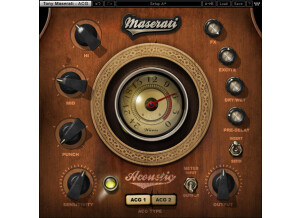
    The Waves Signature Series plug-ins are designed to be simple to use. They are simple to install and simple to authorize. They are almost 'dummy-proof' in the sense that as soon as you load them up in your session, your mix will mix will improve. There aren't a lot of controls to worry about, which is a good thing. There are plenty of other plug-ins on the market with a lot of controls. I like having option to pull up a plug-in and not have to worry about parameters. I own all the signature series plug-in bundles (Maserati, CLA, JJP, Kramer). Of all the individual plug-ins in all the bundles, I think this particular plug-in is the most useful and most unique. I would recommend the Maserati bundle just for this plug-in alone. SUITABILITY/PERFORMANCE The plug-in has one main function: make an acoustic guitar sound better. It does this in three ways. First, it adds an eq filter curve tuned for an acoustic guitar. To my ears, the plug-in rolls off the low-end booming of an acoustic guitar. This really helps when the acoustic guitar is in a mix with other instruments like drums and bass guitar. The plug-in also adds some nice top-end frequencies to help the instrument cut through. The 'eq' controls are simple and are set up for appropriate frequency ranges. Second, the plug-in controls the dynamics of the acoustic guitar signal. I assume it does this with some kind of compression that works well for an acoustic guitar. Whatever it is, it makes the acoustic guitar loud, and make it cut through a mix. Third, the plug-in has some great sounding reverb/delay to add to the signal. This adds some tasteful effects to help an acoustic guitar fill a 'perceptual' space. OVERALL OPINION The Waves Maserati Signature Series Acoustic plug-in is part of the Maserati bundle. As the name suggests, it is fine-tuned for processing the recordings of an acoustic guitar. This plug-in is very unique in the sense that none of the other signature series plug-ins have a specific 'acoustic' guitar plug-in. Although, there are no other 'acoustic specific' plug-ins to compare it to, the Maserati Acoustic plug-in stands out as an exceptional processor. It really makes the recording of an acoustic guitar sound better, and also sit well in a mix. There are just enough controls to make the plug-in flexible, but not too many controls to make the plug-in confusing and complicated. In fact, this plug-in is almost like to separate acoustic guitar processors in one. The 'ACG1' and 'ACG2' settings sound noticeably different, which increases the usefulness of the plug-in for different sounding guitars and different sounding sounds.

  • « Give your audio some life »

    The Sonnox Oxford Inflator is a software plug-in to be used inside a DAW. It can be downloaded off the Sonnox website for installation, and authorized using an iLok. This plug-in can be purchased independently or as part of several bundles from Sonnox. I purchased the Sonnox Enhance bundle and received the Inflator. The controls of this plug-in are as basic as any plug-in. If you can't figure it out in the first 30 seconds of trying the plug-in out, you can watch videos that show you what to do. In reality, all you have to do it move the 'Effect' slider up until your music sounds better. No further explanation needed. SUITABILITY/PERFORMANCE It is hard to precisely describe what this plug-in does. The effect is very dramatic, and very pleasing to the ears. Some people say that it adds a 'magic' to their audio. I simply think it makes audio sound better. My understanding is that the 'effect' increases the presence of harmonics in the signal. To me, it makes audio sound closer or 'in-your-face'. There must be some psychoacoustic phenomenon that this is based on. Whatever it is, its great. OVERALL OPINION This plug-in is simple - it makes your tracks sound better. Use it on individual instruments or on a mix bus and it will make a difference. This may be the only plug-in I have ever used that always sounds good. For most plug-ins, I might insert them on a track and decide whether or not it sounds better. The Oxford Inflator never fails. I rarely use the 'Effect' at 100%, usually I settle somewhere between 50% - 75%. I usually leave the 'Curve' setting at 0.0, unless a track is really dull and I want to add some high-frequency emphasis. I use this plug-in on every session I mix, and I would hate to try to mix without it. I consider this particular plug-in to be my favorite from Sonnox because it is very unique. There are many companies that have 'limiters', 'compressors', 'transient designers', 'reverbs', etc. The Inflator is one-of-a-kind. The Inflator is also very useful for increases the 'perceived' loudness of a music track during mastering while still maintaining the peak amplitude. This is one thing that can help make your demo tracks sound closer to professional.

  • « A Strange Animal »

    This plug-in is super easily instaled and typically free as well as having virtually no compatibity issues. It's one and only function is so easily accessible that all it has is a process button! SUITABILITY/PERFORMANCE The Essential Clip Remover works fine for it's level of accuracy and is a very easy to use. I've used it rarely for about 7 years now and I like it as much as it deserves. OVERALL OPINION The thing to like most about this plug-in is that it may possibly save that one take for you at some point. To like least is that it's very inaccurate and unreliable for truly professional work, but it does do it's job under reasonable circumstances. First off, you should really go as far out of your way to prevent clipping as possible especially if you are doing paid work or even if you are just doing your own music. As long as your digital recordings are sufficiently noise free and not clipped out then you have huge amounts of headroom in digital work to bring the volume up in a mix. (An appropriate way of controlling your noise level is to ensure that the noise floor is AT LEAST -45dbfs from the average dbfs of the audio. -60dbfs is ideal.) Oddly enough, I've actually found a glitch/oddity with this plug-in that allows it to be used a really killer distortion effect, the kind of brutally mangled, bit-crushed, evil distortion that lends itself nicely to industrial music or even just as a filtered/distorted drum intro/break. If you use a brickwall limiter on a track or a group of tracks and bounce those to a new track, while leaving the output of the limiter set to 0.00dbfs, then apply the Essential Clip Remover; the result is a truly grating, unique distortion sound. I suppose it's because the ECR looks for those 0 crossings and you sort of confuse it when your material is hitting 0 consistently yet not crossing. Try it, it's actually alot cooler than what the ECR was actually made for. I've never used any other clip removers before simply because you shouldn't have to if you are careful and precise while recording. I have heard of some other clip fixes and software that are absurdly expensive. Since you can typically get this for free it's certainly worth trying out whether for it's intended purpose or to just play around and be experimental with it.

  • « MV360 Rocks »

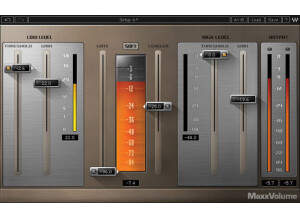
    The Waves MV360 is a high level compressor that has automatic makeup output and gain level control. The Waves MV360 came to my attention when I was doing some research on the Waves Renaissance Vox because it is very similar. The MV360 is very easy to use and to understand, mainly it is controlled by a Threshold Fader. The MV360 has 5 main modes and using them you can also choose up to 3 different side chains. The modes are All Linked, Front Rear Sub, 5 Linked/Sub, Center Quad Sub, Center Front LR/Rear. The manual for MV360 is very thorough and in depth, it has everything in it broken down and makes the MV360 seem a lot more complicated then it really is. But for the serious users you can really get a hang of how MV360 works and will amaze you on what you can really do. SUITABILITY/PERFORMANCE I currently run MV360 on my Apple Macbook Pro 2.66 Ghz i7 Dual Core 4GB laptop. It works great and has never caused any issues, I have also used it on my desktop PC and it works fine on that too. I just the Waves MV360 in Pro Tools on both systems. It has never crashed or had in sort of an error since I have been using it which has been over a year now. OVERALL OPINION My favorite part of the MV360 is how easy it is to use, but it is still a high quality compressor that is very in depth. If you take the time to fully understand the features of MV360 you will learn some great compression techniques. The compression itself on the MV360 should cost a lot more than what it does. I have seen hardware compressors that are of quality like the MV360 that cost double what the MV360 Cost. I am very happy with my purchase of MV360. It is well worth every penny spent.

  • « Get a Fat sound »

    The URS Phat C is a analog sounding compressor that you can use on individual channels and multiple times and not have to worry about any crashing or freezing. The URS Phat C seems to be very stable and it comes in at a great price 99.99. You can run it on Macs and Windows 7, Windows Vista and Windows XP. It gives you 6 different analog saturation modes, VSA, FET, Tube, Tape, Transformer, and Opto. Along with 2 different kind of attacks (fast,normal). I use URS Phat C as a plug in with Sonar and Cubase. I have even used it as a plug in for my video editing program to compress audio in Final Cut pro. The interface is very simple and easy to understand you get a total of 6 knobs and 2 sliders. Everything is labeled and it is right on the main interface. There are no sub menus or small unreadable text. I have not seen a manual for URS Phat C, but you will not need one because it is self explanatory and easy to understand. SUITABILITY/PERFORMANCE I have a Windows 7 OS on my dual channel 8GB desktop and it loaded correctly and worked fine. I have been using this plug in since mid 2011 after stumbling across it on KVR audio. All of the functions of URS Phat C work great. OVERALL OPINION The URS Phat C will give you a great recreation of vintage harmonics. When using those effects along with the compression you will be able to get a really heavy and rich sound to have in your mixes. You can play around with this plug in on voices and instruments and watch all of the cool stuff you will get out of it. As I said, you can run it multiple times and not have to worry about it crashing. I have had it running on 10 plus channels before at the same exact time and never experienced any issues. The program is very light on your CPU and can work in probably any DAW. I highly recommend it.