Log in
EN
FR

Software transient shapers

123 products found

Sort results
  • Popularity
  • User ratings
  • Price - low to high
  • Price - high to low
  • Used price, increasing
  • Used price, decreasing
  • Name (from A to Z)
  • Name (from Z to A)
  • Added on

The best Software transient shapers reviews

The reviews Audiofanzine members found the most helpful.
  • songboy's review

    No there are no compatibility issues with this plugin. It works great on my macbook with logic 9 or ableton 7. I have never needed the manual to use this device. It is very simple, very few parameters to tweak. Yes the general configuration is simple, very simple and it doesn't take a lot to get a great sound out of it. Yes the typical functions are very accessible, the interface is basically a reproduction of a hardware compressor, can't be any easier than that. SUITABILITY/PERFORMANCE Yes, it works flawlessly in my DAW's. So far I have never had any stability issues at all. Works everytime. This unit very simple and simple to use. It is an easy task to find the sound you need so I give it a 10 out of 10. I have been using this plugin for about 9 months. OVERALL OPINION What I like most about this plugin is the excellent "dirty" sound I can generate with it. I often use it on drums to get that "flaming lips drum" sound. Real crunchy and present. I also find myself throwing on the master channel to give the whole mix of a song that crunchy punch, especially for electronica songs. So far, there is nothing I don't like about this plugin. Its simple to use and sounds great. The quality of the sound is awesome. I feel like this plugin has added so much to my songs after production that I wouldn't have had without it. I have many compressor plugins but I find myself drifting toward this guy when I want that specific dirty/crunchy sound. I would definitely make the same choice again

  • « Make your drums snap »

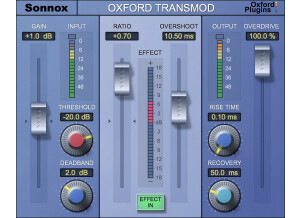
    The Sonnox Oxford TransMod is a software plug-in to be used inside a DAW. It can be downloaded off the Sonnox website for installation, and authorized using an iLok. The purpose of this effect is to change the shape of a transient in a signal. It can be used to make the initial 'attack' of a sound to be louder or quieter. SUITABILITY/PERFORMANCE The Oxford TransMod is very flexible. The 'ratio' control is the basic way to increase or decrease the attack of the signal. The 'overshoot', 'threshold', 'rise-time', etc. control the timing of the effect. The 'Overdrive' is a unique control to add some saturation to the attack of a signal, adding extra snap or 'weight' to a transient. I find that transient shapers are most useful for drums, and don't really use them on other instruments. If you find that your drum tracks don't really 'punch' in your mix, then you should consider the TransMod. Typically I like to add a subtle increase in the 'attack' of drums by using this effect on a drum bus. Sometimes I will use it on an individual kick drum track to decrease the sustain. Sometimes I will use it on a snare track to increase the sustain. A little can really go a long way. OVERALL OPINION There are many different 'transient shapers/designers' available (SPL, Native Instruments, etc). The Oxford TransMod has much more flexibility by making the length of time of the transient something that can be controlled. Most other effects of this type offer simple 'attack' and 'sustain' knobs without the ability to control the timing. The TransMod is intuitively useful for increasing the 'attack' of a signal, but can also increase the 'sustain' of a signal if you decrease the attack volume and bring up the volume of the signal. I don't really like this method because when I usually want to bring out the sustain of a signal (like the ringing of a snare drum), I don't usually want to decrease the attack. Therefore, when I want to shape the 'sustain', I usually use one of the other aforementioned plug-ins instead.

  • « Bitter or Sweet »

    The BitterSweet II by Flux is a Transient Designer. You can turn the main dial one of two ways, if you turn it to the sweet side it will decrease the transients amplitude. But if you turn it the opposite direction which would be to the bitter side it will take the transients amplitude and magnify them. I have been using Bitter Sweet II for a month now and I am really learning to use it effectively. I am starting to use it more and more as time passes. The manual for me was in PDF format and was easy to navigate through, I am glad it is PDF format because I needed the manual a few times and I was able to just use the search to find what I was looking for. All of the main functions of BitterSweet II are very easy to locate and use. Everything is pretty much on the main interface. SUITABILITY/PERFORMANCE Loading BitterSweet II into my Dual Core PC was very quick and easy to do, and BitterSweet II is very stable in my DAW. The BitterSweet II Transient Designer has 64 bit floating processing and you can have up to 8 channels. It works on Mac running 10.5 or better in 32 bit, and on Windows XP, Vista, and Windows 7 in either 32 or 64 bits. OVERALL OPINION You can really put a good mix to your project when using BitterSweet II. This is the first version of this software that I have used, I am very happy with the choice that I made to purchase this. I saw it in a magazine and decided to do some online research before I bought it. It has proven itself to be on of the best purchases that I have made in the last year (gear wise). Very good quality and very professional sound. After you get use to it you will be creating a “sweet” mix!

  • « So simple, so effective. Don't know how I ever lived without it... »

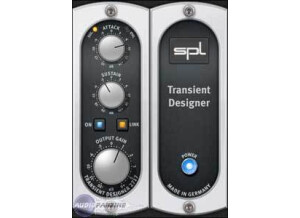
    Easy as pie, download the authorization after purchase and it's unlocked on your UAD card. SUITABILITY/PERFORMANCE Rock solid! OVERALL OPINION Universal Audio has partnered with German company Sound Performance Lab (SPL) to bring you the Transient Designer, with its unique and compelling Differential Envelope Technology for shaping the dynamic response of a sound. Only two simple audio controls are required to allow you to effortlessly reshape the attack and sustain characteristics. SPL was the first company to design an analog solution for level-independent shaping of envelopes, allowing transients to be accelerated or slowed down and sustain prolonged or shortened. You can shorten or lengthen the attack and sustain of percussive signals such as kick drum, snare or toms, easily take the bleed from open mics, or expand the room sound of overheads. The Transient Designer’s magic can be applied to virtually any other signal as well: Amplify or reduce the picking sound of an acoustic guitar, hold the sound of strings longer, or reduce the reverb time of a choir. Containing only two primary controls, the UAD SPL Transient Designer is ex- tremely simple to operate. The technology behind the processor isn't as im- portant as how it sounds. Attack enables amplification or attenuation of the attack of a signal by up to ±15 dB. The Attack control circuitry uses two envelope gen- erators. One follows the shape of the original curve and adapts perfectly to the dynamic gradient. The second envelope generator produces an envelope with a slower attack. From the difference of both en- velopes the VCA control voltage is derived. Positive Attack values emphasize attack events; negative values smooth out the attack envelopes of sound events. Sustain enables amplification or attenuation of the sustain of a signal by up to ±24 dB. The Sustain control circuitry also uses two envelope generators. One follows the shape of the original curve and adapts perfectly to the dynamic gradi- ent. The second envelope generator produces an envelope with a longer sustain. From the difference of both envelopes the VCA control voltage is derived. The gradient of the control voltage matches the time flow of the original signal. Positive Sustain values lengthen the sus- tain; negative values shorten the sustain. Gain controls the signal level that is output from the plug-in. The available range is from –20 dB to +6 dB. The default value is 0 dB. Use the Transient Designer on guitars to soften the sound by lowering the AT- TACK. Increase ATTACK for in-the-face sounds, which is very useful and works particularly well for picking guitars. Or blow life and juice into quietly played guitar parts. Distorted guitars usually are very compressed, thus not very dynamic. Simply increase the ATTACK to get a clearer sound with more precision and better in- tonation despite any distortion. Heavy distortion also leads to very long sustain. The sound tends to become mushy; simply reduce SUSTAIN to change that. If you, how- ever, want to cre- ate soaring guitar solos that would make even David Gilmour blush, just crank up the SUSTAIN control to the max and there you go. With miced acoustic guitars you can emphasize the room sound by turning up SUSTAIN. If you want the guitars to sound more intimate and with less ambi- ence, simply reduce SUSTAIN

  • « Transient adjusting utility »

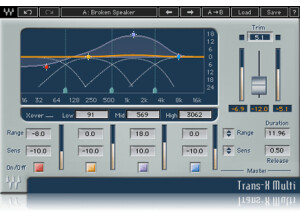
    Transients are very important in music, especially in drums. Getting them right can make a mix sound extremely dynamic and realistic. Get them wrong, and it can sound very flat, almost as if a robot is playing instead of a normal human being. This plugin is a transient plugin to help modify/shape the various transients. Waves mostly advertises that this be used on drums, and I agree as that's where the most extreme transients tend to occur. The plugin has two components and has the following features: Crossover cutoff with low/mid/high adjustments, graphical control over the plugin, range, sensitivity, on/off band switches, duration, release, trim output gain adjustments and more. To use this, simply enable it on whatever buss(es) you want it to be on inside of your DAW. I never read the manual, but this should be easy enough to use without having to read a manual. SUITABILITY/PERFORMANCE First of all, this plugin is super rock solid. I've never experienced a single hiccup or crash while using this. Considering that Waves is one of the best companies in this aspect, it's really no surprise. The plugin itself is cross platform compatible, so both Windows and OS X users alike can use this without any issues. The plugin itself also doesn't take up too much RAM, and in a world where processing power/RAM mean everything, that's a huge plus. There is one issue that I have with this, however. The plugin itself is a 32 bit plugin, but my DAW is a 64 bit DAW. That means that my DAW has to launch a special bridge application to allow me to use these plugins without having to lower my RAM limit. It's a minor inconvenience, but I'd still like to see Waves update these plugins in the future. I've been using the Mercury bundle for the past half a year or so, and it's bee a great experience. OVERALL OPINION I've used this very successfully on drums, and it helped make everything sound more dynamic overall by giving me some more control over the different drum transients. I tend to find myself using this more on rock and 80s style metal than the death metal that I normally play simply due to how the dynamics present themselves in the genres of music. Regardless as to what genre you play, there's almost always a usage for this at some point in time, in my opinion.

  • moosers's review

    Digital Fish Phones's Dominion software is a free VST plug-in for both Mac and PC systems. It hasn't been updated in a while, so I don't know what the exact compatibility is going to be with this, but when I used to have it it was on my PC laptop as a VST plug-in. You can still download the plug-in straight from the Digital Fish Phone's website, which has a clear overview of everything involved here, which should be find in place of a manual if you thought you might need one. Essentially this plug-in gives you control over the envelope of your signal, which can be very helpful on a few different levels! The interface consists of sliders for input and output levels, as well as level and length for both sustain and attack. It also has a saturation section and a high frequency filter as well. It's easy to understand while it still provides you with a nice collection of controls... SUITABILITY/PERFORMANCE While I don't have this plug-in anymore, when I did it was running in Cubase SX. I had the Digital Fish Phones Dominion on my old Hewlett Packard Pavilion dv8000 notebook, which consisted of a 3.0 Ghz processor and 2 GB of RAM. I really didn't use this plug-in in an excessive amount at all, using maybe one or two instances at most if that within a session. I wouldn't think that users would have a hard time running it, but as always it really depends on the system you're using. OVERALL OPINION If you have a compatible system, the Digital Fish Phones Dominion plug-in is free and is definitely worth having. There are certainly other plug-ins out there that will give you control over the envelope of a sound, but this is a unique take on it, and once again, it's free! I really like the layout of this and while the sound isn't going to do anything crazy for you, you can do some helpful things with it if you know how to use and what to do with it. Definitely head over to the Digital Fish Phones website and give Dominion a shot along with the other plug-ins known as the Fish Fillets.

  • moosers's review

    The SPL Transient Designer plug-in is a piece of software that emulates SPL's most popular piece of outboard gear, which of course is the Transient Designer. The plug-in comes in a variety of formats, and will be available in all major systems. I wasn't involved with installing the plug-in since I don't own it myself, but it shouldn't be any harder than installing any other plug-in out there. The user friendliness of the plug-in is great, as it's a really simple one to operate regardless of if you've used a hardware Transient Designer before or not. The parameters that it has are for attack, sustain, and output gain, and that's all there is to the plug-in. It's so simple to use that a manual surely shouldn't be necessary here. SUITABILITY/PERFORMANCE The studio that I work at is running the SPL Transient Designer plug-in on a few different systems, but all of them are TDM version of the plug-in on Pro Tools HD systems. The main room has a Mac Pro desk top consisting of dual 2.6 Intel Xeon processor and 10 GB of RAM, so if there were any doubt of it running in Pro Tools HD, which there weren't, it would surely run on the computer power alone. If you're running an LE system, as long as you're currently able to run plug-ins comfortably, I believe you'll be fine with this one. OVERALL OPINION Basically, the SPL Transient Designer gives you this unique dynamic processor right in your DAW. It's not the exact same as the hardware Transient Designer, but it sounds pretty great nonetheless and is definitely an adequate substitute. If you're not familiar with the Transient Designer, it's one of the coolest processors out there and it's great for cleaning up a sound and helping it cut through a mix - especially for drums. It is kind of pricey however, which is really it's only downfall as it's almost worth it to pick up the hardware version at the price they're asking for the software. Regardless, this is a great plug-in to have around, especially for mixing engineers...

  • moosers's review

    The Eiosis E2 Transienter is an in depth transient designer plug-in. It comes in all major plug-in formats, including RTAS, Audio Units, and VST. It is compatible on either a Mac or a PC as well. I don't own this plug-in, so I don't know what the installation process is like with the E2 Transienter. I've used it on a Pro Tools HD system in TDM plug-in format. The interface of the plug-in is split up into two different sections - a detection and an attack section. You can actually take out some of the parameters within this plug-in if you just want to use the basic features. It definitely took me a few uses of the plug-in to understand everything going on here, but most of what goes on here is easy enough to figure out as long as you understand what this plug-in is to do. The detection parameters are for identifying the transient section you'd like to work with, while the attack section is for equalizing the attack. I've never seen the manual for this plug-in... SUITABILITY/PERFORMANCE The system that I've run the Eiosis E2 Transienter plug-in on is Pro Tools HD based, with an Apple Quad Core computer. We've actually got the plug-in running on a few different systems within our studio complex, but all of them are Pro Tools HD based. I've only had a need to run one or two of these at a time within a single session, so I haven't exactly tried to tax out the system with this plug-in. In an HD system, this would be near impossible anyway. Since I've only ran the plug-in in a Pro Tools HD setting, I can't really say how well this plug-in will run on an LE type of system... OVERALL OPINION I haven't used too many different transient designer plug-ins, but the Eiosis E2 Transienter is the best of the bunch that I have used. It has more control over your sound than I've seen in another plug-in like this, or even in hardware like this. You can really change the color of the sound of whatever you run through this plug-in, whether it be drums or another instrument. Drums are the easiest thing to use with this plug-in, but it's definitely suitable for any and all applications if you know how to use it. I'm not sure what kind of price this plug-in commands, but if you're looking for a transient designer plug-in, this is probably the best one you'll find out there...

  • moosers's review

    The Flux Bitter Sweet plug-in is a piece of free software that is available to anyone out there. The plug-in is transient processor and is a very simple one at that. They also have a Bitter Sweet II plug-in, but I just downloaded that one and have more experience with the original Bitter Sweet (although there isn't too much of a difference). Getting the plug-in downloaded and running is a simple thing, as you just need to do the Flux's website and download it under freeware. Then just follow the step by step instructions on how to install it, just like you would any other plug-in. The plug-in is compatible with just about any sequencer, so this shouldn't be a problem for most. The interface of the software simply has a large knob to make your sound either more 'bitter' or 'sweeter.' Making it more bitter will boost the level of your transients, while making it sweeter will do the opposite: it will reduce the amplitude of the transients in the signal. I don't think that even the newest user of plug-ins will need any help from a manual here. SUITABILITY/PERFORMANCE I'm currently running the Flux Bitter Sweet plug-in on a Mac Book Pro that has a 2.2 Ghz Intel Core 2 Duo processor and 4 GB of RAM. I run the plug-in in Pro Tools LE 8 that runs with a Digi 002R audio interface for the most part, but I also run it with a Digidesign Micro Box if I'm on the go. I can't say that I've ever had a problem running this plug-in within my home studio configuration. Then again, I've never needed to run more than two at a time if I can remember correctly. Having said this, I think that most people will find that they don't need to run too many of them at a time either, so as long as you have a decent system where you can currently run some plug-ins smoothly, I think you'll be all set. Either way, it's free so you can at least try it! OVERALL OPINION You really can't go wrong with a free plug-in! So I can't really say too many bad things about the Flux Bitter Sweet plug-in since indeed a free one. While not the most in depth or powerful tool, it can certainly come in handy on occasion and I'd certainly rather have it than not. It has a realistic tone quality to it with a lot of brilliance, and can definitely add something if you use it right. If you've got a digital audio workstation, I'd definitely recommend downloading the plug-in, as it's free!