Log in
EN
FR

Software compressors

692 products found

Filter
Sort by
Brand
Evaluation
  • Reviewed or not
  • Editor’s award
  • Reviewed by Audiofanzine
Availability
  • Available or not
  • Sold new or used
  • Sold new
  • Sold used
Must-have products
  • All products
  • Flagship products
  • Best rated products
  • Hot products
  • Popular products
Price
  • Freeware
  • Low-cost (< $50)
  • Mid-range ($50 - $95)
  • Premium (> $95)
€
Clear
Sort by
  • Popularity
  • User ratings
  • Price - low to high
  • Price - high to low
  • Used price, increasing
  • Used price, decreasing
  • Name (from A to Z)
  • Name (from Z to A)
  • Added on
Sort results
  • Popularity
  • User ratings
  • Price - low to high
  • Price - high to low
  • Used price, increasing
  • Used price, decreasing
  • Name (from A to Z)
  • Name (from Z to A)
  • Added on
Filter results 692 results found
Brands
Evaluation
Availability
Must-have products
Price
  • Freeware
  • Low-cost (< $50)
  • Mid-range ($50 - $95)
  • Premium (> $95)
Show results

The best Software compressors reviews

The reviews Audiofanzine members found the most helpful.
  • Azuma's review

    I haven't had any compatibility issues , the program works on any platform Windows XP, Windows Seven or MAC OS. The book provided with the program was well detailed , all the information that was important to the product itself was there and you could get a wide understanding of it. General configuration and setup is easy and doesn't require a lot of effort to get the results done. SUITABILITY/PERFORMANCE The Software works correctly without any types of errors or mistakes , also the gear and configuration is very stable , this compressor is a very powerful one that has an old style touch to it. I'm getting pro performances with it , I use it mainly on my vocal tracks or even or on my lead tracks. I've been using this compressor for about 5 months now , but the weight of it , the impact it has on final mixes is huge. OVERALL OPINION What I like most about this compressor , is the effect it has on the layer itself , it has a powerful attack , you can side-chained to another or the same track , you can build nice parallel injection. Another great thing about this product is the detector , which is basically an build in eq , that is quite useful to sculpture the frequency range. I like the analog feel that this compressor makes , it has a vintage type of touch , it sounds big , wide , and yet very compact and pro. My opinion about the value of price is awesome , I really think this is probably one of the best compressors that are digital yet are very alike to the old compressors. Precision and quality of the sound is perfect , there is really nothing to complain about , I would rate 10/10. Yes , I would buy this product over and over again.

  • « Modeled Analog Glue »

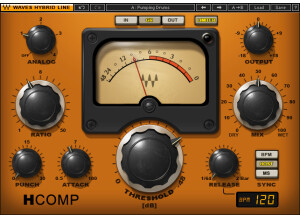
    The Waves G-Master Buss Compressor is part of the SSL 4000 Collection. It is a plug-in that can be used inside a DAW. The software is downloaded straight off the Waves website for installation. Authorization with Waves v9 plug-ins can be done with any USB device or over the internet if your computer is online. There are only a few controls on the compressor, so it is really easy to get started. SUITABILITY/PERFORMANCE The SSL Buss compressor is arguably the best compressor on a mix buss. I have never used the hardware version, so I don't know how accurate the Waves model is to the hardware. This software version definitely can add some analog sounding 'glue' to your mix. I like to set the attack time to '3' or '10' and release time to 'Auto' on a mix. A ratio of '2' or '4' can add plenty of compression, when I drop the threshold to achieve a maximum of 4 dB gain reduction. I have read about engineers that use the SSL Buss compressor for even less gain reduction - around 1 or 2 dB. To me, when a mix is really dense with a lot of instruments, I don't compress it as much. However, if a mix is sparse like a piano and vocal, I compress the mix around 6 - 8 dB of gain reduction prior to limiting. This plug-in sounds much better than a lot of other software compressors that I have tried with higher compressor settings. OVERALL OPINION Unless you have access to a SSL console, it is worth looking into a software model of the SSL Buss Compressor. Your mixes with thank you. I haven't tried the Duende or UAD versions of this compressor. I have tried the Native Instruments version, and the Waves version sounds significantly better to my ears. Although this compressor can be used very effectively on a drum bus, or on a submix of guitars or piano, the SSL compressor is best as a mix bus compressor. Your mixes with sound better with some analog 'glue', and this Waves version does a decent good if you are mixing in the box.

  • « Unique Analog Modeled Compressor »

    Waves V-Comp is a software plug-in to be used in a DAW. All of Waves' products are easy to install and authorize. The V-Comp has most of the same controls (ratio, release) as a typical compressor. If you are familiar with the use of compressors, these controls will be immediately intuitive when you first start the plug-in. There are also some unique functions built-in that you won't find on a typical compressor. There is a 'De-Esser' switch that can be turned off/on. This switch likely activates some kind of high-frequency side-chain for the compressor to de-ess any harshness in your input signal. There is also a limiter built-in. In fact, the limiter can be used with or without the compressor. The limiter has a 'Limit Level' or threshold knob, attack and release controls. The input volume knob is very important to drive the compressor. Without a dedicated 'threshold' for the compressor, it is the input level that really controls when the compressor kicks in. SUITABILITY/PERFORMANCE The V-Comp definitely adds some analog 'color' to your tracks. I own a lot analog modeled compressors - SSL Bus Comp, Waves H-Comp, CLA Classic Compressors, NI/Softube Vintage Compressors. The V-Comp is a totally different flavor. I like to use V-Comp on vocals with the De-Esser. It really smooths out the overall level. The V-Comp is also great on drum bus. It really squashes the transients very musically. This is much different from the 'glue' of the SSL Bus Comp. OVERALL OPINION The V-Comp is modeled after the Neve 2254 hardware compressor. I have never used the hardware, but the sound of the compressor seems very familiar. It adds a fair amount of analog 'color' to your tracks. Waves includes some great presets with all their plug-ins. I like to use the presets more as 'starting points' but they can typically get you most of the way there. If you don't have a lot of experience with compressors, you should definitely check these out.

  • « Under-rated guitar compressor »

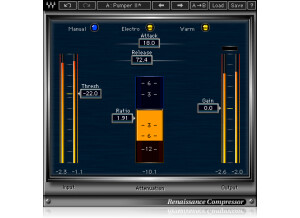
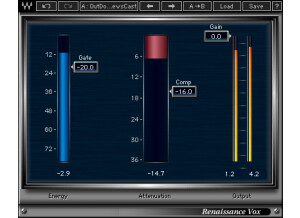
    I purchased this plug-in as part of the Waves Gold Bundle. The Renaissance Axx compressor is a software plug-in to be used inside a DAW. Waves plug-in are easy to install and authorize. Their plug-ins can be directly downloaded from their website and take about 5 minutes to get authorized. The Renaissance Axx plug-in was designed to be super easy to use. Compressors can have a lot of settings (attack, release, threshold, ratio, knee, etc). This plug-in makes is simple if you don't know much about how to use compression. There is a slider on the left to pull down until you squeeze the input signal enough, and there is a slider on the right to pull up and down to change the output volume. Waves includes 'presets', but I think they are unnecessary. Essentially this plug-in is just one big preset to begin with, as the settings for release, ratio, knee are already fixed behind the scenes. SUITABILITY/PERFORMANCE This compressor levels out the volume of a guitar track very well. This compressor doesn't add a lot of 'color' to the track like a Waves H-Comp or CLA-76 compressor does. There are plenty of situations when I want the level of my guitar track to be evened out, but I don't want the sound to change dramatically. In those situations, I call up the Renaissance Axx, and I like the results. OVERALL OPINION This plug-in is marketed for adding compression to guitar tracks, and does a great job at its specialty. Honestly, I haven't tried the plug-in with any other source material (drums, bass, keyboards, vocals) because I have a lot of other compressors. I wouldn't be surprised, though, that this compressor could do a decent job for other instruments. If this was the only compressor I owned, it would probably suffice. Some people won't like the limited about of features/controls. There are plenty of other plug-ins to buy if you want a lot of knobs to tweak. Sometimes it is just easier to load up Renaissance Axx and move on.

  • « Essential 1176 emulation »

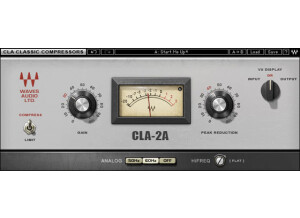
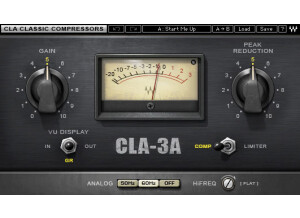
    Waves CLA-76 is a software plug-in to be used in a DAW. It is a simulation of the famous 1176 hardware compressor. It was modeled off of the actually hardware compressors owned by Chris Lord-Alge. This plug-in actually contains two different 1176 models - a black-face (most popular model), and a blue-stripe (less common). Each compressor sounds a little different, but has the same controls. Waves plug-ins are easy to install and authorize. Version 9 of their plug-ins has moved away from using an iLok. Now any USB stick can be used as the dongle, or the authorization can be done without a dongle if your computer connects to the internet. SUITABILITY/PERFORMANCE The controls on the CLA-76 are pretty simple if you have a general idea about compressors, and even easier if you have any experience with an 1176 compressor. Although some people consider 'presets' in a plug-in to be blasphemy, I think they are actually pretty good in the CLA-76 for just getting started. The 'presets' are useful for getting the 'attack' and 'release' time set for a particular instrument. For instance, fast attack and fast release is the quintessential drum sound for the the 1176. Dialing up the drum 'preset' gets everything set right. What a 'preset' can't do for you is set the input gain correctly because this depends on the source material. In practice, I select a preset and then play around with the input gain until I get the right level of compression. In all honesty, I have never used a hardware version of the 1176 so I can't tell you how close the model gets to the actual product. I have used several modeled versions (Bomb Factory, NI/Softube, IK Multimedia), and I like the sound of the Waves version the best. One feature that is lacking on the CLA-76 is a wet/dry or parallel inject control. The 1176 compressor is famous for heavy parallel compression. Ideally, I don't want to create two tracks in my DAW to achieve parallel compression, but it is necessary with the CLA-76. Many other modeled versions of the plug-in have this feature built-in. I wish Waves would update their plug-in with this control. OVERALL OPINION I have used the black-face model more often than the blue-stripe model, mostly because when I want the 1176 'sound', I am putting the compressor on drums. The black-face is my favorite compressor for drums. Chris Lord-Alge recommends the blue-stripe for vocals. I own the entire CLA Classic Compressors bundle. For a long time I used the CLA-3A on guitars because I had read a lot of commentary that the 3A is great for guitars. However, recently I had time to experiment more with the CLA-76, and discovered that I really like what is does with slightly overdriven electric guitars. One other trick with the 1176 plug-in is to put it in series with the LA-2A. The 1176 is used first to tame the transients of the input signal, while the LA-2A boosts more of the sustain of the signal. I really like what the compressors do when working together. In closing, I like the sound of the CLA-76 better than the other native models of the plug-in. Universal Audio has a critically acclaimed model of the 1176 for their UAD-2 DSP processors. I don't own their hardware, so I haven't tried the UAD stuff. Finally, I wish Waves would add the feature of parallel compression into the CLA-76 plug-in.

  • « Good most of the time, yet it can occasionally be awesome »

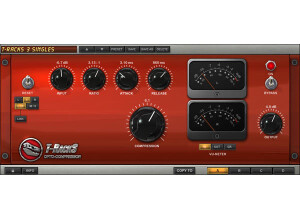
    You should have no compatability issues at all, all the Bomb Factory plug-ins are accessable by nearly all popular programs. If you really want a good manual, do a google search for Bomb Factory Plug-ins and you'll find a downloadable pdf. doc. that has simple explainations and a few helpful hints and tips on the typical Bomb Factory bundle. Setup is entirely easy, straightforward, and painless. All the available adjustments are right there, and the interface mimics the original piece of hardware gear, so if you know how to use a compressor you should be good to go right away. SUITABILITY/PERFORMANCE I've only used the Bomb Factory Bundle with Pro-Tools and GarageBand. Both have functioned quickly and easily as well as not being too much of a CPU hog. Performance wise, all the Bomb Factory plug-ins are quite good, no big issues, no crashing, and they all perform and accomplish exactly what they say. Really quite reliable stuff considering that it is often packaged free with some popular DAW's. I've been using the Bomb Factory plug-ins since 2005, included with a Pro-Tools Factory Bundle. OVERALL OPINION One thing to like most about this plug-in sofware compressor is that, in may cases, it's free! You may already have it and not tried it out! In my experience, it does an outstanding job with bass tracks, low-endy or slappy. As with any compressor, dialing in the attack and release settings is a must learn skill. Overall, it is a fairly clean compressor but it does impart a certain amount of "grit" that is unique to the hardware unit on which it was modeled. Ok, now here is a lil' technique you should try with this plug-in: This emulation can acheive the legendary "All Buttons In" mode. (it's covered in the aforementioned pdf. manual.) If you use this plug-in to achieve what is commonly know as "New York Compression" or "Stereo Buss Compression" the 1176 can do some amazing things. 1: Mix your drum tracks and pan accordingly 2: Set up a buss send to a stereo or multiple mono track(s) 3: Apply the 1176 using "All Buttons In" mode to the buss return 4: Send your mixed drums through the buss send(s) accordingly 5: Mix said buss return with your dry drum tracks accordingly I'll leave it to you to work that out for yourself, but I strongly suggest that you give it a try; The 1176 is one of many hardware compressors commonly used in popularizing this technique.

  • « Where have you been all my recording life... »

    The FATSO (Full Analog Tape Simulator and Opti- mizer) is designed to musically integrate frequencies and transients and increase the apparent volume of your source material in the same way classic analog equipment does. It achieves this through an ingenious design and a creative feature set, giving users the ability to impart the wonderfully warm and pleasing sonic characteristics of magnetic recording tape and class A transformer and tube circuits. The Input control gives the ability to dial in har- monic generation/distortion while “Tranny” and “Warmth” allow the user to dial in just the right amount of tape and tube tone. The FATSO also operates as a highly versatile compressor—useful for mixing and stereo buss compres- sion. From tame to trashed, the FATSO offers a wide palette of possibilities for adding character and cohesiveness to your DAW tracks. The FATSO Sr. offers a “Tranny” saturation control, sidechain filtering, and deeper com- pression parameters including Threshold, Attack and Release. These special FATSO Sr. mods are only available with Universal Audio’s plug-in version of this unique studio tool. SUITABILITY/PERFORMANCE As has been my experience with all Universal Audio plug-ins, install and authorization after downloading your purchase is a walk in the park. And they all run rock solid on my MAC and Windows systems. I use them with a UAD 2 duo and 2 UAD-1 on my PC and a UAD 2 Laptop solo on my Mac Book Pro. OVERALL OPINION The FATSO was essentially designed to integrate frequencies in a musical manner and provide some foolproof vintage sounding compression. Gener- ally, it is difficult to make the unit sound unnatural due to its vintage topology. FATSO provides four types of processing. Same holds true for the software version. They are Harmonic Geration and SoftClipper, High Frequency Saturation, Transformer and Tape Head Emulation, Empirical Labs style Classic Knee compressor. I spent most of my time using this to add warmth to tracks that live in the digital domain with great success. Also amazing on guitars in front of the U-Audio Neve 1073 for a believable emulation of a real 1073.

  • « Analog sound with digital accuracy »

    Compression has been probably the number one effect ever since The Beatles started using it heavily. There is always a battle between trying to find a compressor that sounds organic and vintage, yet is accurate and fast enough for some of the more dense music out there. To be honest, there are all kinds of compressors out there, and a lot of them are great for specific things. This is a pretty good, overall compressor that can really aid a mix and help everything stand out a bit better. It's a simpler compressor than some of today's digital compressors in that it only has five sliders -- threshold, ratio, gain, release and attack. To use this, simply enable it on whatever buss you want compression on. I never read the manual, but you should be able to figure this out without reading anything. SUITABILITY/PERFORMANCE Waves rules for audio plugins. For one, they're always rock solid and super stable. I've never had a single crash while using any Waves plugin, and the same goes for this. The plugin itself doesn't take up much RAM or processing power, which is a big plus for those who tend to have tons of plugins going on inside of their DAWs. The plugin is also cross platform compatible, so just about anybody can use this without any issues at all. There is one issue that I did experience, and that has to do with the actual coding of the plugin and today's recent OSes/DAWs. The plugin is a 32 bit plugin. However, my DAW and OS are 64 bit OSes. For Logic Pro, my go-to DAW, to utilize this, it needs to run a special bridge application. However, I'm not a huge fan of the way Logic implements that feature. I'm hoping that Waves updates these to 64 bit in the future. I've been using the Waves Mercury bundle for the past half a year or so, and it's been absolutely killer. OVERALL OPINION I've used this successfully on mixes when I didn't feel like messing with too many options. It delivers a solid sound, and it never let me down when I used it in a mix. However, my go-to compressor for all around mixing is still the standard Logic compressor. I'm just very used to how it works, and I'm able to work quickly with it vs. other compressors out there.

  • « Great stereo compressor »

    The API 2500 is a stereo compressor that Waves has created. It does all kinds of awesome stuff depending on what you're looking for. For one, it's a stereo compressor. Most vintage compressors are mono, but this can either be used as dual mono or true stereo. That alone can help create some awesome mixes. There are tons of different options in this that might be a bit over the head of someone who has never used a compressor like this before. On top of just having the basic compressor controls, there are also tone controls. These tone controls allow you to adjust the knee, thrust and style of the overall compressor. This is a more versatile compressor, and I like using this on the overall mix. It works great on the master buss, and it can really start to pump up a mix. SUITABILITY/PERFORMANCE Waves plugins are some of the best out there, bar none. For one, they're cross platform. For a Mac user, that means the world. I'm always trying to support companies that support Mac, and Waves has been pretty good about that since the whole Intel switch. I've used these in Logic without any problems. Although they're 32 bit plugins, Logic will add a bridge to allow you to use them in a 64 bit environment as to not limit you to the amount of ram you can utilize. On top of that, these things are rock solid. I've never had a crash with Waves plugins at all. OVERALL OPINION This is one of my most used compressors when dealing with the more classic rock and hard rock music. I especially like using it on the master buss, but it can work great for pumping guitars and drums, too. I don't really use it on vocals, but I'm thinking I should probably give it a go. If you ever get the chance to check out this plugin, give it a run and see how it works out for you. Waves offers so many different plugins because they all have their own unique character. It's all about choosing what's right for that particular mix.

  • moosers's review

    The Waves Ltd. Pie Compressor is a relatively new plug-in that was partially developed with renown recording engineer Eddie Kramer. It is modeled after a compressor used in during the 1960's in London at Olympic Studios where Kramer recorded the likes of Jimi Hendrix and many other notable artists. While I didn't expect the Pie Compressor to give me the same tone of the original, I was curious to hear what they had come up with. After installing it, which only took a few minutes after following the step by step instructions, I was able to have the plug-in up and running. The interface of the plug-in makes it easy to use, and it also looks real cool as they have modeled it to look like a vintage piece of gear. As far as parameters go, it has knobs for threshold, output, decay time, and compression ratio, and switches for choosing what you view of the VU meter (it's between input, output, and gain reduction), and a switch for what is essentially a high pass filter to get rid of noise if you have some at either 50 or 60 Hz. Overall, everything about using the Pie Compressor is pretty straight forward. I don't think a manual is necessary for use with the plug-in. SUITABILITY/PERFORMANCE I'm currently running the Waves Ltd. Pie Compressor on an Apple Mac Book Pro that has a 2.2 Ghz Intel Core 2 Duo processor and 4 GB of RAM. I'm running it with Pro Tools LE 7.4 that runs with a Digi 002R audio interface. I can't say that I've had any trouble running the plug-in, as it doesn't seem to take up much processing power. As long as you have an adequate system where you're presently running plug-ins, I think you'll be okay with this one, but as always it really just depends on what kind of system you have to run it with. OVERALL OPINION The Waves Ltd. Pie Compressor has a generally thick sound, and is great for a variety of applications. I think it can be useful in a lot of different situations, especially when a sound needs a little bit more beef. I've used it on electric guitars, vocals, and a Rhodes electric piano, all of which in situations where I was aiming to get a bit more thickness. The price of the native version of the Waves Ltd. Pie Compressor is about half that of the TDM version, which is pretty average, but depending on what system you are running, it may make a difference on if it is worth it for you. This is definitely a much better than average compressor at a decent price for those looking for a grittier and beefier compressor plug-in.

  • moosers's review

    Stillwell Audio’s The Rocket Compressor wasn’t a trouble to install, as it only took a few minutes to get it downloaded and installed.<span> </span>However, keep in mind that if you want to run this in Pro Tools as I do, you need the FXpansion VST to RTAS converter.<span> </span>In terms of the interface, it is quite user friendly as there isn’t anything out of the ordinary here as far as compressors go.<span> </span>The plug-in has parameters for attack, release, impetus, threshold, and ratio.<span> </span>For setting the ratio, like the classic 1176s, you’ve got options of 4, 8, 12, 20 and all to choose from.<span> </span>In addition to these parameters, there are also smaller knobs for parallel compression, detector high pass filter, and a side chain option.<span> </span>There are two VU meters, one for input and a programmable one that you can choose between output and gain reduction.<span> </span>Unless you’re having some sort of installation or technical issue, a manual isn’t necessary. SUITABILITY/PERFORMANCE <p class="MsoNormal">I’m currently running the Stillwell Audio The Rocket Compressor plug-in on a Mac Book Pro that has a 2.2 Ghz Intel Core 2 Duo processor and 4 GB of RAM.<span> </span>I run the plug-in in Pro Tools LE, but as I stated earlier please keep in mind that in order to do so you need the FXpansion VST to RTAS converter.<span> </span>For me, this is worth this investment as it allows me to run all sorts of VST plug-ins in Pro Tools that would otherwise not be possible.<span> </span>For Pro Tools, I run version 7.4 LE that runs with a Digi 002R audio interface.<span> </span>I can’t say that I’ve ever had a problem running as many of these as I would like within a single session, as it is the type of plug-in that won’t take up much processing power at all... OVERALL OPINION I’ve only been using Stillwell Audio’s The Rocket Compressor plug-in for a few months, but I’ve definitely enjoyed using it in this time.<span> </span>While it’s not my go to compressor plug-in, it is nice to have around as another option.<span> </span>The price is probably the best thing about this plug-in, as it is absolutely dirt cheap.<span> </span>For those looking for a cheap plug-in to use for any purpose, definitely check out this one…

  • moosers's review

    Installing Stillwell Audio's Major Tom plug-in was an easy process overall as it didn't take me too much time to get the plug-in up and running. I didn't have any compatibility problems, but since it is a VST plug-in I had to use the FXpansion VST to RTAS wrapper in order to use this in Pro Tools. The interface of the software is extremely user friendly as there isn't too much out of the ordinary going on. You've simply got knobs for threshold, ratio, and gain, as well as a variety of buttons including for soft knee and setting the meters. Even if you don't have much experience with compression plug-ins, if you know the basic features associated with compressor you should be all set and should be able to get by without needing a manual. SUITABILITY/PERFORMANCE I am currently running the Stillwell Audio Major Tom plug-in on a Mac Book Pro that has a 2.2 Ghz Intel Core 2 Duo processor and 4 GB of RAM. I run the plug-in in Pro Tools LE 7.4 using the FXpansion VST to RTAS converter since this plug-in only comes in VST and Audio Units formats. I run Pro Tools LE with a Digi 002R audio interface and I find that within this configuration I'm able to run this plug-in no problem. I haven't gotten to the point where I have needed to use more than a few of these at a time, but I've definitely been able to run at least three or four of these without a problem within a single session... OVERALL OPINION For the price, Stillwell Audio's Major Tom is an incredible deal. It is about as cheap as you will see a plug-in of this type, although it would be nice if they had an RTAS version for those who don't have the VST to RTAS converter. The sound quality of the plug-in is really good, but isn't anything out of the ordinary as far as compression plug-ins go. Having said that, if you are a home or professional studio owner looking for a dirt cheap compression plug-in that is easy to use and has a good sound, definitely check out Major Tom and the entire line of plug-ins that Stillwell has to offer as they are some of the best bang for your buck in terms of plug-ins.