Log in
EN
FR

Waves Software compressors

19 products found

Filter
Sort by
Waves
Evaluation
  • Reviewed or not
  • Editor’s award
  • Reviewed by Audiofanzine
Availability
  • Available or not
  • Sold new or used
  • Sold new
  • Sold used
Must-have products
  • All products
  • Flagship products
  • Best rated products
  • Hot products
  • Popular products
Price
  • Freeware
  • Low-cost (< $65)
  • Mid-range ($65 - $100)
  • Premium (> $100)
€
Clear
Sort by
  • Popularity
  • User ratings
  • Price - low to high
  • Price - high to low
  • Used price, increasing
  • Used price, decreasing
  • Name (from A to Z)
  • Name (from Z to A)
  • Added on
Sort results
  • Popularity
  • User ratings
  • Price - low to high
  • Price - high to low
  • Used price, increasing
  • Used price, decreasing
  • Name (from A to Z)
  • Name (from Z to A)
  • Added on
Filter results 19 results found
Brands
Evaluation
Availability
Must-have products
Price
  • Freeware
  • Low-cost (< $65)
  • Mid-range ($65 - $100)
  • Premium (> $100)
Show results

The best Waves Software compressors reviews

The reviews Audiofanzine members found the most helpful.
  • « A Really Nice Compressor »

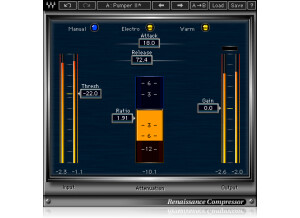
    This plug-in has been one of my favorites for a long time. It can be very transparent and is great for when you need to compress, but don't want any sonic influence from the compressor. It's easy to use and has some interesting functions such as the Opto/Electro options for more vintage/modern sounds when you do want your compressor to add a bit of warmth or clarity to your track. This plug-in is very stable and also decent when it comes to CPU usage. It's suitable for every track but I especially like it on the Master bus and sub-groups like overheads and background vocals. It's very effective for more subtle compression jobs. Also helps for getting a fat bass. Heck it's simply good on everything. If you're newer to using a compressor with some of these features (such as the Opto/Electro settings I mentioned) there are some great presets that you can A/B to get a feel for what the difference in sound and then make a decision in terms of which would be best for your current project. The other presets are great starting points as well if you need help or even new ideas. I think once again that if you understand compression, this plug-in is very easy to use and if you don't Waves seems to have decent service although I haven't needed it too often. I've also never looked at the manual so I can't comment on its helpfulness. I think this plug-in is decently-priced, seeing as it can really handle any instrument or situation. If you can only afford to grab one good compressor for your set-up, I'd probably choose this one. Cheers!

  • « Gave me a better mix »

    The Waves V-Comp is a vintage style compressor with an easy interface to understand. It has Input, Output Meter and Analog knobs, as well as the Limit Level, Ratio, Release and Attack knobs. That is all, it is modeled to recreated the sound of the vintage 2254 compressor that is a vintage hardware compressor. If you use the V-Comp effectively it can really put the final touches on your mix. I have never seen the manual for this plug in and didn’t need it. All of the basic functions are on the main interface and are very easy to use and to understand. SUITABILITY/PERFORMANCE I have been using the V-Comp since 2009 after doing a compresson between it and the Waves SSL. I went with V Comp at the time because it seemed like the better choice and after having a chance to mess with it before I bought it, it seems to have the better tool to really bring some life to my mixes before I send out demo’s. The V-Comp really helped me get a better final mix. I think when I originally purchased it it was around 300 dollars. That seemed a little on the high end of the price range for me but when I had a chance to try it out I knew that I had to have it. I have used it on my PC and my Mac-book and it works great on both. OVERALL OPINION At the time the thing that I didn’t like about it was the price, but after using it for a few months and hearing the new quality of my mixes I knew that I had gotten my money’s worth pretty quick. I was 100 percent satisfied and other people around me could tell that something was different. The sound/compression quality of the V-Comp far exceeded my expectations and I would make the same choice again if I needed to. I loved it.

  • « Demo it first »

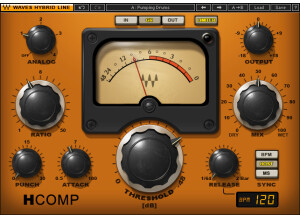
    The H Comp is a compressor made by Waves Plug-ins. It is a powerful dynamic processor that will take the tubes, transistors and transformers, together they will put out some powerful stuff if you learn to use them properly. The interface of the H Comp is very simple, you have an Analog Dial, Output Dial, Ratio Dial, Mix Dry/Wet Dial , Punch and Attack Dials, the main Threshold Dial and a Release Dial. Everything is on the main screen of the plug in and there are no sub menus or hard to navigate or read texts. The H Comp does offer a demo that you can download to decide if you want to make the purchase. Many people have compared the H Comp the CLA compressors bundle. But they CLA compressors bundle is modeled after classic hardware compressors and if you don’t have a lot of knowledge with those classic compressors you mine as well just go ahead and go with H Comp. SUITABILITY/PERFORMANCE I have installed H Comp on two different machines, one running Windows Vista and one running Windows 7. It has worked great on both and has never gave me any issues. I have used this plug in with Cubase, Ableton and Pro Tools. It has been very stable no matter where I have used it at. I have been using it for almost a year now. OVERALL OPINION Overall, you really cant go wrong with something from Waves Plug Ins. Every time I use one of their products I am completely happy with it, and best of all they give you a chance to use it before you pay for it so you know if its exactly something you want to spend your money on. I am very happy with my purchased. You will love how easy it is to use this compressor and you will start using it a lot and maybe even as your main compressor. The price is very reasonable for the quality of a plug in that you are getting with H Comp.

  • « Dynamic processor for vocals »

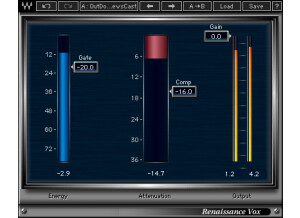
    I'll be up front about this in that I don't use this plugin too often given that I'm a death metal guitarist. When I do vocals, it's mostly guttural stuff with tons of compression and gain boosts. However, I do some 80s metal and even rock in my spare time. Doing clean vocals takes quite a bit of effort, and for them to sound "alive" takes a good amount of processing. Too many times have I had someone record a great take only for it to not sit in the mix nicely. I've used this plugin very successfully on those vocals to help add some dynamics and give them that sparkle they needed to sit nicely. The plugin is basically a compressor, gate, limiter, maximizer, etc. in one. It's very simple to use and has only a few sliders -- gate, comp and gain. By adjusting these three sliders, you can get some great vocal mixes without having to spend hours and hours processing them. SUITABILITY/PERFORMANCE Waves is the king when it comes to things like stability and performance. They're almost unbeatable in this category. I've never experienced a single crash or hiccup while using this plugin inside of my favorite DAW -- Logic Pro. The plugin is cross compatible, and that means that almost every user out there should be able to utilize this plugin on their favorite machine. It also doesn't take up too much RAM or processing power, which is a huge plus. There is one issue I have experienced, however. The plugin itself is a 32 bit plugin. I run a 64 bit DAW, and it can be a real pain because Logic Pro has to run a special bridge application to utilize this inside the 64 bit workspace. I'm hoping they'll update this plugin later down the road to work in 64 bit environments natively. I've been using the Mercury bundle for about half a year now, and I'm loving every minute of it. OVERALL OPINION Don't get me wrong, this one plugin won't magically make your vocals all of the sudden sound amazing. However, despite it being a very basic setup, it's pretty powerful. I was able to get some great results when combining this plugin with a few others to really help make a vocal mix stand out. I highly recommend it to anybody who records cleaner vocals.

  • « Master Buss Comp »

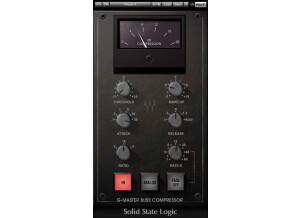
    This is modeled after the famous SSL 4000 G console buss compressor. For those that don't know, the SSL stuff is some of the most famous gear in the entire industry. They're like the Fender or Gibson of the music gear. This is just the buss compressor section of the G console. It replicates that original IC and VCA gain-reduction amplifier design that was used throughout so many studios back in the day. I find myself not using this nearly as much as the overall G console. This definitely has a unique sound going on for it, but it seems that there are better compressors out there for what I'm looking to do. I've used it on drums, guitars, bass and vocals with success, however. SUITABILITY/PERFORMANCE Waves plugins are some of the best out there, bar none. For one, they're cross platform. For a Mac user, that means the world. I'm always trying to support companies that support Mac, and Waves has been pretty good about that since the whole Intel switch. I've used these in Logic without any problems. Although they're 32 bit plugins, Logic will add a bridge to allow you to use them in a 64 bit environment as to not limit you to the amount of ram you can utilize. On top of that, these things are rock solid. I've never had a crash with Waves plugins at all. OVERALL OPINION If you're looking for just the compressor section of the G channel, this could be what you're looking for. However, I generally use a much more transparent compressor as they tend to be more musical for the type of music I play. This might be a bit better if you're more on the classic rock side, but it's not nearly as versatile as some of today's more modern compressors out there. One thing though -- if you're going to try this out, please be sure to buy it. There is a huge piracy issue with Waves stuff, and if people keep pirating them, they'll drop support.

  • « Fairchild clone »

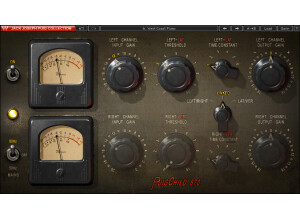
    Waves has a package of old school plugins they made after very famous compressors out there. This one is a model of the famous Fairchild 660 compressor that was so famously used throughout recording studios during the whole vinyl era. These compressors were very rich and harmonically complex, and Waves set out to create something that could mimic that famous sound. Although I've never tried the original hardware version, they did a pretty good job, I'd say. It definitely has that vintage sound going on in spades. On the other hand, its uses are a bit limited as well. You have an input, threshold, time and output knob. These four knobs are supposed to control the entire compressor, and compared to today's compressors out there, it's fairly limiting. SUITABILITY/PERFORMANCE Waves plugins are well known throughout the audio recording land as some of the best plugins out there, and this is no exception. For one, these plugins are all cross platform. That means that they work on both Mac and PC. For Mac users such as myself, that's a huge plus. The plugin itself only runs in 32 bit mode, but thanks to Logic's own little wrapper/bridge, it can run in 32 without harming or degrading the 64 bit environment. I never read the manual, so I can't comment on that. These plugins are rock solid, though. I've never had a crash when using them. I've had the Mercury bundle for a few months now, and it's just awesome. OVERALL OPINION I prefer some of the other compressors in the Waves lineup, but this one is pretty good. It has a somewhat limited usage, and the compressor itself is limited as to what it can do, but for those classic rock riffs, it can really add some complexity to it. Once you start getting things pumping, all kinds of neat harmonics and nuances start to occur. Check it out if you get the chance.

  • « Class A compressor »

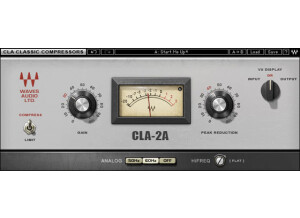
    This is the third and final compressor in the CLA compressor series, and this one is actually two compressors in one. On top of that, it's the most versatile of them all. The plugin is modeled after the famous '60s Class A compressors that were called Blacky and Bluey. They have a fast attack that made them extremely popular back in the day. The coolest feature with this is that they have an "All" feature. This recreates that famous sound when you push all of the buttons in on the original compressor. It creates this crazy, edgy sound that can really push a mix and give it some unique character. Most people tend to use this on vintage sounding drums, and I especially like this on the snare, as well as the kick at times. I don't really use it on guitars as it's not as transparent, but it could work nicely on vocals at certain points if you're using automation. SUITABILITY/PERFORMANCE Waves plugins are pretty well renowned in the business as being some of the most stable and popular plugins in the audio world. For one, they're cross platform. That means Mac users like me can use pretty much every single one of their plugins without a problem. Granted, they run at 32 bit instead of 64 bit, but Logic kindly provides a nice application that allows them to run without harming the 64 bit environment. I've never once experienced a crash that was directly correlated with inserting a Waves plugin on a buss. They're extremely stable, and I can't say enough about them. The biggest issue would be the overall cost as they cost a ton of money. I've never read the manual, so I can't really comment on that. These plugins are super easy, and the only main hurdle is figuring out what the names mean. OVERALL OPINION Being Class A, this isn't exactly the most desirable compressor for guitars. It may work, but most people prefer something a bit more transparent. Instead, this works great on drums, and it can even work quite nicely for vocals. The price over the overall CLA bundle isn't too bad when you consider what you're getting, so it's not worth going out and downloading them, in my opinion.

  • « Solid state compressor »

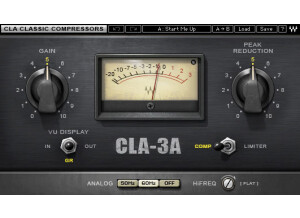
    This is Waves' second plugin in the line of their three main famous compressors out there. This one is modeled after the famous '70s solid state compressors that were much more transparent than the tube counterparts. Because of that, this one tends to work a bit better on guitars and vocals than the CLA-2A. The compressor itself is fairly easy to use as it only has a Gain knob, Reduction knob, a switch to select between limiting/compression and some buttons to introduce some of that characteristic hum that was associated with these units. SUITABILITY/PERFORMANCE Waves plugins are pretty well renowned in the business as being some of the most stable and popular plugins in the audio world. For one, they're cross platform. That means Mac users like me can use pretty much every single one of their plugins without a problem. Granted, they run at 32 bit instead of 64 bit, but Logic kindly provides a nice application that allows them to run without harming the 64 bit environment. I've never once experienced a crash that was directly correlated with inserting a Waves plugin on a buss. They're extremely stable, and I can't say enough about them. The biggest issue would be the overall cost as they cost a ton of money. I've never read the manual, so I can't really comment on that. These plugins are super easy, and the only main hurdle is figuring out what the names mean. OVERALL OPINION This compressor is a lot better for guitars and vocals because it's much more transparent. On the other hand, you kind of lose that famous tube sound that those compressors had. It's all a trade off, so you really have to experiment and see what's best for the mix you're currently mixing. If you ever get the chance to check out some of these Waves plugins, I highly recommend giving them a go. There's a good reason why they cost so much. Also, please don't support piracy.

  • « Optical tube compressor »

    Waves has a series of three popular compressors that are modeled after their old school counter parts. This one is modeled after the electro-optical tube compressor that was used throughout the 60s and 70s. On top of that, they include some special presets you can test out. To begin with, this compressor actually doubles as a limiter. For those that don't know, compressors and limiters are extremely similar. The main difference between the two is that a limiter isn't as adjustable. Basically, a limiter is a compressor that has a very high ratio. This means that it won't let anything past the threshold it's set at. There is a switch on this that allows you to choose between the two, and I can't say it's the most versatile switch out there. The compressor itself isn't that versatile as you only have a gain and peak reduction knob with some different hum you can introduce for character and a toggle switch to select between the two different types of compressors (or limiters, depending on how you want to classify them). I find that this works nicely on clean to low gain guitars, but it seems to struggle with anything higher as it sounds too vintage for me. SUITABILITY/PERFORMANCE Waves plugins are pretty well renowned in the business as being some of the most stable and popular plugins in the audio world. For one, they're cross platform. That means Mac users like me can use pretty much every single one of their plugins without a problem. Granted, they run at 32 bit instead of 64 bit, but Logic kindly provides a nice application that allows them to run without harming the 64 bit environment. I've never once experienced a crash that was directly correlated with inserting a Waves plugin on a buss. They're extremely stable, and I can't say enough about them. The biggest issue would be the overall cost as they cost a ton of money. I've never read the manual, so I can't really comment on that. These plugins are super easy, and the only main hurdle is figuring out what the names mean. OVERALL OPINION I prefer some of the other compressors on the market to this one mainly because of the style of music I play. This is geared towards those wanting a much more vintage sound. For me, I generally prefer something a bit more transparent and with a lot more versatility. If you're someone who is more on the vintage side of things, this could easily be what you're looking for.

  • « Compressor and dynamics processor »

    Waves has recently released a new products for those who need something very simple to use. The software is part of the OneKnob series, and just as the title says, these plugins only have one single knob to control the effect. In a way, these plugins are a bit gimmicky. However, they really do work quite nicely. The plugin is very simple to use. To increase the compression of your mix, you simply add this to whatever bus you want compressed, turn the dial until you get the compression you want and leave it be. It's that simple. The OneKnob Pressure is included in the OneKnob package series or the Mercury bundle. Both of these will get you the product, so it's not like you're just buying a single plugin. In one way, it can be a bit of a pain as the OneKnob package alone is around $300ish. Even though it includes seven of their plugins, I find it to be a bit of a ripoff. The Mercury bundle makes it a bit easier to swallow, but that thing costs a ton anyway, so you'd better be getting every single plugin that Waves offers. SUITABILITY/PERFORMANCE Waves plugins have always been some of the most stable plugins I've experienced. They're cross platform compatible, so they'll work with both PCs and Macs. As a Mac user, that's a huge advantage for someone like me. They run in 32 bit mode, but Logic uses a wrapper-like application that runs so you don't interfere with your 64 bit interface. I've tried this on various different buses, and it seems to work on anything with ease. It even works nicely on MIDI, which I found a bit surprising. There are no performance issues at all, and that's a huge plus when working in a DAW filled with all kinds of synths and tracks running tons of plugins. These plugins came with my Mercury package, and I've had that for a few months now. OVERALL OPINION This is a plugin I tend to use almost as much as the OneKnob Louder. It's a great, simple to use compressor that can really make a certain part stand out and thump. I find it's one of the more useful plugins in this series.

  • moosers's review

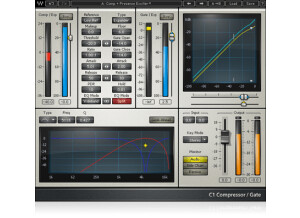
    The Waves C1 is a compression plug-in for your DAW. It comes along with most of the major Waves plug-in bundles, since it’s been around for a good amount of time. You can get it for just about any DAW since it’s more or less compatible across the board and for any operating system. It’s a popular compressor to use because it has a lot it can do and is still easy to use. I installed the plug on my home system along with the full compliment of Waves plug-ins that I’ve got. It’s an easy process that shouldn’t take very long at all. Learning the C1 also shouldn’t be hard as it’s got two main sections for the compressor and a gate. Each has a series of parameters, with the compression having those for gain make up, reference, threshold, ratio, attack, release, PDR, and EQ mode. The gate has parameters for type, floor, gate open threshold, gate close threshold, attack, release, hold, and EQ mode. There’s also a graph that shows your slope of both the compressor and the gate. The EQ has a graph as well but just has a band for the compressor and gate each. Lastly, there’s a main section with input and output levelers. It’s definitely a versatile plug-in to say the least. I don’t believe a manual is going to be necessary for most users, or at least I haven’t found that one is necessary. SUITABILITY/PERFORMANCE Right now I’m running the Waves C1 on my home system, but have also used it on a few professional rigs as well. At home I’m running it in Pro Tools 9 and a MacBookPro laptop that has 4 GB of RAM and a 2.2 Ghz Intel Core 2 Duo processor. I don’t run the C1 on every track, but I really don’t think I’d have a problem if I wanted to do so… OVERALL OPINION The Waves C1 is a popular compression plug-in for a number of reasons. The first of course is the impressive sound quality that works well for just about any applications where you’d want compression or a gate. It’s also super easy to use and is quite flexible between both the compressor and the gate and all of their controls. I don’t know if it’s going to be worth buying as an individual plug-in, but is absolutely worth it within a larger Waves bundle. While not as fancy as some of the other Waves compressors, it’s a great plug-in and if you have a Waves bundle that has it, I’d highly encourage you to get familiar with it.

  • moosers's review

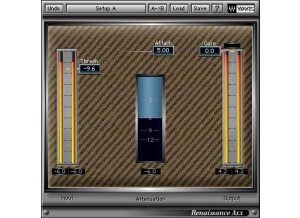
    The Waves Ltd. Renaissance Axx is a simple compression plug-in for guitar. It's part of the Waves Renaissance bundle which has some similar plug-ins for other applications. I've got all of the Waves plug-ins on my system at home, and installed all of them at once including this one. The process is easy and shouldn't even be an issue at all. Learning how to use the plug-in is even easier! It's just got parameters for threshold, gain, and attack. It's great for getting a really quick guitar compression sound, as not much thought needs to go into it at all. It's easy enough to use that a manual isn't at all necessary. SUITABILITY/PERFORMANCE I'm currently running the Waves Ltd. Renaissance Axx plug-in in Pro Tools LE 8 on a Mac Book Pro lap top consisting of a 2.2 Ghz Intel Core 2 Duo processor and 4 GB of RAM. I run Pro Tools LE with a Digi 002R audio interface or a Digidesign Micro Box if I'm on the move. This plug-in doesn't seem to take up much processing power as I've never had a problem running a few instances of it at a time within the aforementioned recording configuration. OVERALL OPINION The Waves Ltd. Renaissance Axx is a great little plug-in that although not versatile, is perfect for touching up guitar tracks with a bit of compression. I've used it on both acoustic and electric guitars and find it to be equally effective on both. While not as drastically effective as the Renaissance Bass plug-in, it's still a great one to have in the plug-in suite. In fact, the entire Renaissance bundle is really one that every DAW user should have, as it's inexpensive for what you're getting, and you're getting a lot with it! If you have the bundle and haven't checked out Renaissance Axx, it's definitely about time that you do so. If you don't have the Renaissance bundle, it's definitely one worth considering!