Log in
EN
FR

Software de-essers

63 products found

Filter
Sort by
Evaluation
  • Reviewed or not
  • Editor’s award
  • Reviewed by Audiofanzine
Availability
  • Available or not
  • Sold new or used
  • Sold new
  • Sold used
Must-have products
  • All products
  • Flagship products
  • Best rated products
  • Hot products
  • Popular products
Price
  • Freeware
  • Low-cost (< $50)
  • Mid-range ($50 - $100)
  • Premium (> $100)
€
Clear
Sort by
  • Popularity
  • User ratings
  • Price - low to high
  • Price - high to low
  • Used price, increasing
  • Used price, decreasing
  • Name (from A to Z)
  • Name (from Z to A)
  • Added on
Sort results
  • Popularity
  • User ratings
  • Price - low to high
  • Price - high to low
  • Used price, increasing
  • Used price, decreasing
  • Name (from A to Z)
  • Name (from Z to A)
  • Added on
Filter results 63 results found
Evaluation
Availability
Must-have products
Price
  • Freeware
  • Low-cost (< $50)
  • Mid-range ($50 - $100)
  • Premium (> $100)
Show results

The best Software de-essers reviews

The reviews Audiofanzine members found the most helpful.
  • « Solid DeEsser »

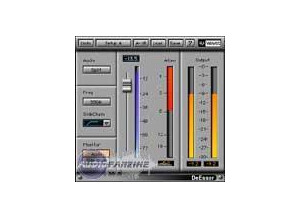
    DeEssers can be life savers in mixes, especially when it's something regarding spoken words. I've used plenty of DeEssers throughout the years, and this has always been one of my main choices. For those who don't know, a DeEsser elimites that shh and ess sound that can occur. They can really make a mic go haywire, and it can totally destroy a mix. I notice this most of all in radio and spoken word lines since most of the vocals I record are death metal vocals. The plugin is laid out very nicely, and anybody can easily use this without having ever read the manual. It contains two slides for range and threshold, a frequency text box, type adjuster, mode and the ability to select between audio or side chain. SUITABILITY/PERFORMANCE Waves rules when it comes to things like performance and stability. I've never had a crash while using this plugin, and that goes for all of the Waves plugins I've used. They all seem super rock stable, and in something as mission critical as a recording environment, that's a huge plus. The plugin works on both Windows and OS X, so nearly anybody can use it without a hassle. The plugin itself doesn't take up much RAM or processing power which is another plus. There is one issue I have with it, but it's a somewhat minor complaint. The plugin itself is a 32 bit plugin inside of OS X. For my DAW, Logic Pro, to fully utilize this, it needs to run a special bridge application. Performance is still the same, but it's just a pain with the way Logic implements that bridge application because the plugin doesn't remain visible in the background. I've been using the Mercury bundle for the past six or so months, and it's been a wonderful experience. OVERALL OPINION This has been my go-to DeEsser for quite awhile. It's easy to use, you can get solid results from it and it doesn't take up too much processing power. I don't use this too often given that I'm a death metal guitarist, but for the spoken word stuff, it has really saved me quite a few times. If you get a chance, I recommend checking it out. It should be able to serve anybody who deals with vocals.

  • moosers's review

    The Eiosis E2 Deesser is the most in depth processor of it's kind that I've seen, software or otherwise. The plug-in is available in all plug-in formats and for both Mac and PC operating systems. I wasn't involved at all with installing this plug-in, as I don't own it and only have experience using it at the professional studio where I'm currently working. I can however, comment on the interface and overall ease of use of the plug-in. While I wouldn't say that this plug-in is the easiest to use, the trade off is that it's the most versatile of it's kind that I've used and really isn't too hard to use in the end. Eiosis uses some unique parameter configurations and algorithms for their plug-ins, as you've got control here over things that you normally wouldn't. With the E2 Deesser, you can find and hear the unwanted sibilance and remove it. The make up is certainly unique and will take a little while with it to get used to, but once you've got the hang of it it's fairly easy to operate. I've never had a need to check out the manual, but it might be helpful if you're feeling lost with the make up of this one. SUITABILITY/PERFORMANCE We're running the Eiosis E2 Deesser on a few systems at the studio that I'm working at, as we've got a number of different rooms to choose from here. We do have it on the main room's system, but I've used it in one of the smaller mixing suites, which is still Pro Tools HD based, so I can't say I've ever had a problem with performance here. It isn't the type of plug-in that you're going to be using on every track anyway, so as long as you have a system where you're currently able to run plug-ins without a problem, this one shouldn't put you over the edge... OVERALL OPINION If you want a serious, serious de-essing plug-in for your DAW, look no further than the Eiosis E2 Deesser. It's probably the best overall de-esser that I've used, and this includes hardware as well. It gives you way more control than you would even dare to ask for, and provides a unique system for toning down that unwanted sibilance. While not the cheapest plug-in in the world, if you're a professional who deals with vocals a good amount, it may be worth it to have. I'd definitely recommend checking out the demo version of this plug-in if you're at all thinking about getting a de-esser in any form.

  • moosers's review

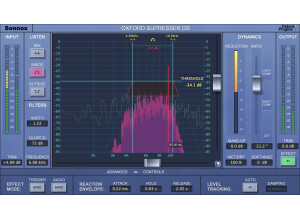
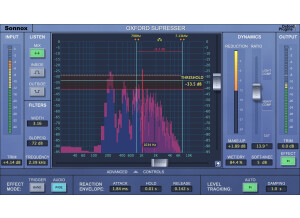
    Sonnox's Oxford SuprEsser is an advanced de-esser plug-in that goes way beyond the control available with your standard de-esser. However, it has both a basic and advanced mode, making it easy to do quick jobs and also giving you options when you might need them. I wasn't involved at all with the installation of the plug-in, as I don't own it and have only used it in a professional studio where it was already installed and ready for use. The interface of the plug-in has a wide array of parameters and a graph to show you where you are at within the frequency spectrum. It contains sections for dynamics, listen, filters, and both input and output monitoring and leveling. Since this isn't your typical de-esser plug-in, having the manual around is a good idea in general, especially if you're looking to learn all the features available with the SuprEsser. SUITABILITY/PERFORMANCE I have run the Sonnox Oxford SuprEsser plug-in in a Pro Tools HD context, so I didn't have any problems at all running it. I don't think that I've ever had a need to run more than two of these plug-ins simultaneously anyway, and if you're going to need that I would recommend printing your tracks anyway. I can't really say how well this would run on your LE based system, as it just depends on your configuration. OVERALL OPINION To date, the Sonnox Oxford SuprEsser is the most in depth de-esser I've seen. I don't have it in my home system, although I wish I did as it can do more and sounds better than the de-essers I have right now. While perhaps not the most pressing plug-in need, having a great de-esser can really pay off, especially one like this where you can get really specific with what you're doing. While certainly more expensive than just about any other plug-in out there like this, it also can do a whole lot more. If you're someone who is looking for an advanced de-esser, look no further than Sonnox's Oxford SuprEsser.

  • moosers's review

    After downloading the great demo of the Massey De-Esser from their website, installation was a breeze and I was able to use the plug-in in Pro Tools within minutes. Across the board, there isn’t anything to complicated about this plug-in, but it can really do a ton of things for you. The interface is a bit more complicated than some of the other Massey plug-ins, but that isn’t saying it is hard at all as most Massey plug-ins are incredibly easy to use. The Massey De-Esser gives you parameters for reduction, frequency, dry/wet, and a series of filtering options. It also has two meters that will show you the overall output and the reduction. This is definitely one of the best de-esser out there that I have seen in terms of what you can do with it. Unless you are unfamiliar with de-essers in general, a manual isn’t necessary. SUITABILITY/PERFORMANCE While the Massey De-Esser will take up a bit more processing power than most of the other plug-ins in Massey’s great line of software, since de-esser aren’t usually used as often as the others, this isn’t too much of a problem. At most I have used two of these at a time and had no problem doing so, but most of the time I only have one up. I run the Massey De-Esser on a Mac Book Pro that has a 2.2 Ghz Intel Core 2 Duo processor and 4 GB of RAM. I use the plug-in in Pro Tools LE 7.4 and have also used it on a Pro Tools HD system. While it largely depends on the machine and configuration that you running it with, you shouldn’t have too much trouble running the Massey De-Esser. OVERALL OPINION I only first used the Massey De-Esser a few months ago and I wish that I had started to use it earlier because it really is one of the best de-esser that I have used. It is quite easy to use while still maintaing versatility and a lot of options. I’ve only used this plug-in for vocals, but I could imagine it coming in handy on other things if you wanted to get creative. Even if you don’t think you would use a de-esser often enough to warrant purchasing this, at least do yourself a favor and download the great demo that they have available as I know you will be hooked on it and Massey’s other great plugs!

  • « Basic DeEsser »

    Waves DeEsser is a software effects plug-in to be used in a DAW. All Waves plug-ins can be installed by downloading them off the Waves website. Authorization is completed using a USB stick as a dongle, or using an authorization manager application if your computer connects to the internet. Waves plug-ins are known for working well without bugs. The 'DeEsser' plug-in has been around a long time and works in all popular DAWs. SUITABILITY/PERFORMANCE De-essing can be a very important part of mixing.Sometimes you can get by without it. However, if a vocalist makes really loud 'esss' and 'essshhh' sounds, it can ruin everything. If do almost any mixing, and don't have any method of 'de-essing', you really should consider adding a 'de-esser' to your arsenal. The Waves DeEsser is cheap. It is really simple to use, and the controls are pretty self-explanatory. But, it has just enough flexibility to get good results. I received the Waves DeEsser as part of the Gold Bundle. I have tried using it, but found that I actually like 'de-essing' with the 'C1' better. It adds a little bit more control than the DeEsser. Although, 'de-essing' is most commonly used for vocals. I also recommend using it on electric guitars, especially if they have a lot of distortion. In this case, you would only want to compress the problematic high-frequencies using split-band mode rather than wide-band mode. OVERALL OPINION De-essing is often over-looked as a mixing technique. A de-essing specific plug-in a really nothing more than a frequency specific dynamic compressor. This kind of processing can be achieved with a standard compressor by using a side-chain input. Waves made it really simple to 'de-ess' by creating a specific plug-in where the side-chain is set up internally. Not only does this plug-in make it possible to compress a signal based on the energy in a specific frequency range (wide-band de-essing), it also makes it possible to compress a particular frequency region without compressing a lower frequency region (split-band de-essing). Depending on your application it may be more appropriate to choose one method over the other.

  • « Free Useful Tool »

    The Digital Fish Phones SpitFish can be for mono or stereo vocal tracks. This free VST has the tools needed to get those “S” sounds or “SHH” sounds out of the vocal mix and it does it very good for it to be a free plug in. The interface is very small with only a , Tune Knob, Sense Knob, Depth Knob, and listen, bypass, stereo buttons. Most of all the stuff that Digital Fish Phones has made is awesome and they try to keep all of the VST’s free. I haven’t seen manual for SpitFish and I don’t think they have come out with one, but they do have an actual help button on the VST dashboard so if you need help you can click on it. I think it will take you to a help page on their website. Setting up this VST was simple and quick, it installs in only a few seconds and it is extremely low on your CPU. SUITABILITY/PERFORMANCE I run the SpitFish on my MacBook Pro 2.66 Hhz i7 Dual Core 4GB laptop. I have not been using the SpitFish long and I really don’t use it that much. It was free so I downloaded it. I have other paid plug ins that can do exactly what The SpitFish can do and they are a little more in depth. But if you can afford to have the paid VST’s that can handle vocal tracks , I say it is a easy decision that you must go download the SpitFish right away. You will love how well it can take those sounds out of your vocals and clean up your mix. OVERALL OPINION SpitFish is very easy to use and to install, there is nothing to it. I wish that tit was a little more in depth though with more options to it. I would use it a lot more if it was more in depth. Since it cant compete with some of my Waves plug ins, it will just have to sit on my computer and never get used. But for free, you really cant beat what it can do. It is a must have for someone who can’t afford those expensive plug ins.

  • moosers's review

    The Digital Fish Phones 'Fish Fillets' refers to a bundle of free plug-ins from DFP. You can get these plug-ins individually, but part of this little freeware bundle are the Blockfish, Spitfish, and Floorfish plug-ins. It's all dynamic processing plug-ins, as Blockfish is a compressor, Spitfish is a de-esser, and Floorfish is a gate/expander. These are available for both Windows and Mac operating systems, in VST, AU, and DirectX formats where applicable. You can download all of these right from the Digital Fish Phones website, which hasn't been updated in a bit as these plug-ins are somewhat on the older side as far as plug-ins go. I'm not currently running these plug-ins, but used to use them a good amount when I had a PC for audio software. Learning to use each of them isn't hard, as even though there's a nice amount of control available here, they're still fairly easy to use. I don't think there's a manual for the Fish Fillets, but double check the website if you're after one. SUITABILITY/PERFORMANCE While I was running the Digital Fish Phones 'Fish Fillets' bundle it was in Cubase SX 2.0 and later in 3. I ran everything on a Hewlett Packard Pavilion dv8000 Notebook that consisted of a 3.0 Ghz processor and 2 GB of RAM. These were quite stable for me, as they seemed to take up virtually no processing power, which is a huge plus. I used them a lot on drums and can't recall having any issues with them at all. OVERALL OPINION The Digital Fish Phones 'Fish Fillets' bundle is one you should definitely have if you're after free plug-ins! These are some of my favorite free plug-ins, although I'm not running them anymore due to compatibility with Pro Tools and because I've got higher end plug-ins where I wouldn't use these for much. Having said this, they're definitely worthwhile if you're looking to expand your plug-in palette. Definitely head over to the Digital Fish Phones website and grab yourself these plugs along with the others that they've got for free.

  • moosers's review

    The Nomad Factory BT Deesser DS-2S is a plug-in that's part of the Blue Tubes Dynamics Pack. You can also buy it individually, but it's definitely worth it to buy the whole bundle, as there's six plug-ins in total in the bundle and this one costs nearly half of the entire bundle. I don't own this plug-in and wasn't involved with the installation process. It's not hard to use as the interface - it's got parameters for threshold, range, frequency (with buttons for using it as either a high pass or regular band pass filter), and a master volume leveler. You can also set the VU meter to show either input, output, or gain reduction. I think it's simple enough to use where you don't need the help of a manual. SUITABILITY/PERFORMANCE The studio I work at has the Nomad Factory BT Deesser DS-2S plug-in and the rest of the Blue Tubes Dynamics Pack running on their Pro Tools HD system. The computer is a Mac Pro desk top computer that has 10 GB of RAM and dual 2.66 Ghz Intel Xeon processors. I've never had a problem running it within this system, but then again we rarely experience issues with this system like this at all. OVERALL OPINION The Nomad Factory BT Deesser DS-2S is an easy to use and pretty effective de-esser plug-in. You'll get the full array of the different dynamic processors in the Blue Tube Dynamics Pack plug-in, which of course this is included in. It sounds quite good and is effective on vocals for all sorts of de-essing purposes. I have others that I usually will go to first, but if you've got the bundle there's almost to reason to get another one - unless you're using a de-esser on every vocal that is. It's good to have if you only find yourself using this type of dynamic processing every once in a while. If you use it every day, it may be better to get something a bit better, but for most it will do the trick just fine.

  • moosers's review

    The Antares Systems AVOX Sybil is a de-esser plug-in that comes in the AVOX vocal toolkit bundle of plug-ins. While it's a de-esser, it's got a more standard compressor make up in it as well, so it's really an all around dynamic processor for vocals. Installing and getting the plug-in up and running was quick and painless as it only took a few minutes at most and was a process where I didn't encounter any issues at all. Learning how to use the plug-in is almost as easy, as it's got a really simple make up and fairly standard parameters for a dynamic processor. These parameters include sliders for threshold, compression (ratio), attack time, and release. It also has a side chain where you can set the high pass frequency desired. That's pretty much all there is to the plug-in, so it's not your typical de-esser make up as it's more like a standard compressor even though the purpose of it is for de-essing. I haven't seen a manual for the AVOX tool kit or this plug-in specifically. SUITABILITY/PERFORMANCE I'm currently running the Antares Systems AVOX Sybil plug-in in Pro Tools LE 8 that I run on a Mac Book Pro lap top computer. The computer consists of 4 GB of RAM and a 2.2 Ghz Intel Core 2 Duo processor. I'm running Pro Tools LE with a Digi 002R audio interface and I monitor everything with a set of ADAM A7's. I can't say that I've ever had a problem running this plug-in within this system, but I also have never had a need to test the waters in terms of what my system might be able to handle relative to this plug-in. Having said this, I will probably never need to do so as I've never needed to run more than one or two instances of this plug-in at a time. OVERALL OPINION Overall, the Antares Systems AVOX Sybil is a nice little plug-in that can be useful on a few different levels. I can't say that it would be my go to plug-in for de-essing or any sort of dynamic processing, but it's got it's own thing happening and can certainly be useful. The sound is pretty good but isn't anything super clean or noteworthy. It will however, certainly get the job done for light de-essing. Having said this, I'd also recommend checking out the Eiosis E2 Deesser and the Massey one as well, as those are the best that I've used. Also, to get this plug-in you'll have to purchase the entire AVOX tool kit, so if you're interested I'd encourage you to check out the other plug-ins as well to see if it's a bundle that might be useful to you.

  • moosers's review

    DB Audioware's DB-S De-esser is a Direct X plug-in for Windows that I've used with Cubase SX. I haven't used the plug-in in a few years since I made the switch from Cubase SX on a PC to Pro Tools LE on a Mac. It should be a quick and easy process to download and install the plug-in; just follow the step by step instructions as you would with any sort of installation and you should be good to go. The make up of the plug-in is sort of unique for a de-esser plug-in, or at least I feel that it gives you more control than your average de-essing plug-in. It has two sections for 'detect' and 'reduce.' The detect section allows you to zoom in on the frequency section where you'd like to reduce sibilance with parameters for frequency and width, as well as a monitor button to check it. The reduce section has control over your frequency, width, and amount, with buttons for bypass and narrowband. All of this is tied together nicely with a graph that shows it all and makes sense of it all for you. It's overall pretty self explanatory, even though it does take some practice to get used to, but I don't think you need a manual. SUITABILITY/PERFORMANCE I'm no longer running the DB Audioware DB-S De-esser plug-in since I don't run on a PC anymore, but when I did it was on a Hewlett Packard Pavilion dv8000 lap top that had a 3.0 Ghz processor and 2 GB of RAM. De-essing plug-ins aren't the type where you need to have many of them up at a time, but this plug-in doesn't take up much processing power anyway so I think you could run a lot of them at a time if you wanted to. Everyone's system has a different make up, so how well it will react really depends on your personal system. OVERALL OPINION While maybe not the most realistic sounding de-esser plug-in that I've used before, the DB Audioware DB-S De-esser has an interesting make up that sets it apart from other de-ssing plug-ins. It's easy to use once you get the hang of it, and it really makes it easy to zero in on what you'd like done. It's a better make up than your traditional parameters in my opinion, which usually don't leave space for specific frequency input. I wish that they would update this plug-in, as plug-in technology has come a long way since this plug-in was made. It is still worth looking into at this low price, or at least try out the demo...

  • moosers's review

    Digidesign's DigiRack De-Esser is a plug-in built into the Pro Tools software. I've used it with both Pro Tools 7 and 8. Installing the plug-in doesn't require any action beyond installing the Pro Tools software since it does take care of installing all of the DigiRack plug-ins at that time. The interface of the plug-in is really quite simple, as it just has parameters for frequency and range and options for high filtering only and bypass. It has a graph as well as input, output, and gain reduction metering. A manual isn't something that you'll need to reference with this plug-in I don't think. SUITABILITY/PERFORMANCE I'm currently running the Digidesign DigiRack De-Esser plug-in in Pro Tools 8 on a Mac Book Pro that has a 2.2 Ghz Intel Core 2 Duo processor and 4 GB of RAM. I run Pro Tools LE with a Digi 002R audio interface for the most part, and also with a Digidesign Micro Box if I'm on the move. I don't ever need to run too many of these at once - at most I'll run it on one or two on vocal tracks. I've never had a problem doing so and don't think I'd have a problem if I ran more of them as it doesn't seem to take up too much processing power. OVERALL OPINION I don't really have any major complaints when it comes to the Digidesign DigiRack De-Esser. It's incredibly easy to use and actually sounds quite good for a free plug-in. It doesn't sound as good as some of the other de-esser plug-ins out there like the Massey De-Esser, but it does the job if you don't have anything else on hand. If you've got Pro Tools in any capacity I'd recommend that you to check out the DigiRack De-Esser whenever you get a chance as it's a pretty good de-esser for something that is stock with Pro Tools.