Log in
EN
FR

Waves Software Reverbs

15 products found

Categories
Series
Filter
Sort by
Waves
Evaluation
  • Reviewed or not
  • Editor’s award
  • Reviewed by Audiofanzine
Availability
  • Available or not
  • Sold new or used
  • Sold new
  • Sold used
Must-have products
  • All products
  • Flagship products
  • Best rated products
  • Hot products
  • Popular products
Price
  • Freeware
  • Low-cost (< $35)
  • Mid-range ($35 - $75)
  • Premium (> $75)
€
Clear
Sort by
  • Popularity
  • User ratings
  • Price - low to high
  • Price - high to low
  • Used price, increasing
  • Used price, decreasing
  • Name (from A to Z)
  • Name (from Z to A)
  • Added on
Choose a category
Selected category: Software Reverbs
Sort results
  • Popularity
  • User ratings
  • Price - low to high
  • Price - high to low
  • Used price, increasing
  • Used price, decreasing
  • Name (from A to Z)
  • Name (from Z to A)
  • Added on
Filter results 15 results found
Brands
Evaluation
Availability
Must-have products
Price
  • Freeware
  • Low-cost (< $35)
  • Mid-range ($35 - $75)
  • Premium (> $75)
Show results

The best Waves Software Reverbs reviews

The reviews Audiofanzine members found the most helpful.
  • « One knob is too little for wetness »

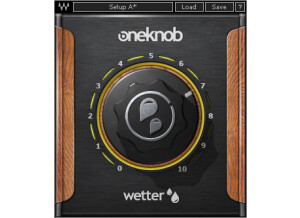
    There were no compatibility issues installing any of the other six One Knob plug-ins, One Knob Wetter being no different. The general setup of the plug-in, as with the others, is as simple as it gets. One knob sits in the middle of the display. When you raise the knob an aesthetically pleasing canary-yellow light indicates the effect's level, also displayed in a number between 0 and 10 in the lower right hand corner. Because of it's simplicity I have never felt the need to read the manual, but I can imagine as with the rest of the Waves plug-ins that it would be well-written and helpful. SUITABILITY/PERFORMANCE Running in Ableton Live 8 on my MacBook Pro with a 2.7Ghz Intel Core i7 processor and 4GBs of RAM, Waves' One Knob Wetter is as smooth as clockwork. Being a fairly light plug-in with regards to CPU usage, it is stable and reliable even in situations with many other effects and VSTs operating simultaneously. That said, I do not use the One Knob series too much. This is for the simple fact that they don't offer enough versatility. There is literally one, and only one way to affect the signal. Although easier for producers who may not want to go through the trouble of learning more complex interfaces for adding depth to their mix, is it worth the money? The product can either be purchased as a part of the Waves One Knob package deal, or with the Mercury bundle. If you are really dying the try it, get a much better deal by buy the Mercury bundle and getting the entire library of other top-of-the-line plug-ins that comes with it. OVERALL OPINION Overall I wasn't totally satisfied with the One Knob series by Waves, but there were some viable pros to help balance the cons. The pros: their simplicity, stability, and superior sound quality. Adding depth with this plug-in couldn't have been easier and sounded really great on some vocal and instrumental tracks I auditioned it on. The cons: lack of versatility in expression, and limited realistic use in a professional production environment. Although there is a One Knob to solve everything, it isn't always the right plug-in to just throw in the mix and crank up, because at the end of the day you don't have the ability to tweak it exactly how you want it. The One Knob Wetter, although expressive in its own way, lacks enough flexibility for me to really recommend it as a worthwhile product to invest it, but if you get it as a part of the Mercury bundle I would encourage you to try it out just to know how it sounds. There are certainly great situations where the exact One Knob Wetter sound is what you need.

  • « Not a fan really »

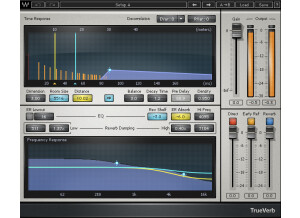
    Like all Waves stuff it's quick install and easy setup. Not too complicated with the menu and controls either. I like how their plugins are laid out. No tricky menus and the controls have precise parameters that make sense. Their manuals are great too and explain basically everything you would want to know. Trueverb is described as an emulation plugin. I just got it to try the reverb though. SUITABILITY/PERFORMANCE Performance is great of course. Typical waves stability and reliable quality. There's a ton of parameters here and it can be daunting sometimes. I feel like I'm restricted with what I can do. Sure I use the mix and some other controls but there's a lot of controls here that I don't even know what they mean. The manual sort of explains them but when I read what they do I'm left wondering why they're even included. Some of the presets and settings leave me scratching my head. I'm sitting here wondering why I would ever use some of this stuff. The room verbs are good but some of the other emulations seem borderline useless. Maybe if I did a different genre I would see the use here, but I can't imagine using some of these anywhere honestly. The questionable emulations, mediocre presets, and droves of random parameters really turned me off of this reverb. The bottom line though, is that it doesn't even sound too good to me. Don't get me wrong. It's not terrible sounding. But it's awful digital to my ears. Not warm or organic like a good reverb should be. I think this is what happens when you try to hard. You get an overdone plugin that's too processed to sound good. It's very sterile and just not that spectacular in my mixes I used it in. Sorry Waves. OVERALL OPINION I like a lot of a Waves plugins. I mean really, a lot of them. I have their biggest bundle and I use almost all of it. But their reverbs aren't good. I've used them all. This one tried too hard or something. Just sounds to digitized and sterile. The value isn't too great considering it's just a meg plugin.

  • « Crazy versatile reverb »

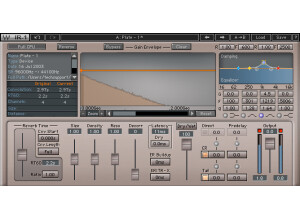
    The IR-1 is like the mack daddy of reverbs. It has everything you can think of and then some. They have some crazy algorithms going on in this, and tons of different spaces were pre installed on this thing. As for the list of features, it has tons: a CPU mode, reverse knob, IR graph, reverb dampening, reverb EQ, reverb time section, reverb control parameters, latency, dry, ER buildup, ER/TRX crossover, crosstalk, dry/wet, dry gain, wet section, output gain fader and an output meter. This plugin is fairly hard to use because of everything that's going on. I can't stress finding tutorials on this enough. I've used it for months, and I'm still discovering new things about it simply because of everything you can do with the plugin. In fact, it's almost too versatile for its own good. Whenever I decide to make a reverb, I find myself messing with the options more than actually creating a fitting reverb at times. You can get that tweaking syndrome going on where it's never perfect enough. SUITABILITY/PERFORMANCE Waves has a well known reputation for having some of the best and most stable plugins ever to have graced the music software industry. This plugin is just like every other Waves plugin out there -- it's rock solid. The main issue I have with this plugin is that it's 32 bit. Logic and OS X are now fully 64 bit, and to utilize this plugin, a 32 bit bridge is needed. I'd like to see these plugins move towards 64 bit in the next update. It would alienate some of the older hardware users, but I have a feeling most people would upgrade their hardware to utilize these plugins. The other issue is that it can take up quite a bit of memory when in full CPU mode. I have a Mac Pro, so it's never a huge issue for me. However, others might run into trouble. Thankfully, they have a switch to allow you to select full or low CPU mode. OVERALL OPINION This plugin is so complex that it can be a bit overwhelming. I usually just want to create a basic reverb, but I tend to get tweaking syndrome with this thing. There's so much going on that I can't stop messing with what I have. Definitely try it if you're a tweaking fan, but if you need something that sounds great with less clutter, check out the IR-L.

  • « 5.1 surround reverb »

    Waves IR-360 is a plugin that's mostly used for people who are doing things involving movies. The plugin itself is a 5.1 surround reverb plugin, and it's crazy powerful. It has a CPU mode, Reverse, IR graph, reverb damping, reverb EQ, reverb time section, various reverb control parameters, latency section, dry, ER build up, ER/TRX crossover, crosstalk, dry/wet, dry gain, front/rear balance, front/rear pre-delay, wet section parameters, output gain fader and an output meter for you to monitor everything. As you can see, the plugin itself is packed full of features, and a lot of this might go over some beginners' heads. There were no compatibility issues with this plugin at all. I can't comment on the manual as I never read it, but that's because I'm used to working with plugins like this. If you're a beginner, you might want to watch a few tutorials on this to see how everything works. Thankfully, pulling up this plugin and getting a usable sound is fairly easy. SUITABILITY/PERFORMANCE Waves plugins are the king when it comes to compatibility. I've never experienced a single issue when it comes to compatibility with these things. They're cross platform compatible, so you can use this on both Windows and OS X. If I had to list one gripe, it would be that these plugins are 32 bit. In a 64 bit world, the 32 bit plugins can be a bit annoying as a separate bridge program usually needs to be activated for them to work in a 64 bit environment. That aside, the plugin is great. The cool feature about this is that, despite it being powerful, you can use it on some lower end systems if you remember to press the CPU button in the plugin. That'll prevent it from wreaking havoc on your RAM. OVERALL OPINION The plugin itself has some limited uses for my application as I mainly deal with stereo sounds. However, when I tried this with my Final Cut Pro movie I made, it worked awesome. I find it sounds very natural and authentic without having that fake harshness that so many reverbs out there can have. I recommend anybody who deals with 5.1 sound to check it out.