Log in
EN
FR

SeriesNative Instruments Maschine

99 products found

Filter
Sort by
Evaluation
  • Reviewed or not
  • Editor’s award
  • Reviewed by Audiofanzine
Availability
  • Available or not
  • Sold new or used
  • Sold new
  • Sold used
Must-have products
  • All products
  • Flagship products
  • Best rated products
  • Hot products
  • Popular products
Price
  • Freeware
€
Clear
Sort by
  • Popularity
  • User ratings
  • Price - low to high
  • Price - high to low
  • Used price, increasing
  • Used price, decreasing
  • Name (from A to Z)
  • Name (from Z to A)
  • Added on
Sort results
  • Popularity
  • User ratings
  • Price - low to high
  • Price - high to low
  • Used price, increasing
  • Used price, decreasing
  • Name (from A to Z)
  • Name (from Z to A)
  • Added on
Filter results 99 results found
Evaluation
Availability
Must-have products
Price
  • Freeware
Show results

The best Native Instruments Maschine reviews

The reviews Audiofanzine members found the most helpful.
  • « Great velocity pads »

    J’ai adoré cette machine. On peut vraiment décoller de l’écran quand on compose. Même ceux qui ne jouent pas de clavier peuvent facilement composer puisque c’est très intuitif. Le seul gros hic que j’ai c’est dans Logic Pro, il ne peut pas directement servir de clavier maître tout en utilisant toutes les fonctionnalités de la machine. En revanche si je branche un clavier maître en plus il fait le boulot. Mais je ne peux du coup pas profiter de la qualité des pads puisque j’aime travailler directement dans Logic avec machine uniquement en plugin..

  • « Comes in white and black »

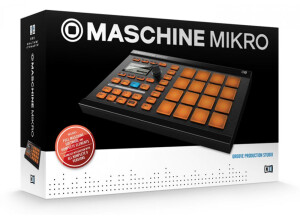
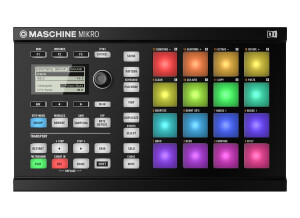
    The Native Instruments Maschine Mikro can be purchased in black or in white. I have the black one and have been using it since right after Thanksgiving. It has a hardware controller that opens up the possibilities for live performances. The response from the pads is very good; I was shocked with how good they felt too. The lighting that comes with this Mikro is perfect for performing. It is like having a full light show at your fingertips and everyone watching will be drawn to your Mikro. SUITABILITY/PERFORMANCE The Mikro Machine has 28 backlit high sensitive color coded pads, all of the pads are velocity and after touch sensitive. There is one knob that is considered to be the master knob that should just about work with all software DAW functions. OVERALL OPINION The Mikro Machine has a built in sequencer, and works great with NI massive software synth. This system comes with Massive which I was really interested in at the time, so it was a huge bonus that I got the Machine and Massive together. I was also a fan of the original Mashine, and the reason I like this much better is because it is smaller. The manual is easy to understand and setting it up was very easy for me because it was just like setting up my original Native Instruments Machine. The sound quality and performance quality of the Maschine is well worth the money that it cost. It provides great value for the price and knowing what I know now, I am glad that I purchased it just like I am happy that I purchased the original Maschine when it came out. I do think they white MKI looks better than the black one does though.

  • « HORRIBLE INTEGRATION WITH YOUR FAVORITE DAW »

    I am extremely unhappy with Maschine. It's impossible to get a good workflow when using it as a vst in a DAW because of a wrong software design. let me explain it quickly: To map the 16 sounds to the 16 audios outputs you need to make 32 mouse clicks EVERYTIME you will load a new sounds group you will have to do these 32 clicks with you mouse to ask sound1 to go on output1 etc.. THERE IS NO WORKAROUND to correct that. If you want to work with midi mapping it's EVEN WORST (about 15 difficult clicks needed in different non intuitive menus and sub menus) SO What? Should we use MASCHINE as a Standalone to mix a full track? Problem: MASCHINE Sequencer is 10 years behind any serious DAW on the market. They are just THINKING now about adding audio tracks to the sequencer! Where it's getting even more disapointing it's that the software maschine 2.0 is out since 3 years and half now and people are complaining about this issue since the very first day! So NI people know that issue and request since years but they act as they are actually refusing to correct this. Seriously is it hard to add a button to automatize settings like sounds 1-16 go to output 1-16? Is it harder than transforming Maschine into ABLETON? They just released maschine 2.6 and all the added features concerned adding some unasked feature to the standalone maschine sequencer and other features to promote their s****y Maschine JAM hardware. The guys are able to release something like 100 expansions pack (50$ each!) but not to add a setting automation...that everybody is asking for! It's just disrespect. So that's it: I spent 600$ for a sampler software and its dedicated hardware, and everytime i want to use it in my CUBASE or ABLETON, i have to make 32 clicks for each group, knowing that i'll maybe want to use 5 different groups, it's almost 150 clicks. A very inspiring workflow. If they don'correct this this year I will sell my maschine (and loose about 400$ music gear investment) to get an Ableton PUSH.

  • « A Must have app! »

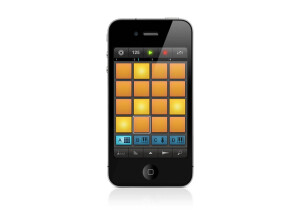
    If you have a Maschine or Maschine Mikro I highly recommend getting the iMachine for iPad, Ipod or Iphones. I have been using it for months now and it has never given me any issues and has worked great every time. I am now able to work with the “maschine” anywhere that I am because I use it on my iPhone 4 and iPad and then export the project to work on it more when I get back to my studio. I do not choose to use it much on my iPhone because the screen is so small but on my iPad 2 it looks amazing and it is just like having my real Maschine with me at all times. The interface is easy to work with and pretty much has the same features of the actual Maschine or Mikro. This app is worth having and it only cost about 5 dollars from the app store. This is only available at the current moment on Apple phones and products. There is no Droid support at the current time but I would expect they would integrate that in the near future with the rise of Droid phones and products. iMaschine comes with included kits but you can also purchase more kits from the app store like the Platinum Bounce, True School, Transistor Punch, Vintage Heat and Dark Pressure. My favorite one that I have purchase so far has been the Platinum Bounce because of the fat drums and beats that have that “club” feel and sound to them. But always end up EQ’ing them any ways once I get back to my studio. You will need to have an iPad 1 or 2, iPhone 4 or Ipod touch running iOS 4.3 or higher for it to run properly, I am not sure about the newer iPads yet but I would think they have made it available to them now too as well.

  • « Great System. »

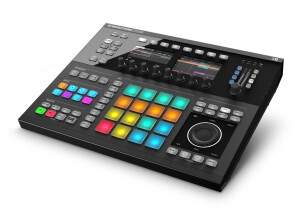
    Native instruments maschine is a great production system. Its hardware integration is second to none and its paving the way for music computer production. Its has 8 banks of 16 pads with 2 effects per pad/bank/project. With the included sounds, you can compose an orchestra. I don't know of a single MPC that has more. You want 10 kicks in your project? Go ahead. 5 snares? Sure. A bank for just sample chops? Go to town. You will NOT run out of space. If you do, you're doing a lot wrong anyway. No, you don't need to layer 10 kicks. Stop it! But I do like to mix sounds that otherwise wouldn't make sense. I don't like to sample, so I'll instead create an 8 bar jazz loop complete with a full jazz brush kit, then layer it with 808's, Vinyl kits, trance kicks, etc. to make the song sound sampled when it isn't. SUITABILITY/PERFORMANCE Its performance is amazing and very easy to understand, I have been using it for a few months now after trying it out in guitar center one weekend. I am very happy with it, setting it up and getting it going couldn’t be easier. OVERALL OPINION Overall, there is very little that the Maschine can't do that you would want it to do. Come the next upgrade that's already been announced, there is likely NOTHING your Maschine won't be able to do, but there will be tons that it would be able to do that your MPC never could or will, and for a ton less than it would take for you to be able to pull it off with software and midi controllers. The only complaint I hear a lot of now is "no time stretch" (which I don't use anyway, but a lot of people do, and the MPC can do it. But add plug-in compatibility, and you'll have it.