Log in
EN
FR

Apple Computer Music

419 products found

Categories
Series
Filter
Sort by
Apple
Evaluation
  • Reviewed or not
  • Editor’s award
  • Reviewed by Audiofanzine
Availability
  • Available or not
  • Sold new or used
  • Sold new
  • Sold used
Must-have products
  • All products
  • Flagship products
  • Best rated products
  • Hot products
  • Popular products
Price
  • Freeware
€
Clear
Sort by
  • Popularity
  • User ratings
  • Price - low to high
  • Price - high to low
  • Used price, increasing
  • Used price, decreasing
  • Name (from A to Z)
  • Name (from Z to A)
  • Added on
Sort results
  • Popularity
  • User ratings
  • Price - low to high
  • Price - high to low
  • Used price, increasing
  • Used price, decreasing
  • Name (from A to Z)
  • Name (from Z to A)
  • Added on
Filter results 419 results found
Brands
Evaluation
Availability
Must-have products
Price
  • Freeware
Show results

The best Apple Computer Music reviews

The reviews Audiofanzine members found the most helpful.
  • « Logic Pro X Review by C-Los »

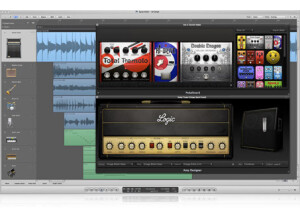
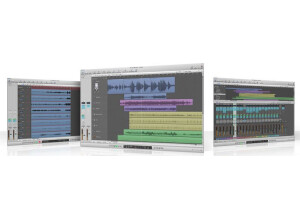
    Everyone says that Pro Tools is the industry standard. But for me as a primarily hip-hop producer, Logic is the logical solution. With this DAW you will be able to record, mix, master, create using MIDI, or even edit and sync video to music. You have over 200 tracks available for each session, 15 slots for plug-ins, and eight slots for your sends. This is enough to handle even the most extreme sessions. SUITABILITY/PERFORMANCE I’ve been using Logic Pro X for seven months now and overall I am very satisfied with the improvements from Logic Pro 9. I run Logic Pro X on two different Macs, one of them being my oldest and main workhorse, a late 2009 iMac 2.4 GHz Intel Core i7 with 8GB RAM with the MAvericks OS. Occasionally, I may have a buffering issue that stops playback, but simply pressing play again, my sessions will playback fine. I’ve also had sessions where I was pretty heavy on plug-in usage and my sessions were able to playback just fine. I use Avid’s MBox mini for my audio playback and microphone inputs, and they have worked flawlessly. I’ve also had the opportunity to produce a song where I had a guitarist lay down electric and bass guitar tracks using the stock amps and pedals that Logic offers. However, because Logic Pro X is now a 64-bit application, this could very well mean that you may not be able to use any of your previous 32-bit plug-ins (but there’s ways around that). If you have 32-bit plug-ins that you covet, I would consider researching solutions before fully committing. Another problem I have yet to figure out is the solo-safe feature. In my mixes, I use submixes to sum similar tracks to one fader. In Pro Tools, I gray (or disable) out the solo button on my submix auxiliary tracks so that even if I have to solo one or more tracks, they will still be heard. Logic offers the same feature, but it simply does not work like it’s supposed to. STAND-OUT FEATURES One feature I frequent often is Logic’s addition to Flex Time. You are now able to adjust individual notes of singers with Flex Pitch. When activated, MIDI notes are created on the piano roll to reflect what the singer sung across the keyboard. From there it’s quite simple to click and drag notes to their desired position. This feature is very similar to Melodyne, and really helps dial in those sharps and flats where redos are not an option. Another feature that is new to Logic Pro 9 is Track Stacks. Track Stacks offers a better way to help organize those big sessions by combining multiple tracks and managing them with a master fader. One way I find summing tracks to a “Folder Stack” useful, is stacking background vocals. I do this in addition to sending background vocals to their own submix for extra control. One feature I believe is underrated, is Logic’s new stock compressor plug-in. The compressor still offers the seven different modules within the compressor, but now some of the modules also have a distortion knob to help your sounds cut through the mix better. The VU-style metering also help give a refreshing look to the new compressor. Next, I found that Logic’s stock compressor also has a mix knob to allow me to do a bit of parallel compression, mixing the original unprocessed signal with the processed signal. Once I’m finished adjust parameters on the compressor, I can use the new output knob to boost or attenuate the processed signal’s level. MY OPINION I love Logic because it fits my needs as a creator of music. There’s plenty of loops that come stock to help spark inspiration, but Logic also offers some of the best stock virtual instruments I’ve heard from any DAW. Some say that “it’s not which DAW you choose, but how you use it.” But Logic Pro X is a music producer’s DAW. And if your plan is to produce music in any capacity, I highly recommend making the logical choice, and purchasing Logic Pro X for your studio. PROS New Flex Pitch mode New features on stock compressor Track Stacks Tons of virtual instruments New Studio Drummer Great Affordability CONS 64-bit only application Solo-safe does not work properly

  • « Well balanced and efficient recording software for the novice to intermediate »

    GarageBand is an excellent place to start for the aspiring engineer. If it came with your brand new Mac then you are ready to roll as soon as you turn your machine on! The help files/manual are easily accessible within the program and sufficiently cover anything you need to know about using the software. All of the typical functions are quite easily accessible with just a little bit of poking around. SUITABILITY/PERFORMANCE I've been using GarageBand since 2005 and have upgraded since then as newer versions arrived. In terms of performance, GarageBand does quite well. As long as you have a sufficiently powerful computer you can easily create tracks using up to 30 some software and real intrument tracks without too much slow down or crashing. This is quite a good track count for a program like this. OVERALL OPINION Obviously what is to like about GarageBand is it's simplicity and the amount of power and control over your recording and mix that can be had, especially for a newcomer to digital recording. It does have it's limitations though. One of the biggest issues that I have encountered with GarageBand is dealing with editing. GarageBand only allows you to zoom in on a waveform just so much. Ocasionally you may encounter a waveform that you just cannot trim to a null point, this can be worked around using volume automation but it's still annoying,(what you may experience are some unwanted clicks/pops at times) The newer versions have increased the power of GarageBand alot! Now it offers real time multi-tracking!-(you'll need an external interface) Also, it even comes with a real-time spectrum analyzer! Although the spectrum analyzer is VERY primitive it is helpful and, like the program itself, a good starting point for training yourself to do your own recordings/mixes. Another limitation is a shelf on how many effects can be used on a certain track. There is a workaround but it can be frustrating at times. The overall sound quality of GarageBand is adequate for the beginner or intermidiate engineer but it falls way short of the quality that a professional engineer would prefer. However, GarageBand's easy to use function to export directly to iTunes or to a podcast is definitely a plus. I've personally used many, many DAWs over the years and while GarageBand certainly would not be my first choice for serious recording, it does have it's charms and remains a tool that I use often regardless if it doesn't quite meet my quality desires. Since it comes pre-installed on nearly every Mac you really can't go wrong playing around with it!

  • « Does it all »

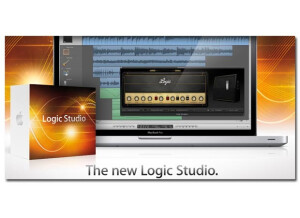
    Apple Logic Studio 9 is a great DAW and sequencing software that is for MAC only. I do wish that it was available for windows computers though so I could have it on my laptop and take it with me more places. Logic Studio 9 is a software that I have been using since Logic 6 or 7 and I keep moving forward upgrading it because I just love the functionality of the program itself. Its very easy to use, but not at first it will take some understand of the menus and basic functions before you will be able to really get creative with it. It took me a few weeks to really get the swing of things but after that I was good to go. One of the things that I really like about it just how the mixer is set up, the mixer setup makes it really easy to add my effects and mess around with them to get the desired sound that I am looking for or want to create. Also, the basic stuff that comes with Logic Studio 9 will be enough for you to get going you wont need to purchase any plug ins right way untill you decide to start expanding. It comes ready to create beautiful music right out of the box. On the downside, the program is not cheap at all. Also, I wish it was a standard program that came with the mac instead of Garage Band. Since it only can be used on a mac they need to work out a deal to where it comes with the mac automatically then I think more people would be familiar with it. But when it comes to the Mac DAW’s, this and pro tools own the show! Many people compare this to pro tools, I really wouldn’t say it is like pro tools but it just depends on other equipment that you have and what you goal is to do with music. There are ups and downs to using both. But all in all Logic Studio 9 is worth the pretty penny it cost.

  • « one of the best systems I have had »

    I had the Mac G4 about 3 years ago before I decided to sell it and get a windows computer. I kinda wish that I didn’t sell it but cant do anything about it now. But while I was using it I can say it’s a really great quality computer. Its very fast and will last you a long time as long as you take good care of it. Macs are generally better with software then pcs are and macs don’t get viruses that easy either I don’t know why . I hadn’t got a single virus in my macs but In my PC’s my virus software is always Picking something up. If you are new to mac and you ge the G4 as your first mac computer it will get some taking use to. Everything is different on a mac than it is on a pc. They menu’s the layouts, just everything is different and it will take some time to get use to. The one thing that I loved the most about it is how fast it was. It is super fast when loading up your software and saving stuff and even browsing on the web. It can muiti task really good, you can watch a movie have a editing program open and be playing a game at the same time without anything messing up or glitching and freezing. I did wish it had more than 2 usb ports though, my windows laptop has 3 and I use each one of them. So when I was using the G4 the 2 usb ports weren’t enough for me but it does have 2 firewire ports which I used for my firewire interface that was used in pro tools. All of your audio programs like pro tools and logic for example will run perfectly in the G4. The G4 even came with a few audio and video editing programs just incase you want to use them, if not that’s find you can always take them off. But the Mac G4 is really right out of the box you wont need to do anything to it. It could be one of the best systems I have every owned.

  • « Upgrade »

    Apple Logic Express 7 is a program that you can do almost everything in. I don’t think you can still purchase it though because they have upgraded versions now. Logic Express 7 is not really the full version of Logic also known as the pro versions of logic. There are some big differences in the Express and Pro versions and mainly it’s the plug in instruments. Also, maybe a few effects from the mixer as well. Apple Logic Express 7 belongs in more of a classroom type setting if you ask me. It just seems as if they watered down the pro version. So maybe for people who cant afford to get the Pro version would get Express 7 but I just don’t think it’s a good idea. SUITABILITY/PERFORMANCE As with all of Logics software it will run great on your mac, remember its mac only! I do wish Logic would come out with a windows based version. I think they could make a lot of money if they did because there are a lot of pc users that would love to try Logic. OVERALL OPINION Overall, its great but if you can afford to get the pro version get it. Don’t get the Express 7 because you will just need to upgrade to pro anyways at some point or another. So you mine as well just save up and get the pro version and save your self from the headach. Unless you get the Logic Express 7 and have the money to get some good plug ins. But if you have the money for some good plug ins you mine as well just upgrade to pro and be ready to go right off the bat and skip Express. But all in all Express 7 is a good software but I recommend going with the Pro version, you wont regret it.

  • « Excellent »

    Apple Logic Pro 9 is a very good sequencing program, you can pretty much do your whole song in Logic 9 from the musical creation process to the recording process. You will be very pleased with how much Logic Pro 9 can help you. Even if you have used Logic before and have an earlier version of it. It will still be beneficial for you to upgrade to Pro 9 asap. SUITABILITY/PERFORMANCE I ran apple pro logic pr 9 on my mac book pro for a while. It wont crash or cause any problems for you. I have been nothing but please with Pro 9 and its ability to give me a good sounds and a great work flow process. OVERALL OPINION Overall, the best thing about Logic Pro 9 that I love is the synths that come with it. Logic Pro 9 is one of the few softwares that I would say can actually go without having to purchase a bunch of other synths right off the bat. All of the built in (that come with it) synths are high quality and are very unique. Each plug in can be controlled 100 percent from all parameters. It comes with a packed library of great synths and sounds. Only thing that I really didn’t use that came with it where the drums. I imported my own drum kits because I have a unique sound of real live kits that I love. Logic Pro 9’s live drum kits arent that good for me. But that is not problem at all because we all have our own drums we love to use. The mixer track on Logic Pro 9 is top quality too, you can really get a good master if you know what you are doing and have a solid ear. You will have no worries with Logic Pro 9. Its not very cheap though it does cost a good amount of money. But this is actually one of the only softwares I can say that complete with Pro tools on a professional level.

  • « Apple Soundtrack »

    Soundtrack Pro 3. Comes in the Final Cut Studio 2 Package. Cost $1,000 for the whole package. So when you consider it is one of six programs, I guess its less than $200.00 This is a great piece of software. It has very detailed audio file editing. One great feature is the ability to stretch the duration of audio without effecting the pitch. This is great for getting dialogue or vocals to align up with cuts in video or beats in a track. It also has a nice reduction filter that is great for when recording in less then perfect settings. This and the ability to remove clicks and pops are probably the two features I use more then others with this program. This is not the best program for making music by itself. It has some very powerful audio editing features, but it is geared toward scoring and sound design for video, if you are looking for an audio editing program strictly for music there are probably other programs more suited for that, that have similar features. As far as construction goes as far as software I always consider it how well the program holds up to crashing and errors. This program is not prone to errors, but can still freeze up or crash on times. This is a great program for audio post and scoring, if you are looking into working with film or video this is a great program to have. And if you are working with video, the rest of the software will help you out as well for any other changes you may need to make. This review was originally published on http://www.musicgearreview.com

  • « Apple Logic »

    Logic Pro 8, I have used logic for about 3 years, first Logic Pro 7 and now Logic Pro 8. I used this in school, and now my company has a copy, it is $500, the old version Logic Pro 7 was $1000, what a bargain! Wow, what can I say, this program can do so much. I mainly use it to digitally compose music. The midi instruments are much better then anything I have used, (although I know there are better ones out there), and you can even make your own by recording samples, if you have the patience. There are TONS of filters to fine tune your effects of both midi and real instruments, it has digital amplifiers that can make your guitar sound like its hooked up to the real thing! And there are so many choices, so many effects I couldn't even name them all. And with audio you can raise or lower pitch, slow down or speed up. And one of the great things with midi is that you can print out sheet music of your composition, which is great if you are composing for a band or orchestra. There are so many more things this program can do if you take the time to learn them. The only bad thing I can say about this program is that it is not that user friendly, and can take some time to master, although it is still an improvement from previous versions. But once you master it, wow, you can do so much! If you are serious about digital composition or mastering this is a must have, and worth every penny, if you are not serious, just stick with garage band, this program will take some time to learn. This review was originally published on http://www.musicgearreview.com

  • « lets go mac! »

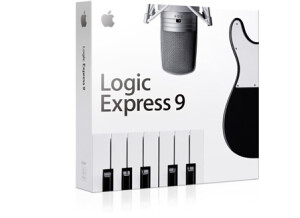
    Apple Logic Express 9 is a solid piece of software. It worked great on my Quad Core computer and never crashed once. I have used Express 9 for about a year before leaving to go to Acid. But all Express 9 users will tell you that this software is great. When I first started using it was difficult for me because of the layout of the program, but once I picked up the manual and read through a few parts it was really clear to me how to do everything that I needed to know. I used Express 9 more for recording, it has a simple workflow for recording and its extremely quick. SUITABILITY/PERFORMANCE Express 9 is a highly sought after piece of software and its expensive as well. There are a ton of other software's on the market that do the exact same thing as Express 9 and cost a lot cheaper. There is nothing special about this software that makes it worth that much more many than other software's. OVERALL OPINION On things that stands out with Express 9 is the power of the mixer and effects. I love the compression and options that come with it. The compression is something that a lot of software's don’t focus on any more. It seemed like Express 9 focused a lot on the mixing part of making great sounding music. I really appreciate the fact that you have full control over the compression and and tweak it just right and its quicker and easier in this software than it was in Fl Studio and Acid. Overall Express 9 is a powerful piece of software, its well worth the money spent if you have the money to spend. I suggest downloading a trial version of it first to see how you like that layout of it and if you can see your self doing production , recording, or mixing with it.

  • « nice feel »

    The Apple Pro Mouse is a wireless mouse for use with your Mac or PC. I guess it's technically a PC mouse, but it certainly works on either platform. I don't own this mouse but my roommate has it for his Mac Tower and uses it exclusively. He's a pop music producer and uses it with Logic and other DAW's. We work together a bunch so I also use it whenever we are collaborating. I really like how small this mouse is but it still feels good in your hand and is super easy to navigate with. It's got both left and right click buttons and a scrolling track ball in the middle of the two. It's nice to have the right click when you're using it on a Mac as this isn't something that you're going to get with an Apple mouse. It's also nice to have a wireless mouse as you can move it wherever you'd like to on your desk without having to worry about the slack of the cable. However, the best part about the Logitech M305 has to be the price as even though it's a cutting edge mouse and is some of the newest technology in terms of the size of it, it's still quite cheap. Anything from Apple is going to cost you a bunch, and although I do have a Mighty Mouse myself and love it, the M305 will save you some money, especially if you feel like you might want the right click option. I've only used it with a Mac, but for PC users it's going be great as well. It's not necessarily designed for use with a DAW, but in my experience it works great. Check out the Logitech M305 and the other mice from Logitech if you're looking for a cheap and comfortable mouse for your computer.

  • « i love logic »

    I have been a Logic user since long before it was an Apple product and have to say that this latest version is by far the best yet! Avid/Digidesign keeps giving me more and more reasons to consider ProTools but the bottom line is why switch when I already have everything I already need right here in Logic. SUITABILITY/PERFORMANCE I primarily use this for audio recording and it does an awesome job of that but this latest version gave me some great guitar amp and cabinet models as well as some great instruments (like the EVB3 Hammond Organ). I like the amp/cab models so much I sold all of my other amp/cab gear that I was using for recording and use strictly Logic for all of this now. Additionally I like the EVB3 so much that I quit hauling all of my gear to my old church that had a Hammond C3/Leslie 21H and just resided to using the EVB3 instead. OK, it isn't quite a real Hammond but it is so dang close that the hassle of utilizing the real thing just wasn't worth it any longer. OVERALL OPINION The only thing I would like to see better of is reverb plug-ins. Maybe I am a reverb snob but I think Apple could do better with the plug-ins and default presets. Don't get me wrong, they are great but not in line with the greatness of the rest of the suite. Logic 8 just works. No troubles on my iMac Core 2 Duo. Works perfectly with my current interface and MIDI keyboard. CPU load is minimal, even with tons of plugins going. And at the end of the day, Logic sounds great. My mixes are coming together nicely, and when people hear the songs I'm working on they comment on how professional they sound. I recommend this to all musicians.

  • « macs are great »

    I used this laptop for school a lot with my audio classes and I couldn't have made a better choice in purchasing it a few years later. This thing cruises without breaking a sweat while running Logic Studio. Power to spare, awesome looks and great customer service make this a great choice. Expensive, yes, but you get what you pay for. And Mac is the best when it comes to computers for audio and video production. I have tried several other models of mac’s and macbooks. This one doesn’t stick out from the other ones because in my opinion a lot of them are exactly the same. Just more ram or memory, most all mac’s run great and will power your whole set up no matter what your into. My next purchase will be a desktop mac for our home studio so we can use a bigger screen. Overall, After almost ten years of dancing with PCs, and purchasing three Dell computers in the last three years including a massive 12 GB ram computer in March of this year, I finally purchased a Mac . Following a series of issues with these computers and Pro Tools, a plethora of back and forth emails with Avid, crashes, etc., it is welcome relief to experience the Mac. It appears relatively easy to navigate the learning curve with this device and...it simply makes sense! I do wish they had more than two USB ports though. I am amazed at the ease of use and functionality. It is very quiet and well built! I had read some reviews about this laptop getting hot but I have not found this to be true. I run logic studio 9, reason, and i can now load up more tracks than i could imagine. The cpu indicator barely moves under pressure. I don't mind the video downgrade, but everything else can't be touched. i game on the 360, so that doesn't matter.