Log in
EN
FR

MOTU Computer Music

131 products found

Categories
Series
Filter
Sort by
MOTU
Evaluation
  • Reviewed or not
  • Editor’s award
  • Reviewed by Audiofanzine
Availability
  • Available or not
  • Sold new or used
  • Sold new
  • Sold used
Must-have products
  • All products
  • Flagship products
  • Best rated products
  • Hot products
  • Popular products
Price
  • Freeware
  • Low-cost (< $400)
  • Mid-range ($400 - $950)
  • Premium (> $950)
€
Clear
Sort by
  • Popularity
  • User ratings
  • Price - low to high
  • Price - high to low
  • Used price, increasing
  • Used price, decreasing
  • Name (from A to Z)
  • Name (from Z to A)
  • Added on
Sort results
  • Popularity
  • User ratings
  • Price - low to high
  • Price - high to low
  • Used price, increasing
  • Used price, decreasing
  • Name (from A to Z)
  • Name (from Z to A)
  • Added on
Filter results 131 results found
Brands
Evaluation
Availability
Must-have products
Price
  • Freeware
  • Low-cost (< $400)
  • Mid-range ($400 - $950)
  • Premium (> $950)
Show results

The best MOTU Computer Music reviews

The reviews Audiofanzine members found the most helpful.
  • « I love it! »

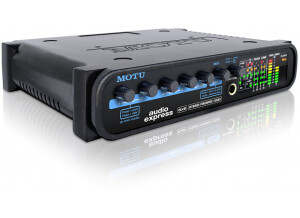
    Before buying it I looked at protools, cubase and others, but I wanted something different, that was worth my money and so I bought this soundcard. I use it for the studio and also personally. I use it with a mac G5 powerpc 4 ddr ram. UTILIZATION The drivers are stable. Digital Performer is the software that comes included with Audio Express. I bought the Crossgrade to have the full version of Digital Performer 7. Currently I only use two tracks for recording, to record drums I use a Yamaha AW 1600. For certain projects I have up to 16 recording tracks that I can playback without any latency. GETTING STARTED The installation is problem-free, but I had to resort to the manual for the configuration because there were some aspects I didn't quite understand. Working with it I have discovered certain features that are useful for what I do, so I'm very satisfied. OVERALL OPINION I've had it since December 2011 and it's my first soundcard ever. For $478.00, I got what I wanted. Yes, based on my experience, I would buy it again.

  • peepsaudio's review

    I got this not long ago to supplement my other MOTU interface, the 828 mk3. This is great for that purpose, because MOTU lets you daisy chain the firewire ports on them. Essentially this is just going to give you another 8 preamps and so another 8 channels of audio inputs. I wanted to be able to record drums at home with a lot of mics, and adding this to my setup allowed that. I am running a PC with Nuendo, Dual Core processor, and 4GB of ram. I am using this thing mostly just for extra microphones when I'm recording something live. It has also got MIDI connections if you don't have another MIDI box. UTILIZATION This installed with no problems. I didn't even need to load drivers amazingly enough, I just plugged this firewire cable between my 8pre and my 828mk3, and bam - 8 more channels that also show up on the CueMix software MOTU provides. Doesn't get any simpler. I've since had no problems with compatibility or bugs or anything, all smooth sailing here. They do give you a good sized manual, so if you had questions about how to operate anything i'm sure they'd be answered, but there aren't that many controls on this thing. GETTING STARTED The drivers have been great, since it's just been running off the MOTU driver I already had installed. They haven't been updated in months, but then again there has been no need to as far as I know. I am using this with Nuendo software as my host. Latency doesn't really come into the picture with this device, it's just putting the audio right through to the 828 which is putting it right through to the PC, so it's negligible. This box adds another 8 channels of audio to your existing converter/preamp box. OVERALL OPINION I got this about 10 months ago or so when I wanted to get back to having more than 8 tracks to record with at home. I really liked my 828 mk3, so this was great since it basically just expanded that box that I already had. The preamps and converters sound pretty good, and it works just as it says it will, so it's dependable to say the least. It would be nice to have a bigger metering section - that's a little small - but you can still easily tell when something's clipping so it's a small complaint. It's a great value for another 8 channels of audio. I'd get it again.

  • « It is good, but I would not purchase it again »

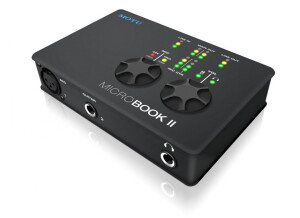
    The MOTU Micro Book II is very small and compact. It works via USB with a computer and it is an 8 bus digital mixer as well. This mixer is plug and play, even the install is very quick and easy. Loading up the drivers is really the only thing that needs to be done and after that it will work in your DAW. I only used it on my MacBook Pro and used it a few times for some small projects in Garage Band. I have also used it with Ableton Live and it worked great. I didn’t install the software that came with it though because I didn’t feel the need to put it on my hard drive knowing that I wouldn’t need it. But for someone who is just starting out, it does come with software just in case you do not already have one. UTILIZATION The conversion on this unit is very good but there are some issues with using it in Garage Band when it comes to the phone output. There are a lot of users who have had this problem and for some reason it only happens on Macs. The playback and outputs are very clean even when at loud volumes. I used a pair of Alesis speakers to monitor with when I had this device and the speakers were not very expensive either but it sounded great. GETTING STARTED This unit is very portable and small, I recommend it for the mobile producer/engineer or even the mobile DJ. There are ups and downs with it and it wouldn’t be my first choice in this price range if I had to do it all over again I would have purchased something else. OVERALL OPINION Also the customer support with it was not very good either, they didn’t seem to know what they were talking about. So if you are not good at working with interfaces like this one and do not want to trouble shoot I would stay away from it.

  • « MOTU »

    The MOTU BPM is a production software that comes loaded with 19GB of sounds, a whole bunch of effects and you can sample right in the software. You can run it on your PC or your Mac, if you are using it on a PC you need to have XP, Vista, or Windows 7 either 32 or 64 bit. If you are on a Mac you need to have OSX 10.4.11 or higher and a G4 or better with 1GB of RAM. SUITABILITY/PERFORMANCE If you use MOTU BPM with ASIO drivers you will have very good playback and glitch free low latency usage. But without ASIO drivers depending on what you system specs are you could experience some issues with latency and glitch like behavior during playback. Though it is very easy to install, the program is much bigger than expected and it can eat up your CPU quickly. Especially when you get into processing all of the effects, you will almost have to be using an ASIO driver in order for it to play smoothly. OVERALL OPINION One of the worth the money features , are that you have an unlimited FX slots per rack, so you can just start stacking those effects up on top of each other and get some really cool sounds, but like I said if your drivers are not under control you will not be stacking too many effects together before you start to experience choppy playback. This software is good, and it comes at a decent price. I just did not have a need for it so I never used it after the first few initial times. It does come loaded with a lot of synth, bass, and drum sounds. It is also ready to go right out of the box. No hard set ups or anything like that, the manual that comes with it is pretty thin, but it helps you a lot if you need it.

  • « 50+ classic keyboards »

    MOTU Electric Keys has been installed on my computer for a few years now, though I don’t use it much anymore. When I first purchased it I was really excited about it, then it kind of got put aside. It is a vintage keyboard VST that has some electric pianos, Clavinets and a few more instruments. The interface of this vintage VST is about as simple as it gets, it takes no effort at all to understand how to use it. There are around 50 different keyboards that make up this VST. The sound quality of all of the patches and instruments are really good, there is nothing to complain about when it comes to the quality. SUITABILITY/PERFORMANCE Installing it was very quick and easy. It is a very small VST that installs in no time at all. It runs at a high performance but still using only a little CPU. All of the main functions of this VST are easy to access and use. It does come with a manual, which is more of a quick start guide because there really isn’t too much to learn and understand. OVERALL OPINION My only issue with this VST is that it costs almost 300 dollars. I just don’t feel like it's worth that much. I would be happier if it was around the 150 mark then I would say it is respectable. Most of the keyboards sound really good, but some of them really are not useable for the style of music that I make. This has been installed on my computer since about 2009 and I think that I have used it less than 10 times in the last 3 years. If I could go back, I would not have bought this and spent my 300 dollars elsewhere. If you are into Vintage VST sounds and want a bunch of classic keyboards in your computer then you will love this. But it was a mistake for me to buy it.

  • « Great device, A little over priced »

    The Micro Express USB by MOTU cost about 250 dollars brand new, not that that is a bad price but I feel like its about 75 dollars overpriced. The Micro Express is the smaller version of the MIDI Express XT by MOTU. The Express USB is very easy to use and it is all plug and play. It does come with a manual which you will not need to read through unless its your first time working with MIDI and understanding it. The Micro Express is 4 in and 6 out and can give you control of up to 96 MIDI channels. I used the Micro Express USB with Cubase LE, it synced up all of my MIDI connections really fast. Even if I have to swap out some connects for different ones I didn’t even have to restart Cubase for it to recognize the “new” MIDI connection. UTILIZATION Though I have been using it for a while now, I have not had any driver updates and have not needed them. While using it on my Dual Core PC or on my Laptop when I go mobile I never have any driver or connection issues. Your USB port is what provides power to the Micro Express USB so there are not wall plug ins for power. All of the music that I make mostly comes in Cubase with this Micro Express USB. I have used it in FL Studio on a few occasions which is more of a pain when it comes to MIDI so I stay away from connecting any MIDI with FL Studio. OVERALL OPINION Besides it being a little overpriced in my opinion its still a great MIDI controller/interface for your connections. With enough ins and outs to run your personal or mobile studio. The unit seems to be pretty well built. Its not as big as I thought it was going to be, its really small and mobile. It fits in my laptop bag with my laptop in it. I do wish it came with some new MIDI cords though.

  • « Used for many years, and I was very satisfied »

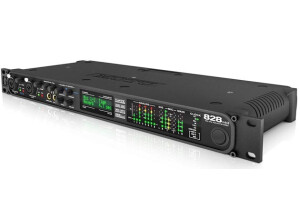
    The Motu 828 interface is run by fire wire and not USB which is one of the reason I took a lot of interest in it. When the Motu 828 first came out all the kept saying is that it was going to change the face of computer integration with audio interfaces and in some ways it did just that. The Motu 828 was very easy to use and to install it on my machine. It was very powerful and I was excited to get rid of my PCI card and get into the new era of audio interfaces via fire wire. I was pretty young when I first purchased this, and really wasn’t sure if I wanted to make the leap from the PCI card that I just bought. But needless to say I have kept this interface all the way till the year of 2010. So it really lasted me almost 8 year or so. I used this interface with Cubase LE for a while and later using it with programs like FL Studio. UTILIZATION I didn’t experience any driver updates, maybe I wasn’t aware of them when they came out but for my system I had no issues and no need to update. Even when I switched the Motu 828 to my Quad Core computer years ago, it still worked great and with the same drivers that it came with. Also, the latency on this interface was very low, but I have had lower latency with some newer interfaces. The Motu 828 was very stable and the price when it first came out made it a tough buy at the time because it was not cheap. GETTING STARTED I had no compatibility issues on either system I used it on. I cant remember the specs of my Dell desktop that I first used it on , but the second computer I used it on was a quad core pc with AMD and it worked perfectly. The manual was easy to use as I remember correctly and it wasn’t to long or hard o understand. All of the main functions of the Motu 828 where right on the unit and easy to use. OVERALL OPINION They have upgraded this interface to the MKII and then the MKIII. I have had a chance to work with both of the upgrades that MOTU has made, but the original Motu 828 has set the standard for the other products they have release. I do not regret my decision to purchase the Motu 828. I bought it with every penny I had saved and got well over my moneys worth.

  • « Used it for 2 years »

    While using the Motu Traveler I was able to get really good results when using it with my Power-book, I first started using the Traveler back in June of 2008 to be exact and used it all the way up till about the summer of 2010. The pre-amps are pretty solid and of good quality, you wont have any issues with them at all even if you push them to the limits they will still stay pretty quiet for you. The Motu Traveler can work as a standalone format converter as well. All of the features that I desired at the time seemed to be all part of the specs of the Motu Traveler and that was a big part of my decision to purchase the Traveler. I didn’t receive any updates for it during the 2 years that I was using it though. I am not sure why, because I have heard other people online talking about the updates. The size of the Traveler is compact enough that it can fit in your laptop bag or any standard size carrying bag. It is not a very big or bulky unit. UTILIZATION It is powered by your computer when you plug it up, or you can power it with a battery which I don’t recommend. You can record up to 192kHz and it has built in phantom power. I have used the Motu Traveler to record a lot of different instruments and vocals as well as using it to record a lot of sound effects that we generated out and about, which is one of the reasons that it came in handy being so portable like it is. We could just whip it out anywhere and record several things at one time. GETTING STARTED The manual is very easy to understand, I didn’t need to use it much. I just needed it for about the first 20 minutes after opening the box so I could get it up and running and a basic understanding of it. But all of the basic functions of the Traveler are easy to use and to understand. OVERALL OPINION For the price, you really can expect to get much more. Its portable, well built and works like a charm. You could just have this and probably keep it as your main interface no matter where you are and you would be satisfied. Sound quality is top notch, and so is Motu’s customer service just in case you need to speak with a representative.

  • « 18 ins and 22 outs »

    The Motu 896 HD is a fire wire interface, it is also rather a big unit so don’t expect just to sit this on your desktop. I am pretty sure that I twill take up more than one rack space if I can remember correctly and if you don’t have rack space in your studio then I don’t recommend purchasing this because you really wont have anywhere to put it at. UTILIZATION The price of this interface is pretty steep, but it does have a lot of ins for your to record all of your mics and instruments all together. it’s a really convenient device but only if you don’t plan on making it a mobile interface. It is not mobile at all and belongs in a studio setting racked up. It can also be used on a stage if you need it to be , it actually seems like it was built for a live stage setting if you ask me. It has 18 inputs and 22 outputs, it has the main outs for your monitors or speakers and outs for your headphones. GETTING STARTED The greatest part of this interface I that it has an on board mixing feature, I never really had the chance to get into depth with this feature though just because I really would rather mix on my DAW and with a lot of different plug ins. OVERALL OPINION I am not sure about the manual with this device, when I was using it I didn’t have a manual which was part of the reason that I couldn’t use the Motu 896 HD to its full potential. I had several questions about a few things while I was using it and just didn’t have a manual to do these things. If you can afford to purchase one of these I say go for it if you have the space. If you don’t have the space you don’t need this type of unit because there are a lot of ins and outs. that’s only for bigger projects and if you just need to inputs there really isn’t a point in having this. I didn’t need to have it at home, its in the local studio.

  • « I wish it was rackable. »

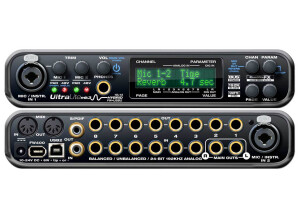
    The Motu Ultra Lite is a audio interface that connects to your pc through fire wire, you computer would need to have a fire wire port in order for you to be able to use this device. If you don’t have a fire wire port on your computer don’t even bother purchasing this. You will need to get a USB interface instead. There is a large debate on if fire wire is better than USB, in my opinion you wont really be able to tell a difference in quality just maybe the USB will have a little more of a lag, but in most cases the lag is so minimal that the ear cant even pick it up. But there is a lag in fire wire too, so don’t think if you purchase the Motu Ultra Lite that you wont have any lag at all, because all interfaces have some sort of a lag. But you wont be able to tell there is a lag when using the Motu lite. UTILIZATION The Motu Ultra Lite is a complex little interface, it is very powerful for it to be such a small unit. There are plenty of ins to run all of your audio in signals into so you can do whatever you want to do with them , in my case I used it to get audio into my pc from external gear. GETTING STARTED The sound is very good, you will love the quality. But I think that the price of this unit brand new is a little too expensive. Even a used one can still cost 200 or more dollars today and it has been out for a while now. OVERALL OPINION There are several fire wire interfaces that are great, the Motu Ultra Lite is a great one as well, I just feel like it is an overpriced unit because its just too expensive. Maybe if it was this price and it was rack able then it would be different or if they offered a rack able version of this same device I would feel different about it.

  • « get east west if you want something better »

    MOTU Symphonic Instrument is very easy to understand and use, you wont be confused or even need to look at tutorials online nor will you need a manual to operate this vst plug in. The price of this plug in is where I think they it doesn’t sit right with me, I think it is overpriced for the quality that it provides. It does have some great patches and presets but I think East West is better in my opinion. Also, MOTU Symphonic Instrument isn’t very appealing to me just going off the look of it. The layout and interface of it really irritates me and doesn’t spark my creativity. I am a visual guy, and I love seeing the plug ins as im using them, I like the software MOTU Symphonic Instrument but I hate the interface of it. I hope they change that in the near future. SUITABILITY/PERFORMANCE Ran this on a quad core pc with plenty ram so it ran find and I have never had an issue with it. I do not use this vst much anymore. I cant even really remember the last time that I used it because East West is so much better. This is a decent software but its overpriced and if you use East West you will see how much you are missing. OVERALL OPINION I have used this many times over the years, but I don’t use it anymore and probably never will again. Its not bad and it’s a big file when loading it into your computer. I recently purchased a new studio computer and didn’t even waste my time loading this onto it because I know I wont use it at all. it’s a good vst, but its over priced and East West is so much better for me to use and the interface is so much better.

  • « Mark of the Unicorn Digital Performer 3 »

    sweetwater.com purchased for $470. Excellent Macintosh-based MIDI sequencing and digital audio tool. It now has user-configurable 3D panning tools, so you can mix for Dolby Digital (5.1) or other surround-sound formats. DP3 also supports multi-processing on dual-G4 Macs, which is a real boon for those who have multiple real-time inserts in their mixes! As with any software of this kind, there's a steep learning curve, but that shouldn't scare you off if you're serious about getting a good sequence or mix. It would be nice if this package would include some patch librarian features, but that's still an extra purchase (Unisyn, also available from MOTU). software only, so this isn't really an issue. Excellent sequencer / audio mixer for any serious Mac user. The patch lists feature makes it easy for you to easily identify your MIDI routing, and the new dual-CPU support makes extensive track counts a reality, at last. This review was originally published on http://www.musicgearreview.com