Log in
EN
FR

Mackie Computer Music

50 products found

Categories
Series
Filter
Sort by
Mackie
Evaluation
  • Reviewed or not
  • Editor’s award
  • Reviewed by Audiofanzine
Availability
  • Available or not
  • Sold new or used
  • Sold new
  • Sold used
Must-have products
  • All products
  • Flagship products
  • Best rated products
  • Hot products
  • Popular products
Price
  • Freeware
  • Low-cost (< $100)
  • Mid-range ($100 - $400)
  • Premium (> $400)
€
Clear
Sort by
  • Popularity
  • User ratings
  • Price - low to high
  • Price - high to low
  • Used price, increasing
  • Used price, decreasing
  • Name (from A to Z)
  • Name (from Z to A)
  • Added on
Sort results
  • Popularity
  • User ratings
  • Price - low to high
  • Price - high to low
  • Used price, increasing
  • Used price, decreasing
  • Name (from A to Z)
  • Name (from Z to A)
  • Added on
Filter results 50 results found
Brands
Evaluation
Availability
Must-have products
Price
  • Freeware
  • Low-cost (< $100)
  • Mid-range ($100 - $400)
  • Premium (> $400)
Show results

The best Mackie Computer Music reviews

The reviews Audiofanzine members found the most helpful.
  • AnimalTracksStudio's review

    MACKIE BABY HUI The one thing that you absolutely have to invest in for your home studio is a Motorized control surface. It will speed up your recording and mixing process and will make recording FUN again. One neat little thing about the HUI is that they are ROCK solid and relatively inexpensive to find these days. HUI stands for HUMAN USER INTERFACE. Basically, it does what your mouse does when it comes to mixing digital audio; only it does it faster and more precise. I mainly use a Mackie MCU for my Control Surface but keep my old tried and True Baby HUI for location recordings and a back up in case I need one. When I say they are rock solid, let me explain. My Baby HUI has been a staple in my studio for years, one late night session the drummer tripped and fell into it knocking it to the floor. The Pan Pot went flying and the Control board for the transport punched inside the unit below the surface. The paint was a little bit scraped and the corner of the unit had a small bend. I thought my Baby HUI was a now a paperweight. After a few kind words to the drummer and after every left for the night I disassembled the unit. I put a slightly larger set of screws in the nuts for the Transport and reassembled the unit, turned it on and it functioned as if nothing happened. The shaft for the pan pot is broken and I have to either replace the board for $50 US or live with a knob that comes off and needs to be re-seated occasionally. Not a bad result for a ten-foot drop into a concrete floor. The one drawback is due to the compact size. Smaller throw faders. I can live with that for a smaller size and the tank like construction. This unit is staying in my arsenal of tools for many more years.

  • « I like it a lot, once I eventually got it working. »

    Great convertors and mic pre-amps. Solidly made, and quite good front and rear panel features. I'm using it in a bedroom studio with a laptop. I have studios in most rooms, so for 50 bucks I thought to indulge myself. ( you can never have too many studios) Connections; spdif in and out, 1/4 inch jack and xlr in's. 2 x 1/4 inch jack monitor out, and USB in, and power supply (supplied) in. Useful front panel selector switches and knobs. I use it with a Toshiba Sattelite laptop and Altec Lansing VS4221 home sound system. Yamaha headphones. UTILIZATION Drivers seem OK, but I've only had it set up for a few hours. I haven't tried very many multiple tracks yet, only 3 or 4 just to test it, but latency seems workable-around. Guitars and basses plugged directly into the guitar input sound great, and not lifeless, like plugging them via a D/I box into a desk. (10 out of 10 for the guitar input) At first, I couldn't get any input signal showing in VST at all, until I eventually disabled my laptop internal sound-card because presumably, the two had IRQ conflicts. I use Nuendo or VST, and I dislike Tracktion a lot and think that it looks horrible. I haven't used the Spike midi in's and out's yet, but presumably they'll work. GETTING STARTED The online manual was needlessly silly sometimes, and instead of the jokes, I'd have much preferred it to tell me to disable my laptop sound-card. Setup is nothing like as simple as the Echo soundcards (Mia, Layla, Darla, Audio-fire )for example, but the sound is just as good, and I like the mic-pre's and the D/A converters very much. One slightly annoying thing, is that because it's USB Version 1, it won't tolerate a USB hub, and it has to have it's own dedicated USB port. But once I sussed that out, I was up and running (eventually) The onboard SHARC processor is interesting, although I didn't use the onboard EQ, gates, and compression at all, preferring to use the FX and processing in Nuendo/SX. The XD-2 processing panel is quite useful though, and the internal presets and configurations are varied and very well thought out. OVERALL OPINION I disliked the laborious setup and the time wasted in absolute frustration trying to get the thing to be fully operational.. It took me almost a full day to figure it out and to eventually get it to work properly, but for 50 bucks, once working, it's probably the best sound-card I've ever owned (for the price.) Perseverance certainly paid off. I have six 20-bit Layla soundcards and 3 x new Lyla 3gs, and a RMI Hammerfall lightpipe card which drives 3 x 8-channel Soundscape optical to t-dif converters. I also have two Soundscape Mixtreme 192 cards which go to and from Tascam Desks... The Mackie Spike sounds just as good as any of them. The sound is very detailed, and possibly slightly warmer than the Echo Layla 3G D/A converters, and the top end is detailed and the bottom end, solid and warm. The mid range is clean and not at all smeared or washy. If I could get another one for the same price, I certainly would. It is important for prospective buyers to realise that the Spike only runs on Win XP and that it is no longer supported by Mackie. Having said that, the Mackie site still allows relevant Xd-2 software and firmware downloads and an easy new-user re-registration, if you're buying a second-hand Spike. I use Windows XP exclusively, although if I ever changed to a different Windows OS, I would install XP on another bootable partition, just to be able to use the Mackie Spike. Conclusions; Excellent and unbeatable value for around $50 to $100 bucks or £50 / £70 quid or so, and if you still use Windows XP then IMO there's nothing anywhere that sounds any better, especially for that price.

  • « Pass »

    The Mackie Onyx Blackjack is a very small interface that is a 2 in and 2 out USB unit. The latency is suppose to be zero but I could hear a very small amount of latency while listening to play back and it was really irritating me. This unit is very inexpensive costing around 150 dollars, if you are a musician that has used some good interfaces. Then this one will not work for you, the preamps are average at best and they are not very quiet. You will hear a small hissing sound from time to time and with the latency during play back makes it unusable to me. I do not recommend getting this interface unless it is your first interface and you are just starting out. UTILIZATION Setting it up was a breeze on a Vista computer, but when trying to install it on a XP system gave me a world full of issues. No matter how many times I installed the driver, it just would not recognize the interface each time. GETTING STARTED The Blackjack does have phantom power but with the pre amps being so bad you just really can only do so much with this interface. The design of it is pretty sleek, and rugged; but if you were to drop it one good time I think the knobs would break off completely because they are made out of cheap plastic. Which is expected because of the price of this unit. When you purchase this interface you will not even get good production software with it. It comes with Tracktion 3 which is not even close to making my top 10 of software production programs. OVERALL OPINION For me there are just too many issues that I could not over look with this interface. It was looking for something small and affordable that I could just throw in my laptop bag and take with me. But the pre amps on this unit are so bad compared to other interfaces that I have used that cost just a little more than this one does.

  • « i love it »

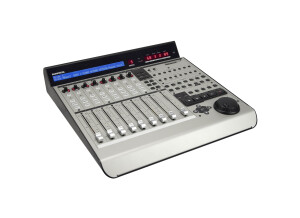
    The Mackie Control Universal is a motorized MIDI based mini control surface, designed for use with your digital audio workstation. It is nice and small and is perfect for controlling your basic functions without having to control everything inside the box. This controller has a single fader, transport buttons like rewind, fast forward, stop, play, and record, as well as options for automation, channel selection, mute, solo, record ready, and pan. It also has buttons for window viewing options and other transport functions. This model is very easy to use and is quite helpful if you are looking to go outside the box and use some actual buttons. It is perfect for those on a budget who don't want to get a full fledged control surface either for price reasons or size. The Mackie Control Universal is easy to move around and is also great for the portable studio. The price of the Mackie Control Universal is probably the best part, as it is aimed at home studio owners more than the professional studio owner. Mackie makes some good products at a cheap prices, and this is another great innovation from the company. While this isn't the most sturdily built piece of equipment, if you treat it right it should last a while. The look of the Mackie Control Universal is pretty nice, with all types of colors and flashing lights that will be sure to impress the clients. Everything is laid out smartly and is easy to find, making it easy to use overall. While I don't always use all of the functions possible on this unit, I find that it is worth it to use for the basic transport and fader options alone. All in all, the Mackie Control Universal is a nice little control surface perfect for home and small recording studio owners. Buy it, you wont be disappointed.

  • FP User's review

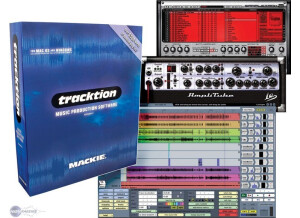
    There's nothing missing that I can tell so far. I can't express how much I truly LOVE, LOVE, LOVE this program!... Price paid 400.00 with the Spike system, much cheaper by itself First of all, I am new to music production. I'm getting in when no one is doing it on a bunch of expensive analog equipment anymore. Aside from using a very simple cassete based 4 track, I have no working knowledge of analog equipment for recording. I am STARTING OUT in hard disk recording and production, and there are only going to be more and more people like me. Not having any past or knowledge in analog recording, I found EVERY multitrack software program out there VERY difficult if not impossible for me to use. You see, they ALL cater to people who have been recording the old fashioned way and devise screens that look like mixing consoles and such, with ultra busy buttons and sliders and sub menus and pop up and pull down menus. I however don't know ANYTHING about BUSSES or AUX SENDS or INSERTS or any of that stuff you find on knob laden analog gear. I've tried Sonar, Magix Samplitude, Pro Tools, etc. and have hated ALL of them because I have no analog recording knowledge. Then, I found this program called TRACKTION, distributed by Mackie. It is a savior for people like myself, those just getting into and starting out in computer based recording. I was able to do things with this program in litterally ten minutes that I STILL haven't been able to figure out how to do in others after using them for over a year. You see, this program is designed from the ground up as a &quot;computer users&quot; program. It operates like a computer program. It doesn't pretend to be an analog mixer, it doesn't have stupid pictures of analog equipment with knobs and stuff, there are no BUSSES and AUX SENDS and other such nonsense that I don't understand. If you have used ANY computer program before, you can use this program. You don't even ever have to have laid eyes on a mixing console before to get recording on this thing!... And all those other programs claim to be &quot;intuitive&quot;! Well if they are &quot;intuitive&quot;, Tracktion is down right &quot;SELF EXPLANATORY&quot;. I ABSOLUTELY LOVE IT!...I no longer feel TOO uneducated in analog recording to do computer based recording!... SUITABILITY/PERFORMANCE Wonderfull sound quality. Great sounding effects. And there is NO limited bit depth! Very stable. 16,24,32 bits, No Problem. OVERALL OPINION I'm ready to marry this thing! Originally posted on FutureProducers.com Posted by: highmarcs ( 3-, 2004)

  • victormelamade's review

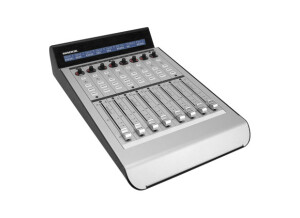
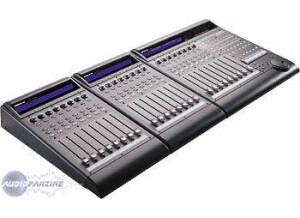
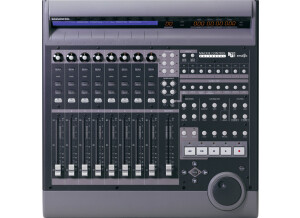
    I have had a few of these things for a few months now. I used to have the original Mackie Control Universal system before it was all upgraded to the Pro versions. The extender Pro version is honestly not all that different from the original version. However, they are physically shaped a little bit different, and it would look very weird to have those disparate units hooked up. I have heard that you can use the old extenders with the new MCU Pro main unit though, if you are on a tight budget. These units do not benefit from the new USB functionality of the main MCU unit. These extenders still have to connect to either your MCU main unit or a MIDI converter box via the usual MIDI cables. The encasement on these is now a very stylish brushed steel, and the LCD screen has been much improved. The faders on this extender are authentic touch sensitive Penny and Giles faders, which are arguably the best motorized faders made today. They are very quiet, unlike the Behringer control surface which is kind of noisy. The pan pots on this are nice, and there are LCD indicators wrapped around it to help you keep in mind where it's positioned. The main LCD screen on the top of the unit will read out the track names you have entered into your sequencer, which is one reason why this Mackie system really beats out the competition. The usefulness of the control surface is severely limited if you have to keep looking up to the screen to figure out what each fader controls. With this surface, it's right there on the LCD readout. It's very solidly built, and is larger than it looks in pictures which is nice. I love this product, it's a great value.