Log in
EN
FR

SeriesMackie Onyx

25 products found

Filter
Sort by
Evaluation
  • Reviewed or not
  • Editor’s award
  • Reviewed by Audiofanzine
Availability
  • Available or not
  • Sold new or used
  • Sold new
  • Sold used
Must-have products
  • All products
  • Flagship products
  • Best rated products
  • Hot products
  • Popular products
Price
  • Freeware
€
Clear
Sort by
  • Popularity
  • User ratings
  • Price - low to high
  • Price - high to low
  • Used price, increasing
  • Used price, decreasing
  • Name (from A to Z)
  • Name (from Z to A)
  • Added on
Sort results
  • Popularity
  • User ratings
  • Price - low to high
  • Price - high to low
  • Used price, increasing
  • Used price, decreasing
  • Name (from A to Z)
  • Name (from Z to A)
  • Added on
Filter results 25 results found
Evaluation
Availability
Must-have products
Price
  • Freeware
Show results

The best Mackie Onyx reviews

The reviews Audiofanzine members found the most helpful.
  • « i love it »

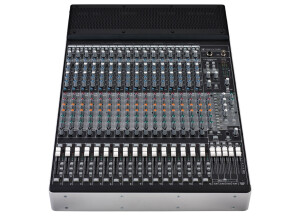
    I have a lot of experience with Mackie mixers over the years. I still own a 1604VLZ Pro that is now 12 years old and still working very well. I had worked some with the previous version of this board, the Onyx 1640 and was impressed with the sound and feature set. But this version takes the whole experience to another level. With the firewire fully integrated into the design of the console, it makes external interfaces unnecessary (love that!) and the fact that you can bring your recorded tracks right up on your faders is just great!. As with the UTILIZATION Onyx 1640 before it, the preamps are squeaky clean and extremely quiet, the Perkins EQ is a very noticeable improvement over the EQ in my VLZ pro (as you would expect). It definitely has better headroom and lower noise overall. The routing is very flexible overall. All 6 Aux sends are Pre-post selectable, there are EQ in/out switches where the VLZ series just had detents on the EQ gain pots, it has a built in talkback mic with provision for an external, phantom powered mic to be plugged in in its place and more. The headphone amp sounds much better too! SOUNDS The Rotopod feature, where you can turn the inputs/outputs end of the console facing up, down or out the back is a great feature. I will be using this to record live music exclusively and I am thrilled that I will no longer have to travel with a 16 channel firewire interface box! About the only thing I wish Mackie had done was to add insert jacks for the subgroups rather than just for the main output. I like being able to compress a group of vocals once in a while. Of course I can simply plug the subgroup outs into my compressors and return the outs of the compressors to one of the dedicated stereo returns or faders if available. Not a big deal, OVERALL OPINION overall. Other than that, to say I am happy with this purchase would be the understatement of the year!

  • FP User's review

    Theres is nothing missing, i have the firewire so it great. I wish i could have bought the one with 4 buss on it, but my budget limited me. It has all you need to record anything. Price paid 1000 UTILIZATION Its very easy to use and the fire wire is plug-n-play so it loaded up smoothly. Also the low latency abilty really helps out when im working on bigger projects. Its very heavy duty can take a bit of a beating. but its my baby so i make sure its says in great shape. SOUNDS I love it everything that comes through it sounds great. The preamps are great! OVERALL OPINION I just love it, i was using an Edriol UR-80 so its a vast improvement as far as recording. I have many more options and have the ability to ugrade other equipment w/o having to worry if its gonna handle it. Great purchase!!!! Originally posted on FutureProducers.com Posted by: J2thaP ( 7-, 2005)

  • « Never Record Without It! Best investment I've ever made for my home studio! »

    The Mackie Onyx 1620 has a total of 16 inputs. Eight of them can be used as either Bal/Unbal line ins or XLR3 microphone inputs. The remaining eight inputs are solely Hi-Z line ins. The inputs run through Onyx microphone preamps(one of the best mic pre's on the market is built into this board!). From there, it is equipped with Perkins E.Q., which is phenomenal. Not only do you have your typical E.Q. controls(high,high mid, low mid, low), but both mid E.Q. sections on each track have an additional frequency control knob. This knob controls the center frequency for the E.Q. filter. Think of it as a frequency selector. Once the desired frequency is found, you can then adjust the volume of said frequency in the usual way. It is equipped with Aux sends and returns that can be used for bussing premixes or effects to or from or through whatever-wherever. Analog tape ouputs, main line outs, main XLR outs, control room line outs, and an optional Firewire card. The Firewire card turns this kick ass analog mixer into a bad ass digital interface. So... What else could you need?... A lamp? just in case it gets dark? Oh wait. It has one. UTILIZATION Set up is always painless. It has no frills to get in the way and is extremely straight forward. With so many output options it is also extremely versatile. The manual is straight to the point and provides diagrams of suggested set ups for most common uses. I've used it in studio for the most part. When used in a live setting, however, it is just as simple. Plug up. Adjust levels and E.Q. Play. That simple. SOUNDS With the detail that can be achieved through the E.Q., everything is easily dialed in. No hissing or "electronic hum" from the unit. The Mic pre is constantly satisfying. With any preamp you sort of have to find it's sweet spot. Once learned, it can easily be reproduced for every occasion. The sweet spot on this one is pretty much everywhere. Dial it up to unity, adjust as needed, but it only takes a couple seconds to reach the perfect gain. Fan-Frikkin-Tastic. OVERALL OPINION This is constantly doing something in my studio. If I am working in my studio, this is undoubtedly being used. Best mixer I've ever owned. I'd highly recommend it to anybody who needs a board for any purpose. This is an older model, however, and I'm sure that the newer Mackie Onyx mixers have upheld the same incredible standard. Try one of those out first. If you can't find one of those within your budget that will suffice for your project, go old skool and find one of these. INCREDIBLE. Pros: -Onyx Mic Preamp -Frequency Selector on the Perkins E.Q. -Incredible versatility with multitudes of output options Cons: -I believe it is discontinued. That means(unless you can buy the mixer and the card together), finding a place to get the Firewire card for this model will be difficult.

  • « Pass »

    The Mackie Onyx Blackjack is a very small interface that is a 2 in and 2 out USB unit. The latency is suppose to be zero but I could hear a very small amount of latency while listening to play back and it was really irritating me. This unit is very inexpensive costing around 150 dollars, if you are a musician that has used some good interfaces. Then this one will not work for you, the preamps are average at best and they are not very quiet. You will hear a small hissing sound from time to time and with the latency during play back makes it unusable to me. I do not recommend getting this interface unless it is your first interface and you are just starting out. UTILIZATION Setting it up was a breeze on a Vista computer, but when trying to install it on a XP system gave me a world full of issues. No matter how many times I installed the driver, it just would not recognize the interface each time. GETTING STARTED The Blackjack does have phantom power but with the pre amps being so bad you just really can only do so much with this interface. The design of it is pretty sleek, and rugged; but if you were to drop it one good time I think the knobs would break off completely because they are made out of cheap plastic. Which is expected because of the price of this unit. When you purchase this interface you will not even get good production software with it. It comes with Tracktion 3 which is not even close to making my top 10 of software production programs. OVERALL OPINION For me there are just too many issues that I could not over look with this interface. It was looking for something small and affordable that I could just throw in my laptop bag and take with me. But the pre amps on this unit are so bad compared to other interfaces that I have used that cost just a little more than this one does.

  • « Mackie Onyx 1620i »

    I work as a hobbyist sound engineer / operator at small-scale theatre, concerts, discoteques. I was looking for an audio mixer with a multitrack recording possibility. A Mackie Onyx 1620i was chosen, due to its highly recommended pre-amps and equalizers. Paid $1300 in a shop. Good faders, good acoustics. 1. Firewire. It kinda works, when you use it properly. This proper use is never described in any paper - presumably, because all the testing is done on Apple computers. And with regards to Firewire, they work rather different (and more stable) than Windows. The trick here is to: (1) keep all your music on the same playlist with the sampling rate, and (2) do not set the mixer as a default audio device (which happens automatically, so you need to set it up as non-default). If you do not follow this, at some point the mixer changes the sampling frequency, and everything begins to sound abnormal. It happens in all audio programs I tried, including the 'native' Mackie Tracktion 3. The only way to restore this is to reboot the mixer. And never, never try to run two audio programs simultaneously - this totally screws up the sampling frequency. There are also two ways of getting the input from the computer - channels 15/16 and control room FW input, routed to the main channel. The volumes of the two approaches differ by 6 dB (there is a 6 dB pad between channel strip and summing bus, not mentioned in the instruction manual). Not a big deal, but beware when you pre-listening. 2. Interference (bleeding). When I have a sound coming from Firewire (perhaps, other inputs too - I didn't test this), I can hear it even though the fader on the channel is at '-INF', and no input is selected in the 'Control room source'. This is valid for all outputs. The approximate level is 57 dB in the phones (in the right channel, less in the left), I didn't measure it on the main output. Mackie claims, their measurement gives 99 dB leakage. Mine is ceratinly larger. Maybe, a device error. Rather disturbing, when you're trying to listen to some details on other channels. 3. Muting and solo. It was only after using the mixer at a concert that I realized, and then found in the manual (yes, it is there, though not in the Muting section, so read carefully), that the MUTE button doesn't actually mute the PRE AUX sends. Hence using PRE AUX for monitors (as Mackie recommends) became a living hell: when I needed to turn a microphone off, I couldn't use the MUTE button, I needed to set its gain to 0. Using POST AUX for monitors is not good enough either, because the fader setup cannot then be changed during the show. Only Control room outputs allow for the needed flexibility, but then - no prelistening or Solo, as I used the PFL Solo for monitors. As an additional feature (or the lack of one), neither MUTE nor SOLO buttons have any indicators. So you need to remember, what you switched off. Guys, if you need to turn the microphones on and off during the show, do not use this mixer! 4. Support. My first email to Mackie is dated 23 October 2010. Their first response came on 3 December, saying that they had email server troubles. Another email came on the 10 December, explaining that their email system was down for 'nearly two weeks', and asking me about OS / DAW details. I replied the same day. The conversation proceeded in almost the same fashion - approximatelly one response in two weeks. Mackie claims this is due to personnel reduction in support. Well, if they have that many support issues - that tells me something about usefullness / quality of their products. Fine Mackie might have a good quality pre-amps and equalizers, but this is not a product yet. A product shall work as advertized (Firewire playback shall play what is there), it shall have well-thought features (like MUTE shall mute, right?) and proper configuration possibilities (where do I set my monitors?). An expensive product from a known company shall anticipate my needs (mute LEDs?), since they presumably have more experience than I do. And, last but not the least, a good company shall have a good support. The God is in the details, they say - well, Mackie is far from it. So for everybody evaluating a Firewire mixer - unless our needs do not overlap at all (you don't need monitors, you don't manipulate with microphones, you don't use solo, etc), Mackie 1620i is not for you. If I had a chance, I'd rather try a Phonic Helix Board 18 FireWire MKII - I don't know about its pre-amps, but it has all the switches and LEDs that I'm missing in Onyx 1620i. <img src="http://www.mackie.com/Products/onyxiseries/photos/Onyx%201620i%20Top.jpg" /> This review was originally published on http://www.musicgearreview.com

  • moosers's review

    The Mackie Onyx-800R is a set of eight microphone preamplifiers. It comes in a single space rack mountable casing and also features digital outputs. Each of the eight preamps has it's own XLR input, with the last two having 1/4" inputs in the front for plugging directly in. In addition to digital outs and ins, it also has optical outs. It can support up to a 192 kHz sampling rate or has support for external word clock syncing. UTILIZATION It's not hard at all to use the Mackie Onyx-800R once it's all set up, which also shouldn't be very difficult. Each of the eight preamps has it's own phantom power, high pass filter, and phase reverse buttons. You can also set each to four different levels of impedance and choose between mic/line for the two preamps where that applies. Lastly, of course each features it's own gain knob as well. The manual should have everything you need to know about the Onyx-800R if you have questions... SOUND QUALITY The sound quality of the Mackie Onyx-800R is a lot better than I was expecting it to be. A lot of these eight in one preamps come off sounding a bit digital and not full enough for my taste, but this one actually sounds quite good. I don't own it but have used it as extra preamps at a producer's home studio where I sometimes work. They're not the first preamps we use, but if we need extra for larger sessions we'll use this. It's not going to sound as good as something from API or higher end preamps, but it's deifnitely good enough to use in smaller home studios or larger ones as extra preamps to have around. OVERALL OPINION For the price I don't think you're going to find too many eight channel preamps like the Mackie Onyx-800R. It's not the cheapest way to get this amount of preamps, but considering the quality, sampling rate options, and digital connections available, it definitely offers up a plethora of options. I wouldn't get this as your primary set of preamps if you're semi-professional or professional, but for it's great as an extra set or a primary set for those who just have a demo/project studio...