Log in
EN
FR

Tascam Computer Music

67 products found

Categories
Series
Filter
Sort by
Tascam
Evaluation
  • Reviewed or not
  • Editor’s award
  • Reviewed by Audiofanzine
Availability
  • Available or not
  • Sold new or used
  • Sold new
  • Sold used
Must-have products
  • All products
  • Flagship products
  • Best rated products
  • Hot products
  • Popular products
Price
  • Freeware
€
Clear
Sort by
  • Popularity
  • User ratings
  • Price - low to high
  • Price - high to low
  • Used price, increasing
  • Used price, decreasing
  • Name (from A to Z)
  • Name (from Z to A)
  • Added on
Choose a series
Sort results
  • Popularity
  • User ratings
  • Price - low to high
  • Price - high to low
  • Used price, increasing
  • Used price, decreasing
  • Name (from A to Z)
  • Name (from Z to A)
  • Added on
Filter results 67 results found
Brands
Evaluation
Availability
Must-have products
Price
  • Freeware
Show results

The best Tascam Computer Music reviews

The reviews Audiofanzine members found the most helpful.
  • « My Baby »

    TASCAM US 2000 - great product and features, even better price. The TASCAM US 2000 is a USB 16 input 4 output analogue to digital converter. This audio interface takes up just a single rack space where others would fill at least 2. With a street price of about $400 USD it's pretty irresistible. The US 2000 was an obvious choice for my needs. I wanted at least 8 pre-amped channels, however my biggest need was more than 2 outputs. When I realized the US 2000 had 6 TRS inputs on the back I knew I had to have it. This gave me the option to pretty much mic up a whole 5 piece rock band into one single rack space unit. Specs: -44.1/48/88.2/96kHz sample rate -16/24 bit rate -20Hz to 20kHz, +/-1dB(MIC IN to MONITOR OUTPUT) frequency response -Signal to noise ratio - 90dB(LINE IN to MONITOR OUTPUT,20kHz LPF + A-weighted) -100ohms -2.4kohms input impedance -Nominal input level of -60dBu(when gain knob is at maximum) -4dBu(when gain knob is at minimum) -Maximum input level of +12dBu -Line inputs have a -10dB +4 dB switch -Mono or stereo switch for each pair of input channels (with exception of digital channels) -Phantom power switch for every 2 pre-amped inputs -16 inputs (8 Pre-amped + 6 TRS line in + 2 S/PDIF) -Tracks 7 & 8 have insert jacks in the back -2 dedicated monitor outputs -4 line outputs (1-2 reflect the monitor outputs) -1 headphone jack on front with dedicated volume knob (100mW+100mW or more (32ohms loaded)) -Monitor & computer output knobs on front -Input monitoring knob -100 LED meter for input and output -USB 2.0 -Cubase LE 5 included -Power - AC100V to 240V, 50/60Hz - 14W consumption -Dimensions - 482.6(W)×44(H)×280(D)mm -Weighs 2.5kg UTILIZATION The US 2000 features 16 inputs, 8 pre's on the front, 6 line in on the back + 2 digital. Competing models tend to only have 8 pre amp inputs, and if you've recorded a drum kit, 8 inputs gets used up pretty quickly. The extra 6 line inputs on the back of the TASCAM US 2000 really come in handy if the drummer decides they want every drum mic'd, AND every other surface in the room. Seriously, 6 extra inputs can really come in handy. They also allow you to bypass the built in preamp by going into the line input. All line inputs have a handy -10 - +4 dB switch, great for hot signals. Each pair of inputs has a stereo switch for stereo recording. Phantom power can be applied to each of the 4 preamp pairs. 4 output heaven. Wow is this useful, and a major selling point. Many other similar interfaces tend to only have 2 output, which are used by the monitor. This limits your routing ability severely. No one wants to have to patch their outputs from their monitors to the piece of outboard gear they want to use. Having a 3rd and 4th output is what sold me on this unit. Not only can I put a track directly into my pieces of outboard gear, I can have 2 independent audio signals routed out while the music is playing in real time. Say I have a drummer and he's the only one who wants to hear the click track, well I can put the click through output 3 and then patch that into his headphone mix without the rest of the band hearing it! Little things like that prove the extra 2 outputs usefulness. In addition to 2 outputs dedicated to your monitors, there are another set of outputs that playback what is going through the monitor output. Think of it as a splitter of your monitor outputs so that you don't have to patch into the monitor output line directly. Lets not forget about the 2 XLR/TRS inputs located on the front of the US 2000. This is really handy to have for the person who doesn't own a patch bay. Gone are the days of maneuvering behind your interface just to plug in a guitar for some late night recording. And with the dual TRS/XLR input jack, won't have to play with a mess of adapters to make your connection. Time to talk latency. The US 2000 allows you to directly monitor within your interface, that's right, no more crashing your DAW just because you want to hear what you are playing. Keep in mind the individual track levels of the input can't be adjusted. In the TASCAM US 2000 control panel for windows you will find latency settings, however on a mac latency is determined by the application being used. The dedicated input monitoring provides no noticeable latency for the user. This is one of my top 5 favourite features of the US 2000. GETTING STARTED I didn't have any compatibility issues when I first got the US 2000. When I later installed Mavericks the US 2000 wouldn't connect. Luckily the hard workers at TASCAM had a Mavericks driver ready to be downloaded, problem solved. Set up itself was very easy. Being on a Mac, I just downloaded the driver, installed it, connected my unit and then turned it on. Just like that I had a new prized interface. Like any manual it will be confusing to someone who doesn't know much about that type of gear. For a seasoned veteran it is well put together and a great reference. The TASCAM US 2000 was about a 8/10 when it comes to ease of use. Any interface is going to have its learning curve, but for the experienced user diving right in won't be a problem. OVERALL OPINION What Bang for the buck. With an average price of about $400, the TASCAM US 2000 was not a hard decision for me. I got 8 preamp inputs, 6 line inputs, 4 outputs with USB all for around $400USB, and it fits all into one rack space. I really like the sound the preamps deliver. Lots of headroom but the amplification doesn't sound forced or thin. The 2 insert connections for channels 7-8 allow you to easily mix in a piece of outboard gear to the top of the input chain. TASCAM didn't sacrifice quality when they started making more affordable models. This is ideal for the compact/mobile recording studio that still wants the options for many inputs without the weight or extra gear/wiring. Your home studio definitely wouldn't suffer with the US 2000's 2 extra independent outputs, you might even make a drummer happy! The TASCAM US 2000 is the perfect fit for someone who wants a reliable, compact recording interface, with options that rival models don't have. Pros: -16 inputs -4 outputs -Input monitoring -Just a single rack space -2 TRS/XLR inputs on front of unit -Cubase LE 5 for those who don't have a DAW -Premium mic pre-amps & converters Cons: -2 more output channels wouldn't hurt! -A firewire version would be awesome

  • « Easy to work with »

    The Tascam US1800 was an interface that I used for a few months in 2011. It connected easily to my computer via USB connection. This unit is rackable taking up one rack space on my desktop workstation. This interface has 16 inputs that you can record with simultaneously and 4 outputs. 14 of the inputs are analog and 8 inputs are for XLR mics and it does provide phantom power. This interface had everything that I needed at the time. UTILIZATION It was easy to set up and start using, it came with a manual that was easy to follow and the disk to load the driver was easy to use, because all I had to do was just put it in my PC and it installed the software then the interface was recognized by Cubase and Pro Tools. GETTING STARTED I liked using it in Pro Tools 10 a lot because that is where I do most of my recording at and instead of paying a lot of money for one of those interfaces that Pro Tools endorses I was able to get the same features but only pay about half that price. OVERALL OPINION This interface is good, and I feel that it is very underrated because no one is talking about using it. The only downside to it was sometimes there would be a latency issue when working with Pro Tools 10 depending on what you are recording and how many tracks you are recording at the same time. You can work around this but sometimes it is very annoying. At first I just thought it was my PC until other users told me about that same problem and it’s mainly because of the USB connection and recording with multiple tracks. This was probably the last USB interface that I have purchase since then I went all to fire wire because I think the speed is much better.

  • « Great portable recording interface! »

    The Tascam US-800 is a great-sounding multichannel recording interface, with eight inputs and six outputs for capturing audio data. Six XLR microphone inputs each have phantom power for using with condenser microphones, and premium 96kHz/24-bit audio converters record every detail. The US-800 includes S/PDIF digital audio in and out as well as MIDI in and out, which is incredibly useful with synthesizer work. The rugged, lightweight package is ideal for mobile or desktop recording, and it really is surprisingly light and portable. UTILIZATION The Tascam US-800 can be used with both Mac systems and PC systems, although there can be some driver troubles with Windows 7, particularly with a 64-bit system. I did get it to work on my 64-bit Windows 7 desktop, but during some initialization, my computer would restart (after seeing a blue screen), which can be very disturbing. But Tascam may have ironed out the drivers by now (my unit was 6 months old). It is odd, because I've owned older Tascam audio interfaces that work great with Windows 7, yet the newer US-800 has it's flaws. So your mileage may vary, be sure to test out the unit first on your system, or read about compatibility on forums. GETTING STARTED Generally, the Tascam US-800 is fairly easy to set up. Just plug in the usb cable, plug in the power supply, and you are good to go. The knobs and controls on the unit are pretty self-explanatory, and there is a mini software mixer that comes with the drivers. You can actually use the US-800 as a realtime mixer, without recording anything. There are actually two headphone inputs on the front for both 1/8 inch and 1/4 inch connectors, which is interesting. They both are the same port, and usually I would just use a simple adapter for my 1/8 inch headphones, but I'm not complaining. OVERALL OPINION Overall, the Tascam US-800 is a great, portable recording unit, with MIDI inputs and outputs to boot. Great for portable laptop systems, when you need to record more than a couple channels!

  • « I really like it »

    The Tascam US 1641 was the first audio interface I bought when I wanted to get into digital recording with my computer. I was running it with a Hewlett Packard lap top with a 3 Ghz processor and 2 GB of RAM and using Cubase SX as a sequencer. It has eight XLR input based pre amplifiers and then has eight more ADAT inputs and outputs and also has a AES/EBU connections. UTILIZATION Setting up the US 1641 was quick and painless. I had no compatibility issues and was able to have the unit up and running with my machine within minutes. The general configuration of the unit is simple and easy to follow, which makes it easy to manipulate and to learn what everything does. The manual is complete and through and is useful when setting up and using this audio interface. GETTING STARTED I ran the US 1641 with Cubase SX without any problems. The drivers were stable and are updated pretty often. I was able to record without any latency, as this machine does all of its processing within the unit, freeing up space on my computer. I was able to record at least ten tracks at once, sometimes more, which has more to do with my computer I think, but being as fast as this interface is, it definitely helps to run everything quickly and smoothly. OVERALL OPINION I bought the US 1641 about four years ago, but I have since switched to a Pro Tools based system with a different audio interface. The reason I switched had nothing to do with this unit, as I think this is better than the audio interface I have now - a Digidesign Digi 002 rack version. The reason I switched was simply because I need to run Pro Tools. If you don't use Pro Tools, this is one of the best home studio audio interfaces you can get. The preamps aren't the best sounding, but are definitely usable and will get a pretty clean sound. One of my favorite parts about this is the metering, as it is extremely clear and looks great! This interface worked great for me while I had it, and if I could run Pro Tools with it, I would still have it. Highly recommended for those looking to put together a computer based home studio with an audio interface like this one.

  • moosers's review

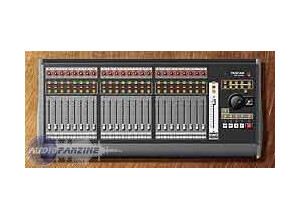
    The Tascam US 2400 is a MIDI based control surface designed for use with various digital audio workspaces. While it looks like a console, it merely controls what you would control inside of the box with a sequencer. This is helpful for those who want the feel of real faders and knobs but don't have a real console. I believe the US 2400 is compatible with just about any type of DAW, but I have used it primarily with Cubase SX. While this unit is a bit big for smaller or home studios, it is nice to have 24 faders and channel strips to control any and all tracks you might have within your sequencer. If 24 is not enough you can shuffle between whatever tracks you would like to control. Each virtual channel has a fader, as well as buttons for mute, solo, and record ready. Each also has a knob on top that is programmable. On the right side of the controller, there are transport buttons like play and record, as well as a master fader and a number of buttons to control various options, some of which are programmable. The overall look of the US 2400 is nicely laid out, which makes everything easy to access and even easier to understand. Learning this control surface is quick, and its capabilities are wide. A lot of us out there don't always like controlling our DAWs with our mouse, and the Tascam US 2400 can make that a thing of the past. While this is bigger than other control surfaces like the Mackie HUI or the Digidesign Command 8, it doesn't get as in depth in terms of what you can control as these other options. For me, this is fine as I prefer to control a lot of things in the box, and the US 2400 covers all the ends that I would like to control outside of my DAW. The price of the US 2400 is quite reasonable, and is a lot cheaper than you might think. Overall, I highly recommend the Tascam US 2400 for home studio owners looking to get a control surface of this nature.

  • « Great for beginners - lots of I/O »

    I've owned this interface for two years now. Previously I had my first Focusrite 8i6 which I upgraded for more imputs. At the time I wasn't even an audio student, just a hobby musician. Bought this interface when I started studying looking for something that would let me mic a drum set. Imagine my surprise when I found out this is the ONLY interface that offers 16 real imputs. No ADAT, SPDIF, etc. I've since used it to mic entire bands with low latency. Multiple outs allow you to set up different mixes other than the stereo out (which has one headphone out). The pres aren't that great. After 3 o'clock there begins to appear heareable white noise. This usually isn't a problem, but beware of SM57s that require a bit more drive. It has 2 instrument imputs with regulable gain, so it's like it had 10 pres for me. The 6 line imputs can be pushed using the DSP compressor's makeup, or you could simply connect more pres. So, hardware-wise, this interface is one of the best. On the software end, things were buggy at first. As many early reviews said, this thing was unstable on 2016. Ever since, Tascam released new drivers that work fine with Windows 10. If you want to make it work, it will work. I've used it with Nuendo, Cubase, WaveLab, Pro Tools 10 and 12. No issues there. Between this one and Focusrite, I think Focusrite has better drivers with lower latency. At 44khz, US 16x08 has huge latency settings. 10ms in and 4ms out at 128kbps. So you may consider using it at higher sample rates if you want DAW monitoring. It has DSP monitoring with virtually no latency at all, but then you don't hear any plugins you may have added. Don't let this turn you down. Pres and latency are a problem at almost everything in this price range, so between this one and other brands, I'd stick to US 16x08 for the I/O. With it you can really learn how to mic a drum set, record a full band, try M/S configs, all of it with no problems at 96khz/24bit. By the time you begin to really hear what's "wrong" with Tascam 16x08, you will be ready to move on to a higher quality interface like Audient, RME, UAD. These units move in a different price range and have better converters, pres, drivers, etc. and are just what you may need for a more proffesional home studio down the future. I've upgraded to an Audient ID44, so only 4 analog ins for me now. I don't miss US 16x08 because I've moved on from my initial "want to record everything" need, I may get more imputs with an outboard octopre in the future just to get that feel again though. Conclusion: A great interface for audio beginners, students, and just people with lots of I/O needs.

  • « Good quality for the cost, great for demos! »

    I bought the Tascam US-122 looking for an affordable audio interface to record demos of my songs, and I wasn't disappointed! Since it's powered via USB, it's very useful for anyone who works on a laptop, light and portable. It has two phantom-powered mic inputs and two line-level inputs, so if what you need is to record a single source or a guitar and a microphone the US-122 will get the job done. UTILIZATION I work on Logic Pro mostly, and I did find some issues regarding the interface's compatibility. I had to download the drivers and although they were compatible with Apple Core Audio sometimes the software would not recognize the US-122 so I had to unplug it and set up again, but that would fix the problem most of the time. Also I had some minor latency issues, however as I said before, those were probably happening because of the lack of compatibility with the software I used. GETTING STARTED The configuration is very simple, after the installation you can start recording right away. All the typical functions are at hand. I stated above some of the compatibility issues that I had with the Tascam US-122. OVERALL OPINION This was the first audio interface I bought. Since at the time what I wanted from this audio interface was just recording demos, I found it very useful for that purpose and I'm happy with the work I did with it; however if you want to do audio work that requires great quality this would not be my choice. The Tascam US-122 is great for beginners, mobile recording systems and hobbyist musicians, etc. I still believe that it is a great interface to begin with. It's easy to use and affordable. But if you are serious about producing music with professional audio quality you should consider upgrading.

  • « I really loved this interface and the sound it gave me, but I had so many driver issues with it »

    The Tascam US 600 is a well designed 6 in and 4 out interface that works via USB 2.0 with a computer. This interface has one of the cleanest looks and designs that I have seen in a long time. It looks great on a desktop work surface and it doesn’t take up much room. There are LED meters on each input to show signals and overloads, also there are plenty of versatile connections for any set up with 4 XLR/TRS and 2 unbalanced RCS outputs. The XLR inputs have phantom power (preamps) and they are very quiet and clean, they do not color the sound at all. UTILIZATION They only issue that I have run into with this interface is the drivers didn’t seem to appear very stable form time to time. I was using this interface back in 2011 so I am not sure if they have fixed the issues yet but on Vista and even when I got Windows 7 I would get so many errors with this interface and it almost made it unusable at times. But when it did work I loved it, but you just never knew when it was going to fail on you. GETTING STARTED Getting started was simple, and a manual was not needed. OVERALL OPINION There were times that it would have a driver error in the middle of a project and would force me to shut down and I would lose everything that I just recorded. When I contacted Tascam about this they said it had to be something wrong with my system but I didn’t believe that was true because it was a newer laptop and I didn’t have any issues with another interface that I had. I eventually had to return this interface and get something else, but I really didn’t want to because I loved the preamps and looks of the US 600. But it became a paper weight to me because of the driver issues, I had no choice but to get something else.

  • « Clean sounding preamps »

    The Tascam US 122MKII is a USB 2 channel interface. It has switchable phantom power right on it. There are two XLR inputs for mics and 2 low noise microphone preamps. It comes with Cubase LE 4 and works great with multiple DAW software programs so you do not have to use it with Cubase LE if you do not want to. UTILIZATION This interface was pretty easy to set up, the preamps are quiet and have headroom. On Mac operating systems is where I ran into some issues with it. I had a fast processor and I was running a newer version of Macs OS X but for some reason it would not recognize it all of the time. It only would about 50 percent of the time and I would have to unplug and plug it back in for it to recognize it. GETTING STARTED On my Windows computer running XP 32 bit service pack 3 it ran smoothly every single time. I have even run it on a Vista system before and it never had any issues. OVERALL OPINION This interface gets its power from the computers USB port and it is very lightweight making it portable. There are MIDI ins and MIDI out 5 min connections. The sampling rat is 44.1 48 kHz, 88.2 and 96kHz. This interface did come with a manual (book) and I also had a PDF manual for it as well but never really needed to look at it. If you are a Mac user, I would not recommend this interface because there are some compatibly issues that can arise. Windows users will love this interface and the preamps in any software they choose to use it with. This interface was pretty solid and could withstand a lot of use, the side panels where made of aluminum and it never let me down. I recommend it (to Windows users).

  • « Tascam Us-122 ( horrible choice to consider) »

    When i first purchased the Tascam US-122, I was expecting it to work extremely well with my computer which is running windows 7. The price of the product attracted my attention as it looked like a solid mic pre-amp for my home studio recordings. UTILIZATION The tascam US-122 is compatible with almost every single daw the industry has to offer. It allows you to record to Mono channel condensor mics and it also includes Phantom power. THe product also offers jacks for you to plug in your guitar. I found that the customer support was horrible for this device. GETTING STARTED There was one major issue that i found with this product and that was regarding a static noise coming through my speakrers through direct monitoring through the interface itself. I thought that my computer was too slow but i was wrong. I did some research on the internet and i realized that it seems to be a latency issue with the product. Not just my interface but many other simliar models of Tascam have simliar problems. I believe this to be a compatibility issue. OVERALL OPINION THe recording quality this product offers is superb but the static noice that you get in your headphones through direct monitoring gets very annoying. I would not recommend anyone to buy this and would recommend them to buy either an m-audio interface or a steinberg interface as an alternative

  • « Compact and works great »

    The Tascam FireOne is a very small and compact device that can be moved from computer to computer quickly and easily. The best thing about this interface is that I didn’t have to install anything while I was using it a few years ago. Any one of my computers that I plugged it in, it worked right away without any driver installations, which was weird but I was happy it was like that because it saved me a lot of time. UTILIZATION There was no set up at all for me, it was plug and play. This little device as two microphone inputs and two main outs as well. I didn’t expect that when I was reading up on the product online before purchasing it from the website. Once you purchase the FireOne (if you buy it new) you will also receive a copy of Live Lite 6 the Tascam edition. Which is basically a recording interface or a DAW, but I wouldn’t use that software because I am comfortable with the software that we already use. But just in case you need something to record with, it comes with it. GETTING STARTED I had zero compatibility issues with the FireOne nor did I have any issues with using it in Cubase and in Acid Pro. It synced right up and was recognized and worked immediately. It does come with a very thin small manual but you wont need it at all. OVERALL OPINION Best part about the Fire One is that it is small and compact , but at the same time it still gives you two inputs for microphones. Yes, it is a very good small interface, but I feel it is a little overpriced because there are other interfaces that can do the same thing and have the same specs as the FireOne and they are about 50 dollars cheaper. But, its worth the buy. It will do exactly what you need it to do and its easy to pack up and take with you.

  • « Tascam US-224 »

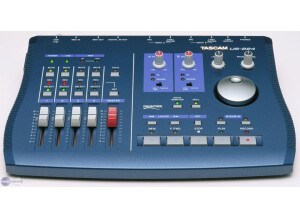
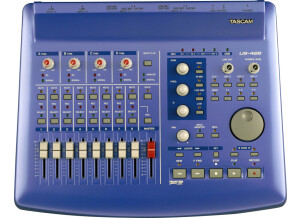
    I purchased this unit lightly used from eBay, for $180 (US.) I think the US-224 is a great beginner's audio interface. My install was a breeze, I had the unit running in 10 minutes. The manual is straightforward and accurate. The unit is very pleasant to look at, complimenting my small apartment studio's looks. I wish the XLR inputs had phantom power, like the US-122 does. The included software (Cubasis VST) is limited, but a decent program. The construction seems durable, this unit is definitely suited for light traveling..a perfect companion for a laptop user to record (from either a stero Mic setup or from a board.) This is a great unit, very attractive and feature-filled for the price. However, after doing some post-purchase research, I probably would have waited to purchase the US-428, the expanded version of this interface. Overall, I reccomend purchasing one if you are new to computer recording, and want to get material into your computer as soon as possible. A-/B+ This review was originally published on http://www.musicgearreview.com