Log in
EN
FR

MOTU

139 products found

Categories
Series
Filter
Sort by
Evaluation
  • Reviewed or not
  • Editor’s award
  • Reviewed by Audiofanzine
Availability
  • Available or not
  • Sold new or used
  • Sold new
  • Sold used
Must-have products
  • All products
  • Flagship products
  • Best rated products
  • Hot products
  • Popular products
Price
  • Freeware
€
Clear
Sort by
  • Popularity
  • User ratings
  • Price - low to high
  • Price - high to low
  • Used price, increasing
  • Used price, decreasing
  • Name (from A to Z)
  • Name (from Z to A)
  • Added on
Sort results
  • Popularity
  • User ratings
  • Price - low to high
  • Price - high to low
  • Used price, increasing
  • Used price, decreasing
  • Name (from A to Z)
  • Name (from Z to A)
  • Added on
Filter results 139 results found
Evaluation
Availability
Must-have products
Price
  • Freeware
Show results

The best MOTU reviews

The reviews Audiofanzine members found the most helpful.
  • « One of those things that wouldn't hurt to have in the studio. »

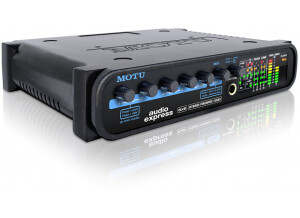
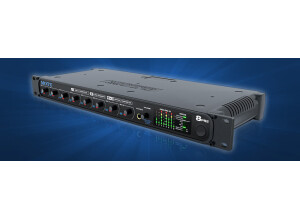
    It's not at the top of my list, but it's no where near the bottom. It was obtained in a bundle deal and it pays for itself every time I use it. I probably wouldn't have bought one, and it would have been a shame. This thing is reliable and sounds great. USB is great but I always feel more confident with Firewire (not to mention you then have the ability to daisy chain). This audio interface would be a great addition to any studio, professional to bedroom. Specs: -8 Pre-amped inputs -2 Main outputs -8 ADAT inputs/outputs -Dedicated phantom power & -20dB pad for each pre-amp channel -MIDI I/O -Firewire -8 LED input meters -XLR/TRS jacks on back -Up to 96kHz & 24-bit -Headphone jack on front for monitoring -A single button/dial to control headphone monitoring and main outputs -Single rack space UTILIZATION Great for tracking up to 8 channels at once! But don't worry, it's just as good when you are only tracking 1 channel too. And being a firewire device, you will have one less USB slot filled. I mainly use this with Pro Tools 10, but it works great with almost any other DAW. Some units don't have input meters on the front, and you don't have to use those units! The Motu 8 Pre has brilliant LED input meters (complete with green, yellow and red). With a quick response, the 8 Pre is a serious workhorse. Don't be afraid to run it hard, unlike cheap USB audio interfaces, this one won't crumble under the pressure. The Motu 8 Pre features onboard SMPTE time code synchronization. Time code is generated by the 8 Pre and can be sent to analogue devices. Included is the MOTU SMPTE Console software. This allows the user to strip, regenerate or slave other devices to your computer. Latency seems to be no issue for the Motu 8 Pre. CueMix DSP helps create different output and headphone mixes. You can also add send/return loops for your outboard gear with no noticeable latency. This thing is NOT a burden in any way. It will only take up a single spot on your rack where comparable others can take up many. It's solid design not only feels great to the touch, but it makes me feel a lot more confident when moving it around. If you aren't seriously considering the 8 Pre yet, lets look at a much under appreciated feature: dual XLR/TRS inputs. Cabling and be pricey, and there is nothing worse than buying a new piece of gear and realizing you don't have the right cabling for it. Similar units only have XLR inputs, this is not a bad thing but what if you are going straight into a TRS patch bay. Now you are going to have to order some TRS to XLR cables for the short trip to the patch bay, but not with the Motu 8 Pre. GETTING STARTED I bought the unit second hand so I'm not sure what it comes with (they didn't even provide the power cable!! Savages). However Motu's website has all the documentation that came with the unit. Motu.com also has all necessary drivers and software that you will need to run the 8 Pre. The 1 button output/headphone control can be a bit confusing at first (especially if you didn't get a manual). But all things considered, this unit is very easy to jump right into. You shouldn't have any compatibility issues with this unit. OVERALL OPINION I liked the sound of the pre amps the best. The gain stage is gentle but can provide a serious boost towards the end. This is one of those analogue to digital converters that sounds more like an all analogue piece. Motu really did a great job with this unit, it in no way sounds like a cheap piece of gear. This was bought in a package with a bunch of other gear so I can't comment on the value for price. The average new price seems to be floating around $500-600ish (depending on generation). Knowing what I know now I would have bought the unit. I'll admit that I wouldn't have bought the unit in the first place if it didn't come in a package deal, but I'm sure glad I've got it. Pro's: -8 Pre-amp inputs with dedicated -20dB pad & phantom power -Firewire unit -1 rack space -Really good sound that almost mimics analogue sound Con's: -Only 2 outputs (really a drag and is what holds me back from giving a near perfect score) -Headphone monitoring and main outputs are on the same button/dial -LED's can be really bright in the dark

  • « It's a bombshell! »

    - Which technical specifications motivated your choice? The overall MOTU quality but, especially, the quality of the interface's converters. - What's your setup (motherboard, CPU, RAM, hard drive,...)? Mac pro xeon 64bits, protools 9 USE It's stable, no particular problems. OPERATION Easy installation (if you plan to use your card at long distances, don't mistake the audiowire cable with a simple firewire one, otherwise you risk having problems. You can find a 9ft or 15ft long cable in their store, but whatever you do, don't use a common firewire cable, because the cabling is not the same). You obviously need the pci card that comes with it and also note that this interface has no monitoring section to manage the signal that goes to the monitors (you'll need something like the Presonus Central station or similar). OVERALL OPINION It'll soon be two years since I have it, I previously had a digi 003. Better quality of the converters!!!!! The quality of the AD and DA converters is jaw-dropping. The recordings sound incredible and the sound coming out of the speakers has another dimension. The lows are much more cutting and precise, and everything is much clearer and differentiated. - No real cons, except for the fan, which is noisy (I changed it for a more silent one and it's a real treat). The HD192 is a killer soundcard, I won't be changing it any time soon. I would buy it again (especially given its price!) with my eyes closed and open ears!!!!!

  • « I wouldn't take it for anything in the world »

    Which technical specifications motivated your choice? Small, portable, MOTU, Enough for a beginning. What do you use it for? To record condenser MICs, analog and modular synthezisers and DAW. What's your setup (motherboard, CPU, RAM, hard drive,...)? I have a badass monster I put together and optimized myself, I work with computers... Do you use it with other instruments or systems (mixing console, preamp, DtD, ...) and what's your setup? ... Focal monitors, Cordial cable, DJTT USB cable. UTILIZATION Are the drivers stable? No Are they up to date? No Which software do you use? Ableton Live What's the latency of your system? It's useless to do automation with Ableton's Curve without having a buffer of 512 Samples; no problems with my motherboard's built-in soundcard using MME DirectX... How many tracks can you record/playback simultaneously ? ... I have never counted, because it depends on the gear you use on each track, but with a CPU-resource consumption above 40% it produces glitches, clicks and pops. GETTING STARTED Did you have any problems during the installation? Plug and Play ( ...or rather Plug and Do Your Head In) Did you have any incompatibility problems? Yes Is the overall configuration complicated? You can get easily lost with the strange options... Is the user's manual clear and comprehensive? ... Yes OVERALL OPINION How long have you been using it? Which feature do you like the most / the least? The most: The tools are great, Oscilloscope, Tuner, FFT Analyzer, etc. The least: The included USB cable is completely useless, it only makes the soundcard restart all the time. USB female connector of dubious quality. Latency, CPU consumption, it's horrible, glitches, clicks and pops without end. The card simply can't be used with a buffer below 512 (and I'm talking about a 4.8 Ghz PC with the best components inside, and I won't to tell you how it did with my laptop...) Live's Automation works poorly or not at all in "Curve" mode if the buffer isn't set to 512 samples in Live, but I have no problems with Directx/MME and a built-in soundcard. Did you try any other models before buying this one? No How would you rate its value for money? It's worthless, frankly, not even free is it a good option. Based on your experience, would you buy this product again? ... Right now, if I were to find one lying on the street inside its box I would throw it directly into the first garbage can I'd found. A final word: I must warn all Windows users to run from the brand, which is just worse as time goes by, the drivers aren't stable, the USB connector and the USB cable included are of very bad quality. The overall operation is deplorable. Bottom line, unless your idea of making music is racking your brains every time, don't even think about it. I had heard lots of good things about this brand when I started out but, to be true, I don't know where that reputation comes from. In short, it's lousy.

  • « control it from an iPad »

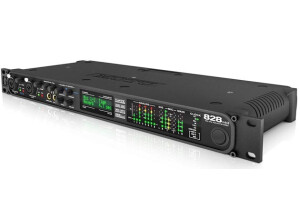
    The MOTU 828mk3 Hybrid is a interface that has 2 mic preamps and 8 TRS inputs with 8 TRS outputs. This interface can work either with USB or Firewire which is a huge plus for me, being able to have the option to work with either Firewire or USB connection is a nice option to have when it comes to this type of interface because not all systems/computers have a Firewire connection. I have used this interface on 2 different computers in the past one with USB and one with Firewire. UTILIZATION I was also able to use CueMix (the software that comes with it) with my iPad via an app that can be downloaded from the App store. I pretty much had full control over this interface via the iPad as long as there was a WiFi network available to use. This came in handy because I didn’t have to keep going and grabbing my computer mouse each and every time I wanted to adjust some volumes and that was a lot easier than having to run to the computer from the other side of the room. The iPad app was a huge plus for MOTU with this interface and it is a huge selling point. GETTING STARTED The preamps sound pretty good, but I wish they were a little more “natural”. They do have a tendency on certain microphones to lightly color the sound a little bit. It was hardly noticeable to me but I could still tell. This interface does not get its power from USB connection and needs to be plugged into a wall. OVERALL OPINION But it looks great in my rack and I have been using it for a while now. It is pretty much still being used as one of the main interfaces in my personal studio and has been for some time now. I have plenty of outputs and cool features with this interface. It just depends on which microphone I use with it.

  • « vs Pro Tools »

    MOTU Digital Performer 7 was easy to install, it was quick and simple. This was one of the first programs that purchased with my new MacBook last year. I cannot really compare this to Pro Tools because Pro Tools seems to be a little more standard and no matter where you go there is a copy of Pro Tools running. That is not the case with the Digital Performer 7, going into other studios and wanting to open up a project file from MOTU just would not cut it for me, even though you can save a Pro Tools file on the Digital Performer 7. So I would still end up bouncing out tracks in WAV format to my Pro Tools set up so that I could have my session anywhere. Pro Tools was a little easier to get the hang of than Digital Performer 7 was, but that could be my bias opinion because I have been working with Pro Tools for so long maybe it was hard for me to accept another DAW for my Mac. SUITABILITY/PERFORMANCE Trying to save projects in the Digital Performer 7 and open them up in Pro Tools was easy, but I just did not like it at all and plus a lot of plug-ins that are in MOTU are not in Pro Tools so you will be missing key plug-ins. OVERALL OPINION There is no doubt that this program is great, and it is next in line behind Pro Tools. But I recommend keeping your MOTU files all in this program, and not even messing with putting them in Pro Tools. I have even had corrupted files when trying to work back and forth between Performer 7 and Pro Tools. It ended up being a huge headache for me. But when just working with Performer 7, you can achieve the same things you can achieve in Pro Tools. It really comes down to a choice of personal preference, or you can deal with the headache of using both together.

  • « Can be used as a mixer too! »

    I have used the MOTU Express a few times over the last few months while working a special project for a local band. It can be used as a standalone mixer as well as an interface, I feel that feature is great for a device in this price range. MOTU has made many great interfaces and I have use a lot of them but this one is suppose to be one of the lower end ones that they make but by the quality of it, you really cannot tell that it is not one of the better ones that they make. UTILIZATION I didn’t have to set this interface up because all of that was already taken care of but opening it up in Pro Tools and working with it was very quick and easy. All of the ins and outs are on the back of this interface which at the studio I was using it at was a hassle because I had to keep switching cables in and out. But the mixer that is built into it is very good and I feel it is the best feature that it has. Many other interfaces that are even close to this price range will not work as a standalone mixer. GETTING STARTED The preamps are not bad but they do add a little color to the sound. They also had a footswitch connected to it for punching in and punching out with. It was one of the first times that I have used a footswitch to control those functions and I have grown to love it. They also had another interface working with it for more ins and outs, so it is also expandable. There really isn’t anything not too like about this interface. OVERALL OPINION Also, like some of the other MOTU interfaces you can use this one with an iPad as well which was a pleasant surprise being that this is one of the “watered down” interfaces that they make. But really this interface feels just as good as some of the higher end ones that they make. The only main difference is that the preamps do not sound as clean as the higher end interfaces that they make.

  • « 6 in 6 out and its compact »

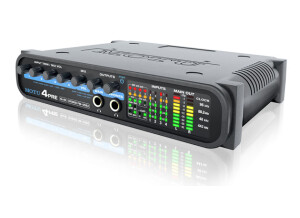
    The MOTU 4 is a 6 channel interface that can connect to your computer with firewire or USB connections. It comes with software called AudioDesk, which is not very good and I do not recommend using it unless you are an absolute beginner. The preamps on the MOTU 4 are very crisp, they are transparent and they will give you a very natural and warm tone without any distortion. It has 2 separate headphone outs so 2 different people can monitor at the same time which is very convenient for some set ups. This interface can not be racked and must sit on your desktop. It is pretty small and compact so it will not take up much of your workspace. You can easily throw it in your book bag and take it with you wherever you go to record at. UTILIZATION Setting this interface up is plug and play, all you have to do is load your drivers and open up your DAW to set it up. It is quick and only takes a few minutes. There have not been any issues with the drivers on this interface, and I have not received any updates from MOTU yet for this interface. GETTING STARTED I have used this interface with about 6 different mics some of the microphones sound great and some not so good. Mainly the microphones that cost a good bit of money sound great and the bad ones have too much “noise” for me. OVERALL OPINION If you need to record up to 6 tracks simultaneously and still want a compact interface that can work with firewire or USB then this interface is the perfect fit. It is rugged and built to last, portable and affordable. I would take this interface over any of the interfaces in this price range knowing what I know now. I wish that I used this interface when it first came out, it would have saved me from going through a bunch of other interfaces and wasting money.

  • « Very well built unit »

    This Fire Wire interface was used to replace our PCI set up that we had. It was a lot easy to use and better for use to use this interface than use the one we were using. The MOTU 896 changed a lot of my views on Fire Wire interfaces, at first I was not really liking them because was use to using the regular PCI interfaces. The MOTU 896 is a pretty big unit and will take up 2 rack spaces. But it does support sample rates up to 96 kHz with 24 Bits. Also you can use your FireWire to “daisy chain” one 896 to another one if you need more inputs for your recordings. The MOTU 896 seems to be a monster when it comes to microphone plug ins and usability. The 896 is the upgraded version of the 828, which came out in the 90’s if I am correct and the 896 came out in around 2001-2002. The unit itself is very well build and is made to take a massive beating. I don’t see this thing every failing on anyone because of its size and well built framing. Keep aware that its not portable at all, so you will need to live it in the rack space. it’s a pretty permanent interface. UTILIZATION I have used the 896 by MOTU on my computer running over 300Mhz and had no problem, syncing and hooking up the interface to your computer couldn’t be any easier. Latency is almost zero and I have used this in almost any software you can think of that was out in the early 2000’s. Most machines just aren't built like this anymore. GETTING STARTED No compatibility issues and it worked great. I wish all gear now a days was as well built as it use to be. When we had this the manual was not our concern. I don’t even remember seeing one now that I look back. OVERALL OPINION Overall, I haven’t seen many interfaces that are as well built as the MOTU 896 was back in 2002. I was very confident that the unit could last a lifetime. We sold ours, but I am sure whoever got it is probably still using it. One of a kind interface!

  • moosers's review

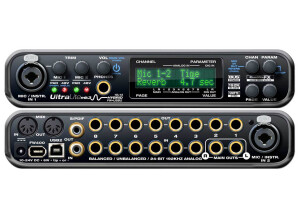
    The MOTU UltraLite is a 14 x 10 audio and MIDI interface designed for the home studio DAW that will support up to 96 kHz. For such a little unit, it’s actually got a good amount of versatility and options. It’s a firewire based unit, consisting of two ports. There are two microphone preamps, each of which have dual ¼”/XLR jacks and trim knobs, built in phantom power, and a pad for each as well. As far as other connections go, it has six other ¼” inputs, eight ¼” outputs to correspond with each of the inputs, and ¼” main stereo outputs for sending your sound to your monitors. It also has a MIDI input and output and the same for S/PDIF as well. There’s also a ¼” jack for a headphone input and metering is done with the LED screen on the front panel. It’s powered by either your computer via bus power, or with a nine volt power supply. The MOTU UltraLite isn’t rack mountable, as it’s meant to be as portable as possible. UTILIZATION As long as you understand the characteristics and features involved here, you’re going to be able to operate the MOTU UltraLite without any issues. Everything is pretty straight forward and direct once you understand all of the connections and features here. Of course if this is your first audio interface, you might want to have the manual around to help you understand all of the basic components here. GETTING STARTED The MOTU UltraLite is overall a very clean sounding unit, from the preamps to the overall playback quality through the converters. Especially considering that this is meant for portability, the sound is quite sparkling clean. The preamps aren’t necessarily the best sounding in the world, but they do have a decent amount of depth to them and will definitely get the job done for remote recording or for work in a smaller home studio. OVERALL OPINION As far as small/portable audio interfaces go, the MOTU UltraLite has as much flexibility crammed on this little unit as any I’ve used before. It will definitely work in your home studio if you want a little audio interface to run your DAW on, but I think it would work best as a supplemental unit for recording on the go. I don’t own this audio interface myself, but a friend of mine has it for his home studio and uses it all the time for recording on the go, which is really a great thing to be able to do. MOTU has some great audio interfaces in all different price ranges and for different purposes, so if the UltraLite doesn’t do it for you, definitely check out the others that they have to offer.

  • moosers's review

    The MOTU ZBox is a simple device designed to maintain the signal from your guitar to your audio interface. It is for use in situations where you would not be using any amplifier. The unit is very simple in make up, with the 1/4" outputs for lo-Z and hi-Z as well as a 1/4" male cable to plug into your guitar. This isn't rack mountable in any form as it is a box. Setting up the MOTU ZBox is incredibly simple and should present no problems at all to anyone. Honestly, everything about this should be self explanatory from just looking at it as there isn't anything strange or out of the ordinary here that you would need to know about before hand. Once you've set it up, you're good to go and don't need to do anything further. A manual isn't necessary unless you're having a technical issue. I don't find myself in too many situations where I would need something like the MOTU ZBox, as I tend to always use a guitar amplifier to get my guitar tones, so this isn't a product that I own or that I'm looking to own. However, I have used it in the studio for use with amp modeling software, mostly just out of curiosity to see what types of sounds that I could get at a friends small home set up. The ZBox or something like it is definitely something you need to have if you're going to be plugging in direct and don't have any mic preamps. The ZBox will get the job done, but no better than any interface would do, so I would imagine however that most studio owners wouldn't have a need for this. I can only see the MOTU ZBox coming in handy for the guitar player who wants to integrate his or her playing into the digital world but doesn't have an interface or any sort of studio set up. For these users, the ZBox will get the job done at a reasonable price, but I would really encourage you to check out full blown audio interfaces, as they are quite inexpensive and offer up a whole lot more versatility and possible than this would...

  • peepsaudio's review

    I got this a while back because I wanted to upgrade my converter at home and simplify my setup a bit. This converter does those things very well and more, there are a lot of features in this thing that you might not realize. I use it as a preamp, converter, monitor mixer, and for FX on the monitor mix - all in one rack space. This thing is basically great. I'm running a PC setup with Nuendo, Dual Core processing, and 4GB of ram. This connects with firewire though and the processing is done in its own hardware, so your computer doesn't affect its performance really. I use it for microphones and also with DI instruments. UTILIZATION Installing this is a cinch. It's firewire, so you don't need to crack open your computer case or anything. You really only need to worry about three things: Install your drivers from the CD they give you (though you should check on their website for updates), plug in the power cord, and plug the firewire cable that is provided into your computer. If you have a second soundcard or internal sound in your computer, you will likely have to tell your host which one to use - but other than that setup is very easy. I have no compatibility issues. They have a great manual which is worth reading to get the most out of this box - it's pretty think but they have the same information in many languages. GETTING STARTED The drivers are updated whenever bugs are discovered as far as I can tell, so no problems there on my system running Nuendo. One of the best things about it is that you can monitor with zero latency. The driver disc has CueMix software which lets you make your own monitor mixes out of the inputs that come directly from the unit itself for zero latency. On top of that, it has built in FX processors so if you wanted say some reverb on a vocal recording, you can do that with just this one box. Pretty awesome. For audio recording purposes, you can get 8 simultaneous inputs, but one of the drawbacks is that that is mostly 1/4" inputs - you only have 2 XLR spots so if you're recording a live band you'll want to have some XLR to 1/4" cables. OVERALL OPINION I've been using this for a couple years now. I love the versatility and the amount of processes this thing can handle by itself, it makes recording much easier and more streamlined for me. I've used a variety of converters, and while the pres and A/D don't sound like they cost $20,000 - for a home studio they are more than enough. You are getting a great deal for the cost - this would have been unheard of 10, 15 years ago. I'd get it again, I love this thing.

  • « Excellent interface with a tiny quirk »

    In my setup, the MicroLite works in conjunction with an UltraLite hybrid and two Roland A880 patchbays in a rather elaborate MIDI setup. All USB gear, the MicroLite included, is connected to my MacBook Pro via a TPLink USB hub and I run Ableton Live v10. The half-width rack size is quite conventient for me, as the module stacks neatly on top of my other MOTU unit. They could also be connected side-by-side with adapters that come with each half-width MOTU unit, but I decided to use my rack space differently. The unit is fairly stable, I have not noticed lags or latency of any significant kind. The only quirk that I noticed is that sometimes the MicroLite won't pass on traffic when a synth with Active Sensing is connected. That is: I have to power up the computer (and thus the bus-powered unit), run my DAW software and only *then* power up the synths with Active Sensing (Korg 01/W and Yamaha V50). The only other workaround to make sure the interface doesn't stress out is by putting a MIDI filter in between, that filters out the Active Sensing. So, either use a filter or adapt your power-up sequence or, as a final resort, remove the USB plug from the MicroLite and reset it after you're all set up and ready to go. Other than that, I love my MOTU gear and I think it's a minor issue.