Log in
EN
FR

Apogee Audio Interfaces

50 products found

Categories
Series
Filter
Sort by
Apogee
Evaluation
  • Reviewed or not
  • Editor’s award
  • Reviewed by Audiofanzine
Availability
  • Available or not
  • Sold new or used
  • Sold new
  • Sold used
Must-have products
  • All products
  • Flagship products
  • Best rated products
  • Hot products
  • Popular products
Price
  • Freeware
  • Low-cost (< $1,000)
  • Mid-range ($1,000 - $2,500)
  • Premium (> $2,500)
€
Clear
Sort by
  • Popularity
  • User ratings
  • Price - low to high
  • Price - high to low
  • Used price, increasing
  • Used price, decreasing
  • Name (from A to Z)
  • Name (from Z to A)
  • Added on
Sort results
  • Popularity
  • User ratings
  • Price - low to high
  • Price - high to low
  • Used price, increasing
  • Used price, decreasing
  • Name (from A to Z)
  • Name (from Z to A)
  • Added on
Filter results 50 results found
Brands
Evaluation
Availability
Must-have products
Price
  • Freeware
  • Low-cost (< $1,000)
  • Mid-range ($1,000 - $2,500)
  • Premium (> $2,500)
Show results

The best Apogee Audio Interfaces reviews

The reviews Audiofanzine members found the most helpful.
  • Deleted member's review

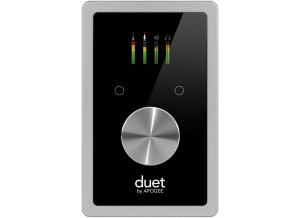
    Apogee's famous audio interface, the Apogee Duet, has just recently received an overhaul, and the overhaul is fantastic. Apogee is known in the industry for fantastic analog to digital or digital to analog conversion; in fact, they are considered the best in the business. Compared to the original Duet, the Duet 2 has some changes that many owners have been jonesing for for quite some time, and for some, the improvements are only incremental and not worth it. Find out which one you are! The nice thing is that it has two more outputs than the original Duet, which makes it much more useful all in all. It still is not terribly good at dealing with outboard gear though. UTILIZATION The Duet 2 is just as simple to use as the original Apogee Duet. The interface is incredibly simple, as Apogee makes using the preamp headphone monitor levels very easy to access for the end user. The manual is incredibly concise, but the truth is, the device is just so simple to use that most people should not at all have a hard time getting into learning how to use the Duet 2 at all. And for beginners, I could not think of an easier interface to start on. GETTING STARTED Everything that the Duet 2 is is fantastic. The preamps are absolutely pristine and offer an absurd amount of gain. Ribbons can be run through this thing without having to kill the knobs or the levels. What is more amazing is that these preamps are part of the interface, and that the interface's converters are so good that they appear completely seamless. The sound is completely professional, and you can get it well before you hit the 4 digit prices with the Duet 2. OVERALL OPINION If you are doing most of your work inside the box, this is pretty much the quintessentially perfect interface for you. There really is nothing much more to say. The Duet 2 is perfect for what it tries to be.

  • « Great sound for a great price! »

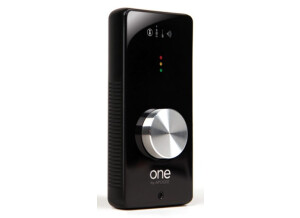
    -Single channel input using one of the following three options: -Internal condenser microphone -Balanced XLR microphone preamp input with +10 to 63dB of gain -Unbalanced ¼" high impedance instrument input, 0 to 45 dB of gain -Software selectable 48V phantom power -Line-level, ⅛" stereo output for headphones or unbalanced powered monitors -A/D and D/A conversion @ 44.1/48kHz, 24-bit -Multi-function encoder knob for input gain control and output level control -4 encoder function LED indicators -3 segment LED input and output metering -Apogee's Maestro software for advanced control and low latency mixing -Compatible with any Core Audio compliant audio application UTILIZATION The last update for the One was in September 2009, about nearly 2 years ago. Drivers are rock solid and this is most likely the reason why there has been no software update since then. I’m using Apple’s Mainstage and Logic Pro with this unit, and they work together very well. I’m using an I/O buffer size of 32 samples with mainstage and it works very well, and I’m using a 2011 Macbook pro 13 inch. The One only can record one input at a time, but can switch between an internal mic, and external one or instrument input. GETTING STARTED Sound quality is great from the One! This is most likely due to the great converters and preamps compared to other audio interfaces in this price range. Most other interfaces have more I/O but in this case, qualityquantity works in the favor of the Apogee One. I’ve had troubles with the instrument input, which doesn’t allow recording of my guitar at all. I’m currently about to get in contact with Apogee to resolve this. OVERALL OPINION The thing is about the One I like the most is the quality of the preamps/converters at such a great price range. It is also very portable for its size, which is useful when traveling with a laptop where you don't want a big interface in your bag. Sound is excellent and very high quality. If I had the choice of choosing another interface, I would choose the One again, even although I had the issues which I'm sure will be resolved!

  • « Simple, effective interface with professional results! »

    I needed something portable that yields high quality results. I use this mainly to do product demo videos. I wanted something that would mate perfectly with my MacBook Pro and Logic Pro 9 and the Apogee comes through with flying colors! I use a 17" MacBook Pro with a 2.4 Core2Duo Intel CPU, 4 gigs of ram, a 500 gig 7200 rpm internal HDD and 750 gig external FW800 HDD for audio. My MBP runs Snow Leopard and Logic Pro 9. The Duet features a firewire powered bus that is connected via a standard FW cable (2 FW cables included a regular 400 and a 400 to 800). It has a audio breakout cable snake that has two unbalanced instrument level IN's (1/4"), 2 XLR Balanced IN's and two 1/4" OUT's (RCA adapter incl. if you need it). The Mic IN's also have software assignable phantom power (48v). The control functions are midi assignable. The Duet has highly visible LED meters that monitor your choice of IN's or Out's. It features a large data wheel that controls the I/O. A push down click of the wheel chooses the functions...very simple. UTILIZATION When I bought the unit I downloaded the lastest drivers. They are very stable and feature very low latency. Included is Maestro, a slick little interface for the Duet when using any Mac OS X Core Audio application. Garageband, Logic, Logic Express and Final Cut Studio have a built in Duet control panel and support. I have not noticed any updates for the drivers. You can only record 2 tracks at a time with the Duet, but plays back as many as your system can handle. The Duet can record/playback at 24bit/96khz. GETTING STARTED The Duet only works with Apple so no PC support. The unit is very simple to use and setup and the manual is clear and concise. The folks at Apogee provide free online support chat if you run into any issues. OVERALL OPINION This is a simple to use, high quality interface. I was first hesitant at the price but now realize it is more than worth the money. It's physical size has to bearing on it's huge quality results...brillliant! I was running a Digi003 and a rack of decent mic preamps. With the Duet I don't miss that at all. The breakout cable seems a little flimsy, but I have had no issues with it, so the point is really moot anyway. You can buy upgraded breakout cables. I am very pleased with this purchase.