Log in
EN
FR

M-Audio USB audio interfaces

46 products found

Filter
Sort by
M-Audio
Evaluation
  • Reviewed or not
  • Editor’s award
  • Reviewed by Audiofanzine
Availability
  • Available or not
  • Sold new or used
  • Sold new
  • Sold used
Must-have products
  • All products
  • Flagship products
  • Best rated products
  • Hot products
  • Popular products
Price
  • Freeware
€
Clear
Sort by
  • Popularity
  • User ratings
  • Price - low to high
  • Price - high to low
  • Used price, increasing
  • Used price, decreasing
  • Name (from A to Z)
  • Name (from Z to A)
  • Added on
Sort results
  • Popularity
  • User ratings
  • Price - low to high
  • Price - high to low
  • Used price, increasing
  • Used price, decreasing
  • Name (from A to Z)
  • Name (from Z to A)
  • Added on
Filter results 46 results found
Brands
Evaluation
Availability
Must-have products
Price
  • Freeware
Show results

The best M-Audio USB audio interfaces reviews

The reviews Audiofanzine members found the most helpful.
  • « M-Audio FastTrack USB Interface »

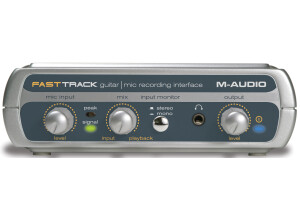
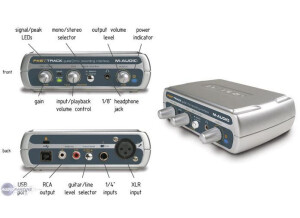
    The M-Audio FastTrack is a compact, single input USB Interface for connecting an instrument or a microphone to your computer for recording. It's silver and black. Purchased in 2007 at BestBuy. I was looking for an inexpensive USB interface to allow me to get guitar, bass and keyboard signals into my PC. $99.99 including some basic recording software. The FastTrack is easy to use and very intuitive. Controls are simple: on the back panel, a single 1/4' input with a switchable guitar/mic button, an XLR jack for microphones, left and right out RCA jacks; and a USB out jack. On the front panel, a mic input level control, a mix control to blend live and recorded playback signals; stereo/mono pushbutton, 1/8' headphone jack; and an output level control. Setup is simple also: install the driver from the included CD, then hook up the FastTrack to a USB port. Input level isn't the highest: In most cases it can be difficult to hear what you're playing unless you boost the signal before putting it into the FastTrack. Mic level seems to be better. The FastTrack is solid, but I wouldn't call it rugged. the plastic case is designed for home use, though, so it's not a big problem. For the money, the M-Audio FastTrack is a great deal for anyone who wants to start recording basic tracks quickly. The studio software included with the unit I bought was quite basic; new FastTracks come with Pro Tools M-Powered Essential software, which is a step up. The FastTrack box itself has been redesigned, putting all inputs on the front panel and making the three control knobs larger and moving them to the top of the box. The XLR mic input now also includes phantom power for condenser mics. The unit now also has a direct monitoring feature designed to solve latency problems. This review was originally published on http://www.musicgearreview.com

  • « M-Audio Duo »

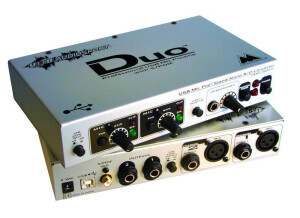
    Bought used for $150 to record onto my iBook via USB. Clean signal, nice headphone amp. 24 bit/96kHz possibility. can work as a stand-alone A/D converter, but that's not what i've used it for. took a while to get the bit rate and latency settings right to record blip-free in OS X (10.2.6). i was hoping to find a unit that could record 4 tracks simult., but i can live with 2, especially at this price. durable, metal chasis. solid construction. wall wart power converter is a little annoying, but hard to get around those. this thing does exactly what i need it to. it has two inputs, two outs (stereo outs, for monitors), and even has phantom power to power your mics. i chose this USB device over the digidesign mbox, figuring for the price difference i could live with some minor complaints, but i don't really have any, and it's worked out well. i've heard horror stories about OS X and USB input devices, but i just had to find the right settings between the OS X sound preferences, the provided driver settings, and the recording software settings. This review was originally published on http://www.musicgearreview.com

  • « no sweat installation »

    M Audio’s Fast track pro will get you up and running in a heartbeat! I actually really liked this interface, it was one of the only ones that worked in almost any program that I used it in without any issues. It comes with a Lite (not sure what its called exactly) version of pro tools. I think its like the pro tools student edition or something like that. But I never used it with pro tools I used it with cubase and fl studio many years ago. UTILIZATION Latency is very minimal even with my keyboards going through it really didn’t have much of a latency at all. I used this thing daily for a while because I traded in some of my gear to get more gear and needed a cheap interface. I only record 1 track at a time with it, and the drivers don’t get updated often. GETTING STARTED I had no compatibility issues which is strange because most audio interfaces will give you some sort of a struggle when using them with foreign softwares. The manual was on point and very easy to understand. All of the function of the interface are right on the interface its self and noting is tricky to understand. OVERALL OPINION Overall, I love this interface and will continue to use it when needed. Its very portable, but it feels really cheap though. The knobs are plastic and its not heavy duty at all. Scared to drop it, because it might spit wide open if I do. So I handle it with care, it provides a great sound with low latency . I have tried several interfaces from M audio and all of them are a little different but this one is one of my favorite ones that they make. I am very happy with my purchase of the M Audio Fast Track Pro. I would buy it again in a heart beat.

  • « You get what you pay for »

    The M-Audio Fast Track is a budget preamp for those who want to get to recording quickly without too much of a hassle. The pre features 2 inputs, 2 outputs, 24bit/48KHz audio, USB 2.0, XLR inputs with 48V phantom power, 1/4'' instrument input w/ gain control, 1/4'' stereo headphone output, RCA speaker outputs, output level knob for adjusting volume, direct monitoring button and bundled software. UTILIZATION The device itself isn't too bad in the way they set it up. There are no annoying breakout cables, so you don't have to deal with that. A lot of times, people cram tons of features into a small box and then have a breakout cable. These cables can snag and cause all kinds of issues. By having it all self contained, you have a much cleaner work area. It's a pretty intuitive device, and it's easy to use. Drivers seem to be fairly stable, so no issues there. I used this with the bundled software and had no issues at all. GETTING STARTED The device is very simple to set up and start using. You simply plug everything into their corresponding ports, open up your DAW, set your preferences up and you're good to go. Making music is very easy with this. The pres themselves aren't the cleanest out there, but what do you expect from something this cheap? They definitely get the job done, but I wish it was firewire. I know some people dislike firewire, but it's still superior to USB 2.0 in real world applications. OVERALL OPINION If you're on a budget, this pre isn't too bad. If you can afford it, I recommend trying to get the Fast Track Pro. It'll have a few more features, although they basically sound the same. Try to find one of these used and use it in conjunction with your favorite DAW.

  • « Average interface »

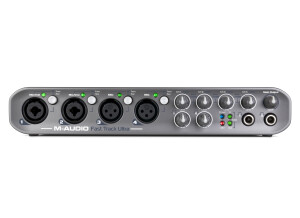
    The M-Audio Fast Track Ultra is a fairly nice, multi input pre from M-Audio. It features 24 bit/96KHz audio, USB 2.0, 4 preamps, 4 XLR inputs, LED indicator lights, phantom power, 6 balanced inputs, 6 balanced outputs, 2 analog inserts, S/PDIF, MIDI, 2 headphone jacks with controls and even has phantom power. UTILIZATION M-Audio did a pretty good job setting this whole thing up. The interface itself is nicely laid out, and everything is easy to use. There are no annoying breakout cables that cause a tangled mess. One thing I'm not a huge fan of, however, is the fact that they use USB 2.0. While USB 2.0 can work nicely, I find that it can be a pain once you start running lots of effects. The latency can get annoying, so you gotta monitor your latency more so than if you'd have a Firewire connection. M-Audio also tries to claim that USB 2.0 is faster, but anybody who knows about technology knows that theoretical output does not equal true output. GETTING STARTED Setting up is very easy, just like any other M-Audio device out there. Simply plug in the devices to their corresponding ports, and you're good to go. I didn't experience any compatibility issues, and that's a great thing. This works with both PC and Mac, so nearly anybody can use it without a problem. I never read the manual, but I can't imagine a real need to unless you're trying to figure out how certain connections work. Anybody who has used an interface before should know exactly how everything works. OVERALL OPINION The price is kinda high, but there are a lot of features packed in here. It's a solid device that has good sounding converters. There are better devices out there, but they either lack the versatility this has, have breakout cables, are Firewire only and/or are Mac only. For the features this thing has, it's definitely worth checking out.

  • moosers's review

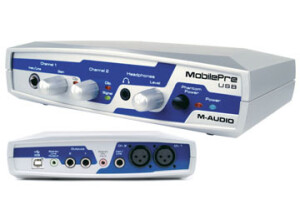
    When I bought the M-Audio Mobilepre USB I got it because I was looking for a small audio interface that I could easily bring around where ever I needed to go. I usually it only to get down ideas, as this really isn't a suitable interface for serious recording. I will outline why in the later sections. I was running this with a HP Pavilion lap top that had a 3.0 Ghz processor and 2 GB of RAM. I was running it with Cubase SX 2.0 and it worked pretty well with both of these things. I used this primarily to record scratch guitar and vocal ideas. UTILIZATION I was able to use this without any problems for the most part and I had no compatibility issues with my set up. The configuration is very simple as it has 2 XLR mic pres, a few different outputs, a headphone jack and a DI jack. It also has a USB port which send the signal to the computer. The manual seemed to be pretty clear, but I didn't need to use it all that much. GETTING STARTED The drivers are stable as I never had a problem with them when using it. I used it only with Steinberg Cubase SX 2.0 and had only a minimal amount of latency. Most of the time I had no latency but when I did it was still playable. You can record two tracks simultaneously as it has 2 mic preamps. The real downfall of this interface is how poor the preamps are. To me they don't sound full enough and don't represent a fully accurate portrayal of the sound I am recording. That being said, for this price I wouldn't expect to get anything more than this. For this reason I bought it only to bring it around and to have the ability to record ideas on the go. OVERALL OPINION I had the M-Audio MobliePre USB for about a year and half before I sold it. It did the job I got it for, but it is poorly built and I had problems with a few of the jacks breaking. The mic preamps just don't sound all that usable to me and while the model is cheap, you get what you pay for. I sold it because I can now record directly into my new computer without a small interface like this out. While this is good for what it is, you can probably find another model around the same price that is made at a higher quality.

  • Heavyspender's review

    I wanted to start putting together a small personal computer recording studio at home. So I thought this would be the centerpiece or at least the starting point of my system as it is a computer interface for your guitar to go right into the computer. I bought it with the expectation of being able to use the unit and the included software on both my laptop and my desktop computers. I only have an electric 6-string right now, but I can also put an electric bass guitar through it as well, among other things. Simple single input. Also has a output for either headphones or computer speakers/monitors. UTILIZATION Installing was pretty easy. Just followed the prompts, and the install went well. I don't believe there were compatibility issues at SETUP. The general configuration of this unit is simple and the manual is clear and sufficient. GETTING STARTED The drivers appear to be stable. I don't have any reason yet to think otherwise. I have never had the drivers updated, so I cannot address that. I use the included gt-express software, which provides virtual floor pedals and effects. The software also has a virtual rackmount function which has built in drum loops that you can design, put together and loop while you play the virtual guitar sounds. You can also load mp3's of your favorite songs, or sample drum loops from pro tools that are included, so you can play along. The latency is not completely horrible, but it's bad enough that this unit is not sufficient to fill my recording needs. There is no recording software included with this package. There is a recording feature on one of the rackmounts, but it's only one track at a time, and you can't record the drum loops or accompaniments with it. OVERALL OPINION I've only had this unit for a couple of weeks. The virtual effects have some pretty cool settings. Unfortunately, that is where the pros stop. As I said, the latency is bad enough that I would not keep this unit and it's going back to Musician's Friend fairly soon. To top it off, the software kills your sustain, so as soon as you pluck a string, the sound starts to cut out to non-existence almost immediately. When you go to record it on your own recording software, the output comes out completely dry, i.e. none of the effects transfer on to your recording software. And even if you don't mind a track being clean, you can't save the track in a format that you can export to anyone else unless they also have a jamlab interface unit ! Then, the feature that I like best about this unit, which is the drum loop capability, can't be recorded onto my recording software either ! I guess I got what I paid for, which was only $30. Because of the nature of the product, I was not able to test drive alternate models. So I bought a line 6 toneport, which I hope turns out better, and this unit is going back to the store.