Log in
EN
FR

FireWire/USB/mLan Mixers

245 products found

Filter
Sort by
Evaluation
  • Reviewed or not
  • Editor’s award
  • Reviewed by Audiofanzine
Availability
  • Available or not
  • Sold new or used
  • Sold new
  • Sold used
Must-have products
  • All products
  • Flagship products
  • Best rated products
  • Hot products
  • Popular products
Price
  • Freeware
  • Low-cost (< $200)
  • Mid-range ($200 - $550)
  • Premium (> $550)
€
Clear
Sort by
  • Popularity
  • User ratings
  • Price - low to high
  • Price - high to low
  • Used price, increasing
  • Used price, decreasing
  • Name (from A to Z)
  • Name (from Z to A)
  • Added on
Sort results
  • Popularity
  • User ratings
  • Price - low to high
  • Price - high to low
  • Used price, increasing
  • Used price, decreasing
  • Name (from A to Z)
  • Name (from Z to A)
  • Added on
Filter results 245 results found
Evaluation
Availability
Must-have products
Price
  • Freeware
  • Low-cost (< $200)
  • Mid-range ($200 - $550)
  • Premium (> $550)
Show results

The best FireWire/USB/mLan Mixers reviews

The reviews Audiofanzine members found the most helpful.
  • « Excellent and value for money »

    It is rackable, analog console, with 10 mic line in, phantom power, 16 line in XLR, 8mono and 4 stereo in, 3 range parametric EQ. For more details you should address to the website of Yamaha. With the USB connection it works like a sound card and mixer. It is grate and so far with no problems. UTILIZATION Installed with no need of drivers, since it is USB sound card, at my laptop and calss room computer. The layout and the functions are typical for a multi channel mixing SOUNDS No hiss as far as I know. The 3 band EQ works fine. OVERALL OPINION As I said the value for money and the USB 2.o connection are the most about this product. The least could be the only 2 band EQ but what you pay you get... The quality of the sound is more than enough for a home and classroom studio.

  • « BUYER BEWARE These units are defective. »

    I bought the PreSonus AR12 from Sweetwater. I had it for slightly over 2 weeks before noticing a cracking/popping sound. Sounded like a short in a cable. After replacing cables and checking the AR12 on both a Bose Compact L1 and Sterling Studio Monitors I realized there was a problem with the sliders cracking/popping whenever they were moved up or down. The volumes on main, control, and headphone outputs are very low with the crackling/popping especially noticeable on the Main, Control and Headphone outputs. It wasn’t as noticeable on Mon 1 & Mon 2 outputs. The dials/control knobs for effects, trim and volume have a noticeable difference from the 10 to 3 o'clock positions. Before that and you don’t hear any difference and after 4 o’clock that the sound becomes distorted. The sound from the PreSonus AR12 is pristine, clear, clean even though the volume is low. The effects have a very warm, clean sound as long as you aren't adjusting the sliders which cause a cracking/popping sounds. The SD recording, on the first unit, was nice with a clean, precise sound. PreSonus claims this is a stereo file but, only one file shows up in DAW showing a stereo link with no way to separate the R/L. The only way I found to get R/L was to record with hard R/L pan onto the AR12 SD card. I then imported the file twice, into Logic Pro X, panning one file hard right, the other hard Left. I had no options to pan. It was all or nothing. Guitar was on RT, vocal was on Left and there was no way to pan without getting both signals. Other users have complained about low volume and wobbly sliders and I agree with that. Volume was very low and difficult to get into my DAW. The sound I did get was a clean, clear, precise sound with barely enough volume. I’ve posted a youtube video showing these problems and explaining what I experienced with two of these units. https://youtu.be/yoArGca5gq0 I’ve also posted a few demo’s of the AR12 which can be viewed on www.youtube.com/c/deberney go to the Presonus AR12 playlist In my opinion, I had two units that had similar defects and I’ve read others that are experiencing similar problems. This appears to be a problem that they are not ready to admit or fix and unfortunately, buyers are going to be stuck with a defective product until PreSonus decides to address it.

  • « made like big ssl boards »

    The Focusrite Control 2802 is an analog DAW control surface, it has 9 well made faders and enough knobs to give you full control over each individual channel. This DAW controller is very expensive but worth every penny. It is built to last a long time and has metal castings. It looks sleek and stylish and every knob is color coded which makes it easy to remember which knobs edit certain parameters. UTILIZATION With this control surface being an analog mixer and a DAW control you are getting the best of both worlds. This control surface is pretty big, making it not very portable so you will need to make sure you have the workspace available to house it and make sure that you don’t plan on moving it around a lot because of the cost of it and its size. SOUNDS It has 10 channel meters that all are LED and 100mm motorized faders. This board is very similar to an SSL board because of its quality and motorized faders. One of the first things you will noticed just when using this console is that the sound you will get is just so much cleaner than when you are not using it. Your drums mainly will sound even better especially when you get into using the compressors. OVERALL OPINION This console is made very well; the knobs are very heavy duty like the ones that are on big Pro Tools boards. It does come with a manual and you will need to take a look at it in order to understand how to fully understand the functions of the Control 2802. Even if you have used an SSL it will be good to look at the manual so you will understand everything fully. The compressor is unreal, it will give you a nice and clean sound and it will work amazing wonders on your drum patterns/tracks. I highly suggest using this board if it is in your budget.

  • « A professional-grade mixer for the amateur musician. »

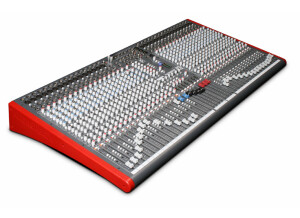
    The ZED-14 is a top-notch mixer, coming from one of the foremost mixer manufacturers in the world. All the XLR inputs can provide phantom power for microphones and the bus routing options are more complicated than can be explained here--suffice it to say that this mixer is FLEXIBLE. I have my main outputs routing to my main room amp and speakers and the AUX outputs running to a pair of desk studio monitors. As you'll find below the ZED14 also has USB connectivity so that it can act as both a mixer AND an audio interface!! Each of the MONO channels has a 4-band EQ--high, low-mid, high-mid, low and the standard panning controls, gain, etc. The prominent mixer feature that sold me on the ZED-14 above other similar units is that the ZED-14 has sliders instead of knobs for each channel master--it's much more easy to see where everything is set. If you need on-board effects Allen & Heath makes the ZED14-FX which you can get for a little more cash. The ZED-14 and has the feel of a professional mixing board, but won't take up your whole desk OR your whole paycheck. I have yet to find ANY mixer/console/interface of this professional quality for such a low price. If you are in the market for a home mixer to start home recording I would HIGHLY recommend this package. For the price, you get a professional-class mixing board, USB interface, and Cakewalk SONAR LE. If you can find a better deal, I'd be interested to hear about it. UTILIZATION I have a good amount of gear. When I try to record something I usually used to end up spending a non-trivial amount of time running cables, disconnecting and re-connecting equipment, etc. just to get something simple recorded. A friend of mine suggested that I should get a mixer to run everything once and just leave it connected and mix in as necessary to record. I found many entry-level mixers but they all seemed to provide very little functionality and not really take into account the idea of the amateur musician who is doing home recording on a DAW. Then my local music store suggested I take a look at the Allen & Heath ZED-14 mixer they had in stock. It was larger than I had in mind, but it had the multiple I/O options I would need and looked well-built (let's not forget this is Allen & Heath). The winning blow, however, came when they explained to me that this mixer/console has a USB connection for connecting to a DAW. WHOA!! This mixer can actually act as your interface for recording!! I took it home and plugged it into my DAW. Sure enough, SONAR recognized the ZED-14 as a "USB Recording Device." I could now hook up my drum machine, multiple microphones, and amp outputs all to the ZED-14 and LEAVE THEM CONNECTED. When I wanted to record a specific part, I just muted all other inputs and just recorded the specific channels that I wanted and sent them straight to SONAR via USB--no additional interface required. How cool is that!?!?!? The ZED-14 even comes with a copy of Cakewalk SONAR LE if you don't have any recording software--BRILLIANT!! This is one piece of gear that is really well-thought-out. Allen & Heath truly considered the needs of the home recorder when designing this mixer. The fact that you can plug the mixer into your computer/DAW via USB 2.0 is a HUGE step forward for home recording--no more sending your mixer output to another interface that may color the tone in a way that is undesirable. SOUNDS The ZED-14 is dead-quiet. I have other smaller mixers and audio interfaces and all of them seem to generate SOME noise or color the sound in some way. Not so with the ZED-14. I have to keep reminding myself that although I only paid a relatively small amount for the ZED-14, it IS after all an Allen & Heath and it shows in the quality of the sound. The faders are well-tapered as are all of the EQ controls; no, "It's on one or ten" here. OVERALL OPINION When I went looking I honestly didn't think that I would get such a magnificent piece of equipment for what little I paid. I figured to get a mixer of this caliber I would have to approach the thousand-dollar mark. To find that a mixer of this quality exists with all of the on-board mixing capabilities plus the ability to use it as an interface for a DAW is an incredible bonus. I've looked around at other mixing consoles and thus far I've found nothing that can compare to the ZED-14, especially when they throw in a copy of SONAR LE. This would be an easy choice even if the ZED-14 were near double the price. Lucky for us it's not. Try one and see for yourself.

  • « What a beautiful console! »

    I've had it for one day... Came from an Allen ZED14 which lacked "In"s for our blues band. First use in rehearsal yesterday evening, no time for precise settings and yet it immediately delivered a great sound. A huge headroom, no distortion whatsoever, very round lows. The routing features seem perfect to play live. We won't use the Firewire, we got it for the preamps and EQs. Plus, it DOES look good. At first sight, it seems sturdy. Yet, I find the plastic knobs and switches to look really cheap... The parametrics' concentric knobs are hard to move and when turning up the gain the difference is immediately heard. It takes very accurate movements... But that's just a detail compared with all this device offers. I'll be back and complete my review when I've used it for a bit longer...

  • « Great for mobile recordings »

    Perfect to record multi-track gigs live. Connected via firewire to a laptop you can retrieve the separate tracks for analysis or mixing. Very transparent, it offers an array of send/return effects (by a prestigious digital effects brand), from reverb and chorus to delay and pitch shifting. The preamps start getting noisy halfway, but if you manage well, you shouldn't need to go beyond that. The EQs do their job in a transparent way. In short, it's ideal for tight budgets who wish to - mix live - record everything on multiple tracks - record rehearsals - and certainly many other applications, which I haven't tried out.

  • « Very easy to work with during a live show. »

    The ZED 436 is a great mixer to use for a live show or event. There are 32 channels and it can connect to a computer via USB connections quickly and easily. The design of this mixer is one of the best ones that I have ever seen. It is big, but it is sleek with smoothly rounded edges and a beautiful finish on it. There are 6 aux sends in total and 4 sub groups that come from each of the channels. There is also a direct output on each mono channel. UTILIZATION You can easily see your levels on this mixer because there is a peak and signal light/indicator on each and every channel. Each channel also has 48 volt phantom power. All of the connections and the controls are right on the main surface of this mixer for easy switching and routing. It is easy to set this mixer up if you have to move it because there is no need to have to get behind it for any reason. It is a well organized mixer and simple to work with. SOUNDS The USB connection worked great with Cakewalk which is what software came with this mixer (Sonar LE). This mixer is very easy to work with in Sonar and set up all of the patching and plugging. I am not a huge fan of Sonar but working with it and this mixer has been pretty fun and easy. OVERALL OPINION There is a 4 band sweep able hi and low/mid EQ on channels 1 to channel 32, and a 4 band EQ on the stereo channels. There are 4 bus groups and 41 x 100 mm faders. It doesn’t have any effects but if you work in Sonar you can also add some effects as you go just as easy. This mixer is very expensive and is geared more to companies and events that hold live shows.

  • « small and portable »

    The Alesis MultiMix 4 is a four channel USB mixer that is very easy to set up and start using right away. There is no compression on this mixer and also no effects. The EQ is fixed and there are 2 EQ bands per channel. The knobs are made well and do not seem as if they could break off or get stiff as long as they are taken care of. This mixer is pretty small so it can fit on almost any desktop recording surface and it does not look to bad either. The best part about it is the value for the price; this is a pretty good little mixer for 75 bucks. I have used many mixers and other gear from Alesis and they always have great quality products. UTILIZATION The MultiMix has a switchable HP filter at 75 Hz, but only on channel one and channel two. This is great for getting rid of that low frequency sounds that can get very distorted and it is also great for taking care of wind noise “air”. SOUNDS One of the cool features that I enjoyed working with is that I can use it with my iPad. I just had to have the Apple USB adapter that I got from the Apple Store and that was it. OVERALL OPINION There is also a guitar input on this mixer and multicolor monitoring (LED). The sounds is pretty clean when working with it, I would not want to use it as my main mixer though just because it is not better than any of the higher end mixers that I currently own. But for portability you cannot beat what you are getting with the Alesis MultiMix4. I recommend anyone who is on the go and needs a smaller mixer with them at all times to purchase this mixer; at this price you really have nothing to lose.

  • « For the solo performer »

    The Pro FX8 is a 8 channel mixer that comes with effects right on the unit. The FX8 is a smaller mixer but packs a powerful punch with all of its features. It allows you to stream and record through USB. This mixer is perfect for performing in a smaller club or for someone who performs solo by themselves. All of the preamps have high headroom and some really good effects and EQ ability. The RMFX are 32 bit effects that add some style to your mixes. UTILIZATION The Pro FX8 is very simple to use, there really is not a set up process and no manual is needed to learn to use the FX8. The unit is very well built like most of the Mackie mixers that they have come out with over the last few years. SOUNDS It has 8 channels with no direct outputs. You will need to connect it to your PC via USB. There are a 3 band channel and 7 band stereo EQ. Being that this is an affordable mixer and doesn’t have all of the great features of expensive boards, it does not have a Talkback option which is why it is more for personal and home use. The unit is pretty light and can be taken with you from place to place without feeling like you are lugging around more heavy gear on top of what you already have to carry. OVERALL OPINION If you are a small club performer or a solo musician, then this mixer will fit you perfectly. It has all of the effects and features you need to add to your sound and your mix. It cost less than 250.00 dollars and it is well built. I have been using this mixer for certain projects since August of 2011 and have not had a single issue with it and don’t think they I every will.

  • « for Cubase users »

    You will get nothing but low-latency performance with the Yamaha N 12. I have been using this unit for the last year, we have it hear in one of the studio’s on campus. It was used with a Windows 7 system running 64bit. There where no issues with it at all, I didn’t not install it so I am not sure how easy it was to install but I do know that after using in a bunch of different DAW’s it works great in each and everyone of them. The phantom power is switch able and it has solo level control. There is a talk back function with a built in microphone which is pretty important to us in that studio. UTILIZATION You can connect the Yamaha N12 to many different sound sources. It has XLR connectors and TRS jacks in mono. There are also RCA pin jacks, so no matter what audio gear you need to run through it there is a plug for it. I prefer to use the Yamaha N 12 with Cubase most of the time, that is the first program that I have used with it and it worked great with it so I never started using it with anything else. SOUNDS The Yamaha N12 has MIDI in and out, a foot-switch input and it comes with a version of Cubase. It has 11 faders on it and eight microphone pres. The unit as a whole is well built and I don’t every see it breaking. It is nice and heavy. OVERALL OPINION The sound quality on the Yamaha N 12 is great, it has a morphing compressor that sounds perfects as well as reverb right on the Yamaha N 12. If you are a Cubase user than this interface is something that you need to seriously invest in. It is not cheap , costing around 1200.00 dollars but it will be well worth it once you buy it. The 8 pre amps and 3 band EQ are worth that price alone. The Yamaha N 12 has set a high bar for interface from this point on!

  • Alex081's review

    Characteristics already detailed in previous opinions. What is missing to be the top: MIDI I / O and SPDIF Semi-parametric EQ Mediums Independent headphone volume adjustment A series of 4 LEDs per level (not essential but comfortable Live) A compressor / limiter and gate per Phantom power-enabled XLR for each individual a separate microphone talk-over on the console An insert effect for every Of LEDs to display the position of each key press! No 64-bit drivers ... CORRECTION: A big bravo for the technical support I want to emphasize quality and responsiveness! I got by mail attachment, just hours after my request, 64-bit Windows drivers for Multimix USB 2 BETA VERSION (this is why they are not mentioned officially). Congratulations! The links in here, all offering the same files posted for downloading by BuBuOne (thank you!) Megaupload (single site in French): http://www.megaupload.com/?d=Y4BPMN7Y Rapidshare: http://rapidshare.com/files/331674929/ALESIS_USB2_X64_2.8.17.zip.html Netload: http://netload.in/dateipOHsX1HHv0.htm Zshare: http://www.zshare.net/download/70904865c99d3358/ Filefactory: http://www.filefactory.com/file/a1741dd/n/ALESIS_USB2_X64_2.8.17.zip Badongo: http://www.badongo.com/file/19587556 UTILIZATION English manual! French not even available for download ... but it is possible to find a user manual in French, scanned courtesy of the MultiMix 16 USB 1 ... Pseh thank you! http://pseh.dixkey.com/Mode% 20d%% 27emploi 20Multimix.pdf ( http://pseh.dixkey.com/Mode%20d%27emploi%20Multimix.pdf ) Very easy to use. SOUNDS Not enough experience or competence to judge its sound quality ... But the result is perfect for me! OVERALL OPINION I have had that for several days. This is my first console after 1 week of testing the MultiMix 8 USB2 (traded as unsuitable to Live). I find great value for money. FYI I paid &euro; 499, 2 year warranty, at Action Music in Toulouse.

  • moosers's review

    The Mackie Onyx Series 1220i is a 12 channel hybrid analog mixer and firewire based audio interface. The 1220i combines the analog mixer expertise that Mackie has accumulated, and pairs it with the digital audio work of computers. You can use it with just about any software, including Pro Tools M-Powered. The mixer itself has four mono channels with microphone preampilifiers, and then has four stereo channels with only 1/4" connections. Each channel has a fader and a three band parametric equalizer. They also have a pan knob and two auxiliary ones as well. The 1220i also has 1/4" monitor outputs, RCA tape outputs, a talkback section, an auxiliary master control section, and a 1/4" headphone jack and controllers. In the back it has four 1/4" inserts, two auxiliary sends, and two channels of returns. It also has XLR outputs for your main monitors in the back, and two separate firewire ports. Automation isn't supported with the Mackie Onyx Series 1220i as far as I know. UTILIZATION If you have experience with basic analog mixers, the Mackie Onyx Series 1220i won't present any problems for you as everything is standard and straight forward. Even if you're a beginner, I'd recommend having the manual around and doing some research on analog mixers to get yourself familiar with the basic features of analog mixers, and you should be all set... SOUNDS The sound of the Mackie Onyx Series 1220i is overall quite clean sounding. The mic preamps are pretty much what I would expect from a Mackie mixer, which is clean but nothing to scream and shout about. They will definitely get the job done in most situations, especially for those who are using this as an all in one solution for home recording, which is what most people will be doing anyway. The equalizers are actually pretty good sounding, better than older Mackie mixers in my opinion... OVERALL OPINION For those who are looking to get into digital recording, but want an analog mixer to work with, the Mackie Onyx Series 1220i is perfect for you. The 1220i provides a cheap enough solution for just about anyone looking to jump start their home studio. It is also great that you can now use Mackie Onyx mixers with Pro Tools M-Powered. I'd definitely recommend this for anyone who wants to run Pro Tools M-Powered and wants the feel and features that an analog mixer brings to the table.