Log in
EN
FR

Digital Mixers

452 products found

Filter
Sort by
Evaluation
  • Reviewed or not
  • Editor’s award
  • Reviewed by Audiofanzine
Availability
  • Available or not
  • Sold new or used
  • Sold new
  • Sold used
Must-have products
  • All products
  • Flagship products
  • Best rated products
  • Hot products
  • Popular products
Price
  • Freeware
  • Low-cost (< $2,000)
  • Mid-range ($2,000 - $5,000)
  • Premium (> $5,000)
€
Clear
Sort by
  • Popularity
  • User ratings
  • Price - low to high
  • Price - high to low
  • Used price, increasing
  • Used price, decreasing
  • Name (from A to Z)
  • Name (from Z to A)
  • Added on
Sort results
  • Popularity
  • User ratings
  • Price - low to high
  • Price - high to low
  • Used price, increasing
  • Used price, decreasing
  • Name (from A to Z)
  • Name (from Z to A)
  • Added on

The best Digital Mixers reviews

The reviews Audiofanzine members found the most helpful.
  • « I'm very happy with it! »

    You can find the features almost everywhere. It's not worth it to list them here again. Noteworthy: Since it's digital you can connect the console to "external devices" via CAT5 cables. Behringer has introduced an array of accessories to extend the I/Os, let the musician manage his mix directly and soon (in September 2014?) the ability to stream audio directly to digital loudspeakers (Turbosound, UK). (Balanced) XLR connectors almost exclusively. Buy a bunch of cables with the mixer, they will come in handy! Midas has launched a console with a very similar user interface, but it works at 96KHz, unlike the x32, which works at 48KHz, and with the corresponding price and support for professionals. UTILIZATION The manual leaves a lot to be desired, but the forums and the wiki available allow you to solve any situation. It's pretty intuitive to set up (easier than the Yamaha AW4416 that I used to have) and all functions have one-push access via the View buttons, which take you to the parameter pages in one click. It's pretty well thought-out. SOUNDS The A/D and D/A are up to market standards. No remarks in this regard. The Midas preamps are good, without too much noise. I think the preamps are more transparent than those on the Yamaha AW4416, which render a warmer sound. You can find the same sound with a couple of tweaks here and there. Good overall dynamics. Gate and compressor on each input, bus, output, etc. You can switch the dynamics pre- and post-processing. Good filters. The parametric EQs are effective. The possibility to manage directly the outputs on the console, like with a matrix, and using a 24db Butterworth filter is a great plus to filter the outputs towards the subs and line arrays. OVERALL OPINION I'm very happy with it. A real step-up in relation to the Yamaha AW4416, which was getting outdated. The X32 allows you to record the mix directly on a USB stick, as well as record/play back 32 channels on a PC via a USB/ASIO interface, and it works great! The USB stick allows you to save your setup, which is very useful when you do the same venue again or to recall the parameters of a mix without starting from scratch. It has utilities that allow you to set it up offline on a PC, which is nice. I bought the console and a flight case with casters (it's approximately 90lbs altogether) and plexiglass protection cover (Decksaver) for less than $3250). Excellent value for money.

  • « Very good console at a reasonable price. »

    RCA, Jack, firewire, XLR, optical...All types of connections are available. You obviously have to connect it to a Mac or PC with a firewire cable. Direct-to-disc syning is possible (setting the clock to ADAT) and with other Digi cards, in which case the syncing is automatic. UTILIZATION - Very functional, not too big, it can handle only 8 tracks, but 4 x 8 tracks or more. To do that, you have to change the track view pushing the appropriate button, which shows tracks 1-8 or 9-16 or 17-24. - I have never read the manual but you can find information on the internet or asking friends who use Pro Tools. - The usual functions are easily accessible, it's easy to take control of the unit. SOUNDS - Thumbs up for the sound, the console is transparent and the sound is perfect. No noise. OVERALL OPINION - I've been using it for 4 years, and I've done plenty of professional recordings with this excellent machine. - I started with the digi 002 and quickly moved on to the digi 003 factory. the digi002 still works fine, but access to the cables and settings is not as handy, especially if it is on a rack. - It's perfect for me - When it came out it cost about $2500, so I was surprised to find it for $900 secondhand, although they are not easy to come by. Anyway it's better for users because Avid gear is usually expensive. - I wouldn't hesitate to buy this product again.

  • Audiofanzine FR's review

    (Originally written by bassprodukt/translated from Audiofanzine FR) No comments about the well-known features. UTILIZATION Extremely easy to use: my user's manual is rotting somewhere. Pros: Scene editing Display Effects Cons: Perhaps the preamps SOUNDS This mixing desk sounds good. I bought it secondhand and I had heard some negative comments before buying it, but its sound surprised me. I find it punchy and very versatile. The mixer is reliable and sturdy considering its price (please spare me the comparisons with an SSL or a Neve, which are totally different products). I use it with a HDR24/96 and it's a breeze! OVERALL OPINION I've been using it for several months in my home studio. I also have two Yamaha 02-R to compare it to. The mixer seems to be less sturdy than the Yamahas. The sound is very different but pleasant. I don't use the converters because my Motu converters sound better. I use this mixer only to mix. I manage all recordings with my PC and a control surface. The value for money is unbeatable and if the mixer ever gets broken I'll run to the shop to buy a second one. A small turnoff is that the OS upgrades are not free, which I find unacceptable. Mackie has an awful sales policy regarding this.

  • « The best digital mixer »

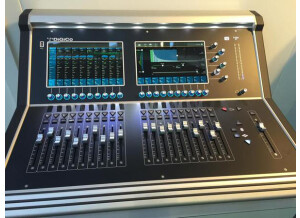
    The top notch of digital mixers... 128 channels (and as many EQs, Compressors/Limiters, Gates, Filters)... The EQs sound like a Neve VR legend, I can say it for I know the Neve VR and this EQ clearly has nothing in common with those of Yamaha-style mixers. With Digico, a mono or stereo channel will take the same resources, so you're in for DOUBLING your number of channels. It includes 8 (optional) effects ranging from 2.0 or 5.1 reverbs to graphic EQ to a multichannel compressor. It also features a touchscreen, and -most important- a Digico mixer's workflow (so it's as fast as an analog mixer, or even more using the ALL button). 2 headphone networks with a mixer, which is great to create a network in 30 seconds. There even are 2 independant talkbacks to speak with a musician without the other cabin hearing what you say. As far as connectors are concerned, you get coaxial Madi ensuring compatibility with all Madi converters. Digico's is very good, but you can favor DAD, Euphonix or Mytek models. What more can I say? It's a great mixer! Oh, and you can also change the VUs' sensitivity parameter, for those doing postprod work. That's all, folks!

  • « Control the show! »

    I just used the Line 6 StageScape M20D for the first time last week, and it has some really amazing features. The interface of this system is truly one of a kind and unique. On the back of the unit are where all of the ins and outs are but by looking at the front of the unit it was hard to tell that it was even an interface. It has a total of 20 different inputs with 12 of them being combo jack mic line ins. UTILIZATION It took me a few minutes to understand working with the M20D. Last week I was in charge of setting up a small show for a local band that I work with and they owned this. They didn’t even know how to use it so I basically had to figure it out on the fly and I did it easy without the manual because they didn’t have it with them (though it does come with one). SOUNDS The effects where perfect, I didn’t expect to get multiband compressors, gates, and limiters right on the M20D. While using this unit I was also able to record the full show in WAV format to a USB drive to put it into my DAW later on because they are working on a live album as well. OVERALL OPINION I basically had the M20D in my hands for most of the rehearsal just messing with options trying to get a better feel for how it worked and I was able to really edit some things like the kick drum. I was able to add some punch and compression to the kick drum right from the M20D. This unit was truly a gift to work with and I will be purchasing one of my own soon too. For any group that performs live or at least practice a lot together, this is an immediate must have. You will be in awe on what can be done by this little interface.

  • « Great Pre Amps »

    The (DL Series) DL1608 is a digital mixer made by Mackie; it has 16 Onyx preamps and 24 bit converters. You can even sync it up with 1 to 10 different iPad through a wireless connection. We have used plenty of different mixers from Studio Live mixers to other Mackie and Allen and Heath mixers. But they preamps on the DL1608 are some of the best that I have ever owned. UTILIZATION The built in DSP on the DL1608 will give you compression and some really good reverb to work with. Using your iPad with the DL1608 (wirelessly) is a great option because it will allow you to control your mixes effortlessly. The DL1608 has 6 different auxiliary sends and you can also use audio from any Apple App that you may use. SOUNDS The DL1608 is easy to use and even easier to set up. One the reason why we chose to use this mixer recently is because how portable and easy it is to work with. It was a huge plus that the preamps where going to be that quiet and good. The sound quality is clean and clear and I have not heard any other mixers sound as good as this one does that has similar specs. OVERALL OPINION You can rack the DL1608 because they make a rack kit for it, but we do are not worried about racking it (at least for now anyways). The DL1608 has 2 main outputs and there is switchable phantom power for each channel. The DL1608 is well made, the knobs have a very nice feel to them and they seem to be of the quality on some really good expensive mixing boards. If you are not looking to use your iPad with this mixer than I would not buy it. You almost have to have an iPad and do a lot of work from your iPad with this mixer so if you don’t have one it is pointless to get the DL1608.

  • « Soundcraft does it again »

    The Soundcraft Si Compact 24 is an unreal mixing console that comes at a large price. I don’t think that the average at home musician or engineer can afford to have this unit in the basement of where they live. But if you go to a major updated studio, one of the recording rooms will have this unit. It is a 24 channel digital unit , 24 analog mono mic channels and 24 fully motorized faders. Soundcraft has been known for making very good mixers in the past but the issue is that most of them have been analog mixers and not fully digital. This unit is fully digital and by far is the best unit they have mad to this date. I have been using and interacting with this unit since January of this year and it is one of the best newer ones that I have ever used. UTILIZATION It has over 20 effects all preset and they can all be controlled by the screen that is on the unit. There are 4 mute groups and 16 analogue master connectors. The touch screen on the Soundcraft Si is very easy to navigate through no annoying menus and a lot of stuff to go through to get to what you want. You can basically control everything on this unit all from the screen. SOUNDS Each individual output has a graphic equalizer and a 4 band EQ for every channel as well. The Soundcraft Si Compact 24 mixing unit can make your whole studio project so easy. It is well built and comes with a solid warranty just in case anything fails or shorts in the unit. OVERALL OPINION Yes, the price of this unit is high. But if you have the chance to work with one of them you will see that its worth every bit of what it cost. The unit is well built out of solid and heavy material , I don’t think any of the knobs or sliders will ever get weak or break off. There is also 1 expansion slot on it too that you may use down the road but you won’t need to right away. This unit does not connect to your computer, because it basically is the computer!

  • « No longer made :( »

    The Sony DMX R 100 is a digital mixer that has everything you need, and I mean everything! My first time seeing this in person was a while back and I had no idea how to operate it. It was kind of confusing because its like a hardware that’s a software on the onboard screen. But once I fished through the manual a bit I understood the basic functions of it, and once I got that down I was good to go and never looked back. In one of the local studios still has this so I still have a chance from time to time to get to work with it. Sony has stopped making these though, after they never really produced a lot of them to begin with. I am not sure why, I am glad that I had a chance to work with this hardware though. It was unlike any other hardware mixer I have every used. UTILIZATION Not easy to use at all, it takes time to understand how things work and seeing all the menus and sub menus. You will need to read the manual, no mater how much you had manuals you will need to pick this one up unless you have someone else there with you that can teach you first hand how to operate this. So don’t get this with the hopes of just plugging it up and just going with the flow like most of us do. I burned hours trying to do it my way before I finally gave in and picked up the manual. SOUNDS Sounds are great, it will give you a very solid mix. Unfortunately most software can do the exact same thing this can do which is the reason you are seeing most of these type of units go out and never come back. Because software can be offered at a cheap price and has no overhead meaning they only have to create the program once and sell it a ton of times. Where hardware has to be produced and each unit cost. that’s why software is taking over mixers like the Sony DMX R 100 OVERALL OPINION Overall, no complaints I love it. Its just a shame that its not being made anymore so don’t bother trying to get this at guitar center!

  • yoTrakkz's review

    The Yamaha 01V comes with a rack able option and is very easy to set up. You wont even need to open up the manual to get going, its all self explanatory if you know how to operate most other gear. You can use it with midi which is good because most all equipment now a days is tied to midi. The knobs seem to be pretty strong and well built. Not too sure how it will hold up over the next few years because most machines tend to have issues with the sliders and knobs as time progresses. UTILIZATION Everything is easy to use, no manual needed! But if you need the manual hopefully you can find one or one comes with it, because this item is no longer made. SOUNDS Sounds great, even though its been out for a while. You can still pick one of these up at a lot of different places online. People are selling these off to upgrade, but with this unit you wont need to upgrade if you know what your doing. It can do everything any other higher priced mixer does. It will be interesting to see how well this holds up for me though, even as old as it is, I still want to see if it can take the wear and tare of how we use our equipment here. OVERALL OPINION Overall you cant go wrong with a high quality mixer for less than 300 dollars in todays music world. Most mixers of this caliber are upwards of at least a grand. But because this is an older model you can get it for a lot cheaper that. Even when it first came out years ago it was only around 600 dollars or so here in the US. You can get a used one today, because they don’t produce this model anymore so you will have to search eBay or other sites that sell equipment. Maybe even check down at your local pawn shops as there might be some gear there similar to this one.

  • « computer control »

    The Roland M 300 V Mixer has everything to power you whole studio. Forget your computer because you will not be needing it. With this rack able 32 digital unit. It has 4 stereo FX processors with built in recording and 8 buses. If you choose to use a PC with it that is cool to because the Roland M 300 will allow you to control it from a PC if you choose to. UTILIZATION It has 4 matrices and 4 FX engines and they have 11 built in effects. All of the individual outputs have delay and PEQ. There are no direct outputs on the M 300 but there are 4 XLR and 4 ¼ outputs. 8 auxiliary buses and 17 fully motorized faders. The best part of this mixer is the screen action. The screen is like the brain of this whole unit and you can basically do everything from it. SOUNDS Using your computer to control the M 300 is a breeze. There really is no set up involved and its quit simple to do. This unit is a bigger unit but it still is pretty light, it weighs 20 pounds and it has about 20 inches in depth. If you are using it on a work surface make sure your surface is deep enough to sit the whole unit, though you can rack if you want to. OVERALL OPINION The Roland M 300 is an expensive digital mixing console but it has all of the features that you will need to power your studio. All of the buttons are easily recognizable because they are all color coded. You can use the Roland M 300 to get a great mix when working with a live session. Tweaking and editing your sounds are easy to do on this unit and all of the faders are really smooth. I look for more and more studio’s small and large to start adding this mixing console to their set ups.

  • moosers's review

    The Tascam FW-1082 is a digital mixer and audio interface combined. It is firewire based, containing eight channels of faders and inputs, and four built in microphone preamps. It also has two MIDI channels and 1/4 inch outputs for stereo monitors and a headphone jack. Each of the channels has a fader, a gain knob, as well as solo, mute, and selection buttons. There is a three band assignable EQ built in, which can be applied to any of the channels, as well as built in panning. UTILIZATION I find the Tascam FW-1082 to be quite easy to use, as you've really only got the basics to work with here. This unit is aimed at making it user friendly, as there isn't anything more than what you would need to do some basic recording and mixing. Having said this, it still has a lot of features to work with, and it will take a bit of use to understand everything and to use everything to its full potential. However, the typical function are right in front of your face and easily accessible. Unless you're a beginner with interfaces and mixers, I think everything can be figured out on its on for the most part without the use of a manual, but it probably wouldn't be a bad idea to have it around anyway. SOUNDS The sound of the mic pres on the Tascam FW-1082 is about average, and while it will definitely get the job done for small home studio recording, don't expect all too much from them. They come through pretty clear, but they are bit too transparent and lack the depth that I would look for in a set of good pres. However, considering this price and the overall make up of the unit, I would imagine that users aren't looking for the world when it comes to the pres. The EQ is of course assignable, so it doesn't actually make any sound without linking it to a plug-in. For building a small home studio around and getting some demos and basic recordings done, the Tascam FW-1082 will certainly do the job... OVERALL OPINION Recently, the price of the Tascam FW-1082 has dropped in further than it was in the past, as it looks like they are trying to get rid of these to make room for the newer products that Tascam has to offer. This is definitely your gain if you're in the market for an audio interface and mixer combination, as this is a great deal as of right now. While it does not have the best sounding pres in the world, if you're just looking to get started making recordings and want to build a home studio, this would be a perfect place to start in my opinion. Definitely a unit worth looking into for those who want to start up a small studio...

  • « On-Air 2000M2 as multitrack recording console »

    These digital broadcast consoles can be used in traditional music recording studios with the right configuration of modules and a LOT of wiring. Mine started out life in 2002 as a 12 fader producer's console for Mississippi Public radio, was never used for on-air or regular general production. A very low mileage unit only used for a once a week program. The eBay seller had stripped out the modules, I had to track down all the ones I needed over a period of time from multiple sources. I did later find an additional bucket section, turning it into an 18 fader console. I decided to configure the single left bucket for all the line level sources, so settled on 2 stereo analog modules, an analog hex module, 2 digital modules, and a digital hex module. The left 3 faders are for 10 stereo analog sources, and the right 3 faders 10 digital sources. The two right hand buckets have 2 each stereo analog modules, and 4 mic modules, totaling 8 stereo and 8 mono inputs. The mic inputs are normaled to the studio XLR plate, and the mono line inputs are normaled to the multitrack outputs. The analog inserts on the mic inputs are all brought out to a patch panel. The Control room mic and guest mic go through external mono pre/processors and come in on faders 7 & 8. The last two faders (17 & 18) are fed from stereo mic pres for uses like drum overheads, keyboards, computers, etc. Using the snapshot feature, the console can be switched from tracking mode to mixdown with only 2 keystrokes. As far as features and sound quality, this quarter century old console can still hold its own against most modern broadcast consoles. These are at the age where many of the caps are failing, but fortunately it's not too difficult to replace them. Some of the metalwork on these consoles had faulty plating, I've seen a number of examples of the plating flaking off. Not really a big deal, but doesn't look good. I have the matching studio talkback box, which is a nice option to use with the studio talent. Currently still using the hot running on-board power supply, but I have 3 of the outboard rackmount supplies to build the auto-redundant setup. Still need to build the cables for that. I'm trying to build an inventory of spare modules to keep this console running well into the future. The On-Air 2000M2 console is underappreciated in my opinion and can be successfully used in many situations, not just broadcast.