Log in
EN
FR

Thunderbolt audio interfaces

117 products found

Filter
Sort by
Evaluation
  • Reviewed or not
  • Editor’s award
  • Reviewed by Audiofanzine
Availability
  • Available or not
  • Sold new or used
  • Sold new
  • Sold used
Must-have products
  • All products
  • Flagship products
  • Best rated products
  • Hot products
  • Popular products
Price
  • Freeware
  • Low-cost (< $2,000)
  • Mid-range ($2,000 - $3,500)
  • Premium (> $3,500)
€
Clear
Sort by
  • Popularity
  • User ratings
  • Price - low to high
  • Price - high to low
  • Used price, increasing
  • Used price, decreasing
  • Name (from A to Z)
  • Name (from Z to A)
  • Added on
Sort results
  • Popularity
  • User ratings
  • Price - low to high
  • Price - high to low
  • Used price, increasing
  • Used price, decreasing
  • Name (from A to Z)
  • Name (from Z to A)
  • Added on
Filter results 117 results found
Evaluation
Availability
Must-have products
Price
  • Freeware
  • Low-cost (< $2,000)
  • Mid-range ($2,000 - $3,500)
  • Premium (> $3,500)
Show results

The best Thunderbolt audio interfaces reviews

The reviews Audiofanzine members found the most helpful.
  • « The All-Rounder! »

    This is an excellent piece of hardware that would surely bring new sounds to your production. On one hand you have the massively acclaimed UA plugins, based mostly on their hardware counterpart and bringing one of the best emulations on the market. On the other, you have the actual interface that brings top class converters and vast array of input and output connectivity. It’s simply mind blowing the things you can do with it. Check out the video on YouTube where Fab Dupont explains how to connect the Apollo with the Dangerous Music D-Box. The onboard DSP power gives you everything you’ll probably need for your session. Not so long ago, I ran a Pro Tools mixing session with 105 channels. I did not have a plugin on every single channel, but there were still a lot! It was refreshing to know that I could just put a plugin anywhere and the system would still run like nothing. I was running a 2013 Mac Mini with 16GB of Ram and Pro Tools 10. UTILIZATION I own the Firewire model and it definitely brings zero latency to the table. Through its two headphones output I can monitor in real time, and using the UA virtual console, I can for instance, have a compressor in the chain going into Pro Tools with Reverb on an Aux. All with no latency. One of the things that I like the most is the 610 Tube Preamp emulation. I record with it no matter what. The default preamps is very good by itself. Pristine, that’s how I would describe it. Now, when I use it with the preamp emulation it just turns into gold. It distorts the very same way an analog tube preamp would, and adds shimmery high sparkles to the sound. I’ve used it with an AKG C414 XL II and it’s just amazing. The very first thing I used to emulation on was on a Cajon, and it blew me away the way it rounded the high frequency transients but leaving the bottom end full and punchy. Just like the real analog gear! The 224 Lexicon Reverb is something out of this world too. You load it and you get instantly beautiful reverb that I have never gotten with any other plugin. I also own the Neve 88RS channel strip, and I’ve also had the chance to work with the real console. It is as quirky as I remember it. Great EQ but you have to go easy with it; the compressor/limiting section is spot on. The only complain that I have is the Gate. Not as usable for shaping sounds as the real one. I also demoed the newer versions of the 1176’s and the LA-2A’s. I liked them, but to me they’re still missing the gluey factor of the real ones. I mean, the real one have some breathing in it, which is why they’re extremely regarded: you simply don’t feel the compression. The plugins don’t do this. They recreate the harmonics really well, but the compression part is still lacking IMO. In fact, I used the Bluestripe emulation on a vocal take without actually engaging the compressor, just because of the nice harmonics when I drove the input. Of course, these are all tools. Depending on how you use them is what it is going to make the difference. That’s why the default plugins that come with it are just as useful. GETTING STARTED Not too much to say on this one because the installation was as easy and trouble-free as you can get. The only thing is that I had to download the latest UAD drivers to run the newer plugins. Because of my not so fast Internet I had to wait quite some time to download the 750 MB file from the UA website. OVERALL OPINION The reason why probably many of you are buying this interface is because of the plugins. But is not only the plugins that you are getting, is the hardware with top quality converters and the flexibility that’s just unparalleled. Recently I test it against a Prism converter and it was on par. Really, you would have to be the pickiest mastering engineer to discern the difference. Pros: - Awesome sound quality - Zero latency - Great connectivity - Lots of DSP power - Great on-board Preamps Cons: - The compressors and gate emulations are not that good. - The rotary buttons feel a little bit cheap and flimsy

  • « Zen Tour Review and comparison with other interfaces »

    I'm an ex RME UCX user. And i have used also Apollo (the first version not the Black faced or MK2). Many times i've worked also with Metric Halo ULN8 bigger productions. I've used also Audient ID14 while mixing for a friend. I had also the Motu 8pre so i know only the preamps of that unit. And i've also worked with NAGRA VI (which is only a portable recorder). So i know these devices quite a lot to have a perspective view. I got Zen tour for replacement, while i was waiting for my Prism Sound Lyra 2. Drivers: 2/5 I use it with Win7 and USB2. For the moment the drivers are not very stable. Multiple times i got clicks. Sometimes the device got disconnected by itself without a reason. I needed a lot of time to find how to install it. In that case it's the opposite of RME. Which are the most stable drivers i've ever encountered. But i'm sure that these issues will be solved in the future. Console: 3.5/5 The routing is quite confusing and i think it could be better thought. It's a bit complicated in some stuff. It's not very usefull like the RME or Apollo. The Monitor output has no Mono, phase invertion, M/S possibilities. On the other hand, the mixer is really easy to undestand it. It's just confusing because you can't rename the channels and you have to recognise them by the colours. The reverb and all the FX's are cool. I think if anyone needs to make a live recording it's a very handy device. Convertion Quality: 2/5 The most important subject. Well... I'm quite disappointed from the result. I thought it would have been much better than my old UCX. In the convertion quality of the Main Monitor it's in the same level with my old RME UCX. A tiny bit better but it's very close. It's a bit more clear in quality of sound but worse in the sound field (it sound even more Mono than the RME). Which was my main problem. And while mixing you can have the tendency to open up the stereo-field of the mix more than it should. On the other hand, the headphone amplifier is good. Much better than the UCX. Preamp Quality: 2.5/5 It's like the UCX and Apollo and Audient on the subject. Zen is a bit thiner but less aggressive than the Apollo of the 3K-5K area, bit more flat than the the UCX. It sounds a bit plastic but the quality is correct. By the way. Motu 8pre is excellent for it's price. Whoever have worked with real preamps knows that the internal preamps of these devices are not serious preamps. They all sound a bit fuzzy and plastic. Except the ULN8. I have worked with DAV BG1, UA610 solo + MK2, UA 710, Avalon, Neve 1073, Chandler, Grace 201. I would give ULN8 3.5/5 in preamp quality next to the big boys. It's a bit faster sounding and a bit thiner than real preamps but it has this analog vibe. ULN8 is in a different category from RME, Apollo, Antelope for the moment. Overall: The price doesn't justify the sound it produces. It's a good unit if you want to record big sessions. Connect it with an external preamp via ADAT and use the internal FXs that are pretty cool. If you're an electric gtr guy then it's your thing. The sound of the internal cabinet and re-amplifier is the only thing that it's really unique in that device and it sounds very good. Here Antelope have done a great job. Apollo plugins are awful for el gtr cabinets for the moment. But in general terms Zen Tour is not the unit i would buy to mix and record instruments seperetely. The convertion sound is very mediocre. Preamps are OK but nothing special. In terms of sound quality i would put these interfaces in the row: 1) Metric Halo ULN8 = best by far from anything else. 2) Apollo version 1 & 2 = good overall quality, easy console, excellent plugins, good sound. 3) Audient = because it's really cheap and produces very good results for that price. Very good semi-pro device. I would chose it over RME for sure. 4) Zen Tour = Quite expensive, mediocore sound quality, quite good for guitarists and live recordings. 5) RME = Great drivers easy to use and superbly robust. Sound quality is close to the others except the DA convertion which it's not well. I think it's even worse than Audient which costs half. --I haven't tested the Lyra 2 yet. When i get it i'm going to tell you about it-- P.S.1: Special mention for the NAGRA VI. I compared it with the ULN8 at the preamp quality and the AD quality @ 192KHz. I can say nagra is a clear winner by far. I couldn't imagine my microphones could sound like that. The sound of this unit is incredible. It's the closest thing i've ever heard to the term "natural sound". What a pitty that it has only 6 channels.

  • « Great Value and professional features »

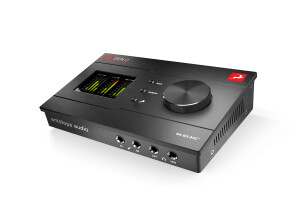
    I bought the Discrete 4 synergy core interface two weeks ago. After performing intensive testing and professional recording (also to catch one of the great antelope audio's offers) I decided to publish this review. the interface is compact and robust, arrives well packed. I found it simple to set up and connect it, it's also easy to record to get the effects of the bundle. Moreover, those who buy it by December 31st will get the edge microphone solo as a gift, but I have not yet received it, so I can not review it. (this is not a sponsored review). the discrete 4 SC is an AD/DA interface equipped with 4 quality preamplifiers (discrete design) capable of modeling. it handles 4 analog inputs and 6 outputs, 2 of which are dedicated to monitoring. It allows the routing of the audio stream on 16 logical channels, up to 8 digital (on ADAT ports). it has internal clock and a powerful processor that performs the real time FXs. The bundle I purchased also contains 4 real-time effects (very nice ones) as well as dozens of useful effects provided (even guitar amplifier emulationcwith zero latency), a full license to install BITWIG STUDIO (an abletonish powerful DAW) I tested the discrete 4 on both Mac and Windows with latency results of less than 10 ms (even with a high buffer). preamps work with even high gain (in addition to those that can be added via FX) and ensure the right cleanliness and definition. To be honest, those who have, like me, quality outboards (as a preamp OR compressors) should prefer them connected in the rear line inputs to work with optimal gain staging... but it depends on the tastes and microphones or instruments you want to record. The Discrete 4 allows you to record microphone, line or intrument sources, get 8 channels from a digital source (via ADAT), process audio/digital material in real time and almost every combination of that channels. What I loved right away is the great flexibility of routing. I don't want to go into too much details, but you can connect virtually any channel, DAW or physical to as many analog or digital channels to perform reamping, double takes, wet and dry signal recordings, send the signal to an external chain, send to a second monitor controller, etc... I'm a big fan of reamping and external outboards so i like the real time FXs included in the interface and the cabability to assign DAW and logical channels as I want, without any latency or issue. everything can be managed through the control panel which seems clear and exhaustive. there are 4 scenes for headphones to be configured independently. you can listen with the reverb inserted in the monitoring. That feature didn't impress me too much, but it's just an extra. the effects (not all) are convincing and really work at zero latency, giving the tracks that analog flavor. There are not bunches of knobs in the fx interfaces, so you have just essential parameters. Maybe you will be not able to get huge differences soon, in terms of preamps or conversion quality (if you come from a decent product) but once you start to experiment any routing option and effect capability you will get how the discrete 4 sc is a great upgrade for a small studio e for anyone who wants to go at the pro level in the music production. on the other hand, I would have liked some more physical control, such as volume headphones and mute, mono switches accessible on the unit, but you can't ask for everything at this price (also considering the value of the included products). I wasn't used to managing everything with mouse so at first I struggled a bit, but using two displays, it's not a big limit. there is the possibility to use an app to manage the Discrete 4 remotely via smartphone, but I have not experienced it .... il looks cool. many users complain of the flaw that you cannot use FX as a plugin in the DAW (in windows) or that, only using the thunderbolt connection, to use them in DAW on MAC osx you need to buy an extra plugin costing 200 dollars. I don't know what was the Antelope strategy on that, but, for me, it is not a big miss since I have tons of plugins and I do not use, for now, the thunderbolt connection, but here Antelope Audio could optimize the standard equipment better or be more consistent. I was a little disappointed because recording the same channel in double can create phase issues when trying to sum them (DRY/WET) in the daw... anyway, there are many options to get the sound you like with the DISCRETE 4 S.C., you can't go wrong. then...I had few e-mail exchange with the Antelope Customer care and it was simply flawless. IN THE END PROS - great construction - great flexibility and routing capabilities - discrete preamps, quality converters, internal clock and real time FX and digital IN/OUT give you a complete setup in a small, portable format - the bundle is a pure bargain - there are really cool fx you could insert in your tracking process - one has a chance to achieve a great sound without struggling with infinite menus or cables. - you get the feeling of using a really powerful interface - in this price (and quality) range there are very few competitors CONS - poor physical control on the interface - not all the real time effects sound convincing - the "in The Box" users will not be fully satisfied by the potential of synergy core

  • « Encore du bon! »

    Sans port Thunderbolt, passez votre chemin! Elle succède à une Motu Ultralite MK3 Hybrid, et elle lui succède sans aucune honte. Loin de là… Les plus: - La qualité des pre-amp est vraiment top, meilleure que ceux de la Motu à mon gout. - Le format, petit mais costaud - La latence - Le son de sortie Les moins : - Pas d'aération, mais ne chauffe pas trop quand on fait que de l'écoute, un peu plus quand l'alim phantom est active - Le logiciel Focusrite Control, que je n'aime pas (purement subjectif) Je retournerai chez Focusrite pour la prochaine carte son je pense. Vraiment pas déçu!

  • « Very easy to use and setup »

    I've posted a youtube video of my comparisons on these two products. I will admit, without looking at the video I had a hard time telling which was which. The Duet was an older unit with the older computer but it had a slight advantage on a cleaner, clearer sound then the Zoom TAC-2 which was recorded on a new Macbook Pro Retina with Thunderbolt input. The Zoom is incredibly painless to use. Plug in in, plug in instruments, open software and record. The Duet has the messy breakout cables that are a pain. Plug in Duet, plug in breakout cables, plug in instruments, open software, change settings, record. I don't know that TAC-2 would be the most cost effective unit in this price range. I thought it was a bit on the high side for what you got. But it was easy to use and had good results. I wasn't able to get the Zoom to work with my older Macbook Pro, which had the older firewire 400 connector for the Duet. Still working on that. Would like to do a sample running each through the left/right outputs on mixer with clean settings, doing same song with both units hooked up and recording at the same time. Will try to do that before sending the Zoom back in exchange for the new Duet. I loved the Duet. I recorded the same song with same instruments/mics; Martin TS cable plugin, Audix OM2 mic XLR cable plugin, and tried to match the recording levels. The Zoom onboard level meter was all over the place. It recorded a little hot, with 3 Green bars and the next setting went to overload red. Had a hard time getting a good volume without distortion. Wouldn't give me anything in-between so I used the software mixer which was much better. After recording in REAPER, the Duet on the old Macbook Pro, the TAC-2 on the new Macbook Pro Retina, I matched the volume levels as close as I could and spliced in and out with the sound between the TAC and DUET. I recorded the actual Reaper screen for playback so you could see what was going on. Video can be seen here http://youtu.be/-TwyMuSxR8Q

  • « To the Moon, All in or Bust! »

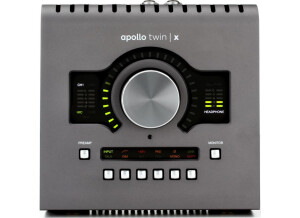
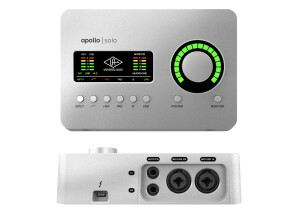
    While there's been plenty of lunar references in the many reviews for the new Apollo Twin series that are all over the web these days, the notion of "all in or bust" particularly applies to this review. I turned my entire home studio upside down on the flip of a coin that a new Apollo setup would simplify and improve my workflow. See I had grown quite comfortable and familiar with my surroundings, my 2008 Mac Pro tower, the trusty old RME Fireface UC connected via USB, and my centrepiece channel strip, my old LA-610 from UA. The last of my old setup, the LA-610, was especially the hardest to give up. You only have to read my in-depth review here on Audiofanzine to understand that. But the bottom line was, the setup had become too comfortable, and I had accepted it's limitations for too long. Looking to rejuvenate my recording process, I threw it all out the window for one, small silver box....the Apollo Twin Duo. This may have seemed like a crazy downgrade to some, but after assessing all of the Apollo's features and comparing them to my own studio’s capabilities, I quickly realised I was in fact making a huge upgrade, but with a much smaller footprint. Let me point out some advantages: 1) Are the Tubes done yet?....I do many things in my studio space, music obviously, but also sound design, film editing and graphic design. When a musical idea strikes or a music-related project presents itself, I often only have a narrow window of time to lay it down. Due to the sporadic nature of these projects, having to plan ahead to turn the LA-610 on an hour in advance to heat the tubes up was too much of a headache. Additionally, if my plans changed and I didn't end up being able to record, but had already pre-heated the tubes, I felt like it was such a waste of power and tube life. With the Apollo, I simply turn on the switch, load the exact same preamp module as a plugin in the designated preamp insert point and I'm ready to record. One cable, no wait. But does it sound as good…yes, and I’ll prove it later in the review! 2) Stability and Simplicity- When I started recording as a hobbyist before taking on professional projects, I came up through the ranks of sound cards like everyone else. First was the ol’ M-Audio Fast Track, then on to an Edirol FA-101 and ultimately I settled on an RME Fireface UC. By the time I got the RME, I was taking on professional projects and had a huge appreciation for driver stability and sound quality. But even then, the USB drivers always had quirks with Pro Tools 9 and every so often the RME would go MIA. There was also the minefield that is RME’s TotalMix software that I had to navigate on a regular basis. Configuring inputs and outputs with Pro Tools was always complicated and it was always a nightmare figuring out what sound was being routed where….with Apollo however, this is all automatic. The Console software, works just like a small analog board and it’s routing capabilities are very intuitive. Also, it’s I/O automatically configures itself with Pro Tools. Additionally, because it connects via Thunderbolt, it uses a PCIe driver, that not only blows the USB connection out of the water in terms of data transfer rate, but also in terms of stability. In the first month of regular abuse, the Apollo has yet to loose communication with Pro Tools. 3) Latency - The biggest draw to Thunderbolt is that it matches hardwired, PCIe speeds, meaning recording at lower buffer sizes is feasible with minimal latency. The argument that manufacturers like RME make in this regard, is that in Low-Latency mode, Pro Tools bypasses it’s own output and allows you to monitor solely through the DSP-powered mixer on your sound card, thus in real-time with zero latency regardless of your buffer size. This is true…unless you are using software instruments or guitar emulations. In that case, you will only hear the DI sound from your instrument and won’t be able to monitor with fully processed sound. Apollo makes low-latency recording incredibly easy as well as monitoring with plugins. Because Apollo automatically works with Low Latency mode, there is no configuring and muting tracks to achieve direct monitoring with PT: when you record-arm a track in PT it is simply only heard through Apollo. Because Apollo can load UAD plugins, you can place a preamp, a guitar amp emulation, and even a compressor in the signal path all in real time with no latency before the sound is even sent to PT…that is something no other sound card can do at the moment. You can also have additional Aux sends set up within the console app with reverb and delay plugins in real time to further improve your monitoring experience and ultimately your performance. 4) Hardware controls - The physical design of the Apollo Twin is also a huge upgrade over my old Fireface. Navigating monitoring levels was just too complicated for the Fireface’s tiny numeric display and I found myself constantly adjusting monitor levels with my mouse in the TotalMix window. The Apollo interacts more sensibly. It’s desktop design means it doesn’t have to be tucked away in the rack, but rather it can sit on my desk at arm’s reach. The ability to intuitively switch between monitoring on speakers or headphones is a huge improvement in my workflow. The ability to switch between preamps on the fly and adjust gain and other parameters is also a breeze. It’s no-fuss, no-manual-required operation. 5) One and done…I’ve probably used the words ‘simple’ or ‘plug and play’ in various forms quite a bit so far in this review. That’s because it’s the characteristic that has made the Apollo such an upgrade for me. One Thunderbolt cable and I’m done. I have all of my UAD instances loaded up in my channel strips in real-time, which means top quality processing with zero latency and no laborious patching of cables between physical outboard gear. UTILIZATION So what about in use? Below I'll walk through some instances of where I've used Apollo and UAD processing in conjunction with Pro Tools 11 on some recent projects. Vocals: In a recent soundtrack project I was working on, a filmmaker friend of mine had another friend of his, who is a talented singer-songwriter, record a cover of Neil Young’s “Tell Me Why” to be played over the final credits. While his friend is a terrific guitar player and singer, the recording methods used were less than desired. The vocals were recorded in 16 bit audio on a Zoom handheld recorder, so when it was sent to me for mix-down, I had to be creative. Thankfully, Apollo allowed me to do some clever re-amping, which when combined with some additional UAD processing worked some real magic. In this first audio example, you’ll hear the raw 16 bit vocal takes as they were loaded up first-time in my PT Session. https://en.audiofanzine.com/external-audio-interface/universal-audio/apollo-twin-duo/medias/audio/a.play,m.473944.html I then proceeded to trim and adjust the timing of the backing vocals, tightening up the whole composition. I then re-amped the individual vocal tracks, using a mono output from the back of Apollo and looping the sound back in through one of the Mic inputs. I loaded up a Neve 1073 in the preamp slot, adding some saturation and using the EQ to manage the low-end, while bringing out some top-end sheen. Then the vocals hit an LA2-A Silver from UA’s newer LA2 collection of plugins, with gain reduction ranging form 6 to 12db. The sound was then printed back into PT. I could have presumably loaded these plugins ‘in the box’, but with Apollo I like the idea of passing the signal back out through the physical impedance stage of the mic preamps, just as I would with the real analog gear. Here is the result: https://en.audiofanzine.com/external-audio-interface/universal-audio/apollo-twin-duo/medias/audio/a.play,m.473945.html Finally, to fill in the gaps created by the tight-trimming I did to remove the background noise, I set up two Aux tracks in PT, one with an EMT 140 plate for the backing vocals and one with a RE-201 Space Echo for the lead. The plate gave a nice, warm resonance and sustain to the backing vocals placing them within a well-defined space, and the dual short echoes of the RE-201 combined with its distinctive spring reverb gave an early Neil Young, tape slap effect to the lead vocal. Additionally, I used an instance of UA’s 1176 REV-A compressor (the blue stripe) with a slow attack and fast release to add some pumping energy to the lead vocal so that it would stand out from the pack: https://en.audiofanzine.com/external-audio-interface/universal-audio/apollo-twin-duo/medias/audio/a.play,m.473946.html Bass: I said before I’d prove Apollo adequately replaced my LA-610. Below is the sample I used in my review of the LA-610 using an Epiphone Viola Bass. Next is a sample using the same bass with the same-preamp emulation, combined with an LA2-A compressor plugin inserted in the Apollo Console app during tracking. https://en.audiofanzine.com/channel-strip/universal-audio/LA-610/medias/audio/a.play,m.473853.html https://en.audiofanzine.com/external-audio-interface/universal-audio/apollo-twin-duo/medias/audio/a.play,m.473947.html Keys: In this instance, I was trying to record some vintage Wurlitzer sounds to help drive the rhythm section of a song. Using the Wurly sounds from GarageBand on my iPad, I was able to use Apollo and UAD processing to transform the original, digital recording. This is the dry take: https://en.audiofanzine.com/external-audio-interface/universal-audio/apollo-twin-duo/medias/audio/a.play,m.473948.html These are the keys, amped using the UA 610-A emulation in the Apollo Console preamp insert. Additional UAD processing included compression via the Fairchild 660 and some enhancing EQ using the Pultec MEQ-5 to pull out some mids, tighten the lows, and boost the sparkle. I then inserted the EMT140 plate reverb to add some subtle sustain and space, which was followed by an instance of the Neve 1073 after the fact for additional drive. Here is the result: https://en.audiofanzine.com/external-audio-interface/universal-audio/apollo-twin-duo/medias/audio/a.play,m.473949.html Guitar: The Apollo Twin is also a dream for guitar players who have struggled with home recording and guitar amp emulations. I took the new Chandler GAV19T Amp emulation for a spin and was blown away with the results. I found I could load an instance of the Neve or UA preamps first to improve the DI Signal and then insert the Chandler to get my amp sound. All of this is accomplished with zero-latency, resulting in the best picking dynamics and playing experience I’ve had with any sound-card/amp configuration. I also love the fact that I could throw a Fairchild 660 after the Chandler, basically giving me a world-class rack compressor with extra tube character. Furthermore, I could choose to monitor only with the plugins and record the dry DI guitar signal into Pro Tools, so I could reamp and maintain flexibility later on in the mix. Even better is the ability to record both the dry and wet! Simply choose to only monitor with plugins, and print your main track dry. Also, simultaneously set up another track in your DAW to record one of the AUX channels. Then, in the console app, send the monitored sound of the amped guitar to the Aux send with no inserts loaded, and the full wet sound will be recorded to that second track. Voila, double tracking and reamping in the box with zero latency! Here’s a good taste of the Chandler plugin, tracked through Apollo with a 610-A preamp preceding it and a Fairchild 660 succeeding it. https://en.audiofanzine.com/external-audio-interface/universal-audio/apollo-twin-duo/medias/audio/a.play,m.473950.html Acoustic Slide: What about stereo recording acoustic instruments? Sure, why not. I set up to record some Acoustic Slide for a recent soundtrack project, with a down-home, ‘sitting on the porch’ type of vibe in mind. I put an AT4033 on the 12th fret and ran that through the first preamp on Apollo using the 610-A emulation. Using the same preamp configuration in the second channel, I completed my stereo image with an SM57 close miked near the bridge. Here is the dry recording: https://en.audiofanzine.com/external-audio-interface/universal-audio/apollo-twin-duo/medias/audio/a.play,m.473951.html Here is the same recording, with some additional processing in Pro Tools. Each track was given an instance of Studer tape for some vintage vibe, which was doubled up with some healthy compression from a pair of Fairchild 660s. Pultec EQs were then used to tighten the low end and enhance the top-end. With the tone dialed in, a subtle instance of the Roland Space Echo on each track gave a nice tape slap effect, before the whole performance was pumped with extra grit and attack via a ‘blue-strip’ 1176 compressor. https://en.audiofanzine.com/external-audio-interface/universal-audio/apollo-twin-duo/medias/audio/a.play,m.473952.html Strings: Similar to treating the vocals and the Wurly keys, re-amping through the impedance stage and the Neve 1073 emulation works wonders on digital strings. This composition was performed on 4 tracks using the Strings instrument in GarageBand on the iPad. In this first, dry example the thin, digital sound is evident. In the second example, simply passing the tracks through the 1073 without any added gain or EQ adjustments instantly enhances the stereo image and the organic quality of the composition. In the third example, the additional saturation from the Neve preamps and some broad strokes with the EQ go a long way to overhauling a previously anaemic and digital sound. https://en.audiofanzine.com/external-audio-interface/universal-audio/apollo-twin-duo/medias/audio/a.play,m.473953.html https://en.audiofanzine.com/external-audio-interface/universal-audio/apollo-twin-duo/medias/audio/a.play,m.473954.html https://en.audiofanzine.com/external-audio-interface/universal-audio/apollo-twin-duo/medias/audio/a.play,m.473955.html GETTING STARTED As I've previously stated, the Apollo is incredibly intuitive and easy to use. Simply download the UAD software from their site after registering your Apollo, install it and you're good to go! The driver automatically configures the I/O and Low Latency mode in Pro Tools and the Play/Pause controls overlap between the Console app and PT, so there's no switching back and forth to audition tracks. I've been using it for a month now with Pro Tools 11 on a mid-2011 Mac Mini and I have experienced nothing but flawless performance in OSX Mavericks. OVERALL OPINION In this price range, I feel the quality of Apollo's preamps and A/D converters are unmatched by anything that's not 3 or 4 times it's price. The ability to track with UAD plugs, particularly dry and wet signals simultaneously through some clever routing in the Console app, is also a huge coup and one that goes a long way to bridging the analog and digital domain. Most importantly is the ability to turn it on, plug it in and record with flawless performance and uncompromising sonic quality. Nowadays, with DAWs like Pro Tools and Audio Interfaces like Apollo all within consumers' budgets, it's perfectly feasible for the home recordist to achieve professional recordings on their own, which could be brought into a professional studio for mix down without the need for re-recording. In other words, technologies such as these have empowered a new era of independent musicians. Pros +Flawless performance and stability +Automatic configuration with most DAWs +World-class A/D converters +Pristine pre-amps with endless capabilities through emulations +Real-time UAD processing +Easy to use DSP mixer with intuitive, analog interface +Intuitive, time-saving hardware controls (particularly monitor controls) Cons -UAD plugs can be viewed as either a best life decision or a slippery slope...it's a big investment that will put off some, but if you're already a UAD user and own a lot of their plugs, welcome to your next frontier! -Only works with Thunderbolt compatible computers -Only two additional mono outputs, meaning outboard routing capability is minimal and may be a turn-off for those looking to use analog summing devices, like the Dangerous D-Box. In this case, you should look at stepping up to the full-size Apollo Duo or Quad. -Only one Headphone jack for monitoring. Two would have been really nice, like on competitive interfaces from Focusrite. -Only two preamps...after getting a taste of unison technology, you'll wish you had more! - Only available with a duo core, DSP processor...Considering the DSP hit of the newer UAD plugs, four-cores could be easily used, even in this small footprint.

  • « Very good, Very expensive »

    The Apogee Symphony is a 16 in and 16 out interface that connects to your computer via USB connection. When I purchased it I was immediately drawn to the design of it and the build of it. It is built out of high quality materials and nothing about it says “cheap”. UTILIZATION There are 16 balanced inputs and you can connect the mics via the external microphone preamps and same thing with the guitars. There are 2 channels (S/PDIF) and 16 Analog Outputs. This interface may not be for everyone do to the price and the complicated set up. It took me a while to get this set up and my computer specs where just about standard with what the Symphony was requiring a user to have for this interface. GETTING STARTED I was having major driver issues when using this with my desktop Mac computer. For some reason I had to do installs about 3 different times before the interface would be recognized by my computer. But after I finally got it to install correctly it worked like a charm. These issues could have been my fault or my computers issue; I really didn’t think it had anything to do with the interface. OVERALL OPINION Being that this interface is so expensive, it may not be worth the money. I have used other interfaces that cost hundreds of dollars less that gave me the exact same sound. But it’s Apogee and they also have more expensive gear. If you are a Macbook user I wouldn't recommend this unless your MacBook is your main set up than in that case this could be your main interface. But if you have a desktop Mac and enough money to invest this is the interface to have. The preamps are amazing and the sound quality is about as good as you are going to get from working at home!

  • « Getting it soon for sure »

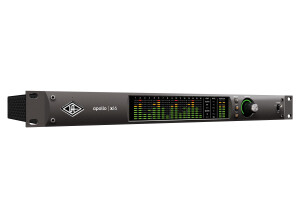
    The Universal Audio Apollo Quad Interface is what is used at the main studio that we go to when we are ready to do some final recordings. We have used this interface over 20 times now and we love everything about it. It has 8 channels that are analog to digital. On board mixing in real-time and 8 line outputs. The Apollo Quad Interface as kind of been hour workhorse do it all interface. We get our best and most crisp sound when we use it that is why it is only done for our final recordings. With the Apollo Quad interface you are getting 18x24 FireWire, and all of the processing is done in real time. It has up to 4 microphone inputs and it supports sample rates of 44.1, 88.2, 96, 192. The latency is undetectable with the Apollo Quad Interface. It includes 10 digital inputs on top of the microphone ins. UTILIZATION This unit is very expensive, we are currently saving up for our personal studio to own this device because we like it in the studio that much. We will be getting one soon, we just recently started using it and wish we had more time with it but studio time is expensive. It does require phantom power. The bits per sample are 24 if I remember correctly. GETTING STARTED Depending on what microphones you use with it will really depend on the final sound that gets recorded. Higher end microphones will give you a crisper sound, and cheaper microphones.. Well you mine as well not even use a cheap microphone with the Apollo Quad interface because no interface can make a poor microphone sound good. OVERALL OPINION We did not install the Universal Audio Apollo Quad Interface since it is not ours, but after talking with the engineer in the studio and owner they assured us that it was extremely easy and effortless. With a price tag of 2500 bucks it is worth it without a doubt. This is the first and only interface from Apollo that we have used consistently and it is now our favorite one! Any one who can afford to have this in there home studio is truly blessed. Buy it!