Log in
EN
FR

Akai Professional MIDI Control Surfaces

Series

28 products found

Categories
Series
Filter
Sort by
Akai Professional
Evaluation
  • Reviewed or not
  • Editor’s award
  • Reviewed by Audiofanzine
Availability
  • Available or not
  • Sold new or used
  • Sold new
  • Sold used
Must-have products
  • All products
  • Flagship products
  • Best rated products
  • Hot products
  • Popular products
Price
  • Freeware
€
Clear
Sort by
  • Popularity
  • User ratings
  • Price - low to high
  • Price - high to low
  • Used price, increasing
  • Used price, decreasing
  • Name (from A to Z)
  • Name (from Z to A)
  • Added on
Choose a category
Selected category: MIDI Control Surfaces
Choose a series
Sort results
  • Popularity
  • User ratings
  • Price - low to high
  • Price - high to low
  • Used price, increasing
  • Used price, decreasing
  • Name (from A to Z)
  • Name (from Z to A)
  • Added on
Filter results 28 results found
Brands
Evaluation
Availability
Must-have products
Price
  • Freeware
Show results

The best Akai Professional MIDI Control Surfaces reviews

The reviews Audiofanzine members found the most helpful.
  • « Almost perfect. »

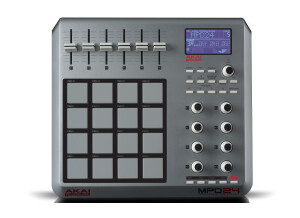
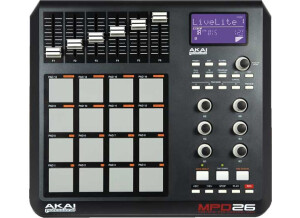
    What I like most about the MPD 24 is the super great feeling knobs on this machine. I know that the most important aspect should be the pads, but I will get to those. The knobs are endless encoders and feel like they belong on a unit three times the original price of this guy. They are very smooth and have just the right amount of resistance so they feel absolutely solid. The faders are also extremely nice. Both faders and knobs blow away my M Audio Axiom keyboard as if the keyboard was the pig in the straw house and the MPD the wolf. What I don't like about the MPD is really just one thing. The pads are not as sensitive as they should be, and that of course is a huge problem. The main issue is that akai built the sensors under the pad in a round shape....the pads are of course square...hello!!!! So, if you strike the corners, you get about a 50% in my experience of triggering something, and if you do, its very low on the 0-127 scale (about 10-15). I have ordered the sensitivity upgrade on ebay and will be installing it very soon. If you only want to use this for single velocity hits or triggering scenes in ableton or something along those lines, you can set the pads to send "full" hits (127) with any hit of the pad. That seems to respond perfectly. As for value, I got mine used for $75 so after the pad upgrade, I have invested $90. If that solves the problem than I am going to be crazy happy and feel I spent very little to get what I need. This is just a midi device so there is no sound quality rating needed. I have used a few different drum pads including older akai models, the m audio trigger finger (better pad sensitivity but crappy everywhere else) and the Axiom pads which are also a little better. Again, if the sensitivity upgrade works, then this will be the best pad I've owned. For the little price of $75, I would buy this again just for the encoders.

  • moosers's review

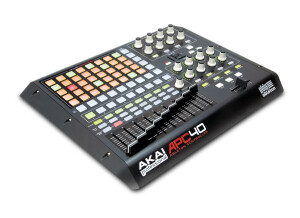
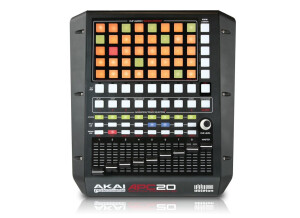
    The Akai APC40 is a unique MIDI controller that's designed for use with Ableton Live. Ableton is a DAW that's becoming more and more popular and for good reason as it's really intuitive and easy to use for creating music in the box. The APC40 makes this process even a little bit easier as it gives you access to controls in the DAW on an external piece. It's perfect as a controller for live shows if you're using your laptop on stage. I only recently got to try out the APC40 with Ableton, and while Ableton isn't my main DAW since I don't do all that much music creation in the box, it's a great tool for those who are using Ableton on a daily basis. You can control pretty much everything in Ableton using the APC40, as it's got nine faders (including a master), buttons for clip control, knobs for track and device controls, as well as transport and channel controls. It's pretty in depth with everything that it can do but if you know Ableton Live well, I don't think you'll have a hard time adjusting. Since I don't use Ableton all the time, it'll take me a little more time to get used to using the APC40, but I think those a bit more experienced will feel pretty comfortable with it. The price is about right for the APC40 considering all that it brings to the table and it's nice build. Of course for it to be worth it you should be using Ableton a lot as this doesn't work with other DAW's that I'm aware of, or least it's modeled after Ableton and wouldn't really translate over. For those who do have Ableton Live, definitely check out the APC40 for hands on control of your DAW.

  • « Good item for beginners. »

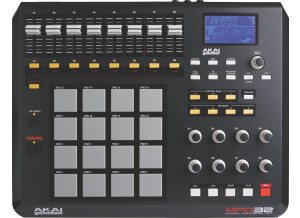
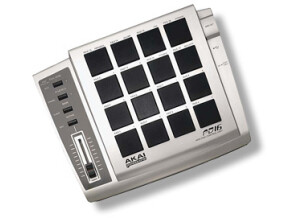
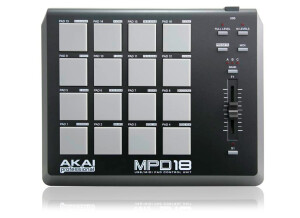
    The MPD18 is an Akai made MIDI Control Surface compatible with all the softwares out there. It's composed of 16 sensitive pads to play the notes, a fader that changed the MIDI send sound, a "Full Level" button that allows you to play the pads at full volume no matter how hard to press them, and "NR Config." button to change the presets of the pads right there in the moment, a "Presets" button to change the presets in the MPD, a "MIDI CH" button to change the channel that your MIDI device, it has an "Bank" button that changed through A, B and C which changes the MPD's notes going up the scale and a "Note Repeat" button that repeats the note while holding the pad at a specific tempo. Each pad also has a preset that while holding the "NR Config" changes the sound of the pads'. On Pad 16 you can tap the tempo that will play at the note repeat, then swing and bar count. The best part about the MPD18 is that it's kind of like a cheap piano. It does it's job, you can physically play any sound from any software and it's easier than 1st grade math. There is no such thing as Musical Typing in professional softwares like Pro Tools and the MPD18 is the most reasonable answer for a beginner with a low budget. It's the same as a piano, but in separate squares. You won't be able to play a Mozart piece or Beethoven piano solo, but you will be able to play anything that is in range or an easy solution is play the lead piece in one track and the back notes in a different track or in a different recording and you can come up with a complicated piece of music. The value is very cheap. It can do the same thing as a piano but at $100 or less. A normal MIDI piano, even though it is better for it's small details and characteristics, costs over $400 and it does the same job as the MPD18. The sound and precision of the MPD18 is excellent. It's the same as a normal piano. It never lags and it's very precise. What ever you do on the software, it does on the MPD, so it's very accurate. This was my first model I've used as a MIDI, but I no exactly how MIDI piano's work, and I know the MPD18 is an excellent choice. You should go out and buy the MPD if you're a beginner at producing and composing music. It's cheap and easy to use.

  • JayDMusic's review

    This is a review of the Akai MPD16 MIDI Control Surface. I used it for quite a while and was very pleased with it before I upgraded to an MPD24. You can read my review on the MPD24, too. First off, I have to say, that I bought this product on a whim. I wasn't really planning on anything when I walked into Sam Ash, but after playing on the MPCs for a little, I decided that using keys wasn't the best way for me to chop samples or play drums in my DAW. I decided that I was going to take the bit of money I had and pick out a pad control device. The MPD caught my eye because as every person who's heard of the MPC, they will know that it's made by Akai, also. Akai is legendary when it comes to pad control devices, and I had seen a video where a guy chopped an looped a sample in his DAW with the MPD. I thought to myself, "This can be a great investment! I can program my drums just how I want to!". This, coupled with its easy USB connect-ability, made me whip out the debit card for this baby. When I brought it home, I was surprised when I pulled it out of the box. I thought it would be a little flimsy piece of hardware. I was wrong. It was built well, and could easily withstand the trials of a traveling performer or producer. The pads were soft and thin, sensitive, too. The fader was nice to control the volume in my DAW. The installation of the thing was a piece of cake. I dropped the CD into my drive, and it read and installed in a matter of a minute or two. I opened up Fruity Loops Studio (Yeah, I use it. Sue me. I love it!), and picked out one of my favorite samples. I dropped it into the FL Slicer and opened my MIDI settings and activated the automatically-detected MPD16. I started hitting the pads on the MPD and realized exactly what my studio had been missing. Using this device made it easy to manipulate and choose exactly what chops I wanted to use. Then, I opened up the FPC plugin and in no time, I had a great drum kit with perfectly configured pads to pound on! The classic 16 levels and Full Level switch made it easy for me to make my drums fade in and out with master precision instead of having to guess while I adjust the volume of the drum. Instead, I had 16 perfectly spaced levels to work with. I was really pleased with its seamless performance thus far. I was only an hour in, too. After having it for a couple days, I was so pleased with it that I went out and bought the MPD24, too. When it comes to pros and cons, there were only pros. Sorry to make you guys upset by leaving out the cons. That's because there were none. The pros were the price, the construction, the pads, the compatibility, the company, the customer service, and the piece of equipment in general. It's a great piece, and I recommend it to anybody who wants to have a simple pad control device to control their DAW. It's a great value and it can prove priceless to any home studio setup.

Akai Professional MIDI Control Surfaces reviews