Log in
EN
FR

Native Instruments MIDI Control Surfaces

3 products found

Categories
Series
Filter
Sort by
Native Instruments
Evaluation
  • Reviewed or not
  • Editor’s award
  • Reviewed by Audiofanzine
Availability
  • Available or not
  • Sold new or used
  • Sold new
  • Sold used
Must-have products
  • All products
  • Flagship products
  • Best rated products
  • Hot products
  • Popular products
Price
  • Freeware
€
Clear
Sort by
  • Popularity
  • User ratings
  • Price - low to high
  • Price - high to low
  • Used price, increasing
  • Used price, decreasing
  • Name (from A to Z)
  • Name (from Z to A)
  • Added on
Choose a category
Selected category: MIDI Control Surfaces
Choose a series
Sort results
  • Popularity
  • User ratings
  • Price - low to high
  • Price - high to low
  • Used price, increasing
  • Used price, decreasing
  • Name (from A to Z)
  • Name (from Z to A)
  • Added on
Filter results 3 results found
Brands
Evaluation
Availability
Must-have products
Price
  • Freeware
Show results

The best Native Instruments MIDI Control Surfaces reviews

The reviews Audiofanzine members found the most helpful.
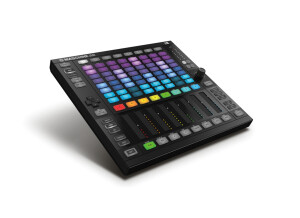
  • « A perfect complement to maschine studio »

    What configuration, software and other gear do you use with this MIDI control surface? In what context? What are your thoughts on its stability? I already owned maschine studio soi t was quick to install (5 mn). 2 expansions (to be chosen) were offered for Maschine owners. Do you find the different features and controls to be ergonomically designed? Is MIDI mapping straightforward? Yes, it’s a perfect complement to Maschine, it brings a lot of additional controls. Now, I haven’t done mapping for third-party softwares. What are your thoughts on the feel of the controls and keys in terms of robustness and precision? Good overall quality. The touchstrips sometimes lack precision, but you can adjust things precisely with the shift + touchstrip command. What are the pros and cons of this product? Pros: - step sequencer - mix with touchstrip - DJ effects with performfx - arrangement (finally !) simpler with the Song mode and quick update - piano roll , keyboard mode, and touchstrips in note or chord modes allow for easier composition - parameter morphing (a very creative feature) with the shift + lock mode - enhanced sound design with touchstrips in Controls, Tune, Aux modes. It’s also possible to save these parameters as snapshots and to morph between them (an excellent feature) Cons : - no realtime timestretch... - I would have likes a possibility to control the velocity and length of notes using the touchstrips in step sequencer mode. - No pad velocity. - Not enough visual contrast on the pads, you can’t alway see which pad is selected. - No screen, so you look at the computer more often. - Many parameters are difficult to access if you have neither a maschine studio or mk, or you have to do it on your computer using the mouse. - No controller unsync, while I would have liked a possibility to work on two different groups or instruments simultaneously.. Overall : This maschine jam has largely enhanced my workflow, both in speed and creativity for composing, sound design, arrangement, mix and live. I’m really having fun!!!! It’s still not perfect, but NI are known to provide regular updates. Still, I’d mostly recommend it as a complement to a maschine studio or mk, as by itself it makes your workflow more dependent on a mouse.