Log in
EN
FR

Korg MIDI Control Surfaces

Series

9 products found

Categories
Series
Filter
Sort by
Korg
Evaluation
  • Reviewed or not
  • Editor’s award
  • Reviewed by Audiofanzine
Availability
  • Available or not
  • Sold new or used
  • Sold new
  • Sold used
Must-have products
  • All products
  • Flagship products
  • Best rated products
  • Hot products
  • Popular products
Price
  • Freeware
€
Clear
Sort by
  • Popularity
  • User ratings
  • Price - low to high
  • Price - high to low
  • Used price, increasing
  • Used price, decreasing
  • Name (from A to Z)
  • Name (from Z to A)
  • Added on
Choose a category
Selected category: MIDI Control Surfaces
Choose a series
Sort results
  • Popularity
  • User ratings
  • Price - low to high
  • Price - high to low
  • Used price, increasing
  • Used price, decreasing
  • Name (from A to Z)
  • Name (from Z to A)
  • Added on
Filter results 9 results found
Brands
Evaluation
Availability
Must-have products
Price
  • Freeware
Show results

The best Korg MIDI Control Surfaces reviews

The reviews Audiofanzine members found the most helpful.
  • « Quality pads »

    The Korg PadKontrol can be purchased in White or in Black. The price is very good, and it was when it first came out many years ago. Just looking at the face of the PadKontrol you can tell that it is an older unit because it just has that old style look to it. The PadKontrol is very expressive and can do pretty much anything you would want out of a MIDI controller. Every single pad out of the 16 of them can be assigned to a different MIDI channel so you can control different functions with it. All of the pads are velocity sensitive or you can turn the velocity off and get the perfect strike on the pad every single time you hit it. The pads are pretty well built but I still think AKAI’s MPD has better pads than this unit does. Setting it up was really easy and no effort was involved, just have to make sure that your system requirements are right because this unit is so old, all of the new operating systems could run you for a loop when trying to install this. You might have to download some new drivers and patches online to get it to work but in most cases you should be good to go with the original drivers right out of the box. The PadKontrol is well built and will last you a long time. I purchased a used one and had it for a few years then sold it to a friend and he has been using it for years so it has been in at least 3 different owners hands and it is many years old. It still works great, it does look a little tarnished though but that doesn’t effect the playing or usability of it. But if you want a better built controller with better pads check out the MPD by AKAI you will get more bang for your buck.

  • « Fast response »

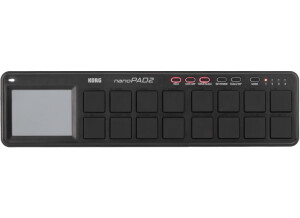
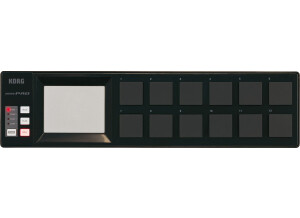
    The Korg nanoPAD2 can either come in white or black, it is a Drum Pad Controller that has 16 pads on it that are all velocity sensitive. NanoPAD2 connects to your computer via USB and it is very easy to install and set up. The price of the nanoPAD2 is very competitive and sets it apart from other similar drum pads. The way that the PAD2 response is way different and better than the original nanoPAD did, it is a lot faster. On this model there is also a new function that is for gates/arps right on the nanoPAD2. The Korg nanoPAD2 does not have any other connections except for USB, there are no MIDI ins or outs and no pedal inputs. You will need service pack 3 if you are on windows XP and it will run on Windows Vista and Windows 7. If you are on a Mac you just need OS 10.4 or higher to run the Korg nanoPAD2. The unit is very light and well built, it is small enough to take around with you in your carry bag or laptop case. I have been using the Korg nanoPAD2 since last fall, I purchased it after I got rid of my Akai midi keyboard with the drum pads on it, so I still wanted something for my drum pads and decided to go with the Korg nanoPAD2. It has worked great since the day that I got it and has never gave me any issues using it on my Windows Vista system. Depending on which software you use it with will decide on how you set It up. You will probably need to refer to the manual to figure that out. I have been using it with Reason and a few times with FL Studio and it has worked great with both of them, I have also seen people use it with Ableton and Cubase so it seems to be a pretty universal drum pad controller all for a low price.

  • Audiofanzine FR's review

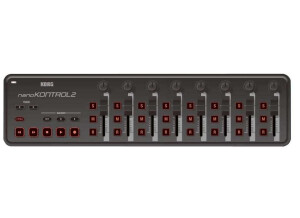
    (Originally written by Iriebassman/translated from Audiofanzine FR) I bought the Nano Kontrol yesterday. Very light. Faders are a bit soft, but switches are a bit tighter. The provided cable is long enough. The 6 rubber foots ensure a good stability. It has 4 interesting layer modes. The 4th mode is the best for me because in all others modes a switch can control the mute function (for example) but the function will be deactivated as soon as you release the switch. It can be useful for some applications but it's a problem if you need latching switches... But it seems that the KORG Kontrol Editor allows you to configure switch interaction more precisely. In Momentary mode, the transmitted value is "On" when you depress the switch and "Off" when you release it. In Toggle mode, when you depress once it's "On" if you depress it again then it's "Off". The only problem is that the KORG Kontrol Editor will be available in November so I will have to be patient hoping it will work fine with Linux via Wine. Speaking about Linux, the Nano Kontrol works perfectly with Ardour, Jack-Rack and every other Midi software that allows you to configure a hardware controller. I'm very satisfied with it in my home studio and I think it will be easier to mix my songs with Ardour, given its customization possibilities. _________________ Edit: Korg already released the KORG Kontrol Editor and I can tell you more about the product. This compact controller is good... The software makes it entirely customizable. I think it's good that the presets are stored directly in the Nano Kontrol. In other words, once you configured the controller to meet your needs, you can write the parameter names on the unit, unplug it and then plug it again without losing your settings. It's also possible to change the response of the switches (form MMC to note message). It gives you a wide range of possibilities. And it works wonders with Linux using Wine and Midi. I'm pretty satisfied after several hours of use.