Log in
EN
FR

Hewlett-Packard

36 products found

Categories
Filter
Sort by
Evaluation
  • Reviewed or not
  • Editor’s award
  • Reviewed by Audiofanzine
Availability
  • Available or not
  • Sold new or used
  • Sold new
  • Sold used
Must-have products
  • All products
  • Flagship products
  • Best rated products
  • Hot products
  • Popular products
Price
  • Freeware
€
Clear
Sort by
  • Popularity
  • User ratings
  • Price - low to high
  • Price - high to low
  • Used price, increasing
  • Used price, decreasing
  • Name (from A to Z)
  • Name (from Z to A)
  • Added on
Choose a category
Sort results
  • Popularity
  • User ratings
  • Price - low to high
  • Price - high to low
  • Used price, increasing
  • Used price, decreasing
  • Name (from A to Z)
  • Name (from Z to A)
  • Added on
Filter results 36 results found
Evaluation
Availability
Must-have products
Price
  • Freeware
Show results

The best Hewlett-Packard reviews

The reviews Audiofanzine members found the most helpful.
  • moosers's review

    The Hewlett-Packard L1740 is a basic 17" LCD monitor. One of the smaller producer suites at the studio complex I work at has one of these in it for monitoring Pro Tools. Right now it's definitely in our least together room, as it's not the best monitor in the world and was just kind of thrown in there out of necessity. The monitor is indeed a flat screen monitor and can be used on for both Apple and PC computers. While not ideal for monitoring Pro Tools, the L1740 will get the job done okay if needed. If you're putting together a room or studio, I probably wouldn't recommend using this as your monitor as it's simply not wide enough to properly monitor all the peripherals needed. It would definitely work fine for basic computer usage, but when it comes to Pro Tools and other DAWs it's really necessary to have all the space you can get to view as much as possible. I don't believe that they make the L1740 any longer as it just looks kind of old to me, but either way I'm pretty sure it can be had on the cheap if you're after a cheap monitor. What this would work great as would be for use in tandem with another monitor to get dual monitors happening, which is indeed something we've used this for in the past, specifically for ADR (audio dialog replacement) for film where you might need a few monitors up to view. So while I'd stay away from using the Hewlett Packard L1740 as your main monitor for your recording studio, it should be just fine in lesser situations. It's not that the image on the screen is bad as it's decent enough, it's more of a size thing that's the problem. While the view it's as clean as more modern monitors, it will once again work just fine in situations where you don't need all that much space or a crystal clear image, which excludes use with a DAW in my opinion...

  • moosers's review

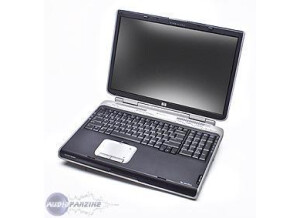
    I've had the Hewlett Packard Pavilion zd8000 for about four and a half years and have used it for a whole slew of things. While I now have an Apple computer, before I got it I was using this computer both for personal use and for recording music. The model that I have of this computer has a 3.0 Ghz processor and 2 GB of RAM. It has a great monitor, as everything comes in clear, and overall has a great look to it. The built in mouse and keyboard is laid out conveniently and smartly. In addition to basic tasks like using word processing software and the internet, I was running Cubase SX for both tracking and mixing purposes. Using a MOTU 896 HD audio interface, I was able to record eight tracks at once with little problems if any at all. I was also able to run about twenty four tracks at once with plug-ins on each track. Even though this was probably the limit to what I could run on this, it was all I needed, and it always did it pretty effectively. However, as time went on I could feel it getting slower and after a while it wasn't able to run as fast anymore. I decided I wanted to switch to Pro Tools, so I needed to change over to an Apple computer, but the Hewlett Packard Pavilion zd8000 lap top worked great for me while I had it. The price of a new one of these when I bought it was definitely overpriced in hindsight, but you can probably get it for cheaper now. This computer is probably best suited for personal uses, but for a while it worked well for both personal and audio purposes. I probably would recommend getting a Mac if you are looking to work with audio, but overall this computer is pretty well made.

  • JayDMusic's review

    This is a review of the HP DV6000 Laptop. This was my first ever laptop. I got it $150 off at Micro Center during a sale. I trust HP, and their computers are no exception. When I got this computer, I was super excited about it. I had chosen the differently-configured version. In terms of confusion, there are many types of DV6000 laptops by HP. Don't get confused thinking that there is only one. They are a series. Anyway, I got the laptop that I thought would fit what I wanted to do. My laptop was the one with the AMD Turion processor rather than the C2D. Why I did this, you ask? They were both the same price, but the one I bought had 2GB of RAM and a dedicated GeForce graphics chip versus 1GB and integrated for the C2D machine. I had went out on a limb purchasing the one with the slower processor. With regards to the processor, it didn't stand a chance against the C2D processor. However, my uncle bought the C2D version, and the 1GB of RAM caused a lot of problems for him. Also, on my laptop, I was astonished when I realized that it would run Counter Strike: Source on it. It was no Alienware, but it ran CS:S at a surprisingly good framerate. My PC came with Windows Vista Home Premium. Despite what the critics say, I love Vista. It's easy to use. Some things didn't run as well as I had hoped, but this was due to the processor. Installing things was a breeze and the visuals were sharp. I noticed that on the AMD editions of the laptop, Windows Flip 3D didn't run as well as on the C2D version. Besides all of the eye candy, this laptop was rugged. I mean, I've had kids I was hanging out with step on it, put a chair on it, and even had a stick hit it. The screen is great and durable. The frame is cool looking and the design on the top is neat. Also, the built in Wi-Fi card is handy. However, I couldn't devise a way to get it to work with Linux. Also, the multi-card reader on the side is handy. Onto the cons of the PC, I will mention that it does get hot. This is to be expected with all laptops, though. Also, the few performance issues I listed above regarding stuff like Windows Flip 3D could've been ironed out, but they are negligible. Also, the thing took a long time to log in. Usually around a minute. This was one thing that irritated me. In general, the laptop is a great one for the price. HP has solid costumer support. The laptop is pretty rugged and I put it to good use. It was a great starting piece of hardware when it comes to laptops, and I still use it now.