Log in
EN
FR

SeriesiZotope Ozone

26 products found

Filter
Sort by
Evaluation
  • Reviewed or not
  • Editor’s award
  • Reviewed by Audiofanzine
Availability
  • Available or not
  • Sold new or used
  • Sold new
  • Sold used
Must-have products
  • All products
  • Flagship products
  • Best rated products
  • Hot products
  • Popular products
Price
  • Freeware
€
Clear
Sort by
  • Popularity
  • User ratings
  • Price - low to high
  • Price - high to low
  • Used price, increasing
  • Used price, decreasing
  • Name (from A to Z)
  • Name (from Z to A)
  • Added on
Sort results
  • Popularity
  • User ratings
  • Price - low to high
  • Price - high to low
  • Used price, increasing
  • Used price, decreasing
  • Name (from A to Z)
  • Name (from Z to A)
  • Added on
Filter results 26 results found
Evaluation
Availability
Must-have products
Price
  • Freeware
Show results

The best iZotope Ozone reviews

The reviews Audiofanzine members found the most helpful.
  • « Excellent mastering prod. tool, user-friendly, a ‘must’, would deserve a clearer price policy. »

    Excellent mix and production software. Acquired in the N.I. Mix and master advanced bundled with Neutron and Neoverb, Iris elements. Neutron 4 and Ozone 10, Together with Neoverb provide an excellent combination. Started with Ozone 9, standard, then Ozone 10 in a bundle. overall, Ozone 10 is powerful, with an excellent ergonomy and a very impressive master assistant, with the visual presentation of the sound. It requires a certain built experience to master the multiple possibilities, as well a knowledge in mix ing and mastering, production of final tracks. The assistant is very helpful to reach a first level of fair quality, even as a non professional. To my experience, Ozone 10 requires several month practice to increase one’s mastering of master-production and of the powerful tool. My sole criticising of Izotope (and Native Instruments, which also sell Izotope) is about the constantly changing company price policy, varying with the different promotions, change of Version, or sale circuit. It is completely unreadable, compared with companies like Arturia, Waldorf, Finale,… The ‘Mix and Master Bundle advanced’ pricing didn’t take into account the fact I had previously acquired an Ozone standard, with other elements. Overall budget is 100€ for Ozone 9 standard edition, plus 258€ for Mix and Master Bundle including Ozone 10. The quality to price ratio is excellent, considering the great quality of the tools provided. But, it is normal, as I had bought Ozone standard to Izotope, to which I was registered as user, I found better pricing with a Native sale, not taking into account my quality of Ozone client ? Not understandable, confusing. The price policy is for me a strong disincentive to go further in investing in N.I. or Izotope, other than with the current package I acquired. The quality of Izotope products is quite high, as the level of service it provides to the musician.On the opposite, the lack of readability of the pricing policy is a strong desincentive. The client musician has too often the impression he bought the product at a higher price, to see a much lower offers a few weeks after.

  • « A must-have mastering suite »

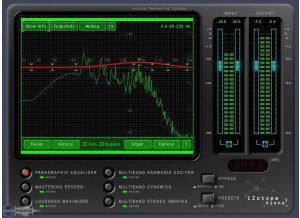
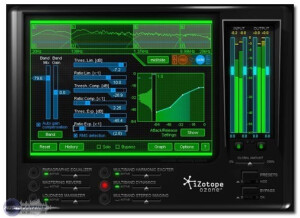
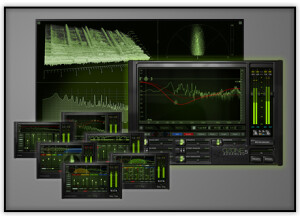
    Ozone 5 is a mastering tool that you can use as a plugin with a number of DAWs. I've tried it in both Sonar and Nuendo with excellent results. The installation is completed in the blink of an eye (I didn't experience any compatibility issues on Windows 7 x64 or Windows Vista) and the best part is that Nuendo automatically recognizes the plugin, requiring no intial setup or tedious folder searching. The manual is quite straightforward. But what I feel is the strongest point of Ozone 5 is the intuitive quality of the interface: it is all about generating a nice, understandable visual feedback of every little adjustment you can make. Every tool gets its own separate tab, making for a very straightforward and organized overview. The general layout of the tools and meters has been improved from Ozone 4: the Dynamics Tool (compressors, limiters, etc) shows a more graphical interface that won't take any parameter away from you, but will let you fully concentrate on the audio -if you wish to do so. Every other tool has been refined in terms of graphic accessibility. The snapshot tool (as well as the matching) in the EQ tab are now easier to access. SUITABILITY/PERFORMANCE I've been using Ozone 5 for a couple of months now, and up to this point I have never experienced a single crash. It has never slowed down either, so I'd say its very, very stable. It doesn't consume a lot of memory either, and the fact that you now can use a single tool as an insert (without having to use the entire mastering suite) makes it even better. For example, the new Meter Bridge feature can be used to tap different channels and get a complete spectrogram of the whole session, and it barely uses any memory. OVERALL OPINION I took my first steps in mastering a couple of years ago with iZotope Ozone 3. Over the years I tried other tools, but I've always found myself returning to Ozone. I even used to joke that Ozone works against you in your mixes, because the presets are so good its very hard to avoid using presets every single time. If possible, Ozone 5 delivers a more transparent sound that Ozone 4, and combined with a good set of monitor speakers it can be a very powerful tool for either the beginner or the experienced engineer. Once again, I think that the strongest point of this suite is the visual element: getting to see in graphics what otherwise would be a set of confusing algorithms and numbers

  • « Great mastering! »

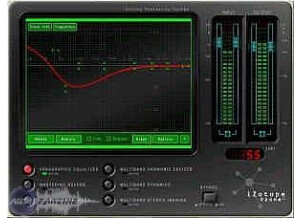
    The iZotope Ozone 4 is a VST-based mastering suite that contains all the effects and plugins necessary for basic, home-studio mastering. It has six different sections, including paragraphic eq, mastering reverb, multi band harmonic exciter, multi band dynamics, loudness maximizer, and multi band stereo imaging. If you've never ventured into mastering before, some of these processes may seem familiar, but others can be a bit complicated. No matter, iZotope comes with plenty of presets for a variety of genres, and they are great starting points for your mastering needs. SUITABILITY/PERFORMANCE I find myself using the loudness maximizer the most, which is the main effect that pushes the volume of the audio track as loud as possible. This is what most people think of when it comes to mastering, although there are other elements as well. But tonally, you can always adjust things in the recording mix, but the loudness maximizer is always the biggest missing piece that turns a recorded piece into a finished one. Many companies offer loudness maximizers, but the key is finding one with a great transparent algorithm, which can maximize the volume and reduce the audible artifacts. iZotope Ozone comes with multiple algorithms for different genres, from smooth to fast responses, and they all sound pretty good, as long as you don't push it too far. You can also use the multi band compressor to help level out the sound, which reduces the pressure on the maximizer/limiter. When I do quick song releases to show my friends, I usually just run it through the loudness maximizer, just until the limiter starts to kick in slightly, and it gives me a full-volume release that is void of any limiting artifacts, and it is quick and easy to do. That is one of the reasons I really like this software: it's easy to quickly dial in anything. OVERALL OPINION Overall, I would recommend this product to any home studio that is in need for an in-house mastering solution. Be sure to try it out!

  • « Great Mastering Suite »

    This is a mastering/limiting plug-in from iZotope, who are without a doubt one of the most talented plug-in software manufacturers working in audio production today. I haven't had any compatibility issues with this plug-in at all, it works great in Pro Tools and I've heard it is fantastic for other DAWs as well. The manual explained everything I needed to know, and actually gave a decent summary of what mastering was in general, I really thought it was a great resource for this plug-in. The setup of it isn't that simple, but neither is mastering, so the manual really helped there. The functions that are necessary (there are 7: Loudness Maximizer, Paragraphic EQ, Multiband Dynamics, Multiband Stereo Imaging, Harmonic Exciter, Dithering, Mastering Reverb) are all easy to access. SUITABILITY/PERFORMANCE I've never had a problem with this plug-in's performance. It's certainly a bit bigger and uses more processing power than a single-channel EQ would, for instance, but this is fine as you probably wouldn't master anything until the mix was done anyway. It's been perfectly stable for me, it has never crashed. It's been a solid performance, sometimes a little bit slow but that happens on our system anyways. I've only been using it a few months now, and only when trying to make demos listenable (we'd send our professional work to a mastering lab as policy, though I feel now that I could do a good job of it with Ozone). But I feel comfortable with it already. OVERALL OPINION This software makes my mixes sound great, really. Whenever I'm worried about the levels being too drastic, there being too much high or low end, the whole mix being too dry, or other such things, I'm always glad to have this at the end of the day. The interface of the system makes multiband EQ and compression much easier to gauge, as it's relying on a graph and more visual cues than knobs. Thus I can give it a more consistent EQ, a more consistent dynamic level, as well as use the harmonic exciter to bring the depth of the recording out more. There's just a lot of functions here, it's great to have assuming your system is qualified to use it. Basically this is a fanastic plug-in for mastering that is worth checking out.