Log in
EN
FR

iZotope

175 products found

Categories
Series
Filter
Sort by
Evaluation
  • Reviewed or not
  • Editor’s award
  • Reviewed by Audiofanzine
Availability
  • Available or not
  • Sold new or used
  • Sold new
  • Sold used
Must-have products
  • All products
  • Flagship products
  • Best rated products
  • Hot products
  • Popular products
Price
  • Freeware
€
Clear
Sort by
  • Popularity
  • User ratings
  • Price - low to high
  • Price - high to low
  • Used price, increasing
  • Used price, decreasing
  • Name (from A to Z)
  • Name (from Z to A)
  • Added on
Sort results
  • Popularity
  • User ratings
  • Price - low to high
  • Price - high to low
  • Used price, increasing
  • Used price, decreasing
  • Name (from A to Z)
  • Name (from Z to A)
  • Added on
Filter results 175 results found
Evaluation
Availability
Must-have products
Price
  • Freeware
Show results

The best iZotope reviews

The reviews Audiofanzine members found the most helpful.
  • « ...Perfect. »

    Izotope! There is nothing bad anyone could ever say about this plugin/mastersuite! I have had not one problem with it and i don't expect to, it is my "holy grail" in my studio setup. Absolutely easy to use and understand and if you do get stuck the manual is one of the best compared to most vsts... As soon as you open this vst you will understand the basics straight up. master EQ, reverb, loudness maximiser, multiband compression, width enhancer and a harmonic exciter! and if your a do it yourself kinda person you can easily hear what each setting does just by fiddling with knobs haha. SUITABILITY/PERFORMANCE This software has been well made and thought out. compatible with all daws that i have used so far including ableton, protools, logic etc. As i said earlier this plugin is my holy grail! It amazes me how much better it can make a mix, you can get a really super live sound or a perfect studio sound just byt he touch of a button or rather move of a slider. I have only been using this version for a bit over a month but have already fallen in love haha. Just be careful because of the amazing power, it is quite easy to get carried away and come close to destroying your mix. OVERALL OPINION The BEST (and worst) feature of this program in my opinion is the snapshots button in the parametric EQ. Tis feature literally allows you to "copy" the EQ of an other song/sound source. As i say this can also be a bad thing in the wrong hands when used as an imitation device rather then a tool. I plan on continuing using this program for as long as I can before the world throws a whole new world of plugin greatness at me! Sound quality is just amazing! the live feel you can get out of just turning up a master reverb slider is unmatched by anything i have used.

  • « Good software but zero sequels »

    I use the Standard version at home, and the Advanced version at work. Since I didn't buy advanced, I will indicate the price for which it was purchased. I Have Ozone standard...but it's similar... For professional postproduction good with ProTools. I have to say that I really like this plugin and have done a lot of work with it in the past. Especially for music, it has very interesting presets that lead to a quick goal. Over time, however, I use this plugin less and less. And if I use something from it, then multiband comp /Dynamic/, whose settings really work very well and exciter. I use them both in TV post-production for words and for music mastering. Stability is good. As for the graphic interface, it's already a little worse, especially the equalizer resolution is on the dB side, and its expansion bothers me. Any change in the equalization is very subtle - almost unnecessary, the same applies to the dyn eq. As a disadvantage, I would like to point out that some parameter names on the plugin do not match the names in the automation window. So it's confusing when you want to automate a certain parameter and it has a different name in the automation window (!). I don't know why the standard shortcut /when working in ProTools/ for setting the automation of the selected parameter directly on the plug-in does not work, as it is customary with other plugins. I am always forced to automate only through the automation window selection. For other plugins, just click Ctrl+alt+cmd and click on the parameter you want to automate. Not with iZotope, and it's terrible!!! One more thing bothers me. When I adjust the output volume on the plugin and change the presets, the output volume always jumps back to 0.0dB! It's tearing my ears off!!!! I want to have the volume turned down to the same level and scroll through the presets. I want to mention, like my colleague, about the prices. Although I am a client of iZotope, the new offers are not financially interesting. In addition, whenever a person wants to choose a product at iZotope, the company's website is constantly confusing, because they don't know which package contains which plugins... I consider this a thieving practice. It would be enough to simply write: This package contains these plugins... When you receive an email with an offer, you are usually directly directed to the purchase without being able to check what you are buying in the selected package. For this reason, I will no longer purchase any more products from iZotope. Regardless of the fact that, for example, the newer version of the RX software is worse than the older version... And what pissed me off was when the next day after I bought Ozone, I got a good customer offer with a discount on the Ozone product. Total mockery and slap in the face. Like, thank you for buying our software, don't you want another one of the same? Why didn't they offer me anything else... Well, because they are stingy.

  • « Purchase Trash 2 or upgrade »

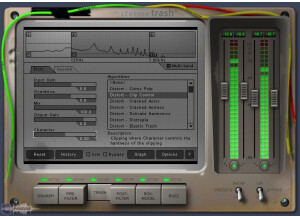
    iZotope Trash runs smoothly on my Macbook and Laptop. My Macbook is running 10.5 and PC Laptop is running Windows 7. I have heard in the past that there are a lot of people complaining of issues when using with Windows but it has worked fine for me in Ableton Live. Now I am using Trash v2 because I upgraded the original version and it still runs great. The original install of Trash was pretty quick, I downloaded it right online after I completed payment and even the update that I did last year was just as easy and only took a few minutes to get version 2 installed. SUITABILITY/PERFORMANCE Using iZotope Trash is pretty simple but from time to time I did have to go look at the manual just to make sure I didn’t waste a lot of time “trying” to figure stuff out instead of just looking up what I needed to know so I wouldn’t waste a minute. Trash 2 has given me some really good distortions to add to my tracks, I am a distortion junkie and it was one of the main reason I decided to purchase Trash. I was using Guitar Rig for some distortions but Trash works a lot better to me. OVERALL OPINION It is also very easy to work with distortion and filters/delays in Trash 2 now and with the built in limiter it does a great job from “overdoing” it to my speakers and to me ears. I have found myself using Trash 2 more and more, and now it gets used in every song. Trash has become a key component to my musical creativity and workflow so I make sure that I have it with me on my Macbook everywhere. I do wish there was a way that I could run it remotely or from a USB drive so when I am not working on my Macbook and a studio I can still run it because it is what I am most comfortable with. There are some great distortions in the studio that I go to but I just so comfortable with iZotope Trash/Trash 2 I don’t ever want to use anything else.

  • BeyondR's review

    There weren't any kind of compatibility issues in the program , it worked really great. The book provided by the program was quite clear regarding the general configuration of the program and how the settings worked to get a clear understanding. General configuration and setup is pretty easy. The typical functions are accessible fro a nice window in the great design that has a lot of editing options to choose from and many presets provided by Izotope SUITABILITY/PERFORMANCE The software performs incredibly well, the gear is stable and I've been using it for some time and I still use it in all of my tracks , the configuration is stable as you can imagine with such a pro company as iZotope. I do get some nice desired changes in my mixes with this program. I've been using this program for a couple of months, but I do enjoy every tweak provided by it. OVERALL OPINION What I do like most about it are the sounds, those sounds that are just so high quality and can be used in your hip-hop, pop composition , you can also manage to create a great orchestral composition. I also like iZotope's pro effects and processors, including chorus, reverb, delay, distortions, and filters that allow to modulate your sounds to a whole new level. THe value of price is great, I think it deserves the 200$ , you can layer some different unique sounds to make a very original composition , and that's something that I really like about this program, is how easy and fast is layering. Precision and quality of sounds are without a doubt to mention, they are extremely well made, realistic, pro , and easy to work with. Yes, there are a lot of models out there, but you should without a doubt give this program a try and see how it works for you. Knowing what I know I would buy this program and try it out to get a whole new perspective on music creation.

  • « Great Piece of Software! »

    It's freeware, so it's very easy to install. You give izotope your email address, and then they send it to you. Download it, install it, get to work. Once it's opened up the GUI is pretty straight forward. There are controls for things like dust amount, scratches, and wear. There is also a section in the bottom left where you can choose if the record is warped or not. Unfortunately I've never used this as it is only available in the DX version of the software, not VST. SUITABILITY/PERFORMANCE It's very light on the CPU, had never crashed, has never really been a problem. It's a very light program that will more than likely never give you any problems. I've been using it for over a year and I love it. I use it with FL Studio on a Dell XPS Studio PC running Windows 7. It has six cores and 6 GB of RAM, but even with computers less suited for music Izotope Vinyl still shouldn't give you any problem. OVERALL OPINION Well it's free so you can't really go wrong. Fortunately it's a great peice of software anyway, which makes it way better. It really has the capability of making normal instruments or recording into old timely pieces from the 20's to even the 70's. It's a very convincing sounds. Sometimes when I want the sampled feel to a beat that isn't sampled I'll add it to some choice instruments. Better yet, I'll even record myself, pitch it up, add some vinyl, and boom. I have the high pitched vocal sample, except it's not a sample. It's a great tool for making drums sounds dusty or old as well. Overall it's a great piece of software that I use all the time. The best part is it is FREE!

  • « Interesting spectral manipulation program »

    iZotope's Spectron is an application for some crazy manipulation of audio using spectral nodes and other things like that. It has a bunch of built-in effects such as delay, pan, morph and a couple others. Basically, the way this program works is that you have an audio file that you import into the application. You then drag these different nodes around the audio file and adjust different things such as only adding delay to the top end, panning one small part of a drum kit back and forth and a bunch of other things like that. The program is stand alone, so it works like any other stand alone application out there. I never experienced any compatibility issues, so no problems there. I never read the manual, but you shouldn't really need to. If you're super curious, there are some videos on the iZotope webpage regarding this application. SUITABILITY/PERFORMANCE This is one of the few perfect applications out there. For one, this is a 64 bit program. Yes, somebody finally made a fully 64 bit audio application finally. No longer do you need the OS to gimp itself to run this application. The program itself is cross platform, too. That means that anybody on OS X or Windows can use this without any problem. It even work with 32 bit OSes, so just about anybody can use this thing. It doesn't take up too much memory when using it, but it has a high ceiling anyway, so it doesn't matter how much it takes up for the most part. It wasn't too heavy on the processor, so no issues there, either. I've been using this for a few months so I might not be the number one expert on this program. OVERALL OPINION There are some cool features in this application that can work nicely for certain genres, but I never really found myself using this too much. I have no real reason to start panning certain parts of a drum kit at certain points in a song. If I wanted to add delay to a track, I'd do it via my DAW with my favorite delay application. Basically, this program wasn't really for me. That's not to say it's bad, however. The program itself is laid out nicely and easy to use. I can't really complain about anything except that my style of music didn't really fit what this application was meant for.

  • « Beats By C-Los Review »

    Being and artists, husband, and a father of three, money can be tight at times. But I desire to make great music from the lyrics, to the production and mixing, and mastering. If you ask any music industry professional, most of them will probably tell you to get your music professionally mastered by a mastering engineer. This can become quite expensive for someone who does not know how to do any of this. But if you’re a go-getter like myself, you desire to be a jack of all trades and aren’t afraid of taking the time to correctly learn each process. Izotope’s Ozone 6 brings the every essential phase of the mastering process to one plug-in. UTILIZATION Ozone 6 is a mastering suite. I use it to give my music and clients, that final polish before publishing to digital stores. You can do all of your essential processing for the mastering phase of your music production right here within Ozone. Like all of Izotope’s products, Ozone is fully compatible with any DAW you have. On top of that, Ozone can also be used as a stand-alone application. GETTING STARTED Ozone features a sleek dark design that is geared towards helping you focus on what’s important. Each of the frequency bands are color-coded across the different modules so you will have a visual aid as to which band you are manipulating. Ozone has great modules for you to utilize. Within the software, there is an EQ, multiband compressor, post EQ, imager, exciter, and a limiter. The EQs, like Alloy 2, feature the frequency solo mode for finding problem frequencies. The EQ also features a digital mode and analog mode. Looking at the multiband compressor, there is a “Learn”. What this does is adjust the four bands according to the best frequencies for each individual song. Mid/Side is also available within the compressor (as well as the EQ module). This gives you a bit more control by allowing you to process just the sides or center a song versus just processing the stereo image. Mid/side processing is also available with the compressor and the exciter. On top of that, there are tons of mastering presets for global settings and within each individual module to help to get started. I do wish Ozone 6 would have kept the reverb module that was present in Ozone 5. Reverb is not a common effect you would apply during phase, but it can be used to fix problems that may occur with no other options available. If you prefer not to work within your DAW, you can use Ozone as a stand-alone plug-in. Should you choose to do so, you will find that as a host application, Ozone allows you to use other 3rd party plug-ins within Ozone. This will definitely be useful for those that have that extra special effect they would like to apply. Also you are only able to use six total plug-ins and modules within Ozone. I would like to see that increase to maybe eight in the future. At the price of $199, Ozone 6 is very competitive among all-in-one mastering plug-ins. There are many mastering tools out there, and Ozone 6 is one of them. PROS Sleek design Mastering suite Affordable CONS No Reverb Module

  • « Review by Beats By C-Los »

    I bought Izotope’s Alloy 2 close to graduating college for Music Production last year. I got it bundled with Ozone 6 as an investment for the mixing and mastering services I offer. I enjoy mixing with Alloy 2 because it is super user-friendly. Whether you are a beginning mix engineer or a well seasoned professional, this plug-in is a “one stop shop”. Among the modules are a graphic EQ, two separate compressors, an exciter to help give your audio that extra spark, a transient shaper,de-esser, and a limiter. You can view and work on all of these modules at once in “Overview” mode, or click on each module separately to get a clearer picture of what you’re doing. For the amount of plug-ins that come within Alloy 2, the regular price of $199 is very moderate compared to other plug-ins I either have or have considered purchasing. If you can afford it (and need it), I highly recommend purchasing the bundle that includes Alloy 2 and Ozone 6. UTILIZATION I currently use Alloy 2 mainly for mixing vocals. I can handle all of my dynamic processing within this one plug-in. The eight bands are more than enough for me to clean up my clients’ vocals without having to grab any other plug-in. Parallel compression is very big in hip-hop, and with Alloy’s two compressors, it’s easier to do that without copying the signal to another track because you can mix in the “wet” signal of each. I prefer Logic Pro X, but if I want, with Alloy 2’s compatibility, I can use inside of Pro Tools, Studio One, or any other DAW on the market. I’ve been using Alloy 2 for about 6 months and I have not had a problem yet. GETTING STARTED Installing Alloy 2 takes five minutes. Simply download the demo, activate with your key (no iLok required), and you’re good to go. The equalizer is probably my favorite module to work with for two reasons: 1) You can zoom in on the graph of the EQ and control how much you are boosting or attenuating with each band. In school I learned that “less is more”, and if you are inexperienced in mixing, by zooming on the graph, you can “limit” your cuts and boosts to how much of the graph you can actually see. The second reason is the sweeping feature. Holding down the “Option” key while clicking and dragging the mouse, you can solo whatever frequency you are hovering over. This is a good way to sweep for frequencies you may be looking for whether you are cleaning up vocals, or trying to find the high end of your kick drum. This frequency solo feature can also be great for helping you to learn what frequencies to check for things like mudiness or harshness. OVERALL OPINION Alloy 2 is a 7-in-1 plug-in. Decent 3rd party plug-ins will cost you an average $50 individually. Alloy only costs $199, and is frequently on sale. When I think of comparable bundles, Waves Gold comes to mind. But as far as an all-in-one dynamic processor, Alloy 2 is the way to go! Pros Frequency-solo mode Customize graphs Affordable Cons None so far

  • « In the zone »

    Being previously familiar with Ozone 4, i knew roughly what to expect from Ozone 5 going in. The setup was much the same and easily done by inputting the serial number when prompted, followed by relaunching the DAW (which in my case is Logic Pro 9) which then enables the plugin for use. When first opening Ozone 5 you will be hit by a series of preset options, ranging from genre type settings such as 'Hip-hop master - dirty bass' and 'House master - enhance stereo image' to more individual track or bus settings like 'Piano - brighten and compress'. Whatever the duty, Ozone 5 likely has a preset to cover it. There are a lot of menus and submenus within Ozone 5 that it is easy to get lost or overwhelmed by everything, so the manual may be your new best friend to help you figure it all out, or even pop onto youtube and look at some of Izotope's own videos for Ozone 5, or else you could just dive right in head first and see what this beast of a plugin can do for yourself. SUITABILITY/PERFORMANCE There are 7 different plugins within the Ozone 5 suite, these are EQ, Reverb, Harmonic Exciter, Dynamics, Stereo Imaging, Post EQ and Maximizer. Each plugin can be turned off and on easily with the click of a button and not all of them have to be used, if you just want to use EQ, stereo imaging and Maximizer then the other plugins can be completely bypassed. There is a very useful 'Amount' bar which can be used to increase or decrease the effect of each plugin setting you have chosen, basically exaggerating your settings by up to double the amount or going the other way and reducing it back to nothing. This is a fantastic feature to have and if the amount bar has been dragged left or right from it's centre point it shows up as a yellow line in the GUI of each plugin screen. Now for the performance, because Ozone 5 is primarily a mastering suite, it is not the most efficient of plugins to be using for individual tracks - although this certainly can be done if you're computer can handle it. It is most effective for mastering and for bus use due to it's heavy hit on CPU power especially when all plugins are being used. If you want to use it on individual tracks, the best idea would be to set the plugin the way you want it on that track and once you are happy with it then bounce the file down thus eliminating the need to keep it on during a full mix and freeing up your CPU power. Having been using Ozone 5 for a solid 6 months, i have never encountered any trouble with the software and no crashes etc have happened in Logic Pro 9 on OSX 10.6.8 whilst using it. OVERALL OPINION The EQ section on Ozone 5 has the best of digital precision and analogue smoothness. Either option can be selected for your curves and i normally choose digital for tight notches and analogue for round, wide curves. Boosting high and low shelves is a silky experience on full mixes and when automating multiple tracks during a build up sweep in a pop dance track using the high pass filters, it keeps it's cool all the way from 150hz to 20khz. Reverb is not a feature you see a lot on a mastering suite, but Ozone 5's reverb unit is definitely handy for adding a bit of ambience to say an overly dry acoustic singer songwriter track that could benefit from it. There is also the option for using the Reverb feature on it's own on an auxiliary bus and sending other tracks to it during a mix, but whatever the use it can be very subtle or full on 'playing in a massive church' mode using the 6 different modes and dry/wet mix feature. Moving on to the Harmonic Exciter, which is one of the highlights of Ozone 5. This adds different harmonic content to your track depending on the mode you choose, there is 6 in total - warm, retro, tape, tube, triode and dual triode. Warm is good for adding a darker feel to a track, while tape is great for bringing out high mid range content in guitars and synths with it's odd harmonics. This section can be divided into 4 bands like a multiband compressor, with the crossovers being selected by the user. The Harmonic Exciter is great for adding some life to dull or even thin, cold sounding content but it is also very easy to overuse and before you know it your track sounds over-hyped and fatiguing to listen to after a while, so less is more when it comes down to it. The same can also be said about the Stereo imaging, which again is another highlight of Ozone 5. This is divided into 4 multiband sections and treated differently using the width control, which starts at 0% but can be dialled to 100% and -100%. For example this is ideal for making a too wide out-of-phase sounding stereo bass more mono by inputting a minus (-) percentage and setting the band 1 to crossover at say 80hz, and increasing the width of guitars or synths by setting band 3 to 700hz-2.5khz and inputting a positive percentage like 30%. To the right of this is a goniometer to check mono compatibility which is always important when adding stereo width to any track. Ozone 5's stereo imaging is one of the better stereo wideners out there and carries on from Ozone 4's as being very mono compatable, although the 'Stereoize' function can set a delay time up to make things super wide and phasey sounding if that's what you are looking for. The dynamics piece of the Ozone 5 puzzle is incredibly useful and packed with compression, limiter and gate features, as well as the option to make these all parallel using the mix feature in the 4 multiband sections again. Although those who are fairly new to using compressors might find this section quite daunting as it does look very complicated at first glance. My advice would be to try some of the presets first of all to see what's going on and again looking up some of Izotope's youtube videos on how to conquer this dynamics Goliath, a simple LA-2A style interface this is not! But once you do get your head round this part, you will have a powerful ally if loudness at all costs is what you are going for, just be sure not to flatten the mix to much. The Maximizer has been updated since Ozone 4 with new features including an IRC III setting for the limiter. This setting brings with it high latency and CPU usage but has a choice of character types which are very useful depending on the type of music you are working on. Intersample detection is a recommended option to have selected just before bouncing your mix as it stops true peaks clipping in Analogue devices. The transient recovery is a welcome addition and is worth experimenting with to try and give some life back to things like snare drums as heavy limiting can take away punch and impact, so dialling in the right amount of transient recovery can help keep punch and have the mix loud - like having your cake and eating it. Overall, Izotope's Ozone 5 is a must have for any mixing and mastering engineer in this day and age. It is not just a mastering suite of plugins, it can be extremely versatile as long as your computer can handle the Diva-esque amount of power it needs. At a price of $199 it is very fairly priced for the quality you are getting, and if you stretch the budget out to the advanced version then you should definitely go for that. Think of it this way - If Ozone 5 is good enough for the master bus on one of the biggest global hits of 2013 (Animals by Martin Garrix) then it's good enough for yours. Get it now!

  • BeyondR's review

    There weren't any kind of compatibility issues in the program , it worked really great. The book provided by the program was quite clear regarding the general configuration of the program and how the settings worked to get a clear understanding. General configuration and setup is pretty easy. The typical functions are accessible to even some amateurs or someone that isn't very familiar with the program but still can get a pretty good understanding of the program. SUITABILITY/PERFORMANCE The software performs incredibly well, the gear is quite stable and I haven't encountered any errors. I do get some great effects and different musical touches with this unique type of reverb. OVERALL OPINION Izotope Nectar is a set of different vocal effects combined in just one software. You can create something really unique with this programs touch. It has plenty of great features like automatic pitch correction , a great note editor , a breath control and of course the usual gate effects, some pro compressors , different saturators , a de-esser , a limiter, the necessary reverb , delay and many other cool effects that you can use it in your mixes. I do like all the effects provided by this program and the presets provided that make the job much more enjoyable and much much faster. You can tweak between dozens of presets to get the desired effect. Precision and quality of sounds is extremely good and pro and I do enjoy the design , the whole interface is very easy to catch. I've tried some similar types of programs but I didn't fine none that can compare to this, I really do think this gives a whole new perspective regarding music modulation. Knowing what I know, I would buy this program again. It costs around 300 $ , you can try it out.

  • « Awesome plugin, especially live! »

    There were no compatibility issues getting Izotope Stutter Edit up and running on my MacBook Pro in Ableton Live 8. The general configuration of the plugin is a bit confusing at first, but once the user realizes that the screen's parameters at any given time only affect one midi key it becomes much easier to maneuver through and set up a whole scale of sweet stutter, gating, and vinyl effects. As far as the plugin's particular parameters go, there are options for buffering the signal, delaying it, filtering it, bit-reducing it, gating it, and of course, stuttering it. Spend a couple hours studying and testing the interface and all of these options will be easily at your disposal. SUITABILITY/PERFORMANCE So the way that I like to use this plugin is to pre-program all of the buttons on my Novation Launchpad, set it on one or a couple tracks, or the master track, and then trigger the effects live. Stutter Edit works perfectly with the User 1 interface of the Novation Launchpad and adds some really cool, very unique sounds to a song or set. I actually did an entire project for a digital music composition class on live manipulation of a continuous audio signal using Stutter Edit and it performed very well. This is my sixth month using the product and I can say that I am happily satisfied and haven't had to resort to other similar software or VSTs. OVERALL OPINION Overall Izotope Stutter Edit is a performance must have for electronic musicians who want to display expressive and clearly live signal manipulation. The effects sound great and are very flexible in their parameters. Having each key set to a different effect allows for as many options as one's midi controller or DAW can handle and the CPU usage isn't excessive. Lots of pros for very few cons. For the price, not too bad seeing as though there are limited cheap or freeware glitch VSTs available for Mac. Bottom line, if glitching out your signal is the goal you can't go wrong with Izotope's Stutter Edit.

  • « Powerful audio restorer »

    Where as the Music and Speech Cleaner application was meant for beginners, this application is meant for the professional worker. This has all kinds of crazy tools built into it to help you reduce any issues with audio that you may face. It has a declip, declick & decrackle, remove hum, denoise, spectral repair, gain, EQ, channel ops, spectral analyzer, resample, dither, plug-in, time/pitch and deconstruct setting all inside this one plugin. That's not even everything there is. To use this plugin, you can either enable it in your DAW on whatever buss you want to utilize it on, or you could use it as its own little stand alone application. I never experienced any compatibility issues while using this, so no problems there. I never read the manual on the plugin, but I did watch a few Youtube videos on it. The program is very powerful, so you might want to check some tutorials out there to fully utilize the application. I might was well state my biggest complaint first. I'm a Mac OS X user, and my main DAW is Logic. While they added 64-bit support in Reaper, they don't have it for Logic yet. I really hope they update this so they allow 64-bit support in all DAWs out there. Aside from that, this plugin is solid as a rock. There are never any crashes experienced with this program, and I never had any issues with it freezing my computer. The plugin itself does take up some processing power and RAM, but that's to be expected for something as powerful as this. It generally shouldn't be a big deal with most computers made within the past couple of years, so I wouldn't worry too much if you have an older computer. It's a cross platform application, so anybody can use this, really. This is my number one go-to audio clean up program. It's super powerful, a bit hard to use but gets amazing results every single time. I found that Music and Speech Cleaner was simply too basic for me to really get into, but I could totally dive into this application and customize the sound to exactly how I wanted it. If you're in the need of some sort of application that does audio clean up, check this program out. It's scary powerful.