Log in
EN
FR

SeriesNative Instruments Traktor

52 products found

Filter
Sort by
Evaluation
  • Reviewed or not
  • Editor’s award
  • Reviewed by Audiofanzine
Availability
  • Available or not
  • Sold new or used
  • Sold new
  • Sold used
Must-have products
  • All products
  • Flagship products
  • Best rated products
  • Hot products
  • Popular products
Price
  • Freeware
€
Clear
Sort by
  • Popularity
  • User ratings
  • Price - low to high
  • Price - high to low
  • Used price, increasing
  • Used price, decreasing
  • Name (from A to Z)
  • Name (from Z to A)
  • Added on
Sort results
  • Popularity
  • User ratings
  • Price - low to high
  • Price - high to low
  • Used price, increasing
  • Used price, decreasing
  • Name (from A to Z)
  • Name (from Z to A)
  • Added on
Filter results 52 results found
Evaluation
Availability
Must-have products
Price
  • Freeware
Show results

The best Native Instruments Traktor reviews

The reviews Audiofanzine members found the most helpful.
  • « Priced high but worth it »

    It's essentially 2 decks an a full mixer, set up in such a way that the whole unit interfaces as well as possible with traktor. It's a true plug and play unit made to take the guesswork out of the whole, "how do I get my mixer and deck to work with traktor" problem. It's a true stereo unit with mic inputs and USB obviously. Ready to work fully with a PA. Effects and EQ are onboard. You obviously need a laptop or PC to get any real use out of it. Let me say I've been a huge fan of traktor since I discovered it as a budding DJ and my love of Traktor is what motivated me getting this controller. It seems pretty popular even though the price had me scratching my head a bit. I am using the most up to date drivers and they work fine. No hiccups or crashing really. Seems to work 100% with traktor, and I've never used it for anything else. Typically I like to use this controller when I'm at home or when I have a serious show that I don't want to drag my "full rig" out to. It's probably the most functional and full featured thing I've ever used that only requires I plug into a laptop and PA really. This board is configured a lot like a traditional mixer/deck as far as the layout goes, but there's a lot of modern control features due to the whole traktor integration thing. Not only does it have a very very extensive effects and eq section, but it has the 4 hot cue buttons, which might be the most useful feature I never knew I needed. The thing about this unit is you are really only limited to what you can do in traktor, which is a whole lot. At first this is a little intimidating because you feel kind of overwhelmed. I personally like to set it up as a more traditional mixing deck despite the fact that I could probably do a lot weirder things. But I suspect most users will do what I do anyway. The decks actually feel really good, which I didn't expect. Honestly this controller doesn't look like much but when you get your hands on it you realize it's a seriously functional device. I don't have many complaints really. Yeah it's not cheap, but what you are paying for is the traktor support. I'm not a huge fan of the look of this controller. At some shows I will have DJ's check it out and kind of laugh if they are the more high brow types who prefer more organic looking units. This is definitely the future of DJ mixing decks I think, or where it's going. The possibilities when connected to traktor are just too awesome to ignore. I still think NI needs to improve this one though, as it's not 100% all it can be. But the quality is there. I'm keeping mine for now.

  • « Best for the Skratch Masters »

    Best mixer in the world right now for the hard core skratchers... and I got all the other great mixers too! I can only recommend this mixer for deep nerdy skratchers. If you're just gonna do club mixing and some skratching here and there, then just get serato based mixers or anything else... Those will do just fine. But if you are a pro skratcher that really knows the little tiny detailed techniques, then you already should be aware of Traktor's mixer capabilities! It has double the processing speed compared to the highest competitor mixers. I need this extra edge for those complex intricate skratch techniques. It's so close to the real thing, I sometimes can't even tell the difference from real vinyl anymore! I thought it would take forever to get here, but we are truly living in the future.

  • « Works with any software as a controller »

    The Native Instruments Traktor Kontrol X1 is a hardware controller that is to be used with Traktor but it can also be used with pretty much any DJ software. A have only used it with two different applications but I prefer to just use it with Traktor. This unit is very small and light, it doesn’t take up much desktop space nor can it be racked. There are no built in effects and it cannot be used as a stand alone mixer. It is simply a controller. It comes with Traktor LE, so you can easily manage and work with all digital music. It is easy to use and set up. I had it up and running within just a few minutes of opening the box. It has never caused any issues when using it with Traktor either. Traktor is not my favorite software to use but it is one of the easiest to work with in my opinion. There are back lit LED buttons and encoders on this unit. There are a total of 8 knobs and 8 buttons that will allow you to control up to 3 different effects per deck. I mainly use this unit as a MIDI controller to control many functions in Traktor and FL Studio when I am using it live. Being that this unit is so inexpensive I had no problem purchasing it alone with other units that are similar. I do not use it to work with live as much but I do a lot of work on it at home. When I purchased the Traktor Kontrol X1 it came with Kore Player 2 which is already free anyways and can be downloaded online. It is like a VST plug in that has sounds and presets in it. The X1 by Traktor is not the best controller that native Instruments makes but it is very affordable and worth the money spent. It is well made, and all of the buttons and knobs are built well for this price.

  • « Best Native Instruments system/package »

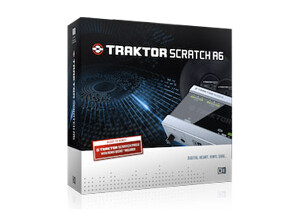
    The Native Instruments Traktor Scratch A6 is a digital DJ system that comes with Trakto pro 2.5 DJ software, there are 6 inputs and 6 outputs on the interface that connected to my computer via USB. It comes with 2 Traktor Scratch MK2 time code vinyl LPs and 2 Traktor Scratch MK2 Control CD’s. I love the interface that came with this system because it has the perfect amount of inputs and outputs for my whole set up. I used the Traktor Scratch A6 at a display set up about a week ago and loved how easy it was to work with. This bundle is perfect for the mobile DJ or even the at home hobby DJ. GETTING STARTED Using this system does take more of setting up than a normal system because it has to be installed into your computer and everything has to be synced up. If your computer is not that fast than I would not recommend getting this digital DJ system. My laptop was running Windows 7 with the newest service pack and I have also used this system on a Mac funning 10.7 OSX but both systems have 4 GB of RAM. SUITABILITY/PERFORMANCE The price of this system is very good, it only cost about 300 dollars and it is well worth that amount of money. The onboard effects are great and everything can be performed and recorded at up to 24 bit resolutions and can be used on just about any operating system as long as you have enough RAM. I have used many Native Instruments products in the past and they make some of the best hardware and software pieces of gear that I have ever used. OVERALL OPINION I highly recommend any mobile DJ to purchase this controller and package because it has everything that a DJ could ever want and need. I have also used the Traktor Kontrol F1 and the Kontrol S2.

  • « One of my favs »

    The Native Instruments Traktor Kontrol S4 is a complete DJ system from head to toe. You will be able to run a whole set with this set up no matter what your skill level is, it is great for beginners to learn with and understand how to use a controller with DJ software. If you are an “old school” DJ that uses vinyl then you will love this control interface. It has CDJ style plates that give you a very vinyl style feel when mixing. You will have everything you need right out of the box to mix your MP3’s with. This system is very easy to set up, it is virtually a plug and play set up. You can install the software on your computer quickly without it taking up a lot of disk space. Then just plug in the Kontrol S4 controller and it will automatically sync with your software. You will not have to do anything special to get it to work. It is really easy; it does have a manual included that is easy to understand a follow. The Kontrol 4 has very low latency allowing you to do everything live. I do recommend having a newer system though with a good amount of RAM so that it will run at a high performance. The S4 comes with the USB cord which is all you need for it to connect to your computer and control your software. This was one of the first full DJ systems that I had and I loved every minute of using it. Though it is pretty expensive if you are a beginner, there are other similar systems that are made by other companies that are cheaper if you cannot afford to spend this much for a controller and software. I would not have had it any different though. I loved using the Kontrol S4 and it has taught me a lot about using a controller with DJ software.

  • « Native Instruments Continues to Rock »

    The Native Instruments Traktor Kontrol F1 is a deck controller for Native Instruments Traktor. It does come with DJ Software, the thing that I like about getting some Native Instruments gear is that it does not come with software that is not good. You will love the Pro DJ Software that comes with the Native Instruments Traktor Kontrol F1 it is very easy to understand and use even if it is your first time you will have no problems setting up the Native Instruments Traktor Kontrol F1. The learning curve with it is very small and you will be using it like a pro within a few days (depending on how many hours you spend with it). Native Instruments Traktor Kontrol F1 cost 250 dollars which is a decent price for this controller and software. All 16 pads and knobs are made well, they will last you a long time as long as you are not extremely rough with it. If you are already a Pro DJ Software user then you must go out and get the Native Instruments Traktor Kontrol F1. It is a must have for that software, I have not tried to run this controller in any other software but since it is just a controller it should not be too difficult setting it up in a different DJ software if you choose not to use it with Pro DJ (the software that comes with it). The controller has no inputs or outputs on it, there are also no onboard effects either. So this unit is useless without software to assign it too. There is also no cross fader on it, which could be a deal breaker depending on what exactly it is that you want. Native Instruments has been coming out with some of the best hardware and software integrated devices with all of the Traktor Kontrols and the Maschines. If you want to stay on top of the technology turn then the Native Instruments Traktor Kontrol F1 is the way to go.

  • « Feels like real vinyl »

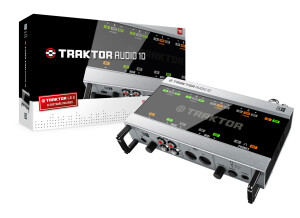
    Native Instruments Traktor Scratch Audio 10 was created to give you a real classic DJ experience but still keeping it all digital. The vinyl response on Scratch Audio 10 is very “tight” and clean, it will also not bring you much latency either. The interface for Scratch Audio 10 is very good with a nice sound, it will give you enough ins and outs as well as high quality stereo preamps for your turntables. The Traktor Scratch Audio 10 also has very bright LED lights so you can see what is happening very clearly. UTILIZATION The drivers are very stable on Scratch Audio 10 I have never had any issues. It has never froze or made my system slow. I have used it on a Windows Vista system multiple times as well as a custom built PC running Windows XP and on both systems it has worked great. GETTING STARTED The manual is clear and sufficient, I did have to use the manual several times at first but each time that I needed to use it I was able to find exactly what I was looking for in no time. Setting up the Scratch “Audio 10 was not the quickest system that I have set up, but it was not hard. It just took more time than I expected to load onto my system. I did notice after installing that it took up a lot of hard drive space though. OVERALL OPINION My favorite thing about the Traktor Scratch Audio 10 is how it feels and coming from real vinyl to this was an easy transition for me. I have been using Traktor Scratch Audio since version 6 came out, this was a huge upgrade from version 6 but still has most of the same features. This is a great buy, even if you have never used a digital system like this before it would be a great system to start with. And if you are coming from vinyl you will feel like you are still on vinyl!

  • « A great piece of DJing software »

    What technical features/characteristics motivated your choice? - Traktor Pro 2 uses new TruWave hi-resolution technology to illuminate your waveforms and color them in a way that differentiates between kicks, snares, hats, etc, giving you an extra edge in anticipating your mix. It also has better zoom features to set tighter cues, and new loop recording and sample decks to allow for additional creativity. With what instruments or systems (console, preamp,DTD...) do you use it and what connection types are there ? - I run this on my MacBook Pro and usually operate is via a midi controller, whether that be a set of decks (Numark Mixtrack, NS7, or Denon DN-MC6000) or a midi controller (Novation Launchpad) For what use? - I primarily use it for DJing, but also like to run some of my own music through it as a part of my mastering stage to add some post production effects. What is your Setup (Mother Board/CPU/RAM/Disc,...)? - I run Traktor on a MacBook Pro with a 2.7Ghz Intel Core i7 processor with 4GB of RAM. GETTING STARTED Were there any compatibility issues? - No, I have not incurred any compatibility issues with this software. Is the general configuration/setup simple? - The general configuration is fairly simple, though there are a number of options and parameters that are available to play around with. There is certainly a learn curve, however that said, give it a couple hours to a couple days depending on your DJing capabilities and you will be completely aware of what Traktor has to offer. Is the manual clear and sufficient? - The manual, though extensive, is certainly clear and sufficient. It is well indexed and covers everything I had issues with. Are the typical functions easily accessible? - Yes. If you wanted to start mixing right out of the box with no skill you could definitely get going very quickly in Traktor Pro 2. The playback and cue buttons are all readily accessible and the library interface is easy to use, making finding tracks a breeze. SUITABILITY/PERFORMANCE Does the software work correctly in this configuration? - Yes. Is this configuration (software and gear) stable? - I have never had audio or CPU issues where Traktor has been the source. What performance are you getting? - A very good one. Traktor's effects sound great, it works well with every controller I have used, and its cueing and looping functions work exceptionally well. It's my favorite DJing software and the one I use the most. For how long have you been using it? - I have had Traktor Pro 2 for a year and three months, and it has been absolutely fantastic so far. OVERALL OPINION What thing do you like most/least about it? - The thing I like most has to be the TruWave hi-res wave coloration that assigns different timbre sounds to different colors. I can't say there's anything I really dislike. What is your opinion about the value for the price? - It is pricey as it is a Native Instruments product, but it is absolutely worth the money. Plus, the 2.5 Pro update was just released for free so they take some pity on us consumers. Precision and quality of the sound? - The sound quality is high. As aforementioned the effects sound especially good. Did you try many other models before getting this one? - I have used Virtual DJ and Serato Scratch and much prefer Traktor to both of them. Knowing what you know now, would you make the same choice? Absolutely. Knowing what I know now I would never have used Serato Scratch or V-DJ.

  • « Native Instruments always brings the heat »

    Native Instruments Traktor pro 2 is a bundle that I knew that I needed to get because I have several of Native Instruments products and software’s. All of the products that they produce are very easy to use and have a great quality about them. The Traktor Pro 2 is a complete system that will take care of all of your DJ needs. The Traktor Pro 2 will get you mixing great songs and putting together great mixes for clubs your friends and family right away, basically as soon as you get it out of the box. GETTING STARTED I did need to manual though just because this system was a lot different then some of the other bundles that I have gotten from Native instruments. It required a little reading on my part but there where no issues after I figured a few things out. I had no compatibility problems when installing it on my dual core pc running windows vista with service pack 2. SUITABILITY/PERFORMANCE Some of the cool things about this is that you can synce it right up to your ipod! So you can get right the some of you r favorite and popular songs right away. I am also pretty sure it can sync right up with iTunes to purchase songs or download free promo songs. I havent used the Itunes features yet. The built in mixer has multiple eq filter types and it will give you total control over your whole project and mixing. OVERALL OPINION Overall, great software, before I purchased it I was thinking “Is this really going to work?, Being that I love hardware so much? “ But after using it, I had no issues with this software hardware integration. I highly recommen this to anyone who wants to be a DJ! I am really happy with my purchase and would do It again knowing what I know now I will make sure other people purchase this too!

  • songboy's review

    I purchased this plugin to use when I DJ weddings and other similar events. There are a lot of DJ software out there. The reason I chose the Native Instruments Traktor was because I have used a lot of there software and have always been satisfied. My setup contains a Macbook laptop, presonus Firebox interface, and a pair of EV Powered speakers and a Sub. The only thing I use this for is mixing in MP3's and Wave files. GETTING STARTED I have never had any compatibility issues using this software. A crash or hiccup in the audio can be very very bad for a DJ especially when it is for something formal like a wedding. I have used this several times and never had any problems what so ever. Yes, the manual was clear and helped me get comfortable with the interface. I have never used real hardware gear to DJ, in fact, I only got into Djing wedding because I have most of the PA equipment necessary. After spending a few hours with this plugin, I was ready to go. At first glance it looks very complicated. But once you start getting used to finding music on you computer/ext hdd through the program and what exactly each button/slider in the interface does, you pretty much have it figured out. Yes, the typical function lie right in front of you for easy access. SUITABILITY/PERFORMANCE Yes, no crashes and any sets I have created are always stored and recalled properly. Yes, and it better stay that way. I give it a 10 out of 10 for performance. It functions flawlessly and makes my life so much easier when it comes to mixing awful music for weddings, haha. I have been using Traktor for about a year now. OVERALL OPINION What I like most about this plugin is the ability to auto mix music. This is nice as it allows me to load five or six songs and take a bathroom/smoke/food break and keep the music going. I guess the only thing I don't like about this plugin is the small little field you get for finding songs on you computer. Its not that big of a deal, but it would be nice to be able to expand it. Although, maybe you can and I haven't figured it out yet. I paid $200 for this unit and I am happy with that price. It has made DJing a lot easier and has paid for itself. Well, I primarily deal with MP3's and they sound just as good coming out of Traktor as they do iTunes. No, I haven't tried any other models besides this one. Yes, I like this software so I would definitely buy it again if I needed to.