Log in
EN
FR

Flux ::

Series

62 products found

Categories
Series
Filter
Sort by
Evaluation
  • Reviewed or not
  • Editor’s award
  • Reviewed by Audiofanzine
Availability
  • Available or not
  • Sold new or used
  • Sold new
  • Sold used
Must-have products
  • All products
  • Flagship products
  • Best rated products
  • Hot products
  • Popular products
Price
  • Freeware
€
Clear
Sort by
  • Popularity
  • User ratings
  • Price - low to high
  • Price - high to low
  • Used price, increasing
  • Used price, decreasing
  • Name (from A to Z)
  • Name (from Z to A)
  • Added on
Choose a series
Sort results
  • Popularity
  • User ratings
  • Price - low to high
  • Price - high to low
  • Used price, increasing
  • Used price, decreasing
  • Name (from A to Z)
  • Name (from Z to A)
  • Added on
Filter results 62 results found
Evaluation
Availability
Must-have products
Price
  • Freeware
Show results

The best Flux :: reviews

The reviews Audiofanzine members found the most helpful.
  • Audiofanzine FR's review

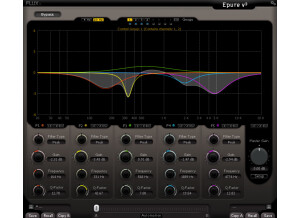
    (Originally written by kaos2323/translated from Audiofanzine FR) Nothing to say. It's just a plug-in... SUITABILITY/PERFORMANCE Same thing as above OVERALL OPINION Epure is the ultimate VST EQ plug-in, it's comparable to the best analog devices. I compared it with other renowned plug-ins and I quickly noticed the weaknesses of its competitors: SONNOX Oxford EQ sounds 'metallic' and 'narrow' regardless of the EQ mode you chose (parameter type). WAVES SSL seems less accurate, less precise... In a standalone listening test the Epure sounds very transparent, the processing is very musical and effective. Within a mix it becomes even clearer! In the beginning I didn't like the GUI but now it seems very practical and clear (even though it's nothing new compared to Sonnox: the color combination is different but it's the same philosophy: variable scale depending on the gain level of each band, EQ curve depiction, etc.). The real difference is the SOUND! It's really impressive... But it has a price! You have to make up your mind, either you have 10 cheap and useless EQs or only one amazing EQ that makes everything perfect... It's up to you!

  • moosers's review

    The Flux Stereo Tool is a free piece of software that is available as a free download in a number of different formats straight from Flux's website. The whole process of downloading it and installing it only took a short while, as I didn't encounter any problems at all. You can download it in RTAS, VST, or AU formats, making it compatible with just about any DAW, so this shouldn't be a problem either. The make up of the plug-in contains parameters for left and right channel input gain and panning, and it also has sliders for general pan and width. There is also metering in the form of a large graph and as well as for monitoring your phase and output levels. There isn't all that much that you need to know about this plug-in, so I don't believe that the assistance of a manual will be necessary. SUITABILITY/PERFORMANCE I've only had a need to run a single instance of the Flux Stereo Tool within a single session, as it is the type of plug-in that I use on the master fader channel of a session. I'm running the plug-in on a Mac Book Pro that has a 2.2 Ghz Intel Core 2 Duo processor and 4 GB of RAM. I run Pro Tools LE 8 with a Digi 002 rack and I can't say that I've had any issues running the plug-in within this configuration. It's hard to tell how well a plug-in will run on a certain system until actually trying it, so you've really got nothing to lose in downloading it and trying it out. OVERALL OPINION I don't find myself using the Flux Stereo Tool very often to be honest, but I have used it on more than a few occasions. I like the clean sound quality that it projects, and I find that it does a great job of spreading a stereo sound. I don't think that I would use this on a final mix for a record or anything like that since I usually will leave that to the mastering engineer, but if I'm doing a home mastering job it's definitely something that I'll consider using. Don't let the fact that this is a free plug-in fool you, it's definitely of a high quality and can be very useful. I probably wouldn't buy this plug-in if it wasn't free since I don't use it very much, but since it is free, there's really no reason not to have it!

  • « Bitter or Sweet »

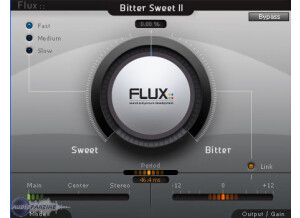
    The BitterSweet II by Flux is a Transient Designer. You can turn the main dial one of two ways, if you turn it to the sweet side it will decrease the transients amplitude. But if you turn it the opposite direction which would be to the bitter side it will take the transients amplitude and magnify them. I have been using Bitter Sweet II for a month now and I am really learning to use it effectively. I am starting to use it more and more as time passes. The manual for me was in PDF format and was easy to navigate through, I am glad it is PDF format because I needed the manual a few times and I was able to just use the search to find what I was looking for. All of the main functions of BitterSweet II are very easy to locate and use. Everything is pretty much on the main interface. SUITABILITY/PERFORMANCE Loading BitterSweet II into my Dual Core PC was very quick and easy to do, and BitterSweet II is very stable in my DAW. The BitterSweet II Transient Designer has 64 bit floating processing and you can have up to 8 channels. It works on Mac running 10.5 or better in 32 bit, and on Windows XP, Vista, and Windows 7 in either 32 or 64 bits. OVERALL OPINION You can really put a good mix to your project when using BitterSweet II. This is the first version of this software that I have used, I am very happy with the choice that I made to purchase this. I saw it in a magazine and decided to do some online research before I bought it. It has proven itself to be on of the best purchases that I have made in the last year (gear wise). Very good quality and very professional sound. After you get use to it you will be creating a “sweet” mix!

  • moosers's review

    The Flux Bitter Sweet plug-in is a piece of free software that is available to anyone out there. The plug-in is transient processor and is a very simple one at that. They also have a Bitter Sweet II plug-in, but I just downloaded that one and have more experience with the original Bitter Sweet (although there isn't too much of a difference). Getting the plug-in downloaded and running is a simple thing, as you just need to do the Flux's website and download it under freeware. Then just follow the step by step instructions on how to install it, just like you would any other plug-in. The plug-in is compatible with just about any sequencer, so this shouldn't be a problem for most. The interface of the software simply has a large knob to make your sound either more 'bitter' or 'sweeter.' Making it more bitter will boost the level of your transients, while making it sweeter will do the opposite: it will reduce the amplitude of the transients in the signal. I don't think that even the newest user of plug-ins will need any help from a manual here. SUITABILITY/PERFORMANCE I'm currently running the Flux Bitter Sweet plug-in on a Mac Book Pro that has a 2.2 Ghz Intel Core 2 Duo processor and 4 GB of RAM. I run the plug-in in Pro Tools LE 8 that runs with a Digi 002R audio interface for the most part, but I also run it with a Digidesign Micro Box if I'm on the go. I can't say that I've ever had a problem running this plug-in within my home studio configuration. Then again, I've never needed to run more than two at a time if I can remember correctly. Having said this, I think that most people will find that they don't need to run too many of them at a time either, so as long as you have a decent system where you can currently run some plug-ins smoothly, I think you'll be all set. Either way, it's free so you can at least try it! OVERALL OPINION You really can't go wrong with a free plug-in! So I can't really say too many bad things about the Flux Bitter Sweet plug-in since indeed a free one. While not the most in depth or powerful tool, it can certainly come in handy on occasion and I'd certainly rather have it than not. It has a realistic tone quality to it with a lot of brilliance, and can definitely add something if you use it right. If you've got a digital audio workstation, I'd definitely recommend downloading the plug-in, as it's free!