Log in
EN
FR

Voxengo

67 products found

Categories
Filter
Sort by
Evaluation
  • Reviewed or not
  • Editor’s award
  • Reviewed by Audiofanzine
Availability
  • Available or not
  • Sold new or used
  • Sold new
  • Sold used
Must-have products
  • All products
  • Flagship products
  • Best rated products
  • Hot products
  • Popular products
Price
  • Freeware
€
Clear
Sort by
  • Popularity
  • User ratings
  • Price - low to high
  • Price - high to low
  • Used price, increasing
  • Used price, decreasing
  • Name (from A to Z)
  • Name (from Z to A)
  • Added on
Choose a category
Sort results
  • Popularity
  • User ratings
  • Price - low to high
  • Price - high to low
  • Used price, increasing
  • Used price, decreasing
  • Name (from A to Z)
  • Name (from Z to A)
  • Added on
Filter results 67 results found
Evaluation
Availability
Must-have products
Price
  • Freeware
Show results

The best Voxengo reviews

The reviews Audiofanzine members found the most helpful.
  • moosers's review

    Voxengo's SPAN plug-in is a free piece of software designed for spectrum analysis and metering purposes. It's available in a few different formats, including in VST for both PC and Mac operating systems and as an Audio Unit plug-in for Mac. You can download the plug straight from Voxengo's website at no cost to you, which of course is the best thing about this plug-in. It's not at all hard to use, but provides you with a nice collection of tools with a correlation meter, output meter, full frequency spectrum graph, and statistics like RMS, clippings, and max crest factor. It's really got a lot of features, especially for a free plug-in. It's easy to use but if you feel lost just do some research on what everything does as I don't think there's a manual. SUITABILITY/PERFORMANCE I'm currently running the VST version of Voxengo SPAN on my system at home. I've got a Mac and Pro Tools 9, but also am using the FXpansion VST to RTAS plug-in wrapper, otherwise this plug-in would not be compatible with Pro Tools. My computer is a Mac Book Pro lap top with a 2.2 Ghz Intel Core 2 Duo processor and 4 GB of RAM, while my audio interface for Pro Tools is a Digi 002R. I'll only run one instance of this plug-in, usually on the master fader, so it doesn't take up much of my processing power at all... OVERALL OPINION Voxengo SPAN is the most complete frequency analysis and metering plug-in that I've used as far as the free ones go. It's got a very clean looking interface that's extremely easy to follow and very helpful for mixing. There's no reason not to have it if you have a compatible system, although Pro Tools users without a VST to RTAS wrapper will be at a loss. Definitely do yourself a big favor and get SPAN today.

  • « A good freeware plug in »

    The Voxengo Tube Amp is an audio effect VST that can be run as a AU too. It has a drive knob, bias knob, mode knob and out gain knob. This plug in is very easy to use and it is very light on my CPU. It is also a freeware and can be downloaded directly from the Voxengo website and it will only take a few minutes to download. The Tube Amp has a -6 DB low pass filter built into it and switchable saturation. SUITABILITY/PERFORMANCE Installing Tube Amp was very simple, it will work with just about any DAW and it is compatible with both Mac operating systems and PC operating systems. It allows up to 8 times oversampling and additional output saturation stage all with zero processing latency. I love this little VST plug in because if you know how to use it right it will give you all sorts of cool sounds to work with. OVERALL OPINION The Tube Amp does not use much CPU when running it, I even run it multiple times simultaneously and it has never crashed or gave me any issues. I have not seen manual for it and I don’t think they have one available which is ok because there are hint messages within the application, so that it can show you how to work with it as you go without needing to ready a bunch of paragraphs in a manual. Being that this VST is a freeware plug in I recommend getting it right away. If you decide it is not for you later on then you can always uninstall it. I have not seen any updates for it since I purchased it over a year ago. One thing to keep in mind is to make sure that you download the right version of it because it is easy to download the wrong one. I download the Windows version in 64 bit and needed to download the one for Windows 32 bit. So at first I thought I was not going to work until I emailed them and they sent me the proper link to download the right version.

  • « high end for free »

    Just answering standard questions about compatibility, manual,setup,functions etc. i can say everything is as it should be! SUITABILITY/PERFORMANCE First release was not beta tested... But now everything is smooth! At least in Sonar under x86 OVERALL OPINION This tool provides 100% clean neutral sound.Mostly for mastering but not only due to low latency 0,01second and very low cpu load.Also audiophiles could enjoy high end quality. Shapes of bells,bandwidth,center frequency are matched carefully wright. Ability to draw and then correlate curve shape easily dragging, advanced routing! - and you can achieve desired result in a minute via Marvel coupled with tweaked SPAN. Usability and quality are on the top! But don't forget to read manual to get even more out of the plug-in! To be honest- there are few companies and plug-ins that could be placed on the same level with Voxengo stuff ,but they have as a rule several times higher prices, headache with ilok and then you'll have to pay for each update and bugfix.Voxengo doesn't suffer of this antiuser policy disease, while providing only what audio plug-ins are aimed to do in a best way-top audio quality,complete set of features you need and even don't yet but will, and very affordable price.

  • moosers's review

    Voxengo’s Marquis compressor is a VST and PC based plug-in designed for use in any compatible DAW. Although Voxengo does have a good amount of free plug-ins available, this isn’t one of them. I’m no longer running this plug-in now that I’ve got a Mac, where this isn’t compatible. Installing this on my PC a few years ago wasn’t difficult, as it was as straight forward as following the step by step instructions as you would with any plug-ins. The interface of the plug-in will definitely require some prior knowledge about compressors, but for those who do have some experience with compressors, this should be pretty easy to use. While it isn’t your basic compressor make up, it does share many familiar parameters. These include knobs for threshold, ratio, knee, detector mode, dry, output level, attack, release, and force. It also has a three band filter for further control. It has a few different graphs here to help you monitor what you’re doing, which is definitely nice. A manual might be a good idea to have around if you’re new to compressors and dynamic processors in general. SUITABILITY/PERFORMANCE I don’t run this plug-in any more, but when I did it was on a Hewlett Packard Pavilion dv8000 lap top PC with a 3.0 Ghz processor and 2 GB of RAM. I ran the plug-in in Cubase SX. I’m now running Pro Tools on a Mac, so I’m currently unable to this plug-in at all. I don’t remember ever having any performance issues with this plug-in, as the aforementioned system was adequate enough to run a few of these at a time without issues. OVERALL OPINION While the Marquis compressor plug-in has a pretty good sound quality, I’m not sure that it’s worth the asking price. It should probably be about the half the price, considering that it only comes in VST format and is only compatible on PC’s. It’s fine for some doing some basic mixing, but I wouldn’t use it on a big budget recording at all, as there are plenty of other plug-in compressor options out there that I’d use over this one. It’s still worth checking out the demo, as in the big picture of plug-ins it’s still a cheap one, but most DAW users out there won’t be able to use it any way…

  • moosers's review

    Voxengo's EssEQ is a simple graphic equalizer plug-in that is available for free for PC computers that are able to run plug-ins in VST format. It's been a while since I've had this plug-in in my arsenal, so I don't remember too much about the installation process, but I don't remember having any problems getting started with it. You can download it straight from Voxengo's website, so as long as you've got the right platform to run the plug-in on, you should be all set. As far as the make up of the interface is concerned, it's generally pretty simple to understand. It's a simple seven band equalizer, that has a 12 db range high and low, where each band is set at a fixed frequency. It also has an overall output leveler. A manual won't be necessary under any circumstances, as this is as simple as they come. SUITABILITY/PERFORMANCE Running the Voxengo EssEQ shouldn't present a problem for anyone, as it takes up a very low amount of processing power. I don't run the plug-in any more now that I have a Mac running Pro Tools, but when I did it was in Cubase SX and it was on a Hewlett Packard Pavilion dv8000 lap top with a 3.0 Ghz processor and 2 GB of RAM. I mostly ran it in Cubase SX 2.0, but later on I also ran it Cubase SX 3, although it's been a few years since I've ran it at all. In the time that I used it, I didn't ever try to max it out within my system, but whenever I wanted to run a few of them simultaneously, I was able to do it. Being that it's free, if you're at all interested you might as well try it for yourself. OVERALL OPINION While not the cleanest sounding or most versatile graphic equalizer, the Voxengo EssEQ plug-in is still worth having being that it's free. The frequency selection of the seven bands make it easy to do quick EQing jobs on the fly. While I can't say that I miss having this plug-in, it sounds decent enough that I'd still have it around if I had a compatible system. Those who are looking for free plug-ins, it's definitely at least worth giving the EssEQ a shot...

  • moosers's review

    Voxengo's Audio Delay is a piece of free software that is a pretty simple stereo delay plug-in. You can download it straight from Voxnego's website, or at least you could when I was running it a few years back. It was a quick overall process, even while I was downloading a number of free plug-ins from them. The interface of the plug-in is incredibly simple as well, as each of the two channels just has parameters for setting the delay length in milliseconds. It has a variety of knobs to control one decimal of milliseconds, as well as gain knobs on each channel as well. There is really nothing complicated about this plug-in, so the assistance of a manual isn't necessary, nor am I sure if one was even made. SUITABILITY/PERFORMANCE When I was running the Voxengo Audio Delay plug-in, it was in Cubase SX 2.0 for the most part, but also later in Cubase SX 3. I don't run the plug-in any longer since it's only compatible in VST format and on a PC. The computer that I was running it on was a Hewlett Packard Pavilion dv8000 lap top that had 2 GB of RAM and a 3.0 Ghz processor. I was able to run this plug-in pretty flawlessly and without performance issues within this configuration. I'd try it on your own system if you're at all interested, but performance definitely should not be a problem with this plug-in. OVERALL OPINION While nothing to write home about if you're looking for a top notch delay plug-in, the Voxengo Audio Delay will still give you some simple delay and at a price that will never be beat! Considering that this plug-in is indeed a free one, it's actually quite a good plug-in that is worthy of having on hand if you have a compatible system. It isn't a plug-in that's going to break any barriers in terms of fullness in sound or clarity, but it will definitely get the job done just fine if you're looking for a quick and incredibly simple delay. Definitely scoop up this plug-in for free as well as the other Voxnego freebees.

  • moosers's review

    Voxengo's OldSkoolVerb is a free plug-in that is designed for Windows platform and comes in VST plug-in format. You can download the plug-in free right from Voxengo's website, as well as a variety of other free plug-ins that they offer. Unfortunately I can no longer run this plug-in ever since I made the switch from a PC to Mac. The interface of the plug-in is really straight forward, as it simply contains a series of knobs to work with. The settings that each of the knobs control are for attack, length, width, damp, dry, lo, mid, and hi colors, and wet L and wet R. I doubt that they even made a manual for this plug-in, but no worries as it is easy enough to use without the assistance of one. SUITABILITY/PERFORMANCE When I was running the Voxengo OldSkoolVerb plug-in, it was in Cubase SX 2.0 and later in Cubase 3. I ran it on a Hewlett Packard Pavilion dv8000 lap top that consists of a 3.0 Ghz processor and 3 GB of RAM. I never had an issue running this plug-in within this configuration, as it's designed to not take up too much processing power. Since every system is different and it's free anyway, I would recommend just downloading it and trying it for yourself to see how well it will run on your own individual system. OVERALL OPINION If the Voxengo OldSkoolVerb wasn't free, there's definitely no way that I ever would have tried it out. Even when I did have it, I wasn't using it all that often as in general it wasn't the most useful plug-in that I had. I'm definitely not missing it too much now that I don't have it, but that doesn't mean that I wouldn't still have it if I had a compatible system. I'm a big believer in having as many possible sounds at your fingertips as possible, and while the OldSkoolVerb plug-in might not be one that you use all that often, you never know when it might come in handy. The sound isn't terrible, but it definitely will only work in certain situations. It works well for adding extra space to a sound, but I never would have used it as a traditional type of reverb. Regardless, it's still worth checking out for those who are able to being that it's free...

  • moosers's review

    Voxengo's PowerShaper is a free VST based overdrive/distortion plug-in. I no longer have this plug-in as I've switched from Cubase SX on a PC (where I was running this) to Pro Tools LE on a Mac, and this plug-in is only PC and VST compatible. Since it was a number of years ago that I ran this plug-in, I can't remember the installation process exactly. However, I can't see a reason why anyone should have a problem downloading and installing this plug-in as long as you have the proper configuration to run it. The interface of the plug-in is incredibly simple, consisting of parameters just for input gain, intensity, and output gain. That's all that there is to it, so a manual isn't something that is necessary with this plug-in. SUITABILITY/PERFORMANCE When I had this plug-in, I was running it in Cubase SX on a Hewlett Packard Pavilion dv8000 notebook with a 3.0 Ghz processor and 2 GB of RAM. I don't ever remember having an issue with the Voxengo PowerShaper, but I honestly never had a need to run more than one of these within a session. I'm not a big fan of this plug-in, so while I did keep it in my arsenal for as long as I had a PC running Cubase, it didn't see much action. That having been said, it is easy to tell that this doesn't take up much processing power, so I'd imagine that most users will be able to run this without performance problems. OVERALL OPINION While it's hard for me to speak negatively of a free plug-in, the Voxengo PowerShaper isn't a plug-in that I can really recommend. In general I'm not a big fan of software overdrives, but I will admit that they have come a long way in recent years. However, being that the PowerShaper has been around for a while, it still has a rather stale and unrealistic sound in my opinion. Being that it is indeed free, there isn't any harm in downloading it and trying it for yourself, but if you want some decent sounding overdrive in plug-in form, you're going to have to go with something a bit newer.

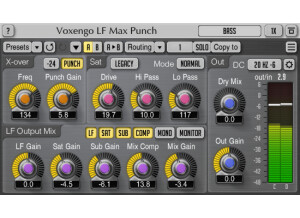
  • songboy's review

    I have had no issued running this on a Macbook laptop. Yes, the manual is clear and will be able to answer all of the questions you might have using this plugin. The setup and configuration is simple enough and everything you need to tweak is right in front of you. I wasn't to knowledgeable about "Crossovers" before I used this plugin, but after a little research, I was good to go. SUITABILITY/PERFORMANCE I run this mainly in Logic 9 to give some extra thump to kick drums and basses when needed. So far it has never crashed or caused any other problems whatsoever. If you need that deep thump, then this will give it to you. I give it a 10 out of 10 for performance because it does what it is supposed to do and it does it well. I have been using this plugin for around 9 months. OVERALL OPINION What I like most about this is you can really bring that SubBass boom to any track you want. It really fills in that bottom end and can bring some much needed warmth to Kicks and Basses when they have been recorded poorly. The only thing I don't like about this unit is not really the units fault. Its just when messing with the low frequency of a recording, you really run the risk of making your track sound muddy. It takes a good ear and some good monitors to get it just right. I got the monitors, now I am just trying to improve my ears. The plugin doesn't color the sound in any way negative so I give it a 10 out of 10 for quality and precision. Logic has a "Fat EQ" that can accomplish similar means, but the LF Max is much more capable of generating the low end you need with all the parameters you will need to make it fit in your mix. Yes, I would definitely buy this plugin again.