Log in
EN
FR

SeriesZoom H

14 products found

Filter
Sort by
Evaluation
  • Reviewed or not
  • Editor’s award
  • Reviewed by Audiofanzine
Availability
  • Available or not
  • Sold new or used
  • Sold new
  • Sold used
Must-have products
  • All products
  • Flagship products
  • Best rated products
  • Hot products
  • Popular products
Price
  • Freeware
€
Clear
Sort by
  • Popularity
  • User ratings
  • Price - low to high
  • Price - high to low
  • Used price, increasing
  • Used price, decreasing
  • Name (from A to Z)
  • Name (from Z to A)
  • Added on
Sort results
  • Popularity
  • User ratings
  • Price - low to high
  • Price - high to low
  • Used price, increasing
  • Used price, decreasing
  • Name (from A to Z)
  • Name (from Z to A)
  • Added on
Filter results 14 results found
Evaluation
Availability
Must-have products
Price
  • Freeware
Show results

The best Zoom H reviews

The reviews Audiofanzine members found the most helpful.
  • « You Can Overdub the LR Channel on a Zoom H6 »

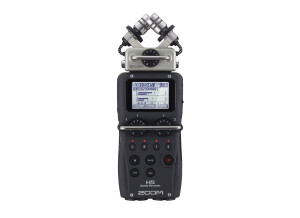
    I'm adding this review here as a previous review mentioned that this excellent product has a significant shortcoming, you can't lay down two stereo tracks using the LR Channel, the one with the Zoom mic capsule. This was definitely true when that review was written and it's true in theory still but there is a workaround which is quite easy since the firmware was updated. I'm using version 2.30. The instructions below assume you have learned to operate the H6 and understand the file structure, which is explained in the manual. 1. Record the first track in the LR Stereo channel as normal. That's Project A created (probably called ZOOM0001 if you are using a clean SD card) 2. Record a short empty track in the 1/2 stereo channel (you don't need a mic) - just set tracks 1 and 2 to stereo, select them and press record for a few seconds. That's the Overdub project created (Might be called ZOOM0002). 3. Insert the SD Card in a computer and open the file browser. 4. Copy the LR WAV file from Project A to the Overdub project. Change its name to the same as the empty 1/2 WAV file already there so your original recording is now located in stereo channel 1/2 of the Overdub project. 5. Put it back in the H6, go to Menu>Project Menu>Rebuild. Select rebuild and agree to its demands. Rebuild recreates the project file based on the new file you have placed there. That's the new feature that makes this process possible. 6. You are set to go, follow the Overdub instructions in the manual to add another track using the LR channel. You can use a similar process to import a new WAV file into the H6 from another recording source.

  • « Good and practical »

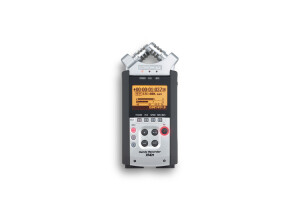
    I work with videogame soundtracks and bought a used Zoom H4n to record ambiences and outdoor sounds in general. Mine one has a pretty nice plastic case, an AC adapter (but can run on two AA bateries as well) and an USB cable, and I've bought a separate 16gb SD card to use with it. It has two condenser microphones, two extra inputs for additional mics (which can be phantom powered) or line DI/sources, and you can use all these 4 channels at once. It records wav files (up to 24bits and 96kHz) and mp3's. The usb cable is not only to transfer files to your computer, but can also make the unit work as a regular audio interface, nice resource. Besides that, it has a few built-in effects (compressor, amp simulator, delay, etc) that are not good (you might wanna use them to plug your guitar and practice with a headphone... might) and a small speaker that is usefull to have a quick listen to a file and make sure that everything is working fine (of course, you can also do that with a headphone). The construction is robust and it looks like it could handle some hits and falls with no problems. I don't have much experience with portable recorders, but I can say that the pre amps on the H4n are not as good as the ones from a regular audio interface in the same price range. But they are not awful either: you can get some usable sounds from the stock mics and some very usable sounds if you use a couple external ones. I usually end up always boosting a little top end and cutting a little around 200Hz, 300Hz from the files recorded with the H4n. One thing I really like is that the stock mics can be twisted to open up the angle of the stereo XY recording, from 90° - good for stereo instrument recordings - until 120° - good for my ambiences because they sound large and fill up the stereo spectrum nicely. Being able to do it without any other mic is really handy. I don't really like the little screen and think that navigating through the unit's functions could be easier. Anyways, you can still learn how to use it and get your work done. Overall, even with its problems I think that the H4n is a good product, that does its job well (which for me is to record stuff out of the studio, but you can easily find other applications) without taking much of your money. If I had to buy another portable recorder I would probably look around for other models before just to make sure that there is something better around nowadays (I would trade the effects for better pre amps without thinking twice, for example), but I'm pretty sure I wouldn't find anything as good and as practical as the H4n for this price.

  • « Great Bang For the Buck! »

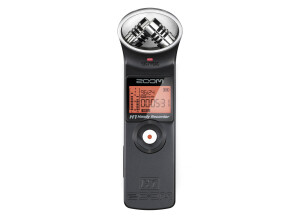
    I want to start off by letting you know that I did not purchase this mic with the intent to use it as a field recorder. I purchased it to capture better audio (vocal recording) for my film projects (that was the main goal). After messing around with a bit I began to notice just how versatile the recorder actually was. I began carrying it with me everywhere : Store, park, bathroom (yea I know TMI) and even the recording studio. It's actually a really nice field recorder especially for the price! I've only used 1-2 other field recorders besides this H1 Zoom and one of those just happen to be the H4 Zoom recorder. In my opinion they don't sound very different. If you were to record 2 quality sound bites in the same environment and play them back to someone they'd have a hard time telling them apart. What I don't like about this recorder is it's build... It's mostly plastic! But again, it's only $80.. I just wish it had a slightly better build but other than that I have no complaints. I was able to get 10 hours of recording from a single AA battery! I've used this little guy to record all sorts of different sounds: Car starting, milk pouring into a glass and even live gun shot sounds (with just the on board mic) You can hook up other mics to this recording, but you'll need a 1/8 connection to do so. I would recommend this field recorder to anyone who is looking to improve there audio for film recording (again vocals) as well as those who are looking or thinking about messing dipping into field recording on a budget. If you plan on recording anything outside I would strongly suggest you use a dead kitten or another type of raggy textured wind diffuser (to kill background noise and wind sounds)

  • AudioArtist's review

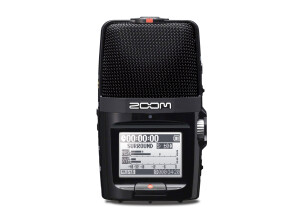
    The obvious thing to like about Zooms' H2n is having a good quality recording with minimal fuss. The H2n is ideal for recording live shows or for just recording some ideas quickly at practice or on the go. For the price vs. value, I would say that it is just right. You get exactly what you pay for with this item, perhaps even a bit more. The sound quality of the H2n is quite good when compared against many other handheld, condenser mic equiped models offered by Zooms' competitors. The mics Zoom uses are very well balanced and very sensitive and of overall very good quality. I've used this in a variety of "live" situations from very quiet shows to ampitheatre shows to indoor rock shows. The H2n always performs well provided that you take the time to familiarize yoursef with the onboard effects and ensure that you are not clipping. Personally, I would not recomend using any of the built in limiters or compressers etc. If you have a good DAW to transfer the recorded files into then your best bet is to just record it dry and do your eq'ing/mastering later with your good monitors and in a controlled environment. Also keep in mind that the H2n's condenser mics are very sensitive to handling noise and or vibration noise from being set on a hard surface. You can easily ruin a recording of a great live show by setting it on a wooden railing without some sort of padding or something underneath, the optional stand is nice. Also, keep in mind how much internal storage space you have, the options of choosing between different sampling rates and or bit depths is fantastic, but you can use that space up quicker than you may expect if you insist on recording at the highest quality. On a lower note, the proprietary file system is a bit odd, once you get used to it it's no big deal but you'll see what I mean. I've used a ton of handheld recording devices over the years from microcassette all the way to fully digital and I have to assure you that the H2n is a godsend for the applications that it is best suited for. I would certainly purchase the H2n again if necessary or another model from Zoom. I've used all of their H series recorders and have gotten consistently good results.

  • « Fantastic Rehearsal Recorder »

    I bought this pocket recorder based on a recommendation of a friend. I was looking for something easy to use to record our band's rehearsals for playback. This device could not be easier to use, and makes simple recordings which rival or are better than those I have been able to make in the past with a fully featured four channel recording desk. The multitude of settings make it possible to adjust for a variety of settings and requirements. The manual is fairly easy to read and understand. Using this recorder during rehearsals has greatly improved the speed with which our band is able to learn new material. With a minimum of hassle we are easily able to download the recording, cut it into songs, and post it for all members to hear. This is usually done before the next morning. Being able to listen to what we are playing after rehearsal allows us to disect the various aspects of the songs and work on the details, and also allows us to record versions for new members very easily. The only thing I don't like about it is that the placement of the recorder in the room is your only real ability to 'mix' instrument levels relative to one another. You get the hang of this fairly easily, but it is not as easy as moving a slider up and down. I think the recorder is great value for the money. I have tried to do similar things with mixing consoles and multi-track recordings before, and the problem with that method is that it could take a very long time to get even a single rehearsal recording up. To get full benefit from this activity, the recording has to be available to all bandmates very quickly. This device provides that facility while also providing great, almost professional, sound quality. It also works well within a lot of different environments, and has a wide lattitude with regards to sound levels and mixes it is able to accomodate. I have tried other similar recorders, and although there are also many competitor products which offer similar levels of performance and value, this is the one which seemed to be the best combination of sound quality, usability, and value. I would definitely buy another if this one breaks or is lost.

  • « good quality sound »

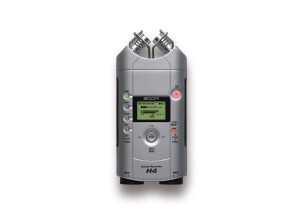
    One of my friends from college uses the Zoom H4 so I have had a few different interactions with it. He uses it for on the spot quick interviews in LA for a local radio station. He has interviewed celebraties with it and it sounds like he is using a mic with a boom stand like in holly wood movies. The quality of it is GREAT and everything is really clear. I have even heard interviews on it and you couldn’t even hear much of the surrounding noises and they where right by the street and you could barely hear the cars passing buy and the people talking the back ground. Its like a really high quality HD sound with the ability to get back home and transfer it right into the computer. My only suggestion is it seemed like the record time wasn’t that much. It would be nice if you could record on it from more than 120 mins. I know that is a lot of time, but you never know where you are going to be and how much you will need to record with it. You don’t want to miss anything or have to go back and delete stuff to create more room on the spot. Also something else I would like if it had a wifi internet connection or some type of blue tooth connection so you could transfer the audio files without needed a cord. But overall, its great and I highly recommend it for someone who wants to record themselves or others on the spot or even to record notes in your college class. You wont have to worry about missing anything every again. I am surprised then havent put a had camera on them yet? It would be great to have great sound as well as great video too at an affordable price.