Log in
EN
FR

Logitech

29 products found

Categories
Filter
Sort by
Evaluation
  • Reviewed or not
  • Editor’s award
  • Reviewed by Audiofanzine
Availability
  • Available or not
  • Sold new or used
  • Sold new
  • Sold used
Must-have products
  • All products
  • Flagship products
  • Best rated products
  • Hot products
  • Popular products
Price
  • Freeware
€
Clear
Sort by
  • Popularity
  • User ratings
  • Price - low to high
  • Price - high to low
  • Used price, increasing
  • Used price, decreasing
  • Name (from A to Z)
  • Name (from Z to A)
  • Added on
Sort results
  • Popularity
  • User ratings
  • Price - low to high
  • Price - high to low
  • Used price, increasing
  • Used price, decreasing
  • Name (from A to Z)
  • Name (from Z to A)
  • Added on
Filter results 29 results found
Evaluation
Availability
Must-have products
Price
  • Freeware
Show results

The best Logitech reviews

The reviews Audiofanzine members found the most helpful.
  • « A great Logitech mouse »

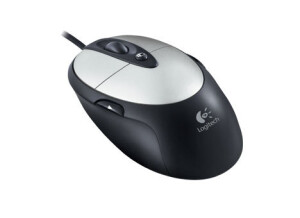
    The Logitech LX3 is an optical mouse that works great on music production desktops, both PC and Mac. It mainly features an ambidextrous design, so it can be used with both left handed and right handed users. The mouse comes in a few different colors, the one I own happens to be blue and grey, but other common models are black and grey. It features a standard optical reader on the bottom (which function much better than classic ball-style computer mice), two regular buttons on the top, and a wheel button that also tilts. The left and right buttons are interesting, because the plastic on the button is not actually separated from the plastic on the base section (the part where you would rest your palm). So the buttons themselves are not visible, and theres less gaps for dust or other debris to get stuck into, and thats definitely good news. The wheel has three distinct functions: click, wheel up/down, and tilt left/right. Most wheels have the first two functions, but few of them have the tilt functionality, which is nice here. The tilting is good for scrolling left and right, which can be incredible useful in a DAW, where the tracks are layed out from left to right, and you often need to scroll in that direction. Most standard mice do not have this feature, because commonly, you only need to scroll up and down (like most websites are layed out). The mouse is wired, which has some advantages and disadvantages. Nowadays, wireless mice are very common, and the battery life on these devices are getting better each year, making them much cheaper to use. But sometimes there can be interference, and depending on what hardware you are using with your music computer system, a wireless mouse may not work as well as it should. And when accuracy is important, there is much less error involved with a wired mouse, such as this LX3 model.

  • « Convenient wireless keyboard/mouse set »

    What's great about the Logitech MK320 is that the wireless keyboard and mouse are linked together, and therefore, they only use one usb spot. The dongle is also very small, and it won't take up space from surrounding usb ports on the back, front, or side of the computer. However, to save battery power, there are no lights on the keyboard that indicate when caps lock, scroll lock, or num lock are on or not. You have to use software notifiers (which are usually located in the lower right task-bar) or just mentally keep a note of when they are on or not. Like most keyboards, there are two kickstands/feet on the top back of the keyboard that nicely tilt and elevate the keyboard; a must for me, on any keyboard. The keyboard takes two AAA batteries, and I don't have to change out the batteries very often. The mouse uses a single AA battery, and there is a notification light on the top that lets you know when the battery needs to be changed. The mouse works great, and works just as well as most quality wireless mice, from manufacturers such as Microsoft and Logitech's other main brands. The mouse is sleek, has nice curves that fit the right hand well, and it feels and functions great. My only problems with the MK320 are the reception, and sometimes I get strange interference (particularly with the mouse motion) when I move my feet under the desk in certain positions. When this happens, the mouse action gets jittery, and sometimes the keyboard typing lags. It is a strange problem that, frankly, might be due to some of the other audio hardware I have around, or the shape of my room. So I doubt anyone else will have this problem, because it just seems too specific and unusual. Overall, the MK320 is a great, convenient, compact wireless keyboard/mouse solution for your desktop system. It's cheap too, but doesn't feel like it. If you need one more usb spot freed up, this could be the way to do it!

  • « get rid of your mouse »

    The Logitech Trackman wheel was really good for me to have for a while even though I no longer use it. I needed a good mouse with a track ball because I didn’t have room on the table top to slide the mouse around, I was using it on a really small personal computer desk so I got the Logitech Trackman wheel. First and formost anything that is made by Logitech in the computer world is both good and affordable and there is no denying that. They have always created top selling keyboards and mouses for the last 10 plus years. I have purchase so many Logitech keyboards mouses and cameras its not even funny. This is a good invest ment if you are into the whole track ball thing, it will take some time to get use to . Using a track wheel is nothing like using a mouse. You almost have to be a little more coordinated with a track wheel then you do with a mouse. I only recommend getting this if you just don’t have much desk space to slide your mouse around on , or if you have used track wheels before and like them and just don’t know which one to go out and get. This one will work fine for you if you fall under either one of those categories. It is a great quality and I have knocked it off the desk several times on to hard tile flooring and it didn’t break , chip or crack. It is built to last you a long time and its very affordable so if you are looking to throw that old mouse out and start using a trackball, then this is the way to go. Keep in mind this is not like the track wheels that come in the middle of all mouses that you can go u p an down a page with . Instead of sliding a mouse around to navigate the curser you move the ball around with your thumb to move the curser, there is a big difference.

  • moosers's review

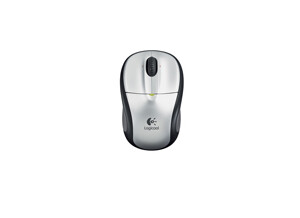
    The Logitech M305 is a wireless mouse for use with your Mac or PC. I guess it's technically a PC mouse, but it certainly works on either platform. I don't own this mouse but my roommate has it for his Mac Tower and uses it exclusively. He's a pop music producer and uses it with Logic and other DAW's. We work together a bunch so I also use it whenever we are collaborating. I really like how small this mouse is but it still feels good in your hand and is super easy to navigate with. It's got both left and right click buttons and a scrolling track ball in the middle of the two. It's nice to have the right click when you're using it on a Mac as this isn't something that you're going to get with an Apple mouse. It's also nice to have a wireless mouse as you can move it wherever you'd like to on your desk without having to worry about the slack of the cable. However, the best part about the Logitech M305 has to be the price as even though it's a cutting edge mouse and is some of the newest technology in terms of the size of it, it's still quite cheap. Anything from Apple is going to cost you a bunch, and although I do have a Mighty Mouse myself and love it, the M305 will save you some money, especially if you feel like you might want the right click option. I've only used it with a Mac, but for PC users it's going be great as well. It's not necessarily designed for use with a DAW, but in my experience it works great. Check out the Logitech M305 and the other mice from Logitech if you're looking for a cheap and comfortable mouse for your computer.