Log in
EN
FR

NUX

185 products found

Categories
Series
Filter
Sort by
Evaluation
  • Reviewed or not
  • Editor’s award
  • Reviewed by Audiofanzine
Availability
  • Available or not
  • Sold new or used
  • Sold new
  • Sold used
Must-have products
  • All products
  • Flagship products
  • Best rated products
  • Hot products
  • Popular products
Price
  • Freeware
€
Clear
Sort by
  • Popularity
  • User ratings
  • Price - low to high
  • Price - high to low
  • Used price, increasing
  • Used price, decreasing
  • Name (from A to Z)
  • Name (from Z to A)
  • Added on
Sort results
  • Popularity
  • User ratings
  • Price - low to high
  • Price - high to low
  • Used price, increasing
  • Used price, decreasing
  • Name (from A to Z)
  • Name (from Z to A)
  • Added on
Filter results 185 results found
Evaluation
Availability
Must-have products
Price
  • Freeware
Show results

The best NUX reviews

The reviews Audiofanzine members found the most helpful.
  • « From simple Tremolo, to Leslie to full-blown Organ »

    : Some tweaking skill is required to operate the Roctary; and because this pedal offers a plethora of tones it cannot be pigeon-holed into a particular sound. If we consider a simple function, you can add a subtle or very noticeable Octave effect (one octave up and/or one octave down) – in various ratios and a little or a lot in the mix. In fact, so much in the mix that you can Kill Dry the guitar’s original signal so that you get nothing but the Octave tone(s). The same is true when using any of the features, in that you can Kill Dry if so desired and get nothing but the wet signal. Ignoring the Octave function, you can add some basic Tremolo, either at a very slow speed or a fast speed (but not so fast that it sounds like it’s sputtering out of control) and you can establish the acceleration when switching from a slower to faster rate. There’s also a Leslie setting so that the Tremolo has a swirling quality – just like a Leslie speaker. You also can add some Drive to the tone, which has a fine searing distortion quality. Those are some of the straight-forward tone descriptions. Once you begin tweaking the Bass-Horn (which defines the mix between woofer and horn), the Octaves and the Balance, you can achieve some strange and eerie guitar tones (if done in a subtle manner), and all the way to a huge blaring pipe organ (consequently, somewhere in the middle, there are some very authentic sounding Blues/Rock organ sounds that mimic the real thing). OVERALL IMPRESSION: The Roctary is a steal at $129 USD – a pedal that has an addictive quality to it (hard not to play around with all the settings for several hours) and that allows such subtle nuances like a touch of Tremolo or Leslie, perhaps a dash of Octave up and/or done, or even a hint of added drive. However, what sets this ‘tremolo’ pedal from the pack is the ability to produce authentic sounding organ tones, from mellow, to Rock to a massive church organ. Consequently, the Roctary is not a one trick pony, but a combination of rotary speaker simulation with Octave features (hence the name, Roctary, merging those concepts) that allows an interesting vibe to your tone or an outright change of instrument with very authentic organ sounds. The various unique tones for both rhythm and lead are impressive enough, but even minor tweaking of any of the controls (Drive, Bass-Horn, Balance and Octaves) can produce very different results, and even more so when you use the Kill Dry setting and experiment with nothing but Wet. The Roctary offers so much that it can be used as a multi-tool on your pedalboard for when you need some Tremolo, or perhaps some Octaves in the mix or when your organist is away from band practice with the flu. GENERAL USE: Output/Volume is controlled by the Level knob, and since the Roctary is not a big headroom type pedal, you likely can set it about 12-noon to start. The Tremolo aspect involves both a Slow and Fast speed selection, which you can alternate via the Fast footswitch (this allows you to set two different tremolo speeds). You also can set the acceleration (rising speed) between the Slow and Fast settings by holding the Fast footswitch and turning the Slow knob to an appropriate level. By setting the acceleration the Roctary acts just like a real rotary speaker, viz., the woofer rotates at a slower speed than the horn. The Bass-Horn knob varies the mix between woofer and horn (the type of speaker setup found in a Leslie speaker cabinet); think of it as a Tone control, although its effects are a bit more interesting on this pedal. There are two Octave settings (an octave above the dry signal and an octave below), and they can vary in mix, from completely off to very dominant when turned up completely (however, this also depends on the Balance knob that I’ll address soon); the Octave function turns on/off via its own switch. The Drive knob adds some dirt into the signal, which adds sizzle to a guitar tone if used sparingly, but really has its use when creating a ‘dirty organ’ tone, viz., Rock Organ Lead. Now, if you want a Leslie sound, so that the Tremolo has more of a swirling around the room quality, that is achieved by holding down the Fast footswitch while powering up the unit (thereafter, by pressing both footswitches simultaneously you put the Brakes on the speaker rotation and you hear only the usual tremolo; rotation resumes by pressing either footswitch). Another feature is the Kill Dry, which removes your dry signal so that you hear only the Roctary’s sound, and this is done by holding the Fast footswitch and rotating the Octave Up knob full counter-clockwise (reversing those steps reinstates the Dry). The Roctary is not overly complicated to use, but it takes an hour or so of tweaking and experimenting, a rather enjoyable process with this pedal. Next, the Balance indicates the degree of mix between Dry and Wet. If you set the knob about 9-o’clock the Wet is subtle, although audible and can add some very unique characteristics to rhythm and lead. Around 12-noon and the mix is 50/50, although the Roctary can overpower somewhat and depending on the other settings (more particularly the Octaves). Beyond 12-noon and the Roctary dominates. Finally, you can use an Expression Pedal to control Tremolo speed. This feature is great if you want to play some rhythm or lead lines that end with a stronger vibrato (if you listen to the Demo accompanying this review you will hear that effect near the beginning when the lead guitar plays over the acoustic guitar). OTHER DETAILS: Roctary is a medium-sized pedal measuring 112 mm (L) x 100mm (W) x 55mm (H) with knobs (4.4 x 3.9 x 2.16 inches). The heavy duty steel chassis has a powder coated brown (with a hint of sparkle) paint job with cream lettering – for a pleasant vintage look. The eight plastic knobs are of typical fair and quality and should withstand normal use and abuse. All knobs have good quality pots (smooth and solid when turned). The two footswitches (on/off and tremolo speed selection) produce very subtle clicks when engaged or disengaged – there is no popping or significant signal noise when switching. The cable input and output, the expression pedal input, and the power input all are located in the back, which saves on pedalboard space, but also keeps them in a more secure location. The Roctary does not work via battery power and requires a standard 9VDC (center -) power supply, while consuming only 8mA of power.

  • « Incredible Clarity of Delay and Reverb »

    SOUND: The Atlantic (either delay or reverb) produces one of the cleanest and clearest effects I’ve heard. That may not sit well for everyone, as some musicians may prefer either delay or reverb to be toned down (a lower tone so that it stays hidden in the background as opposed to popping out as it does). However, for those who want a bold delay or reverb, and I suspect more so for the ambient player who wants swirling and pulsating effects to have a dominant role in the overall sound, then the Atlantic does not disappoint. With 32-bit quality you can hear the differences among the Analog Delay, Tape Echo and Digital Delay. The same is true with the Spring Reverb, Plate Reverb and Hall Reverb. I say that without hesitation since many ‘space’ pedals do not have the clarity of the Atlantic, and can sound slightly muddy or muffled in comparison (thus making the delay or reverb less obvious, sometimes impossible, to hear the differences among types, e.g., analog vs. tape). The sound quality is an obvious plus for the Atlantic, but also being able to dial into various patterns prior to a Tap Tempo adds a lot to the ambience of the delay, whether you want a full note, ¾, ½, 1/3, ¼, 1/6 or 1/8th. And the Shimmer effect of the Reverb (accessed by holding down the Reverb’s footswitch) is nothing short of awesome when you want to add that extra dimension and sustain to your playing. OVERALL IMPRESSION: The Atlantic must be a contender for the best delay-reverb pedal for the money, particularly at only $149 USD. Certainly there are pedals out there that offer more types of delay and reverb, but the quality of the sound coming from the Atlantic is awe-inspiring, particularly when it comes to ambient music or playing with cleaner tones (obviously more distorted tones will cover up the true brilliance and clarity of the Atlantic, but that is the nature of anything higher-gain). The best way to describe this quality is a separation of the effect from the original tone, which may not be to everyone’s liking (perhaps you want a lot of delay or reverb, but have it floating in the background in a more subtle manner… if so, it may be prudent to have an EQ after the Atlantic to keep things darker and less transparent). However, if you enjoy having your delay and/or reverb stand out in the mix, that it is as important or integral a part of your sound as the guitar’s tone itself, then the Atlantic will not disappoint. With three types of delay and three types of reverb that can be mixed in any combination and even routed in different combinations (reverb into delay, delay into reverb, or in parallel), you do get some solid customization. As well, you can run the Atlantic in mono or stereo, hold the reverb footswitch for some added shimmer/sustain, and even add a time measurement (e.g., quarter-notes) to your tap tempo. I have more diverse delay-reverb pedals, but this 32-bit beauty keeps pulling me back in. If I could add two things they would be tone knobs and another switch to select routing options (as is found on NUX’s Cerberus). GENERAL USE: Setting up the Atlantic is straight-forward, with the guitar going in and either mono or stereo going out (either a two-cable out or a TRS Y cable out of one output will give you stereo). Delay Time can be controlled with the Time knob – the more you turn it up, the longer the delay, upward of 1500ms. However, you can use the Time knob to add a measure (e.g., eighth-note) and then Tap Tempo your timing. As usual, there also are Level (mix) and Repeat knobs for the delay, while selecting three classic types of delay: Analog, Tape and Digital. The Reverb side operates as usual, with Level and Decay knobs. The added bonus is the Reverb’s footswitch, and when held adds a shimmer effect, although the sound of that shimmer varies depending on which Reverb you choose: Spring, Plate or Hall. The demo video goes through the types of delay, reverb and the shimmer effect. You can engage just the delay or just the reverb via the footswitches, but also route them in different ways: reverb into delay, delay into reverb or in parallel (whereby neither affects the other). When running reverb into delay you can hear the reverb’s decay being echoed back, whereas delay into reverb (the most common setup) has the echo fading into the decay. If running in Parallel, there is a small toggle switch on the back of the Atlantic that needs to be flipped (from its serial position). If you want to run delay into reverb, then you need to set up the pedal in order to do so, viz., hold down the delay’s footswitch when powering up the unit; conversely, hold the reverb’s footswitch when powering up will result in the reverb coming before the delay. Lastly, there is a mini USB port in the back that allows for computer hookup to obtain any firmware updates. OTHER DETAILS: Weighing 420g (0.9 pounds) and measuring 10.5 (L) x 11.5 (W) x 5.7 (H) cm (4.13 x 4.52 x 2.24 inches), the Atlantic has a strong, yet lightweight aluminum chassis. It has very attractive and durable black sparkle powder coated paint with white lettering. The delay and reverb footswitches are ‘soft’ switches (no clicking) that are silent when turning on and off. They are somewhat close to the various knobs, but those knobs are of heavy construction and will withstand the odd stomping if a foot happens to over-reach. The pots for the various knobs are of good quality when turned and silent (no scratching or other noises). The two top toggle switches (for delay and reverb selections) are solid with an obvious click when making a selection and are far removed from the footswitches (besides being sandwiched between the two large Level knobs. All connections (input, output, power and USB) are in the back, thus saving pedalboard space and with any cabling being far removed from the footswitches. There are two switches in the back, for Level and when running the Atlantic in Serial or Parallel – both are solid in feel and small enough that they would not catch on anything and become damaged or switched accidentally. The Atlantic does not run on batteries, but requires only a typical 9VDC power supply and while consuming only 6mA.

  • « Fantastic Modulation/Delay/Reverb with Pure Analog Drive/Distortion »

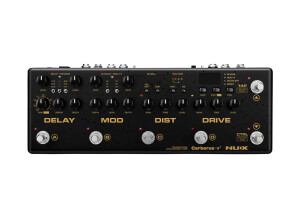
    SOUND: Being of 32-bit quality, the digital components are extremely clear in the mix. Coupled with the Analog Drive and Distortion, the Cerberus is a great sounding unit. The delay and reverb are very distinguishable from the main tone – complementary, yet separated (not muddy). The Cerberus allows you to route the delay and reverb in different configurations, e.g., parallel (both act independently of each other), reverb into delay and delay into reverb. Obviously each produce different results and characteristics and both delay and reverb can be mixed with different depths, levels, etc. There are three chorus selections (from vintage to modern), and all have a good range in sound, without being dissonant or crass when turned up (the notes sound thicker and blend well within the tone). The Modern Chorus sounds fantastic when added to lead. The phaser is impressive, ranging from the subtle to very broad and sweeping, to the point of sounding as much flange as it does phase. The uni-vibe is very unique as it combines elements of tremolo, chorus, rotary and phaser, with each aspect seemingly standing out and depending on the depth, rate and level/mix. The drive is based on a Blues Breaker circuit, which is modest in gain, but it adds a nice amount of fullness and dirt to a clean signal – ideal when playing clean or when wanting a slight edge to some rhythm playing. The distortion is based on NUX’s Brown Anger (which has a British flavor), which seems to impress many who have reviewed the Cerberus. It has an excellent grain to it, sounds full and thick, and definitely analog. Turned up low and it makes for good crunch rhythm, and when turned up high rolls off nicely via a guitar’s volume knob. As you crank up the distortion past 1-o’clock the sound becomes increasingly saturated, which is fine and if you like that quality (up full and its super heavy sounding, ideal for Doom Metal and that thick fuzzy Psychedelic Rock quality). However, if you want to retain that grittiness, then keeping the distortion down (12-noon or even lower) while pumping some drive into it is the answer. Similar to the delay/reverb, you can route the drive and distortion in three different ways: distortion into drive produces a darker and fatter tone, running the distortion and drive parallel (so neither affects the other) produces a clearer quality, and drive into distortion (likely the most common setup) produces a result somewhere between the other two. There’s also a built-in 20dB Boost that can be triggered with a foot switch – even when turned down to its lowest level (controlled at the back) it is very noticeable and seemingly loud enough. Obviously how the drive and distortion sound will be affected by the Cab or IR (impulse response). The Cerberus comes with eight built-in cabinets from which to choose, but you also can upload third-party IRs and purchase additional IRs from NUX (wave file format). OVERALL IMPRESSION: There are several integrated effects units on the market, and at $299 USD you get a lot for your money with the Cerberus. Considering buying a boost, a drive, a distortion, a delay/reverb and a modulation pedal (as well as a pedal board to keep them organized and fixed) and you definitely will exceed the price of the Cerberus. Not only that, the 32-bit quality digital effects coupled with one of the best sounding drive/distortion combinations (both of which are analog, Blues Breaker + Brown Anger) make the Cerberus one of the best values in the integrated pedal category. As well, you can route the delay/reverb and the distortion/drive in various configurations (e.g., drive into distortion, distortion into drive or run both in parallel) and integrate the Cerberus in various ways with your other gear (amps, pedals, etc.). Although the Cerberus is partly analog, you still are able to store 128 presets (16 built-in with the remainder blank) and recall those settings at the stomp of a switch. The unit comes with eight built-in cab simulations, for a host of varying tones, and you can upload 3rd party cabs or purchase additional ones through NUX. This makes it ideal when running the Cerberus direct to a PA, although you can bypass the CAB function and go direct to your amp. There is a built-in tuner and you can attach an expression pedal, which acts as a volume pedal with the Cerberus, route other effects between the distortion/drive and the modulation/delay (so that your add-ons come after the drive/distortion), control your gear via MIDI and get firmware updates via USB (cable not included). Ideal for studio use, the Cerberus is great for rehearsal or practice when you don’t feel like hauling a full pedalboard, and obviously perfect for travel since it has a built-in headphone jack for quiet practice. GENERAL USE: Although seemingly complex at first, the Cerberus is not difficult to use with only an hour or so of tinkering – and once you dial into some good combinations you can save them to one of the 128 presets/patches. If you check out the demo video, I work through the Cerberus starting with the delay, which offers up Tape, Analog and Digital. You can select the Time via the tap temp switch or with the dial to fine-tune (you can see the milliseconds in the pedal’s window to zero in on your timing); the delay’s time dial also selects tempo subdivision (e.g., eighth notes). Reverb can be added or removed via the Control foot-switch (which also turns the modulation, drive/distortion and boost on/off). The Modulation section includes three types of Chorus, as well as Phase/Tremolo/Uni-vibe – the Chorus turns on/off via the footswitch in the Modulation section, whereas turning the Phase/Trem/Uni-vibe on/off is done via the Ctrl footswitch. This may seem odd or clumsy until you get used to the unit and, as stated, you can save any setting group as a preset so that all the fiddling is done once. Each aspect needs to be set, including the Level and Repeats of the Delay, Level and Decay of the Reverb (and what type under each) – the same with the Modulation and the same with the Distortion and Drive. This is no different from any pedal or amp. Allowing you to save these settings definitely is a plus, and particularly since the Cerberus offers you the ability to route the delay/reverb and the distortion/drive in various configurations; having the delay/reverb run parallel sounds very different from the delay going into reverb or the reverb into delay. Likewise, tones are very different if you choose to run the distortion/drive in parallel or the drive into distortion or the distortion into drive (or if you want one and not the other). The Cerberus has four preset switches on the front, which gives access to four selections at a time (without scrolling through banks), such as a clean with reverb, a clean with delay/reverb and some chorus, a crunch rhythm and then a lead (with or without boost). You can create 32 groupings (of 4) or banks like this, making it ideal for gigging and having each bank represent a different song. Banks are scrolled through easily via two footswitches at the far right of the Cerberus (the Tap Temp and Ctrl footswitches scroll up/down when in Preset/Patch mode). As well, whether in Manual mode or Preset mode you can edit (and save if desired) any settings. OTHER DETAILS: An integrated pedal board, the Cerberus does not feel heavy for its size (I presume an aluminum chassis). Of decent size for a fly rig that contains so much, the Cerberus measures 12.6 (l) x 4.3 (w) x 2.6 (h) inches (32 x 11 x 6.5 cm). There are six foot switches, five of which produce a solid click when stepped on (no noise detected when engaging or disengaging either the drive or distortion), whereas the tap tempo is a soft switch. The footswitches have close proximity to the various knobs, but are at a higher level and should not pose any issues with regular use. There are fourteen knobs, all of which seem to be of heavy plastic, attached to pots that are smooth and solid in feel when turned. There are five toggle switches, all of which feel solid when selecting parameters. There are seven push buttons that feel solid during use. All inputs are located in the back, including MIDI In, Expression, Headphones, Power and Stereo Outs. The ten on/off LEDs on the Cerberus are low profile and will not be damaged from regular use of the pedal. The textured powder coated paint is exceptional and so wearing and chipping should be limited. Surprisingly, and although the Cerberus offers several effects, the unit requires a standard 9VDC power supply while drawing only 500mA of power (available with some pedalboard power supplies), which means not having to purchase any special adapter (the Cerberus does not come with an adapter). Do note that the manual indicates 275mA of current draw, whereas the back of the unit states 500mA.

  • « Amp-Like Distortion with Dual Channels »

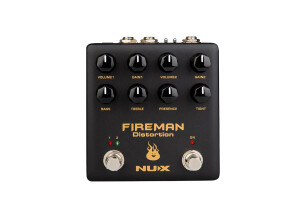
    Some distortions are warm, others are fat, and still others are chewy. The Fireman Distortion was meant to sizzle and cut through the mix. The grain is fine to medium overall, but the two channels do sound different from one another. Channel 1 has a slightly fatter, warmer and crunchier sound, whereas Channel 2 is sharper, punchier, bolder and with more bite. As you can tell, this was designed on purpose and to act as rhythm and lead channels. NUX indicates that the Fireman is based “on the legendary amplifier builder’s famous distortion pedal,” and I presume it may be the BE-OD by Friedman. If so, and I do have that pedal, it has similar tone characteristics, although different enough that it’s not an exact replica (the Friedman distortion sounds so much like a Friedman amp, whereas the Fireman is not as bold and aggressive, which makes it more suitable for lower gain distortion playing (or perhaps adding a touch of distortion to an already dirty amp, which is not something the BE-OD does very well). Regardless, turn up the Gain on either channel and it is modern rock/metal intense. Do note that the accompanying demo has the pedal set for 18v, via a toggle switch on the back (the Fireman requires a standard 9VDC power supply, but is capable of doubling the internal voltage to 18V for a wider dynamic sound). I did this as I prefer the slightly fatter sound of 18V vs. the thinner and tighter sound of 9V. As another bonus, you can select (via toggle switch) whether the Fireman operates as True Bypass or Buffered. Very nice! Now, you can set the Volume and Gain for each channel separately, although the EQ, Presence and Tight controls affect both channels. This does not seem to be an issue, since I like the same Presence and Tight controls for both channels, and once you set the EQ you can control the tone (if necessary) via a guitar’s tone knob. Generally, I like the same EQ settings for both channels, as well. The EQ has a decent range, in that taking away or adding Bass is not excessive and nearly any setting sounds pretty good. Unless you like a heavier bottom end, I find setting the bass around 12-noon or slightly more is good (with my gear and guitar). The really kicker is the Treble control, which sounds very much like a treble-boost as you dial it up. Right around 1-o’clock is about right, but bringing the Treble up more still sounds intense without being brittle or bright. The Presence control works in concert with the Treble, and when I have the Treble set just right, I like the Presence around 9-10 o’clock – just a hint and enough for added sparkle. The Tight removes flub in the signal, although the Fireman is pretty darn tight (and quiet) without this control. If you turn it up too much you will notice a thinning of the sound, as well as some compression/saturation and volume drop. A little goes a long way with the Tight knob, and so I find setting it around 8-9 o’clock sufficient for that chugging and biting note effect. General operation is easy enough, with the right footswitch turning the Fireman on or off, whereas the left footswitch flips channels (red for Channel 1 and green for Channel 2). If preferred, the Fireman has an external SW jack, so that you can plug in a foot controller (TRS cable) and control the two channels in that manner. The only downside to the Fireman maybe one’s preference in distortion sound. I have other distortions that are warmer or may be chewier or have more a chunkier sound quality, but that merely makes them different and not better. One of my favorite distortions is the Suhr Eclipse, but when side-to-side the Fireman cuts through the mix much better, likely making it superior for darker amps and pickups. My demo uses the Music Man Majesty guitar, which is middle-of-the-road, insofar as pickup tone dynamics (fairly broad-range with decent tightness), plugged into The Countess V4 preamp (clear, slightly warm and somewhat glassy cleans) and into a Line 6 Powercab (using the Lynchback 1 cab IR designed by Live Ready Sound), and so different gear obviously will behave differently with this or any other pedal. Overall, and for $115 USD, this is one of the better distortions I have tried, keeping up with NUX’s reputation for producing quality gear and great pricing.

  • « Amazingly clear and vibrant delay with dual engines »

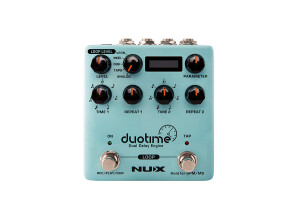
    NUX has been stepping up its game lately, and the DuoTime delay demonstrates that point succinctly. Just about every guitarist likes a delay, but when you combine two engines and in stereo, you have a winner (particularly for $149 USD). Obviously feeding one delay with another can produce intricate and even massive results, but how this pedal sounds is of utmost importance. The best way to describe the DuoTime is crystal clear and pristine, as demoed in the video below. It is so clear, that it has become my go-to delay. It almost sounds glassy and lustrous. Operation can be simple, although the number of combinations make the DuoTime a tweaker’s delight. Let’s start off simple. If you place the Repeats in engine 2 all the way down, it is, in effect, turned off. In this manner, you can work just with one delay. Now, there are five delays from which to choose, Analog, Tape, Digital, Modulation and Reverb. These algorithms are based on classics, although with some unique adjustments and in some cases - both in regard to the algorithm in general, but also the Parameter knob that adds in a certain ‘element’ for each. For example, the Analog delay offers up 40ms-402ms based on the bucket-brigade device, with the Parameter adding in modulation depth, whereas the Reverb delay’s Parameter adds in reverb with shimmer. The Digital Delay, one of my favorites, adds in a filter and compression from what is typical with most Digital delays. Parameter information is printed on the side of the pedal, in case you forget or don’t have the user manual handy. Each delay engine has its own Time factor, and you select the subdivision you want, e.g., engine 1 could be a sixteenth note, whereas engine 2 could be a quarter note. And then you can give a few repeats with one, a lot with the other, or any combination between. If you decide to use the tap tempo footswitch (on the right), then the time (delay speed) for both engines (or just one if you keep the other off) become proper subdivisions of the select note times. Now, speaking of the tap tempo footswitch, what I like about this is that you do NOT have to turn it on – it automatically works as a tap tempo footswitch, which means making changes on the fly while gigging. You merely have to hold it down for a few seconds if you decide to switch the measure (e.g., milliseconds vs. bpm). The left footswitch is an on-off switch, but when pressed down with the tap tempo, you enter the looper, which allows upward of 40-seconds of recording time and the ability to overdub. If you switch the delay type, mix amount, parameter amount, etc., that information changes with the ‘track’ you recorded (you cannot record one type of delay and then switch for a different type to play over the previously chosen delay type). The looper does come with one caveat – as you record with a long delay, then decide to stop the recording before the delay ends, it will cut off the trails. Consequently, the looper works best with short delay times, or the riff/passage needs to play out before you terminate the recording. The little LED window provides only basic information, and so if you don’t like scrolling through data, then this will be to your benefit. It indicates ms or bpm of time for each delay, as well as how much looper time you’re using up, for example. Very straight forward with just enough information. Also, the manual provides several basic set-up methods. You can have stereo out with mono or stereo in. You can do mono out, while selecting either of the delay channels. And you also can set up for delay 1 serial with delay 2 connected via cable (from in 2 to out 2). NUX certainly has a solid reputation for its Atlantic Delay/Reverb pedal, and I suspect the DuoTime will be as well received. Although you cannot combine delay types, and only one has reverb, the overall quality of sound is fabulous and holds a candle to the quality of delays I’ve heard in far more expensive units. Both price and sound make this delay a no-brainer if you’re in the market for quality and affordability.

  • « Economical Way for Direct Recording and PA/FRFR Playing »

    SOUND: You can sound completely different with the same guitar and pedals as you change up your cabinet, amp tubes and microphone/mic placement. Solid Studio offers 8 classic cab selections, three tube types, eight microphones and three different placements for a wide variety of possible outcomes and tones. Typically my favorites are the Roland Jazz Chorus 112 for cleans and the Marshall 1960 4x12 for dirt; and typically I prefer the EL34 tubes and the Sennheiser MD421 microphone in center position for both. Now, having said that, the tone I want from my pedals I sometimes prefer a different cabinet, set of tubes, microphone and its placement. Consequently, the Solid Studio is not a one-trick pony and minor tweaking does make a difference, particularly if you want to break free of your typical crunch or lead sound. I also noticed that if I’m using a preamp I don’t find the ‘Power Amp’ option on the Solid Studio useable (it tends to thin the tone), but when using just pedals (e.g., fuzz, overdrive, modulation) then the Power Amp fills out the sound a better (that option also includes a Presence knob to add that high-end sparkle). OVERALL IMPRESSION: A DI or direct input device, Solid Studio allows you to record direct to DAW, play through a PA system or into a FRFR (full-range flat-response) speaker. Using the IR (impulse response) of a particular speaker cabinet, tube amp, mic and its placement you can zero in on various and different tones to help sculpt an ideal sound and at a very reasonable price of only $199 USD. Besides the typical XLR balanced output and a quarter-inch jack input/output, there also is a ‘through,’ so that you can have a dry line out to a different source. Included is access to eight different classic cabinet types from Fender, Marshall, Roland, Vox and Celestion (Vintage 30s and Greenbacks). There are eight microphone types (from Shure, Sennheiser, Neumann, Royer and AKG), three mic positions (center, mid and edge) and three tube types (EL34, 6V6 and EL84). In sum, there are dozens of options to coordinate with your gear’s characteristics to achieve the tone you want for recording or live play. You also have access to a Power Amp option, which is very helpful when working with pedals only (and no preamp) for a bigger more polished sound; an option that includes Master volume, Drive and Presence. The NUX Solid Studio also has a USB output for firmware updates. I would have appreciated 1-2 fewer Fender option and 1-2 higher-gain options, e.g., Mesa or Friedman cabs. GENERAL USE: Solid Studio requires some experimentation, since your choices depend on the gear (e.g., pedals, guitar pickups, etc.) you use. With the Roland Jazz Chorus 112 working so well for my clean tones, I start with that selection, although I will zip through the other cabinets to hear what they have to offer. Likewise, my dirty tones start with the Marshall 1960 cab and then I will try the others in case there is a better choice (the Fender Bassman cab seems to work well with clean and dirty, for example). My mic selection often is the Sennheiser MD421 as it offers a good amount of thickness and clarity (I may want a thinner sound or even a heavier sound and may select a different mic as I go through the fine-tuning). The next step is to select my tubes. EL34s are heavier with a bigger crunch, 6V6 have a warmer sound, and the EL84s are brighter with more high ends. I often select the EL34s, but I do have some drive pedals that have more punch and grain with the 6V6 tubes. The microphone selections vary significantly, with some producing a deeper and thicker response, whereas others are ‘lighter’ with more clarity, any of which can be used to coordinate with dark pickups/pedals vs. bright pickups/pedals. Likewise, mic placement makes a difference as having a center position translates into more high-ends, a mid position more mids and an edge position more bass. Double tracking your guitar (so that one is center and the other either mid or edge, with the same or different mic) can produce a very unique and multi-dimensional sound. OTHER DETAILS: A medium-sized pedal, Solid Studio measures about 105 mm (L) x 115mm (W) x 58mm (H) with knobs (4.1 x 4.5 x 2.3 inches). The heavy-duty metal chassis has powder coated dark blue paint with white graphics. The five knobs (Cab, Mic, Master, Drive and Presence) feel of heavy plastic and will withstand normal use and abuse. The two toggle switches that control tube type and mic placement are solid when flipped and located toward the back of the pedal, sandwiched between the largest two knobs. All knobs have exceptional quality pots (smooth and very solid when turned without any static or noise). The two soft footswitches (Cab on/off and Amp) are solid in feel. The cable input/output, power supply, etc., are located in the back, saving on pedalboard space and keeping any cable inserts away from a stomping foot. The larger XLR cable output is located on the left side. Solid Studio does not run on batteries and requires a 9VDC power supply while requiring 240mA of power.

  • « Classic and Modern Metal Tones under one hood »

    SOUND: You can produce two styles of tone/sounds with Metal Core: ‘classic’ that it emulates a 1980s style of Metal and ‘modern’ that emulates a more current Thrash Metal tone. Regardless, the classic setting is pretty hard hitting and sits well with modern styles of heavy music. The modern setting has a touch more saturation and aggression. Both resulting tones have that high-energy sizzle, as opposed to a chunkier or meatier quality, like a Friedman amp or pedal. And certainly the adjustment of the Bass and Treble tone controls make a huge difference in what you hear, to the point that a slight turn of either suddenly becomes more pleasing or less pleasing to the ear (relative to the tone you’re trying to achieve). Fortunately there’s a ‘patch save’ option, to allow for the saving of one patch (of either the classic or modern setting). What also should be obvious is that different cabinets and microphones make a difference as well. In the accompanying demo I ran the Metal Core into the NUX Solid Studio (amp/cab simulator with various microphones). I went through only the Marshall 1960 4x12 with the same amp tubes (EL34) and microphone placement (center), but worked through all the various microphones (8 total) with some tweaking of the Gain, Bass and Treble of the Metal Core to offer some variation. I did this for both classic and modern settings. In many instances it sounds like a completely different pedal, which suggests the Metal Core could very well be an ideal inclusion on a Metal Head’s pedalboard and particularly if using a cab-sim to achieve different sounds. OVERALL IMPRESSION: Metal Core is a great bargain at $99 USD, and a usual offering from NUX (good quality and sound with very affordable pricing). Most Metal-based pedals offer one voicing while using Gain and Tone controls to sculpt the sound; conversely, Metal Core offers two voices, one that is more ‘classic’ or 1980s (thicker and heavier) and the other more ‘modern’ (biting and aggressive). Once you find an ideal tone you can save the patch (one only), and even find it later (through a switch and knob turning process) if you forget what the settings were and you set the controls differently thereafter. The Tone controls are extreme, in that you get a lot of variations in sound output with a lot of Bass and/or Treble, but more obvious is that a slight tweaking of either by a millimeter or two makes an obvious difference in tone output (which is why the patch save is important). There is great volume output with Metal Core and it does sound excellent with the NUX Solid Studio (particularly the Marshall 1960 4x12), suggesting that Metal Core’s development was done in part to work with other NUX gear (or vice versa). Regardless, Metal Core also sounds excellent and ‘current’ (not outdated like some Metal pedals) with other amp-cab simulators. If you like a hard-hitting tone that adjusts from thick to aggressive, then Metal Core is an excellent choice at an excellent price. GENERAL USE: Simple enough to use, but the differences in tone achieved by tweaking the Bass and Treble in small increments is blatant. A good place to start is with both in the middle or 12-noon. From there Metal Core is very fun to use and you can’t help but chug as you experiment with the settings. Dialing in a lot of Bass or very little Bass, or a lot of Treble or very little does not result in anything too extreme (e.g., excessive muffle or brittle high-ends), but how those two work together is a sweet dance and relative to the amp-cab-mic used. The Gain is obvious even when turned all the way down, but hits a sweet spot between 10-o’clock and 1-o’clock; a good amount of drive, bite and clarity without too much saturation. The Volume control does make a difference, although it depends on what your other gear is set at, and so perhaps start with it at the 9-o’clock position. Lastly, do try fiddling with your guitar’s volume knob, as having Metal Core cranked and aggressive still produces some good crunch tones with the guitar’s volume dialed back half-way. OTHER DETAILS: Metal Core is a regular-sized pedal, measuring 122 mm (L) x 72mm (W) x 47mm (H) with knobs (4.4 x 2.8 x 1.8 inches) and weighing 270g (9.5oz). It produces good quality sound with a sampling frequency of 44.1 kHz, signal processing at 32-bit and with an analog-to-digital conversion of 24-bit. The heavy duty black aluminum chassis has a silver face plate with white lettering. The four plastic knobs are of standard or typical quality and should withstand normal use and abuse. All knobs have good quality pots (smooth and solid when turned and no static-type noise). The footswitch (on/off) is a soft switch, viz., no click when engaged or disengaged – there is no popping or significant signal noise when switching. The toggle switch to select classic vs. modern Metal tones is solid when utilized. The cable input/output both are located on the sides and the power input is located in the back (some care to be taken when stomping to prevent damage to the ¼-inch jacks). Metal Core does run on a 9V battery if desired, accessed easily by a cover in the bottom (no screwdriver required). It also operates on a standard 9VDC power supply while requiring 7mA of current.