Log in
EN
FR

PCI/ISA + Rack Soundcards

102 products found

Filter
Sort by
Evaluation
  • Reviewed or not
  • Editor’s award
  • Reviewed by Audiofanzine
Availability
  • Available or not
  • Sold new or used
  • Sold new
  • Sold used
Must-have products
  • All products
  • Flagship products
  • Best rated products
  • Hot products
  • Popular products
Price
  • Freeware
€
Clear
Sort by
  • Popularity
  • User ratings
  • Price - low to high
  • Price - high to low
  • Used price, increasing
  • Used price, decreasing
  • Name (from A to Z)
  • Name (from Z to A)
  • Added on
Sort results
  • Popularity
  • User ratings
  • Price - low to high
  • Price - high to low
  • Used price, increasing
  • Used price, decreasing
  • Name (from A to Z)
  • Name (from Z to A)
  • Added on
Filter results 102 results found
Evaluation
Availability
Must-have products
Price
  • Freeware
Show results

The best PCI/ISA + Rack Soundcards reviews

The reviews Audiofanzine members found the most helpful.
  • Deleted member's review

    I bought it less than 5 months ago due to its 8 ins/outs And also for the high-quality converters USE Very good indeed Simplicity, stability I use it with cubase with an old lucid audio Playback with Cubase and ins/outs management is impeccable I've also tested it with two deltas...and it's awesome!! OPERATION It's very easy to use on a PC with cubase OVERALL OPINION A highly competent professional recommended it to me when it came out. I was just starting out with my home studio, so the price was quite remarkable. I think its value for money is almost unbeatable, given the quality of the converters. I've been in some home studios with more expensive gear that isn't as good. Having hardware gear, its 8 ins/out are a real treat. I'm seriously considering buying a second one for more comfort :)

  • tontonbrahms's review

    Very easy: 12 xlr inputs, 12 xlr outputs, AES i/o, and word clock USE On mac, I've used dp and Motu for 15 years, I have never had the slightest problem. The drivers are remarkably stable and they are generic, which is an advantage, because you only need one installer for all current and past MOTU cards. It's not like M audio with its 20 drivers per soundcard which are all lousy!!!! OTHER ADVANTAGES with DP: The possibility to daisy-chain several soundcards, even from different brands, to increase the number of inputs/outputs during sessions. OPERATION No special remarks. OVERALL OPINION Excellent card, very pro, the converters are really effective (fortunately...). I use it to output five channels to my Dynaudio Air 6, as effects send/returns for a pcm 91, an UREI 1178, an H3000se, and a digitech 2120. It all works smoothly. Truly superior to an 828 and light-years beyond an Mbox 2.

  • « Good, but keep it cool »

    The Echo Layla is a 24 Bit 8 channel PCI Audio Interface that can not be bought anymore (new) because the manufactures pulled it from the shelves and has put out other products to replace it. That does not mean you should not try to find one if you are in the search for a similar interface, I am pretty sure you can get one online somewhere , maybe even eBay! I have used this Interface with Sonar on many occasions and never had any issues with it. The Layla echo does have a horrible issue with over heating. This could be the reason they have pulled the interface from the market. Alot of people where having issues especially when using it in a small space that gets warm.. The Layla Echo needs to be kept a cooler temp than you would keep most your gear at. So keeping a fan on it is almost a must (any time it is on). There are enough ins and outs on the Layla to run your whole studio and record all you need simultaneously. UTILIZATION The latency is very low and not really noticeable at all. I haven’t recorded more than 3 tracks at a time but I know you can record more with it. Being in engineer school, I get the chance to work with a lot of interfaces and the Layla by Echo is one of the ones that I wont forget because it worked well and it lasted a long time. I actually spent most of my freshman year using it. If I remember correctly, there was an update for it but I didn’t have to update it I just read the memo. GETTING STARTED No compatibility issues and the manual was easy to use and read. It is probably a longer manual than what it really needed to be and I do wish the manual said something about not letting the unit get over heated or it will fry! OVERALL OPINION Best part of the Layla is that there were never any problems when using it, it was just sad to see so many of these fry. I am thankful for the experience that I had with the Layla and I am sure all of those around me were too. It is a great piece of gear.

  • « Creative Labs Audigy Platinum Sound Card »

    Creative Sound Blaster Audigy2 ZS Platinum 7.1 Channels 24-bit 192KHz PCI Interface Sound Card I bought this on a great closeout sale around 2005 years ago from zipzoomfly.com for $75 with rebate. Hard to find it for that price. Allows internal recording on your PC Desktop, practically no latency when recording since you do not have to go through a USB or some other slow external interface. And you can conveniently plug your 1/4' jack right into the front of your tower! I used this for overdubbing bass tracks from some demos that needed bass lines and recorded some personal projects. Need to know how to put computers together. If you are not hardware savvy, this is pretty much useless to you. Quality seems great for my purposes but it might not hold up to a real studio recording, this seems more for personal use. Well constructed. I did have some of the pins on the card that connect the ribbon to the front panel bend a bit after multiple removals for one reason or another. Other then that this card should last you, even second hand. Great low latency card for people who aren't afraid to break open there desktop and mess with it. May not be up to studio quality standards. Can be expensive if you pay full price. You should be able to find a used one or one on sale on eBay or some other internet site. Don't pay retail. But I would recommend it. This review was originally published on http://www.musicgearreview.com

  • « M-Audio Omni Studio »

    Purchased at www.mtlc.net in 2003 for about $420.00. I would recommend purchasing from a larger retailer, personally, because MTLC does not stock much merchandise, and you have to wait for them to order it from the distributor before they ship. This interface is flexible, reliable, and sounds terrific- everything I wanted in an interface. If you don't need 8 mic preamps, then this is the next best thing to a MOTU interface. It's got great routing options and is built very solidly. Installation was easy, and the manual is thorough. Learning the ins and outs (pun intended) of this system will require concentration and a little reading. It's not as intuitive as I would have hoped, but I would rather have control options galore than utter simplicity. Other than getting to know the unit, I have absolutely no complaints. I've used it for a year now with guitars, mic, and line inputs, with no problems. Built like a tank. A very small tank. With mic inputs. And, it's not camoflauged like a tank. It would be nice if they would space the knobs farther apart, to make folks with big fingers able to easily adjust them. That's probaby my biggest complaint, actually. Overall quality of construction is outstanding. I would recommend this unit to anyone just getting into computer recording, and even pros. A friend bought a cheaper unit right after I got this one, and he's had nothing but problems with his. Spend the extra money, bypass the whole USB issue, and go for this one. The fact that it uses the Delta 44/66 series cards inside your computer to interface with makes USB problems someone else's problems. This review was originally published on http://www.musicgearreview.com

  • « Aardvark Q10 »

    I bought this new and it came with Cakewalk #9. I never got the thing to record. I called Aardvark and they suggested I buy the upgrade which was SONAR 2.0. I paid $725.00 new. Nothing It doesn't work, it emits a hum and Aardvark tells you they'll call you back because they're busy, go mow the lawn or something. They never called back so 2 hours later I phoned them and they were utterly useless! I was immediately disappointed that the Q10 which is rackmountable has a plastic facade. Buy a DAW From Korg,Yamaha for about the same money and you don't have to worry about compatability of software, figuring out software/hardware clashes etc. Deeply disapointed with Aardvark. Here's a case where I will say "DON"T BUY AMERICAN!" This review was originally published on http://www.musicgearreview.com

  • « Good entry level sound card »

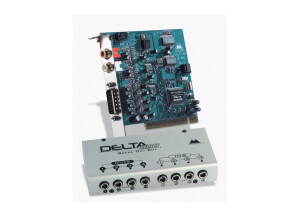
    The M-Audio Delta 44 has a PCI card that connects to your computer, which is connected to a breakout box via a cable. This is a four input/output sound card. Up to four tracks can be recorded simultaneously to your home PC DAW. With the virtual mixer in your DAW software, multiple tracks can be recorded, you are only limited by the hardware capabilities of your PC. This means overdubs can be recorded with up to four separate tracks at a time. There are no MIDI facilities on this card. Multiple Delta 44's can be installed onto the computer for more simultaneously recordable tracks, but I haven't had any experience in performing this operation. UTILIZATION I use this hardware with Windows XP Service Pack 2 and haven't had any problems. There is some latency, but this is the nature of the beast with digital audio workstation recordings (on of the big reasons why I record mostly analog). GETTING STARTED It is a pretty easy, straightforward installation. If you get confused, just refer to the manual. As with any sound card or other hardware installation, there may be compatibility issues, but I had none with my Dell desktop. OVERALL OPINION This is an OK sounding card. Much better sounding cards with better sounding digital converters exist, but not really at this price range, and those installations are a bit more complicated. It served its purpose. For my desktop I know have a Delta 1010, which also adds MIDI and SPIDF, a greater number of channels and direct XLR inputs for microphones. If I could go back in time, I probably should have gotten the Delta 1010 instead, because the type of recording I do usually requires more tracks at a time than a mere four. But, for a solo recordist, four tracks may be plenty.

  • Audiofanzine FR's review

    Originally written by Fender2a on Audiofanzine FR. Bought in 98. It was the only one at this price which provided an external rack housing, eight inputs and a comprehensive software package. Use: home studio for guitar and keyboard recording Computer system: CPU AMD Athlon, 1 GB Ram, two hard drives, dual boot with Win Millenium (for the Isis) and XP. UTILIZATION Installation can be a bit tricky, but it works if you use the latest driver version (somewhat old) and follow the procedure. The only problem is the lack of support for XP. That's why I use a dual boot system with Millenium for the sound card. Stability is not an issue, the system never crashes. GETTING STARTED I use it with Cubase Vst5, Acid pro and Wavelab I record only audio, no latency problems. OVERALL OPINION After so many years with my Isis, I must admit that it will be difficult to part with it. When I bought it, it was a very good product. It's a pity that there is no XP support. I would buy it again. I created an area dedicated to the Isis on my homepage. Visit it and tell us your experience. https://jmantoni.capitello.com

  • Audiofanzine FR's review

    Originally written by cardiomax2000 on Audiofanzine FR. I bought this sound card to record my guitar, bass and vocals. I chose it for its low price and the high number of inputs (allowing you to use it as a mixer). I'm using this sound card with a mid-range computer (256 MB Ram, Intel pentium VI 1,2 Mhz). I also use an amp simulation (Jonson J-station) as a preamp between the guitar and the sound card... UTILIZATION Although the manufacturer has no website anymore, you'll easily find the drivers on the web. Easy installation, no sweat. With the last driver version, the PCI card outputs are deactivated so don't try to connect your speakers to the line out... GETTING STARTED I haven't experience any problems with the drivers, so I haven't updated them (don't update a good working system... unless you want to add bugs :)). I use it with Cubase 4. I don't remember the exact latency time but it's imperceptible... I never tried to record several channels simultaneously... OVERALL OPINION I've been using it for one year. I don't regret having bought it and I would buy it again without any hesitation. Summary: Pros: * Easy installation (/! with Windows. It seems there are problems with Linux and Mac....) * Perfect sound * Many inputs/outputs so that you can use it as a mixer (but don't expect to connect an acoustic drum kit...) * Driver interface is very easy to understand and to use... Cons: * User's manual, but considering the ease of use, it's a minor problem... * Mac and Linux support

  • moosers's review

    The MOTU 1224 is a digital audio interface that is fire wire based. It has eight channels with 1/4" TRS inputs and outputs, as well as word clock in and out, an AES/EBU input and output, and XLR outputs for your monitors. It also has a 1/4" headphone output on the front. This all fits in a single size rack mountable unit. UTILIZATION Setting up and using the MOTU 1224 is really easy, as there isn't anything complicated about it's make up whatsoever. Everything is really easy to follow, and there isn't anything out of the ordinary so if you have experience with other audio interfaces, this knowledge will transfer to the 1224. The metering on the front panel of the unit is also very helpful, making it easy to monitor your levels. I haven't seen a manual for the 1224, so I can't comment on it's make up. GETTING STARTED While the overall tone of the 1224 isn't anything to write home about really, it is overall pretty clean and will work in most situations. The sound of the MOTU 1224 does come off a bit digital, if you understand what I mean, but it will reproduce your signal pretty accurately for the most part. It doesn't have the thickest or fullest sound out there, but definitely isn't the worst. Since it doesn't have any real mic preamplifiers on it, you're going to need some preamps to use with it anyway, or use it in tandem with another MOTU interface. OVERALL OPINION While the MOTU 1224 can be used as an expansion unit for a MOTU 2408, it can also be used on it's own. I've used it with a 2408, but it will definitely work as a stand alone unit as well. I have used the 1224 mostly in a home studio for use with Wavelab 5 for editing purposes, so I didn't really do much actual recording with it. I'm not sure what type of price the 1224 commands exactly, but MOTU usually has very reasonably priced gear at a high quality. I'm a fan of the 1224, but there are a lot of options out there, so I'd recommend doing a good amount of research on both the 1224 and other interfaces...

  • moosers's review

    The MOTU 896 HD was the first audio interface I bought when I wanted to get into digital recording with my computer. I was running it with a Hewlett Packard lap top with a 3 Ghz processor and 2 GB of RAM and using Cubase SX as a sequencer. It has eight XLR input based preamplifiers and then has eight more ADAT inputs and outputs and also has a AES/EBU connections. UTILIZATION Setting up the MOTU 896 HD was quick and painless. I had no compatibility issues and was able to have the unit up and running with my machine within minutes. The general configuration of the unit is simple and easy to follow, which makes it easy to manipulate and to learn what everything does. The manual is complete and through and is useful when setting up and using this audio interface. GETTING STARTED I ran the MOTU 896 HD with Cubase SX without any problems. The drivers were stable and are updated pretty often. I was able to record without any latency, as this machine does all of its processing within the unit, freeing up space on my computer. I was able to record at least ten tracks at once, sometimes more, which has more to do with my computer I think, but being as fast as this interface is, it definitely helps to run everything quickly and smoothly. OVERALL OPINION I bought the MOTU 896 HD about four years ago, but I have since switched to a Pro Tools based system with a different audio interface. The reason I switched had nothing to do with this unit, as I think this is better than the audio interface I have now - a Digidesign Digi 002 rack version. The reason I switched was simply because I need to run Pro Tools. If you don't use Pro Tools, this is one of the best home studio audio interfaces you can get. The preamps aren't the best sounding, but are definitley usable and will get a pretty clean sound. One of my favorite parts about this is the metering, as it is extremely clear and looks great! This interface worked great for me while I had it, and if I could run Pro Tools with it, I would still have it. Highly recommended for those looking to put together a computer based home studio with an audio interface like this one.

  • Audiofanzine FR's review

    (Originally written by Supermanu/translated from Audiofanzine FR) I was looking for a stable sound card to record albums. It has worked with several PC's but I won't give you any details. UTILIZATION Very easy installation... Just install it and it works! I never had any incompatibility problems. Very simple configuration. I didn't read the user's manual. GETTING STARTED The drivers stability is outstanding I've never had a system crash!! RME makes constant updates. I use it with Cubase. I get 3 ms latency for recording. And I increase it for mixing. I only make mono or stereo recordings. I can play back up to 60 tracks. OVERALL OPINION I've been using it for 4-5 years, I don't know exactly. I tested many other sound cards and this is the only one I kept. Good value for money. Based on my experience, I would buy it again.