Log in
EN
FR

McDSP

78 products found

Categories
Filter
Sort by
Evaluation
  • Reviewed or not
  • Editor’s award
  • Reviewed by Audiofanzine
Availability
  • Available or not
  • Sold new or used
  • Sold new
  • Sold used
Must-have products
  • All products
  • Flagship products
  • Best rated products
  • Hot products
  • Popular products
Price
  • Freeware
€
Clear
Sort by
  • Popularity
  • User ratings
  • Price - low to high
  • Price - high to low
  • Used price, increasing
  • Used price, decreasing
  • Name (from A to Z)
  • Name (from Z to A)
  • Added on
Sort results
  • Popularity
  • User ratings
  • Price - low to high
  • Price - high to low
  • Used price, increasing
  • Used price, decreasing
  • Name (from A to Z)
  • Name (from Z to A)
  • Added on
Filter results 78 results found
Evaluation
Availability
Must-have products
Price
  • Freeware
Show results

The best McDSP reviews

The reviews Audiofanzine members found the most helpful.
  • moosers's review

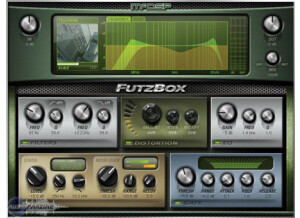
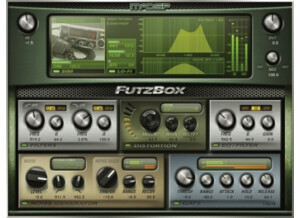
    The McDSP Futz Box was easy to install without any problems or issues. I had the plug-in up and running soon after I had it and there were no compatibility issues whatsoever. The interface of the McDSP Futz Box is very easy to follow and understand. It is split up into a few different sections to allow you to lo-fi your sound. There are sections for filters, distortion, EQ, gate, leveling, and noise duck. There is then a graph and knobs for overall input, output, and mix level. I don't have a manual for the McDSP Futz Box, but it is easy enough to install and use that you don't really need it. SUITABILITY/PERFORMANCE I am currently running the McDSP Futz Box on a Mac Book Pro that has a 2.2 Ghz Intel Core 2 Duo processor and 4 GB of RAM. I run this plug-in in Pro Tools LE 7.4 that runs off of a Digi 002 rack audio interface, and with this configuration I've never had a problem running this plug-in. While I don't use too many of these at once because of the nature of the plug-in, I've never had a problem running a few of these at once when I wanted to. OVERALL OPINION I've been using the McDSP Futz Box for about a year and have found it to be one of the better lo-fi plug-ins out there because of the great versatility that it has. Since it has a variety of sections, its capabilities are pretty wide and it is somewhat easy to zero in on the sound that you are trying to achieve. The price of the McDSP Futz Box isn't too expensive for the native version, but unless you think you might use it a lot, it might not be worth it for the small home studio owner. If you want a lo-fi plug-in but don't want to pay for something that you might not use that much, I would recommend downloading Izotope Vinyl over this simply because it is free. This being said, the McDSP Futz Box is a great plug-in on its own and is definitely worth a try for anyone looking for a lo-fi plug-in.

  • moosers's review

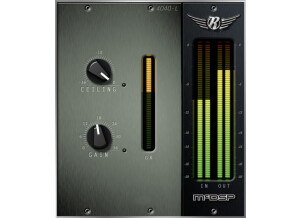
    The McDSP ML4000 was quick and easy to install without any problems. I had no compatibility issues and since I bought it electronically, it was transferred straight to my iLok and had the plug-in running in a matter of minutes. I bought this plug-in with the Project Studio LE bundle and have had no problems with any of the plug-ins in this bundle since I installed it. I don't have a manual for this, but it is easy enough to use that you shouldn't need one. SUITABILITY/PERFORMANCE I am running the McDSP ML4000 limiter plug-in in Pro Tools LE 7.4. I am running Pro Tools on a Mac Book Pro with a 2.2 Ghz Intel Core 2 Duo processor and 4 GB of RAM and a Digi 002R audio interface. I am able to run a few of these at once if I choose to, and it has always run smoothly and stable with this configuration. While you can run a few of these at once, it is more of a mastering plug-in and is meant to be used on the master fader. OVERALL OPINION I've had the McDSP ML4000 for about six months and have found it a useful plug-in overall. The plug-in is easy to use as it has four knobs, one of each controls ceiling, threshold, knee, and release. The metering is great and monitors the input level, the output level, and gain reduction. The sound quality is clean and is easy to get a quick, effective level from this. Since I got this within a bundle, it was dirt cheap. I have come to love the McDSP suite of plug-ins as they are reasonable in price and all have a great sound to them. I would recommend this plug-in as well as the entire McDSP Project Studio LE bundle.

  • « Many options »

    I originally started with the Demo download of McDSP Chrome Tone from the website to see if I liked it. They let me have a 14 day trial in which I used it just about every single day. I love the layout and interface of Chrome Tone because everything can be done right from the main interface and there are no sub menus or hard to read text. It is one of those plug ins where there are just knobs to turn, and I was even able to MIDI the knobs with my keyboard controller so I had a real hardware like experience. SUITABILITY/PERFORMANCE Installing the plug ins was quick and easy, I loved the distortion plug in because I had full control over how it sounded and it was easy to operate. There was even an EQ section at the bottom of it to tweak out what I didn’t want. I mainly used these plug ins in Pro Tools, they ran smoothly and glitch free. OVERALL OPINION Chrome Tone was not just another one of those plug ins that have all of the same sounds that most all of its competitors have. There are some really good presets to add to any sound to breathe life into it. I have used some of the Mod effects on all sorts of synths and even piano patches to give them some depth and make them feel real. Most of the standard sounds that come in Production Software Programs need to have effects like the Chrome Tone before the sounds are actually usable because they are very simple, dry and plain. I would not choose Chrome Tone over Guitar Rig though, but I did end up buying it anyways because it was affordable and it had some presets that I was very fond of at the time. I do not use it a lot anymore but I still have it installed and wouldn’t think twice about purchasing it again if I had to.

  • moosers's review

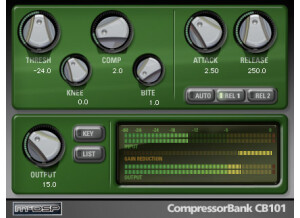
    The McDSP Project Studio Bundle is a plug-in set consisting of seven plug-ins, one of which is a virtual synthesizer and one of which is amp modeler. More specifically, included in the Project Studio Bundle are the Analog Channel (analog saturation), Chrome Tone (amp modeling), CompressorBank, FilterBank, ML4000 (limiter), Revolver LE (convolution reverb), and the Synthesizer One, which is the synthesizer. This bundle is only available as RTAS plug-ins, so if you want to this in HD, you'll still need to use these as RTAS plug-ins. The LE version of this bundle has now been upgraded to Native, with the plug-ins looking a bit different. I'm not sure about the availability of these plug-ins as individuals, but this isn't the only bundle that they are in. Installing these on my system wasn't hard, but you will indeed need an iLok to authorize them. I've found these plug-ins to all be pretty easy to use, although some are more in depth than other. No manual should be necessary unless you're having trouble getting them up and running, which should be rare. SUITABILITY/PERFORMANCE Right now I'm running the McDSP Project Studio Bundle on my system at home, but have used these plug-ins on other systems as well. My home studio consists of Pro Tools 9 and a Mac Book Pro laptop that has a 2.2 Ghz Intel Core 2 Duo processor and 4 GB of RAM. I've yet to experience any issues when it comes to performance with these plug-ins, as I have a pretty stable system. Even so, they don't seem to be taking up too much processing power. OVERALL OPINION I got the McDSP Project Studio Bundle LE a few years back when I took advantage of a student deal that they were having. I got the whole bundle for only $100 US dollars, which is about a third of what it actually costs. This bundle is now known as a Native bundle and not LE, although I haven't had the chance to compare them. Even if you don't get a student discount, these are some awesome plug-ins and considering what you get the bundle really doesn't cost you too much. I don't find that any of these are in the circle of my go to plug-ins, but they are a great 2nd choice when I'm looking for something different to try. The McDSP Project Studio Bundle is a great way to build up your plug-in collection without spending too much money...

  • moosers's review

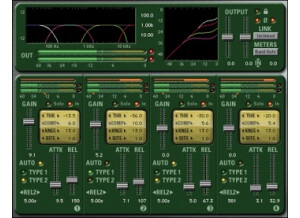
    The McDSP MC2000 HTDM plug-in was quick and easy to install and I had no compatibility problems or any other types of issues. After installing the plug-in it didn't take me too long to get accustomed to using the MC2000 as it is pretty user friendly and I was familiar with the make up of other McDSP plug-ins from using them in the past. Being that it is basically a multi-band compressor, the McDSP MC2000 HTDM has four separate band, each of which has sliders for gain, attack, and release and also has numerical parameters for threshold, compression, knee and bite. The plug-in also has graphs that really come in handy that show you exactly what you are doing to your signal. I've never seen the manual for the McDSP MC2000 HTDM plug-in so I can't say if it would be helpful or not. SUITABILITY/PERFORMANCE I can't recall any times that I've ever had any problems running the McDSP MC2000 HTDM. It always seems to run pretty smoothly, but I generally don't run too many of them at a time since it does take up a bit of processing power since it is a multi-band compressor. I am currently running the McDSP MC2000 HTDM on a Mac Book Pro that has a 2.2 Ghz Intel Core 2 Duo processor and 4 GB of RAM. I run the plug-in in Pro Tools LE 7.4 that runs off of a Digi 002R audio interface. How well this plug-in will run for you really depends solely on your machine and general configuration. Of course if you are running Pro Tools HD you will probably be able to run as many of these at once as you'd like, but for those of use using LE and other sequencers I would recommend using the conservatively because it does take up some processing power. OVERALL OPINION I've only been using the McDSP MC2000 HTDM plug-in for about six or eight months but in this time it has become a mainstay in my rig for mixing. I love the sound quality and I love how much control you have over your sound as the four bands and all of the parameters provide you with a variety of options. The price of the McDSP MC2000 HTDM isn't too cheap and for this reason I would really only recommend it to professional studio owners and larger home studios. However, it is definitely a plug-in that is worth looking into as it sounds great and is easy to use.

  • moosers's review

    Installing the McDSP DE555 was a quick and easy process as I experienced no issues at all. I had no compatibility issues at all with my configuration and the interface of the plug-in couldn't be any easier to follow. The plug-in contains three sections - one of key filter, one of de-esser and one for output. The key filter section has parameters for frequency and focus, as well as buttons for choosing type and bypass. The de-esser section has knobs for range, ratio, and release and the output section simply has a knob for level. Within the McDSP DE555 also lies two graphs that show both frequency response and dynamics. I don't have the manual for the McDSP DE555, but it is easy to install and use so you shouldn't really need one. SUITABILITY/PERFORMANCE I am currently running the McDSP DE555 on a Mac Book Pro that has a 2.2 Ghz Intel Core 2 Duo processor and 4 GB of RAM. I run the plug-in in Pro Tools LE 7.4 that runs off of a Digi 002R audio interface. With the configuration I've never had any issues at all running this plug-in, and I am able to run a few of them at once if I so please to, but I usually don't use this all that often and when I do I will only use one or two at a time. However, it is good to know that you could run a bunch at once if you wanted to. OVERALL OPINION I've been using the McDSP DE555 for about a year and I've found it to be one of the better sounding de-esser plug-ins that I have used. It has a good amount of parameters which makes it a very versatile plug-in as far as de-essers go. It is very easy to follow and use, while the graphs are convenient and come in handy. The price of the McDSP DE555 is relatively cheap as far as plug-ins go and it would probably be the first de-esser I would recommend for home studio owners looking for a cheap option that still sounds great. Overall, the McDSP DE555 is a great de-esser that has the capabilities far beyond that of de-esser plug-ins.

  • moosers's review

    Installing the McDSP Synthesizer One was a quick process without any compatibility issues or problems at all. I bought this plug-in with the McDSP Project Pack plug-in bundle, and once I had downloaded it and had the authorization on my iLok, I had the synth up and running within a matter of minutes. The interface of the software is pretty easy to follow, although there are a lot of different parameters and options that take a little bit of getting used. However, after a small amount of messing around with the McDSP Synthesizer One, you should have no problems understanding what everything does. I don't have a manual for the McDSP Synthesizer One, as I bought it online, but it is pretty easy to use and I wouldn't think that you would need a manual for it anyway. SUITABILITY/PERFORMANCE I am currently running the McDSP Synthesizer One on a Mac Book Pro that has a 2.2 Ghz Intel Core 2 Duo processor and 4 GB of RAM. I run the software in Pro Tools LE 7.4 that runs with a Digi 002R audio interface. Since installing the McDSP Synthesizer One, I've had no issues at all running a few of these at once if I choose, but I usually just use on at a time and I imagine that is how most people will use it. While it really depends on what machine you are running the soft synth on, it has always run smoothly and stably within my configuration. OVERALL OPINION I've had the McDSP Synthesizer One for about six months since I bought it with the McDSP Project Pack plug-in suite and I have to say that I'm extremely satisfied with not on the Synthesizer One, but the entire plug-in bundle. Within the bundle, this piece of software is incredibly cheap and the whole bundle is worth every penny, as it contains a number of other valuable plug-ins in addition to the Synthesizer One. The synth sounds you can get with the McDSP Synthesizer One are extremely varied, with the ability to create and store your own sounds, which comes in handy all the time for me. Overall, a great piece of software that I highly recommend as a cheap option for anyone looking for a nice soft synthesizer.

  • moosers's review

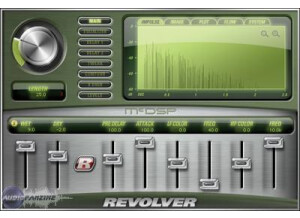
    The McDSP Revolver reverb plug-in was quick and easy to install. I bought it electronically as part of the McDSP Project Studio LE bundle, and had it up and running with my iLok within a matter of minutes. I had no compatibility issues with my machine and have had no problems with it since installing it. I don't have a manual for this, and I'm not sure that one even exists - it is not needed as the plug-in is easy to figure out on its own. SUITABILITY/PERFORMANCE I am running the McDSP Revolver reverb plug-in on a Mac Book Pro that has a 2.2 Ghz Intel Core 2 Duo processor and 4 GB of RAM. I use the plug-in in Pro Tools LE 7.4 that runs off of a Digi 002R audio interface. I haven't had any problems running this plug-in with this configuration, as it has always run smoothly. I have never run more than one of these at once because I put it on an auxiliary track and send the signal from the tracks via buses. This saves processing power and I do it with all reverbs and delays. This being said, I don't think you would have too much trouble running a few of these at once if you wanted, but it really depends on what kind of machine you are running this on. OVERALL OPINION I've been using the McDSP Revolver reverb plug-in for about six months. The plug-in is easy to use and has some great sounding reverb and delay effects. It has a lot of parameters that make it capable of getting a variety of different sounds, and being that I bought the plug-in in a bundle, it was dirt cheap. I love the sounds I get from this plug-in and I highly recommend it for all digital audio workspaces. McDSP makes some great plug-ins for extremely reasonable prices and would recommend looking into the Project Studio LE bundle as a whole.

  • moosers's review

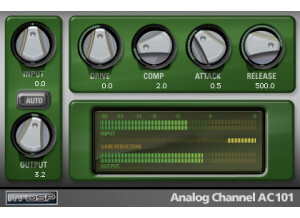
    The McDSP Analog Channel LE 3.1 was easy to install and I had no compatibility issues with my computer. I bought this plug-in as part of the Project Studio LE bundle and it was delivered electronically to my iLok. Within minutes I had the whole bundle installed and the plug-ins up and running. The interface of the plug-in is straightforward and is easy to follow. Since I bought this over the internet, I didn't get a manual, but the plug-in is easy enough to use that I never had a need for a manual anyway. SUITABILITY/PERFORMANCE I am running McDSP Analog Channel on a Mac Book Pro laptop that has a 2.2 Ghz Intel Core 2 Duo processor and 4 GB of RAM. I am running it with Pro Tools LE 7.4 that runs off of a Digi 002R audio interface. With this configuration, I am able to run a high number of these at once if I'd like. I have used up to five at once and I don't think it would slow your system down to use more than that. This being said, it really depends on how fast your computer is when it comes to running plug-ins on LE systems. OVERALL OPINION I've been using the McDSP Analog Channel LE 3.1 for about six months and I have found it to be a great tool to quickly fatten up a track. It adds a bit of warmth and sounds great on electric guitar, electric piano, and vocals. Since I got this with the McDSP Project Studio LE bundle, it was really cheap and was a great deal. In fact, I would recommend the whole bundle as McDSP makes some great plug-ins and they offer a great deal with their bundles. This plug-in has a great sound quality and extremely easy to use and easy to get a real quick from. I wholeheartedly recommend the McDSP Analog Channel and all of McDSP's plug-ins.

  • moosers's review

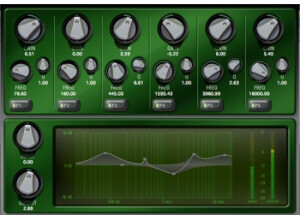
    The McDSP Filter Bank LE was quick and easy to install as I had no compatibility issues. I bought this plug-in with the McDSP Project Studio LE bundle so it was transferred directly to my iLok and I was able to have the plug-in up and running within a few minutes. Since I bought it electronically it didn't come with a manual, so I can't speak to how sufficient it is or not. SUITABILITY/PERFORMANCE I am running McDSP Filter Bank LE on a Mac Book Pro that has a 2.2 Ghz Intel Core 2 Duo processor and 4 GB of RAM. I run Pro Tools LE 7.4 on a Digi 002R audio interface. With this configuration I have had no problems running a few of these at once in Pro Tools as I have been able to run up three or four of these at once. I have never had a use to use more than this amount of these at once so I don't know how well it would run with more than four or so of thee. Overall, this plug-in has been stable with my configuration. OVERALL OPINION I've been using the McDSP Filter Bank LE for about six months and have found it to be a useful EQ tool. It has four bands, each with gain and frequency sliders, the first of which is a high pass filter. It also has a great graph that makes it easy to see where you are cutting and boosting. It is overall easy to use and has a clean tone to it. When used right you can really get great results with plug-in. The price was dirt cheap for me as I bought it with a bundle. I definitely recommend checking out this plug-in and the McDSP Project Studio LE bundle as a whole.

  • moosers's review

    McDSP Channel G was easy to install and I've had no compatibility issues running it. The general configuration of the plug-in is easy to follow, while still being pretty in depth. I've never seen a manual for this plug-in, so I can't speak to how helpful it is or not, but it would probably come in handy for some people as the plug-in gets pretty in depth. SUITABILITY/PERFORMANCE I've used McDSP Channel G on a Pro Tools HD system and never had a problem running a few of them at once. While I usually only use one or two of these at once, it has the capability to run a bunch of them at a time. The plug-in has been stable in Pro Tools HD and I have not had any problems with it crashing or anything like that. OVERALL OPINION I've been using Channel G for about a year now. I like this plug-in for a number of reasons. The first is that it is an all in one channel strip plug-in that has a number of different signal processing including EQ, a compressor, a gate, a high pass filter and a low pass filter. It is really easy to throw one of these up on a track and get a great overall sound using one or more of the sections of this plug-in. The compressor and the equalization both are crystal clean and straight forward to follow. My favorite section of the plug-in is the EQ and the main compressor as I've gotten great results using both on drums of all types, guitars, and bass guitar among other instruments. The metering and graphs are quite helpful and it has a number of parameters for each section, making it diverse in the sounds you can get. While this isn't the cheapest plug-in, you're really getting a few high quality signal processors all in the same plug-in.