Log in
EN
FR

Toontrack Drums/percussion

114 products found

Categories
Series
Filter
Sort by
Toontrack
Evaluation
  • Reviewed or not
  • Editor’s award
  • Reviewed by Audiofanzine
Availability
  • Available or not
  • Sold new or used
  • Sold new
  • Sold used
Must-have products
  • All products
  • Flagship products
  • Best rated products
  • Hot products
  • Popular products
Price
  • Freeware
  • Low-cost (< $100)
  • Mid-range ($100 - $150)
  • Premium (> $150)
€
Clear
Sort by
  • Popularity
  • User ratings
  • Price - low to high
  • Price - high to low
  • Used price, increasing
  • Used price, decreasing
  • Name (from A to Z)
  • Name (from Z to A)
  • Added on
Choose a category
Selected category: Drums/percussion
Sort results
  • Popularity
  • User ratings
  • Price - low to high
  • Price - high to low
  • Used price, increasing
  • Used price, decreasing
  • Name (from A to Z)
  • Name (from Z to A)
  • Added on
Filter results 114 results found
Brands
Evaluation
Availability
Must-have products
Price
  • Freeware
  • Low-cost (< $100)
  • Mid-range ($100 - $150)
  • Premium (> $150)
Show results

The best Toontrack Drums/percussion reviews

The reviews Audiofanzine members found the most helpful.
  • « Simply the best drums vsti out now »

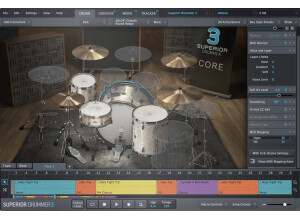
    Install is literally a snap. You choose how big you want to go. The core sounds are roughly 3gb or so but there's a lot more if you want to include all the ambient mics and such. That's really all you have to do. Simply open up your software DAW and get going. Now I have heard people say they have to calibrate Superior for performance on some systems but I have a very capable desktop so it ran fine without any haggling. Load time is fast as lightning. I never experience any slow down. Learning the program itself can be intimidating even for past toontrack users. The interface has been totally revamped and there's a few different features as far as midi and velocity settings go. You don't have to get in depth with the functions to use it, but it helps to really read the manual or at least watch some videos on it. I use an axiom 25 with Superior most of the time and there are a few things I did to improve things after reading the manual. SUITABILITY/PERFORMANCE I am what you would call a mid-level user. Not a drummer, but I know a lot about Superior. I use it in the studio only. For tracking drums for full songs. Performance is flawless. Never a hiccup. Very stable. I've been using it for a long time now. It does what I need and sounds great. The samples are amazing. OVERALL OPINION I have to say, while the vsti itself is much improved in look and feel from the old toontrack stuff, the biggest positive here are the samples. They're just great. I don't think any other vsti can compare. The price, considering what you get is appropriate. I definitely recommend it if you need a way to get pro drums tracks in the studio.

  • peepsaudio's review

    Ezdrummer installs very easily, although it takes a little while since the sample library is a few GB's. You don't have to do any confusing sample copy and pasting though to random directories. The installer is all automatic and it's an easy process. I use a Windows computer with Nuendo and the VST version of ezDrummer, and I don't have any compatibility problems. After you get installed the configuration is very easy and lives up to its name. The manual is great and easy to understand. SUITABILITY/PERFORMANCE I have a Dell computer with a dual core processor, windows XP, a MOTU sound card, and I'm running Nuendo. It works perfectly well with my system. The latency is not a big problem, ezdrummer is not actually all that heavy on CPU usage. It does eat up a lot of RAM though - usually around ~250MB depending on what drums you have loaded up. So you'll want to have plenty of RAM available especially if you're using any other sample based software at the same time. Ezdrummer is very stable, no problems here with crashes or anything. OVERALL OPINION I have been using ezDrummer for the past year or so. I absolutely love it. The drums sound very good right off the bat, and then you are able to customize the samples in the kit, the levels of each one, the amount of room sound, the bleed on the 'mics', and you can also route the individual channels to their own track in your DAW for further processing if needed. They also give you a large bank of pre-made MIDI grooves which sound very good and professional - I'm sure they were made by a pro session drummer. Another bonus is the &quot;humanize&quot; feature, which introduces slight timing variations to increase the realism of the track. They also have multiple sample layers to avoid the &quot;machine gune effect&quot; like you'd hear on a snare roll. I have tried most of the drum software out there, and this is usually my first stop when I need to make a drum track. Not only is it one of the best sounding ones, it takes you about half as much time to get up and running with an appropriate groove as it does with most of the competition. I am a huge fan of this software. Get it, you won't be disappointed.