Log in
EN
FR

Audio Damage

91 products found

Categories
Filter
Sort by
Evaluation
  • Reviewed or not
  • Editor’s award
  • Reviewed by Audiofanzine
Availability
  • Available or not
  • Sold new or used
  • Sold new
  • Sold used
Must-have products
  • All products
  • Flagship products
  • Best rated products
  • Hot products
  • Popular products
Price
  • Freeware
€
Clear
Sort by
  • Popularity
  • User ratings
  • Price - low to high
  • Price - high to low
  • Used price, increasing
  • Used price, decreasing
  • Name (from A to Z)
  • Name (from Z to A)
  • Added on
Sort results
  • Popularity
  • User ratings
  • Price - low to high
  • Price - high to low
  • Used price, increasing
  • Used price, decreasing
  • Name (from A to Z)
  • Name (from Z to A)
  • Added on
Filter results 91 results found
Evaluation
Availability
Must-have products
Price
  • Freeware
Show results

The best Audio Damage reviews

The reviews Audiofanzine members found the most helpful.
  • songboy's review

    There were no compatibility issues running this plugin in Ableton 8 or Logic 9. There are only four parameters, "Microphone" (input gain), "Delay", "Repeat", and "Depth" on this plugin (5 if you include the pointless "Battery Check") so there is no need to reference a manual. Yes, the configuration is extremely simple, just look at the picture up top. All of the functions are right in front of you so it can't get any more accessible. SUITABILITY/PERFORMANCE I use this in the earlier mentioned DAW's on a Macbook with 2.2ghz, 4gb Ram and 320 HDD. It works perfectly fine. No crashing, no preset loses, signal passes through unscathed. Well, if you bought this simply as a general reverb option, you will be disappointed. Its a "Electronic" Reverb simulator that is really a grungy delay unit and its definitely a particular kinda sound. With that in mind, it performs very well and does what it is intended, providing "cheap," "weak" reverby sounding delay . That sounds bad but its really not if that is what you need. I like to throw it on interesting pad sounds, guitar tracks and even vocals for that dirty/crappy delay (80's and early 90's) kinda vibe. In that context, I give this unit a 9 out of 10. It loses one point because I would have liked a few more options on it, but I guess the simplicity of the unit is a good thing sometimes. I have had this plugin for around a year but never really used it much until recently. I purchased a Roland D5 a few months ago and after recording a few tracks with it, I decided to throw the Ratshack on with it. They seem to be made for each other. OVERALL OPINION I can't really say I hate anything about this plugin. I do wish there were a couple of more options on it, but its supposed to be simple. I am not 100% sure, but I believe this is a reproduction of a "RadioShack" unit (crappy yet popular electronic store in the states). With that said, it is what it is. What I do like about it is the sound itself. Again, its not a wide ranging, multi use delay or reverb for that matter, its just a dirty little box with a unique sound. For that reason alone, its cool in my book. I paid around $35 for it. The real deal unit is probably not too much more if you find one. Overall, its worth buying the plugin though. I have lots of different delay options in my arsenal but, besides my Native Instruments Spektral delay, they are all clean, straight forward delay plugins. The Ratshack is really on its on pedestal. Yes, I would definitely make the same choice, its always good to have options and if you are in need of a delay that sounds "bad" in a good way, then this is for you. I would definitely buy it again.

  • BeyondR's review

    I didn't had any issues regarding the compatibility of the software , everything worked smoothly even from the start. The configuration doesn't require much time, the manual is very clear and provides all the necessary information regarding how the program works and how the get the most of it in a short amount of time. SUITABILITY/PERFORMANCE The application performs incredibly good, the gear is stable and I've been using it for a while and I still use it many of my top synths and pads. I'm getting high-quality results with the feel of this vintage reverb called ADverb which a very unique type of reverb. OVERALL OPINION What I like most about this product is the vintage style reverb provided by it , I do enjoy how all the tweaks provided create this amazing space room. There is something quite unique about this reverb, and it's how easy is to use and lay out different tweaks to get those old style plates reverbs. ADverb has also great reverb settings, with pre-delay, time, and size, plus another extensive filtering section to shape the tail of the signal. Probably one of the most useful things about this reverb is that it's optimized to work on a low CPU interface. My opinion about the value of price is decent, this reverb costs not much , around 40 $ , but it really worked great and you can use it in many and different music-genres. I've tried several different reverbs, build-in reverbs, I tried very expensive reverbs, I tried Lexicon Reverbs , Aether and many others , however this vintage reverb is different , it's easy , fast , and doesn't require such a powerful machine to run as those that I mentioned above. Knowing What I know I would buy this program because of it's simplicity and low cpu requirements.

  • « Lots of motion for a little price »

    I run this on a Macbook Pro i7 8 gb ram, Snow Leopard, RME Fireface 800 and Logic 9. So far I have had no problems with this plugin. The manual is quick and too the point and offers an interesting explanation of the "Phaser" as we know it. The configuration is very simple with all the parameters you need to create subtle to way out there phase effects. SUITABILITY/PERFORMANCE So far I have had no crashes, no hiccups and all my presets are still there everytime I open it up. As for performance, this little guy is quite nice. The sound is very accurate and offers a lot of depth and motion. I recommend jumping through the few presets they give you to get an idea of the range of this plugin. I have never heard phasers sound the way this plugin can, and that alone makes it a worthy purchase. I have only been using this a month but I have used it a lot on electronica tracks and a project I recorded that was sort of a 70's psychedelic band and they really dug it. It's really good for drums and guitar both. OVERALL OPINION What I like most about this plugin is the overall sound. It's very rich and deep. I generally prefer to use hardware effects when I can, but this plugin has made me happy enough to not feel the need to drop a bunch of cash on a hardware unit. It comes in handy for me the most when doing remixes of electronica tracks. I also like to use it live as a performance effect too because on top of sounding great it uses very little CPU. What I don't like? Not really anything yet. It sounds great and its a plugin which means easy automation, that's all I really expect in a somewhat simple effect. I give it a 10 out of 10 for sound quality. I imagine not being albe to hear a big difference with a hardware unit and "Liquid" next to each other. I have used a couple of phaser plugins, mainly the built in ones in Logic and Ableton, and this is the first one that really jumped out to me. Yes, for $29 you can't go wrong with this guy.

  • « Really cool vocal manipulator »

    This is a pitch shifting software plugin that can be used on many different DAWs. I personally use it on PT 8 LE with my Digi 003 hooked up to my Macbook Pro. The setup was pretty basic, I downloaded the plug-in and installed it shortly after purchasing it. The software worked absolutely fine for me from the minute I started using it. I haven't had the need to use it on multiple tracks per session, so I can't say for sure whether or not it slows down when used a lot. The functions took me a little bit to get used to, as I hadn't really used a lot of other pitch shifters and vocal manipulators before, but eventually I figured it out. SUITABILITY/PERFORMANCE This software works really well in this configuration for me personally. I've also installed it at our studios Pro Tools HD setup and it works just as well there. The plug-in is totally stable, I've never had an issue with it. It's a quick performance and there's a lot of options here, so it can be really effective. There are three different modes of operation with it, and some of them work better for some signals then others, so there's really a ton of variety to be had here. OVERALL OPINION I like the incredible variety of tones to be found here. I originally thought that this was just to make a voice sound slower or deeper, or the opposite, but I later found that there are tons of processors and effects that can be put on vocals with this thing. Theoretically it'd work with other instruments too, if that's what you're into. I personally have stuck to vocals but I could see it working on lead guitars, violins, and some other instruments as well. I think that this is one of the cooler processors I've used. I've managed to take perfectly clean vocal sounds and make them sound like robots on tape being electrocuted. There's just so many possibilities with this that even though I think that I wouldn't need it much, it's perfect for when I do need it. I highly recommend it considering how good it is.

  • songboy's review

    There are no compatibility issues with this program and Logic 9 and ableton 8. As for the manual, I have never needed to consult it. This is a fairly straight forward unit and shouldn't give you any trouble after spending five minutes with it. This unit is pretty simple in my opinion. You have an area at the top that tells you what step the unit is on (1-16) and below you select what you want to happen during that step, i.e. VCA and/or Filter. The VCA sequencer section lets you select left or right while the Filter section gives you only one button to select. For a quick idea of what this does, put on something that holds consistent sustain, like a pad, click on every button in both in the VCA sequencer and turn every one off in the Filter section. This pretty much gives you no effect on your sound. From there, just start turning buttons on and off and it all makes sense. Yes, the typical functions are very easily accessible as they are all right in front of you. SUITABILITY/PERFORMANCE As stated before, it works great in both of my DAW's. I throw it on all sorts of tracks when they start to sound boring to me and it breathes a whole new life into them. So far, this plugin has never crashed or lost any settings that I have set up. The operation of the plugin is easy, logical and a lot of fun. I give it a 10 for performance. I have only been using this plugin for a few months but my studio partner said he has used it for over a year. OVERALL OPINION What I like most about this plugin is the great sounding effect you get out of it. With both the Filter and VCO section, you can get some wild sounding changes to any track. It sounds exceptionally awesome on pads and even drum tracks. I throw it on vocals sometimes but don't expect anyone to understand what you are singing as this thing whacks out the vocals and makes them more of a interesting noise than a vocal track (sounds really good on backup harmonies and such). Nothing I have noticed so far that would make me think there is anything to dislike about this plugin. I know that Audio Damage put out "Big Sequencer 2" and its damn near impossible to find any info or pics on this plug in anywhere, so maybe there is something wrong about it that I haven't come across yet. But so far, so good. My partner bought this over a year ago and he can't remember how much he paid for it. I looked everywhere to find info on it but there seems to be none. The precision and quality of the sound seems to be spot on to me. No artifacts and no degradation that I can hear. This is the only sequencer of this kind that I have ever used. I look forward to checking out the "sequel" to this plugin in the future, but for now, this unit does all I need. Yes, I would definitely buy this product if my studio partner hadn't already. Its a lot of fun and, for me, essential in getting some new life on dull tracks.

  • songboy's review

    I run a Macbook with Logic 9. There has been no compatibility issues. It installed properly and functions properly. The manual is very clear and sufficient. There a lot of knobs and parameters so it definitely helps to read it over. Its not too long. The configuration/setup is easy in the sense that all the controls are right in front of you. It is not necessarily easy to use. There are a lot of options on this guy, so again, browse over that manual. Yes, functions are easily accessible. SUITABILITY/PERFORMANCE Yes, the software works great. No problems so far. It has never crashed on me nor have I lost any presets on it. It performs very well. I really like to use it to get some interesting chorus like effects. It also makes some great harmonies on vocals. It also has a delay function but I only use that when using this unit. If I want a good delay, I have better plugins for that. I would give it a 9 out of 10. Its pretty fun to mess around with. It also works great on drums too. I have been using this plugin for about a month. OVERALL OPINION What I like most about this unit is the good sounding chorus effects and the huge amount of tweaking you can do. There are some great presets in this guy to get you going too. I recommend starting there if you are new to this type of device. What I don't like about it..., well, not really any thing. It does what its supposed to do and does it well. If I had to complain about one thing, its the way the mouse reacts to the knobs. Instead of going up to increase and down to decrease, some of them make you do a "arch" kind of movement. NOt really a big deal, but a little strange. I paid $50, not too bad at all. The sound quality is great. It sounds just as good before the device as it does after. Logic 9 has some pitch shifting plugins built in, but I find myself going to this guy more often. Yeah, I would buy this unit again. $50 is not a bad price for a fun plugin these days.

  • songboy's review

    This synth works fairly well in my setup. The only issue I have is there seems to be a 1/2 second worth of latency between when you select a cell and when it actually lights up and makes a noise. I have not needed the manual as this is very similar to Logic 9's Ultrabeat. Yes, the setup is very simple and all functions can be accessed quite easily. SUITABILITY/PERFORMANCE Besides the pause in the cell selection, everything else seems to work great. It did cause Ableton 8 to crash a few times when I first started using it but it hasn't happend in the past month or so. Ableton 8 can be kinda buggy lately so I can't blame this entirely on the plugin. Well, because of the latency issue in the cell selection, I am giving this synth a 7 out of 10. Its quite annoying but not necessarily a deal breaker. I have been using this plugin for about two months. OVERALL OPINION What I liked most about this plugin and the reason I got it was the interface. It is very similar to Logic's Ultrabeat and I am very comfortable using that drum synth. So, I am writing more and more in Ableton 8 and wanted the Ultrabeat "feel" in that DAW. What I don't like about it is really only the latency issue. They are only a few sounds to this guy but I think the simplicity is really refreshing and better for me as opposed to hundreds of options. I paid $79 for this synth and for the most part, I am happy with it. Precision and quality of the sound it pretty good. I give it a 9 out of 10. Good electronic drum sounds and with a little tweaking, some really tasty beats. I used Ultrabeat a lot and love it. This is a good replacement when writing in ableton. Yes, I would make the same choice again.

  • songboy's review

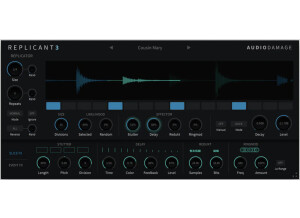
    This is one of the few plugins that I can say yes, there were some compatibility issues. I use this in both Ableton 8 and Logic 9. It works great with one exception, automation. I don't use Ableton 8 to actually write music, just perform it, so I don't know if this problem happens in there, but In Logic 9 I cannot get this thing to respond to automation. I can edit all the parameters and hear the effects on the audio or midi clip, but when I write some automation for those same exact effects....nothing. I am totally stumped. I have referenced the manual and looked online to no avail. The manual was clear enough. It is a good thing to have because the Replicant is a little tricky when you first start off. The general configuration and setup is fairly simple but it does have some interesting parameters, such as "the Big Dial" as they call it. Yes, the typical functions are all easily accessible, as well as the unique functions of this plugin. I am giving this an 8 out of 10 because of the automation issue. Other than that, its really great. SUITABILITY/PERFORMANCE Besides the problem mentioned earlier, this plugin works wonderfully. Its a great tool to have for live use if you want some crazy interesting effects. I set it up with a midi controller and occasionally "whack-out" some drum loops. Yes, the plugin is stable. No crashes and no lost presets. For live use, it gets a 10 out of 10. Its responsive to midi mapping and sounds fantastic. For DAW purposes, I give it an 8 out of 10 for due to the automation problem. So all together it gets a 9. I have been using this plugin only for a few months. OVERALL OPINION What I like most about this plugin is the crazy/interesting stuff you can create with it. It is a little weird at first, but once you get comfortable with it, you can really get some wild effects ranging from random pulsing stuff to sweet filter effects to beyond.... Besides the annoying automation problem (sorry that I keep mentioning that, it really sucks though) I do not care for the "Random" button. I guess it might come in handy if you really don't care what happens. But, on a few occasions, I accidentally selected it and completely lost whatever sound I was designing. Because of that, I wish I could just delete it off the interface. This is one of my studio partners plugins and he doesn't remember what he paid for it. The sound quality is great, clean when it needs to be, awful sounding when you want it to be. I am not sure if there is any other plugin quite like the Replicant. If so, I have not tried it yet. Yes, I would definitely have to have this plugin if my partner hadn't already had it.

  • songboy's review

    I have had zero compatibility issues with this plugin so far. I don't believe this plugin even came with a manual. It is a very simple and easy to use plugin as it is designed like a very simple distortion pedal. Yes, the setup couldn't be easier. It three knobs (fuzz, tone, output) and one on/off click switch. Yes, all the functions are easy as they are right in front of you. SUITABILITY/PERFORMANCE I run this plugin on a Macbook with Logic 9 and Ableton 8 and so far there hasn't been any hiccups. It loads very quickly and performs very well. As far as I can tell, this unit has never caused any crashes or any other problems. I have been using this plugin for 5 months. OVERALL OPINION What I like most about this plugin is that it is a freeware given out by Audio Damage. Because it is free, it is hard to come down on it, but I do have to say, its not going to blow any minds away. It is what it is, a very simple distortion plugin. I liked to use it when I was too lazy to dial in a "perfect" distortion using Izotope's Trash plugin or when I needed a "stomp box" on a computer synth. But, when Logic 9 came out with its "Pedal board" effects, I don't think I have touched this since. So I guess what I don't like is it doesn't stand up so much to the rest of my Distortion options. Again, it was free and thats hard to beat, haha. If you don't "Trash" or Logic 9, then you should definitely have this. Even if you have others, this is free so it can't hurt to have it as an option. I would give it an 7 out of 10 for precision, it just lacks a little warmth. Yes, I have tried many other models and this one ranks kind of low in comparison. Yes, I would do it again because it was free, that's really the only reason.

  • songboy's review

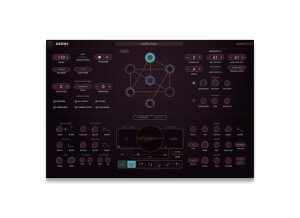
    Automaton has no compatibility issues with my macbook and Logic 9. The manual is fairly clear, it covers a lot for a pretty small one. Thankfully though, it does a good job explaining how to use this plugin. You will need it for sure so have it handy. The general configuration is very confusing at first sight. Its a very interesting grid design but without the help of the manual, I had no idea what to do. The first thing I did was check out a few presets, and that made me even more confused. Most importantly though, I was amazed after watching those presets. I'll tell more below. I don't believe this thing has many if any typical functions. Its a very unique device. In a nutshell, its a grid in which you mark spots where 1 of 4 effects is triggered. You use the sequence option to build a sequence that "dances" for lack of a better word across the grid to trigger the samples. Very cool stuff. SUITABILITY/PERFORMANCE Yes, the software works correctly. I through it on a few tracks here and there for some crazy glitch effects. Works great for drums and drum loops. So far the configuration has been perfectly stable. No crashes. I haven't made any presets yet, I just mess around till I get a good sound. This thing is pretty cool. I give it a 10 out of 10, but in all reality I have never used anything like this so its hard to rate. I have been using the Automaton for about two months. OVERALL OPINION What I like most about this plugin is its absolute uniqueness (too me at least). I have never seen anything like it. The sounds you can get out of this thing is amazing, especially if you like glitch music. Another amazing thing is the pattern sequencing. Setup a preset and watch...very cool. If I had to say something bad about it, it has a pretty good size learning curve. The manual seriously helps with that. Audio damage plugins are always on the cheaper side compared to a lot of others. I paid $50 for this guy and Its worth every penny. The sounds coming out of this sucker are awesome. You can get clean or you can get all the way to super duper dirty. Overall, good sound. This is the only thing I have ever seen like this so its the only model I've seen. I would definitely make the same choice again and buy this very interesting plugin.

  • songboy's review

    I run a Macbook with Logic. So far, not a single compatibility issue. I have never needed to reference a manual for this unit. Its a very simple plugin with really only the knobs on the face to mess with. Yes, the configuration and setup is very simple. Instantiate it into a track, and tweak the knobs. Thats it. The presets are a nice way to get comfortable with this unit quickly if you are not familiar with a Filter bank. All the typical functions are right in front of you, very easy. SUITABILITY/PERFORMANCE Yes, the software works correctly inside of Logic 9. No hiccups so far. It has never crashed, and it always keeps the setup I left it at when I come back to a project, no matter how long the time is between. If I had to quantify it, I guess 10 out of 10. It does what its supposed to do and sounds perfectly fine to me. I have been using this unit for 6 months now. Its a great little tool to give you that distant "radio" kinda sound, or to fatten/thick up a sound. I must recommend setting this plugin up to a midi controller, only because its faily time consuming trying to operate by a mouse. Its just not as responsive with a mouse. OVERALL OPINION What I like most about the plugin is its simplicity. Its just 17 knobs that you tweak until you get your sound, no crazy bells and whistles. Simplicity is key most of the time. What I don't like is what I mentioned earlier, kind of a pain to use with a mouse. Audio damage has always been moderately priced, and this guy is no exception. I think I paid $40 for this plugin, which is not too bad. As far as I can tell, the quality of the sound matches the already existing quality, so thats good. I use the Filterbank in Logic 9 sometimes, but I find this one a little more user friendly. For $40, I would definitely buy this guy again. It does its job and its does it well (and very simply).

  • songboy's review

    This program installed without any problems and has worked great thus far. I use a mac and there were no compatible problems at all. The general configuration/setup is fairly simple. When you open up the program, you will notice it looks just like a stomp box guitar effect. All the knobs and switches are right there and very easy to use and figure out what they do. All together you get four "headings" that house the effects. They are Input, Delay, Regen, and Output (regen is another way of saying feedback). In the input heading, you get the volume knob, a Hi-cut knob (make it a little more analog sounding) and a Low-cut knob. Under the Delay you get the delay time knob, a mult switch that gives you the normal delay or a doubled delay sound, and also a on/off sync button (very useful, you don't have to try and manually figure out the delay time to match it to your project). Under the Regen heading you get an amount knob, a on/off loop switch and a on/off reverse (sweet!). And finally under the Output heading you get a dry/wet mix and an output volume knob. All in all you get everything needed for a sweet yet fairly simple delay pedal. As for the manual, I never looked for one in the program and have yet to need it. If you have used a delay pedal before, this shouldn't be too hard to figure out. I am giving it a 9 only because I still feel the real deal (hardware delay devices) still sound better. SUITABILITY/PERFORMANCE My computer rig is as follows: Macbook Intel core duo, 2.2 ghz, 4GB ram, I use a Presonus Firebox for my audio interface. My host program is Logic 8/Mainstage and so far I have had no problems with this software. If I had to quantify the performance or quality, I would give it a 9 out of 10 but again, only because I think hardware delays are better than any software devices. The software is totally stable, it has never crashed and works with flawlessly with both Logic and Mainstage. OVERALL OPINION I have been using this program for about 3 months. What I like about it the most is the Sync on/off switch. It saves you the hassle of trying to manually tweak the knob to get the delay to match the tempo of your song. I can't really say there is anything I don't like about the program, it is what it is, a simple yet effective delay effect. I have a few other delay effects (Native instruments Spektral delay and the built in Logic 8 options) and this one makes it into a lot of my mixes. This program is only $39, which is not too bad. Yes, I would do it again.