Log in
EN
FR

GForce Software

41 products found

Categories
Filter
Sort by
Evaluation
  • Reviewed or not
  • Editor’s award
  • Reviewed by Audiofanzine
Availability
  • Available or not
  • Sold new or used
  • Sold new
  • Sold used
Must-have products
  • All products
  • Flagship products
  • Best rated products
  • Hot products
  • Popular products
Price
  • Freeware
€
Clear
Sort by
  • Popularity
  • User ratings
  • Price - low to high
  • Price - high to low
  • Used price, increasing
  • Used price, decreasing
  • Name (from A to Z)
  • Name (from Z to A)
  • Added on
Sort results
  • Popularity
  • User ratings
  • Price - low to high
  • Price - high to low
  • Used price, increasing
  • Used price, decreasing
  • Name (from A to Z)
  • Name (from Z to A)
  • Added on
Filter results 41 results found
Evaluation
Availability
Must-have products
Price
  • Freeware
Show results

The best GForce Software reviews

The reviews Audiofanzine members found the most helpful.
  • « buy it »

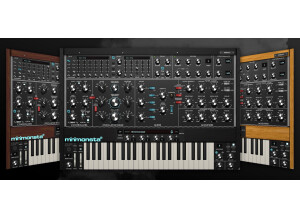
    The Mini Monsta is a virtual subtractive synth that sounds amazing and it really surprised me on how good the sounds actually where. It is very powerful and you can do all types of stuff with the sounds and you will have full control over how they sound. All of the sounds are really good quality and you can tell that the developers took time in developing the patches and wanted to put out a great product that we could all use for a long time. SUITABILITY/PERFORMANCE It is a very stable program, most Gmedia plug ins are and I have never had an issue with them and I have used them on so many different operating systems and from pc to macs. They always work great and so will the MiniMonsta. It did take some time for it to set up in my system though, a lot longer than I expected it to take. But after it finally got installed and all the patches where loaded then I started to mess around with it and no manual was needed to get started. I just had to get the feel of how to edit the sounds but it was the same as it is in most other software's. OVERALL OPINION I have used it for years now and im not sure if they have upgraded it or not but if they havent that’s ok with me because I can keep using this and just keep changing the sounds and making them sound different every time. I have used the same preset probably 100 plus times and make it sound different every time then eq it a little bit and get it sitting good in my mix. I love it and it works for me, I am glad that I made the purchase and got this many years ago and still use it today.

  • « From the Odyssey »

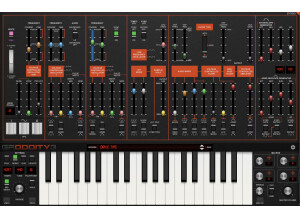
    I had no compatibility issues installing or running Gforce Oddity on my PC. It is an analog virtual synth that installs quickly and easily to your system. It does not require much disk space or CPU to run Oddity. It has a high pass filter and flying slider feature. It is basically the software version of the classic Odyssey synth. It did a great job of mimicking the Odyssey with sounds and sound creation. The Gforce Oddity allows you to change the parameters to do some really cool stuff. So if you understand how the parameters work in this VST you will have so many options to change and mold sounds the way that you want them. SUITABILITY/PERFORMANCE It has never crashed or gave me a single issue. I have not used in my Macbook , but on my Windows XP computer it worked great. The interface is big and easy to ready and understand. All of the sliders can be color coded so you can tell them and their functions apart. I have run this VST simultaneously up to 4 times before and it didn’t crash or freeze. So I am sure you can run it more times than that at the same time and it should be fine. OVERALL OPINION It only costs 99 dollars, so you really don’t have anything to lose with purchasing this. If you love analog sounds or if you have used and heard of the Odyssey then you will love what this Oddity can do with some of the same sounds as the Odyssey. The only change that I would make to it is that I wish it had a lot of effects right on board. It would be cool if they had the original effects in full, and to also add some. But nonetheless it is a great VST and it will work with any DAW or software program that accepts VST plug ins.

  • « works like a charm »

    The Phat Boy is a MIDI Controller that has a classic synth type look to it. It will allow you to have it control any of the functions you might want it to control in your DAW. I have the Phat Boy specifically set up with a few different VST synths that I use on a regular basis. So that each time I use those synths I can tweak and change the parameters of them right with the Phat Boy without even having to touch the mouse or mess with the VST at all. The Phat Boy connects to your computer via MIDI and it is very easy to set up and to use it. It comes with different face plates for it so you can basically use the functions for whatever you want if you use the blank face plate or you can use the one that’s already labeled with options like (filter cut, etc..). The Phat boy has been around for a while so if you can find one that someone is selling you will be able to get it at a really cheap price. It is a smaller and pretty thin unit so storing it or having desk space for it will not be hard to find. You can not rack it though. The quality of the G Media Phat Boy is great, it is well built with strong heavy material. I have had it for a while and dropped it and even spilled stuff on it and it still works great. I am happy that I chose to use the Phat Boy, I do wish that it was rack-able though. That is about the only request that I had with it because you can run out of desk space fast with all these controllers and MIDI gear. If you are in the search of a MIDI controller with fully assignable knobs then the Phat Boy is perfect for you, especially if you are on a small budget.

  • « Worth the money, Buy it »

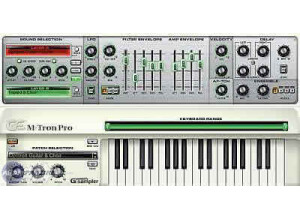
    Gforce M Tron Pro is a virtual instrument that comes loaded with 3.5 GB of sound and you can use it on PC or Mac computers. On PC it will work with Windows 98, Windows XP, Windows 2000, and on Mac’s you need to have OS 10.4 or higher to run it as well as 256MB of RAM. You can run Gforce M Tron Pro as a stand alone or as a VST, if you use it as a VST be careful with how many times you are running it simultaneously because I have had some issues when running it more than 3 times on my PC. It does not happen often but from time to time I will experience some glitch stuff and slow playback, even when ASIO drivers. SUITABILITY/PERFORMANCE M Tron Pro is easy to install and only takes a few minutes, when you load it up it opens right up. It has over 500 presets and each individual preset can be altered with editing the parameters which is pretty easy to do right on screen. OVERALL OPINION Some of the sounds are really good, I was shocked. But others are just ok, and I feel like some of the presets I have heard in other VST’s that came out around the same time as the M Tron Pro. For the price, you are getting a really good VST at 149 dollars. I have been using this VST as a Standalone as well for almost a year. The price and the quality of some of the presets are more than enough to make you purchase this VST. I have used other Gforce products before and all of them are of quality and worth the buy. I am happy with my choice to use Gforce M Tron Pro. I have recently really utilized the MIDI learn function with all of the knobs and sliders on the VST. I know have them all synced up to the knobs on my MIDI keyboard for more of a realistic feeling synth.

  • songboy's review

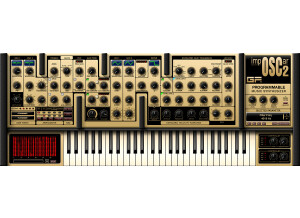
    I have had no compatibility issues using this plugin on a Macbook with Logic 9 and Ableton 8. As for the manual, I have never referenced it. The great thing about these virtual reproductions of vintage synths is that once you learn the basics of synthesizers, you really don't need to know much else. Yes, the general configuration and setup is simple enough if you are comfortable with the typical synthesizer interface (i.e. LFO, waveform, attack/decay settings). All of the knobs and functions appear right before you, so navigating the Imposcar is a breeze. SUITABILITY/PERFORMANCE The plugin works great. It is quick to change sounds/patches and it responds perfectly with my Maudio Axiom keyboard. So far this plugin has never crashed in Logic 9. As for Ableton, I am having problems with that software, but I don't believe it is the Imposcar's fault as it happens with different plugins as well. When it comes to getting vintage (and sometimes cheezy) sounds, this thing sounds pretty good. I find myself drifting towards this plugin for fun, but I wouldn't say its in my top, go to arsenal. The sounds are nice, but some of the presets don't sound all that warm. I have never played the real Oscar synth, but I imagine it sounds pretty full being that it is analog. This however shows a little weakness, but its still very usable and fun to toy with. So for performance, I give it an 8 out of 10. I have been using this synth for about a year. OVERALL OPINION What I like most about this plugin is the interface. Its a nice basic synth interface, but the real nice thing is the little window on the right. When you adjust a knob, the window shows what that knob is and the exact amount of adjustment you have set it to. That's so much nicer than having to "eyeball" where the knob was when you made a good sound and forgot to save it, or if you just want to know how much of one parameter you adjusted. What I don't like about it is some of the sounds are kinda weak. Again, not horrible, but I have many other plugins that would win in a fight. I paid around $100 for this guy which is not that bad. If you are on a budget and you want a decent synth to start of with, this is a good choice. I have no idea how close this plugin is to the real deal so I can't rate its precision but for the sounds I give it an 8 out of 10. I have tried a slew of other synths and I find this one to be on the lower half of my favorites. I probably wouldn't buy this synth again just because I don't use it that much.

  • moosers's review

    The GMedia GForce M-Tron is a virtual synth emulation of the classic sampler known as the mellotron. It was an easy piece of software to install as I didn't have any compatibility issues or any other sorts of problems. The interface is also quite simple as it simply has a switch that gives you the ability to choose your sound, which like the original mellotron is between either strings, flutes, or brass. It also has parameters in slider form for attack and release as well as knobs for volume, tone, and pitch. I haven't seen the manual for this software so I can't say if it is helpful or not, but it is easy enough to figure out on its own. SUITABILITY/PERFORMANCE I've never had any problems at all running GMedia GForce M-Tron. I am currently running it on a Mac Book Pro that has a 2.2 Ghz Intel Core 2 Duo processor and 4 GB of RAM. I usually run it in Apple Logic, but sometimes will route it into Pro Tools with Logic or another sequencer as well. I've only had the need to run one at a time, and within my configuration this works fine. OVERALL OPINION I've had the GMedia GForce M-Tron for a little bit more than a year and I have to say that I am definitely a fan of this virtual instrument. I think it is a pretty great emulation of the mellotron as it pretty much sounds just like it. It has enough parameters to get all of the sounds that you would be after in a piece of software like this and is quite easy to use. I love all of these classic sounds as most of the music that I listen to is from the time period that the mellotron was primarily used. The price is very cheap and is really a great bargain. If you like the mellotron and want to get its sounds but can't find or afford one like most of us, the GMedia GForce M-Tron is the way to go.