Log in
EN
FR

Creative Labs

82 products found

Categories
Filter
Sort by
Evaluation
  • Reviewed or not
  • Editor’s award
  • Reviewed by Audiofanzine
Availability
  • Available or not
  • Sold new or used
  • Sold new
  • Sold used
Must-have products
  • All products
  • Flagship products
  • Best rated products
  • Hot products
  • Popular products
Price
  • Freeware
€
Clear
Sort by
  • Popularity
  • User ratings
  • Price - low to high
  • Price - high to low
  • Used price, increasing
  • Used price, decreasing
  • Name (from A to Z)
  • Name (from Z to A)
  • Added on
Sort results
  • Popularity
  • User ratings
  • Price - low to high
  • Price - high to low
  • Used price, increasing
  • Used price, decreasing
  • Name (from A to Z)
  • Name (from Z to A)
  • Added on
Filter results 82 results found
Evaluation
Availability
Must-have products
Price
  • Freeware
Show results

The best Creative Labs reviews

The reviews Audiofanzine members found the most helpful.
  • moosers's review

    The Creative Labs Sound Blaster Live! SB0490 is an external sound card and audio interface. It's a simple little device that essentially upgrades your computer's sound card into something a bit more in depth and that naturally, sounds better. I don't own this, but my roommate has it and when we work together we use it to have both of our systems going at once. The SB0490 has 1/8" jacks for a microphone input, headphone output, a line input, and extra output options for front and rear speakers as well as a sub woofer. It also has a SPDIF output and an optical output, and lastly a USB port for connecting it to your computer. UTILIZATION Once you've made your connections and are set up with the Creative Labs Sound Blaster Live! SB0490, there's no much that you will need to do. The process of setting it up should be very easy as this really only has the basics. It does give you sliders on top of controlling the microphone level coming in as well as your master volume level. Beyond that and it's connections, there's not much to know. If you're a beginner maybe you want to have the manual around to help map out what all of the connections will do for you, but otherwise it's not going to be necessary. GETTING STARTED The Creative Labs Sound Blaster Live! SB0490 provides a bare bones way to upgrade your computer's audio. It's best suited for use with PC computers as a quick and external way to upgrade your computer's sound. It's definitely good to have this or something like it if you're doing musical work inside the box on your computer, although I'd encourage you to get something a bit more in depth and better suited for musical purposes if that's going to be your main objective. This will do the job but in the end leaves you with limited options when compared to a true audio interface. OVERALL OPINION The Creative Labs Sound Blaster Live! SB0490 is a nice and cheap little external sound card definitely worth checking out for those looking for a sound quality upgrade with more control and options for listening to music on your PC. However, if you're after an audio interface for making music with your computer, I'd recommend looking at something a bit more in depth and more well designed for musical purposes. Having said that, this will do a a fine job for any application involving audio and your PC.

  • « A Lot of Latency »

    The Creative Labs Sound Blaster Extigy has some really good inputs and outputs to work with and the price of the Extigy is very affordable and has been affordable since the first day it came out about 10 years ago. With 7 outputs and 5 inputs you will have just enough to power your home set up. There is a large amount of latency though from time to time, that is mainly because it is a USB interface and USB interfaces can do this from time to time especially ones that come in this price right of less than 200 dollars. In my opinion it makes it almost unusable if you are playing instruments like on a midi keyboard that’s controller your instrument rack. I was experiencing a few milliseconds of a delay from the time that I pushed the key on the midi control till the sound would be recorded into the DAW. There was just no way I would be able to continue to use the Extigy with this problem, it took a lot of the fun out of the music process and my workflow is very important to me. The Creative Labs sound Blaster Extigy took the life out of my workflow so I had to part ways with it. If only they came out with a FireWire version of it, but at the time Fire Wire was not as popular as USB interfaces where. UTILIZATION Drivers where very stable and I didn’t use the Creative Labs Extigy long enough to see if there was an update that came out. We only recorded 2 tracks simultaneously with it because that’s all we needed to do at the time. GETTING STARTED We didn’t have any compatibility issues with the Creative Labs Extigy, and the set up was very easy and simple. The manual wasn’t to thick at all and you really wont have a need for it unless you are having problems setting the device up. OVERALL OPINION The latency was the reason that I couldn’t continue to use it. It really was a pain in the butt. I wouldn’t suggest purchasing this if you are looking for low latency. You wont have low latency with the Creative Labs Sound Blaster Extigy.

  • « Creative Labs Audigy Platinum Sound Card »

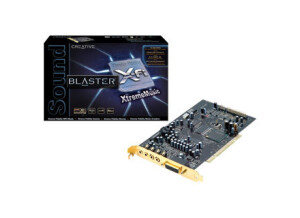
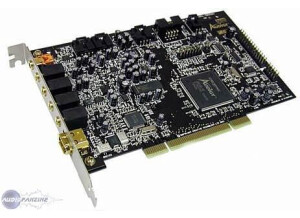
    Creative Sound Blaster Audigy2 ZS Platinum 7.1 Channels 24-bit 192KHz PCI Interface Sound Card I bought this on a great closeout sale around 2005 years ago from zipzoomfly.com for $75 with rebate. Hard to find it for that price. Allows internal recording on your PC Desktop, practically no latency when recording since you do not have to go through a USB or some other slow external interface. And you can conveniently plug your 1/4' jack right into the front of your tower! I used this for overdubbing bass tracks from some demos that needed bass lines and recorded some personal projects. Need to know how to put computers together. If you are not hardware savvy, this is pretty much useless to you. Quality seems great for my purposes but it might not hold up to a real studio recording, this seems more for personal use. Well constructed. I did have some of the pins on the card that connect the ribbon to the front panel bend a bit after multiple removals for one reason or another. Other then that this card should last you, even second hand. Great low latency card for people who aren't afraid to break open there desktop and mess with it. May not be up to studio quality standards. Can be expensive if you pay full price. You should be able to find a used one or one on sale on eBay or some other internet site. Don't pay retail. But I would recommend it. This review was originally published on http://www.musicgearreview.com

  • « Creative Labs NOMAD Jukebox »

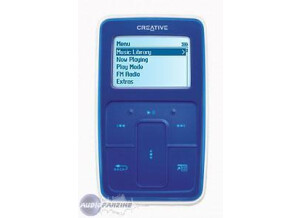
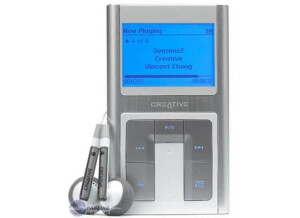
    $200 at Mars music (closeout sale) Purchased to use for mono digitial recording while on travel. It records WAV files at up to 48khz and has a 6GB hard drive (or 20GB is optional). No need to MD or DAT for simple application such as voice recording. Inexpensive, easy to use, and very small. Good digital recording capability for mono. Good construction and quality, but I worry about how the hard drive will hold up. Great little unit for simple digital mono recording. Nevermind that it is an excellent MP3 player and holds hours and hours of songs. This review was originally published on http://www.musicgearreview.com

  • Audiofanzine FR's review

    Originally written by Dryfe on Audiofanzine FR. - Not expensive. I bought it to use my Vst plugins without latency. I've had it for three years. - Music, demos, vocal recordings, Cubase SX2 projects - Old PC with 720 MB Ram; enough to make simple things. -Presonus Tube Pre preamp for vocals, Rode NT2 mic and wretched Edirol MA1010 speakers (I often mix with AKG headphones, it's much better). But for the price, it's alright. UTILIZATION - I had a problem with my first sound card: I had to send it back to the dealer who exchanged it two months later. I installed the new sound card without a problem. - No compatibility problems. The global setup is easy but the Patchmix is difficult to use and to understand so I don't use it. However, there is a compatibility problem with some video software, for instance VLC player: the sound drops out when you're watching movies with subtitles... - Second-rate user's manual.... SOUNDS - Unstable drivers: many dropouts and noise appear while recording. It's annoying. The card cannot handle high input levels so watch out and set the input level as precisely as possible in the Patchmix... The product is cheap, I already mentioned it... - The drivers are rarely updated, so don't expect any major evolution for this product... - With Cubase, I can reach a minimum latency of four ms: it's more than enough for real time applications. - The system seems to reach its full load when 20 channels are played at the same time. Some VST plugins requiring a lot of RAM make the work more difficult. However, it's possible to work comfortably if you tweak the system... I don't record several channels at the same time... OVERALL OPINION - I've been using it for three years. - Unstable drivers: the Patchmix loading time is very long - I didn't try out many other products... It's my first DAW sound card! It's an interesting product for beginners since it forces the user to check the RAM consumption, to make the best out of the software, etc. And it works! - Good value for money. The sound quality is not the best but it's enough... - As a first sound card, why not... I can't wait to be rich!

  • moosers's review

    The Creative Labs Sound Blaster Live! is a 24 Bit External USB audio interface. It' pretty much the simplest kind of audio interface that you can have, really just an external sound card with a few more options. It doesn't have any microphone preamplifiers. As far as connections go, it's got 1/8" mini plug jacks for microphone in and headphone out in the front as well as an optical output. On the top of it it has volume sliders to set the level of your headphones and your microphone. In the back it has a USB port and 1/8" jacks for your speakers (three of them), and a line input. It also has a SPDIF output and a DIN connection. UTILIZATION There isn't all that much to know about using the Creative Labs Sound Blaster Live! audio interface/sound card. This is meant to be a very simple audio interface, so it doesn't have too much features, but on the bright side this makes it very easy to use. Experienced users won't need a manual, but if you're an absolute beginner who is getting their first audio interface, it might be a good idea to have it around just in case. GETTING STARTED Setting up the Creative Labs Sound Blaster Live! interface is really simple. Once you've made your basic connections, you're pretty much good to go. I think that everything is self explanatory, but again if you're new to audio interfaces you might want to have the manual handy. OVERALL OPINION While I don't think that I'd recommend the Creative Labs Sound Blaster Live!, it's still not a bad external sound card. It does the job fine, but it's limited in what it can do. If something like this is all you need and you don't want to spend much, it's fine to go with, but if you want something to build a home recording rig around, you're going to need something with more features and flexibility.

  • Audiofanzine FR's review

    (Originally written by lewkey/translated from Audiofanzine FR) I bought this sound card in 2005. The sound is ok for a consumer product and it can route input signals directly to the output, so the optical and analog inputs appear as master in the windows control panel. I only use the optical connection to avoid contacts with the amp (I had a ground loop problem because the amp was connected to a MD player, which in turn was connected to the PC via a USB cable!!). I used it mainly as sound card at home because my laptop had no optical connections. UTILIZATION No installation problems (don't lose the 3 CD-ROMs provided!!!) GETTING STARTED It was a bit difficult to fully understand the drivers operation in order to make a basic installation (to avoid installing unnecessary software that only uses up RAM, space on the HDD and increases CPU usage!). I have another USB sound card (USB Sound Blaster MP3+ - SB0270) but the product isn't listed any more on the manufacturer's homepage so I'm starting to worry about future driver updates!!!! The latency is not exceptional but it is no surprise for a USB 2.0 sound card. More on this point: if you want to record a signal on an external USB HDD to play it back at 32bit/96kHz, don't use a USB hub because it will be overloaded and it won't ever have enough bandwidth for this!!! So don't use a USB hub between the PC and this sound card. OVERALL OPINION There was probably a voltage surge in the USB slot where the sound card was connected to and it doesn't work any more. Sometimes the power LED lights on a couple of seconds but the PC won't detect the card so I think the chip is burnt or something (after 2 and a half years of use). It's a pity that the manufacturer didn't think about some sort of electrical protection for the USB connector (it can't be that hard to implement!). Now the card is dead. It's a pity because it was a good sound card.