Log in
EN
FR

Muse Research

12 products found

Categories
Filter
Sort by
Evaluation
  • Reviewed or not
  • Editor’s award
  • Reviewed by Audiofanzine
Availability
  • Available or not
  • Sold new or used
  • Sold new
  • Sold used
Must-have products
  • All products
  • Flagship products
  • Best rated products
  • Hot products
  • Popular products
Price
  • Freeware
€
Clear
Sort by
  • Popularity
  • User ratings
  • Price - low to high
  • Price - high to low
  • Used price, increasing
  • Used price, decreasing
  • Name (from A to Z)
  • Name (from Z to A)
  • Added on
Choose a category
Sort results
  • Popularity
  • User ratings
  • Price - low to high
  • Price - high to low
  • Used price, increasing
  • Used price, decreasing
  • Name (from A to Z)
  • Name (from Z to A)
  • Added on
Filter results 12 results found
Evaluation
Availability
Must-have products
Price
  • Freeware
Show results

The best Muse Research reviews

The reviews Audiofanzine members found the most helpful.
  • « Reliable Audio Computer, Not Without a few Headaches »

    The Muse Research Receptor 2 is a computer designed to specifically host instrument and effects plug-ins. It uses a proprietary operating system, so you can't just install typical software for Windows or Mac OSX. The purpose of the product is to provide a reliable and efficient platform to run plug-ins. A popular use for the Receptor has been for 'live sound' applications to run the same software that is used in the studio without having to haul a computer to a gig. The Receptor is great for this because it comes in a 2U rack format, easy to transport and doesn't necessarily require having a monitor screen, mouse, keyboard, etc. To some extent it can be operated similar to a rack-mounted synth. The major advantage of the Receptor is that you can have gigantic sound libraries like Ivory or NI Komplete running on it, rather than having to rely on the much small sound libraries of hardware synths. Another good thing about it is that you can run software effects plug-ins, like Amp Sims, Reverbs, etc. in a live setting. This way you can take your studio sound to the stage. A separate application for the Receptor is to be used in the studio to complement your DAW computer. This way your DAW computer to focus on the CPU tasks associated with running your recording session, while the Receptor can be used to off-load CPU tasks for plug-ins. In theory, this would be a wonderful feature, but the UniWire application isn't perfect. There are some major things that make the Receptor a great product: running software plug-ins on a reliable hardware platform. Also a major plus, is that that most software can operate at really low buffer settings like 32 or 64 samples for virtually no latency. There are also some major headaches about the Receptor. Because the Receptor runs its own operating system (Linux?), there is a lot of popular software that is not compatible at all (i.e. Waves). For companies that make their software available to be used on the Receptor, there is always a long delay from when a product is released to when it can run on a Receptor. The Receptor can be 'networked' with a Mac or Windows computer to install all the software. However, the Receptor is not compatible with new versions of Mac OSX. This makes it a big hassle to stick to old operating systems when other software requires up-to-date operating systems. The Receptor has tons and tons of features that allow for tons and tons of different control. There is a steep learning curve for getting the Receptor to do a lot of the cool features that it can do. In my opinion, there is a lot to like about the Receptor, but I can't help but wish there were a lot things that worked much smoother on the Receptor as well.

  • « Hook up a monitor »

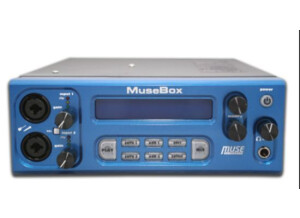
    The Muse Research MuseBox is a virtual instrument and effects module that I have recently had the chance to work with. It is built for the stage and for the studio, no matter where you need these sounds at they will be available to you. The Muse Research MuseBox could not be any easier to set up and start using. All you have to do is plug it in and pick which sound you want and that is it. It does come with a manual but I am pretty sure no one needs it. There are a lot of presets on the Muse Research MuseBox, and picking the preset you want is very easy because you can search it by category. If you don’t like working on a small screen, all you have to do is hook it up to a monitor and then you can use a mouse to pick your presets on a bigger screen which will be a lot easier to read especially in a studio. My favorite thing about the Muse Research MuseBox is the price that it cost. It is very affordable and for the quality of sounds that you are getting makes it a steal! I am very happy that I now have the chance to work with this module and plan on making more and more music with it every day. I have tried and/or used several desktop synth modules and a lot of them have good and bad things about them. But the Muse Research MuseBox has no negative things about it to me. It is very easy to use, it is built well and you can plug it up to a bigger monitor so you can see what you are doing better. The precision of quality and sound are amazing. I think anyone who has this MuseBox would buy it again anytime.