Log in
EN
FR

Tascam

503 products found

Categories
Series
Filter
Sort by
Evaluation
  • Reviewed or not
  • Editor’s award
  • Reviewed by Audiofanzine
Availability
  • Available or not
  • Sold new or used
  • Sold new
  • Sold used
Must-have products
  • All products
  • Flagship products
  • Best rated products
  • Hot products
  • Popular products
Price
  • Freeware
€
Clear
Sort by
  • Popularity
  • User ratings
  • Price - low to high
  • Price - high to low
  • Used price, increasing
  • Used price, decreasing
  • Name (from A to Z)
  • Name (from Z to A)
  • Added on
Sort results
  • Popularity
  • User ratings
  • Price - low to high
  • Price - high to low
  • Used price, increasing
  • Used price, decreasing
  • Name (from A to Z)
  • Name (from Z to A)
  • Added on
Filter results 503 results found
Evaluation
Availability
Must-have products
Price
  • Freeware
Show results

The best Tascam reviews

The reviews Audiofanzine members found the most helpful.
  • « Good, not perfect »

    Hi all, I have been looking myself for reviews or videos on this Tascam US-16x08 audio interface. First, here it is : Content Unboxing, the product looks well-finished, gain knobs look sturdy. Originally, the two sides are screwed upon a frame to allow leaning it slightly. If you wish to put it in a 19" rack, dedicated mounting bars are provided to replace the sides. AC adapter is universal, with a US-to-EU adapter. Installation & Windows drivers This is where the troubles begin. Tascam has (lately) put online 1.0 drivers for Windows and/or Mac. Caution: don't do the same mistake I did, install the drivers BEFORE turning on the USB-connected interface. Why is that? Out of the three peripherals it detects (without the drivers installed), 1 was not recognized (red cross). Difficult to sort out afterwards. Except for this small inconvenient, nothing to mention. A light indicator shows whether the USB connection is working or not (practical in case anything went wrong). Standalone mixer interface It is composed of three tabs : This is the mixer part, if you wish to use it standalone without a third-party program (Cubase, Sonar etc...). The basics are here, EQ, compressor. I haven't tested it in standalone mode, but my mic signal was detected with a very little latency. 10 stage/mixe settings can be saved. This picture shows the interface's routing. A downside, only the outs are assignable and can be changed. You can choose either a Master L/R out or another out for monitors or headphones while recording. As a reminder, the device itself has a headphone out, which can be parametered to receive either the global mix or one specific out. This is the part where buffer size can be managed. And this is where the interface causes problems. I'll describe those I faced. Originally, buffer size is set at 512, which allows a 12ms latency "in" and almost 30ms "out": for live headphone monitoring, it becomes hard to manage with a total 12+30=42 ms. Latency can be heard. Through a mixern no problem of course. I first tried to use the interface with my laptop computer: i7 2GHZ / 4 GB RAM. And - catastrophic, no way to get under 512. Sometimes I managed to get to 256, sometimes not, so I was about to return the interface. I used several different DAWs, including CUBASE 5 - Ableton Live - Reaper version 5. Depending on the software used, it worked more or less. What is impossible to understand is the fact the CPU never was overloaded. So, I switched to my desktop computer. i7 3700k - 3.8Ghz / 16gb Ram / SSD I first had the same problem in 256 with Cubase. I tried with Reaper 4.77 64bits, and everything worked fine even with a 64 buffer (2 ms latency in/6ms out). I dare not change the buffer setting so that the problem doesn't reappear. I also tried Reaper 4.77 on the laptop but the problem was still there. I conclude a big setup is needed to get under 256, and that the drivers are still very unstable as nothing seems logical in the way the buffers are managed. OTHER VARIOUS DETAILS: - I have already used different M-Audio interfaces including the 2-ins Fast Track Pro, and mis gain was set to 8-9. Here, the gain is only at 6-7 with the same AT2020 XLR-style diaphragm mic. Sound is very clean. - 8 XLR preamplified ins and 2 front panel line ins which are useful as one can choose either line or mic level. The same behind with a +4dB/-10dB selector. - I haven't tried the MIDI function as my keyboard is USB Overall: I think the drivers are still unstable, hence the interface doesn't work properly. I thought of sending it back then I thought I'd keep it to see whether new drivers wouldn't solve the remaining bugs. Currently drivers are still at v1.0. As a conclusion, should this interface be recommended or not? If you wish to use this 16 ins interface just for recording using a mixer for headphone monitoring, do nos hesitate, this price in just awesome. Preamps are very good (for this price range). If you intend to use it for a 100% homestudio recording with a need for several monitoring outs with a not-so-powerful computer, I advise you to wait for other feedbacks on this product. Everyone can adapt more or less to latency but as far as I am concerned more than 20ms is very disturbing. This remains a very good product but it is hindered by youthful bugs. Hopefully it will soon be sorted out. Thanks for reading. So long!

  • « Indispensable »

    I've been using it since Christmas 2011 (yes, it was a gift...) and I always take it with me to take "audio snapshots," because I think sometimes a sound says more than an image. As usual with Tascam, the manufacturing quality is excellent and the learning curve is easy. It would've been better in a metal housing, rather than a plastic one, but that's not so important to me. The controls feel right under your hands and the volume is set with a knob, which is the best. Excellent battery life (5-6h without any problems, without taking into account the AA batteries). A nice detail is that that it has a screw adapter on the bottom, to fix it on a stand or on a camera stand with a special suspension. The built-in cardioid mics are good (the omni I don't like so much), but they are very sensitive to wind, even with the windscreen included. A "hairy" Rycote windscreen is mandatory, even with light breezes. I like it specially due to its XLR inputs, so I can connect the mics I want; and the possibility to record at 96/24, which guarantees a high audio quality. What I like least is the submenus, but that's unavoidable if you want to have lots of functions at your disposal. Plentiful connection options, it comes with a remote IR/wired, but without power supply(!). The headphone jack is excellent, but the built-in loudspeaker is useless. It lacks a software to edit sounds (or a smartphone app), because it's always hard to rename/move/edit sounds without a keyboard, unless you use an SD card and do it on a PC. If you ask me, such a unit at this price is an excellent value for money.

  • « Excellent Alternative to DAW Recording »

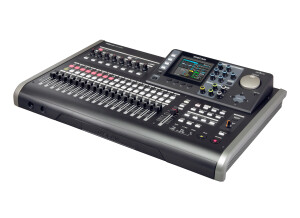
    I first bought the DP-24 SD but changed for the older version with CD Burner and Midi. This was not necessary as I’ve never used those extra features. However I have recorded an entire album on this in my home studio. It’s easy to get started but I would recommend following some YouTube tutorials first if you’re never used this machine before. You can record up to 8 inputs at once and record in with 16 or 24 Bit quality. I use 24 all the time as the extra storage on the SD card is not a worry when a 32 gig (max you can use) are so cheap to buy. The audio quality is excellent. And you have the option of doing everything in the box mix down and mastering tools. Or you can export individual stems via usb to a computer as 16 or 24 Bit WAV files for further processing on a DAW if you wish. The built in dynamic effects are good but limited to the basics. I found the audio quality of my recordings improved massively over time as I learned more about the technical aspects of recording sound. I don’t think you will find much better hardware recorder in this price range. The audio track attached to this review was recorded on this machine.

  • « Great little 2 tracker »

    The Tascam 22-2 is a two track reel to reel recorder than prints to 1/4" tape on 7" (or smaller) reels in one direction. This means it will have the same amount of track width as a 2" 16 track recorder. It can be run at 7.5 or 15 ips and was designed to record on 1 mm thick, +3 tape such as Quantegy 407. Since Quantegy no longer produces tape, it can use RMGI (Emtec) LPR 35, which is the equivalent of Quantegy 457, a +6 tape. Although slightly underbiased for this, using this tape will produce more high end. The 22-2 is a little workhorse of a machine and is intended for mixdown. It does have two mic pre-amps on each of its two channels via 1/4" inputs, so it could be used for location recording without a mixer, although there is no onboard EQ or speaker, just a stereo headphone out via a 1/4" jack and RCA outs. The recording quality is pretty good, but this machine is entirely mechanical, unlike it's big brother the Tascam 32. This means that there are no memory points, no real return to zero facilities, and no way to really do any editing of the tape. This machine features three heads (erase, record, and play) meaning that the user can monitor from the tape a split second after a recording is being made. This is especially useful during mixdown because what you're hearing is literally what you're going to get as an end result. It could also be used for slap tape delay in conjunction with another recorder. In the time I owned this machine I was very happy with it. The only issue I ever had was the capstan belt was too worn. This will be apparent by playback slowing down or even not working at all; it will not affect rewind and fastforward. This is a relatively simple repair, the machine just has to be opened up, the bad belt located, and the new one slipped on. I only sold it because I now have a larger, more versatile machine, the Otari MX-50 NII.

  • « Despite the years it sounds incredible »

    It is an incredible console, it sounds spectacular, I use it as an adder and as a preamp for audio recording, everything goes through this console to my soundgraft mtk22 mixer to the pc, it is obsolutely silent, -130dbs of noise, the presses are really powerful, I am really happy with the purchase it was a bargain, a console like that with that sound should count much more, but I was lucky to be able to find it and buy it, if you have the opportunity to buy it and you lack that real non-digital analog sound like now there is in the daws with digital analog emulations if you want a warm analog sound to your mixes that is the option.

  • « Tascam and Cobranet on a DM3200 / DM4800 »

    Cobranet is an old sound transportation network protocol that has lost ground with the arrival of new competing technologies (such as Dante…), but still interesting due to the way hardware prices tend to go down. The Cobranet protocol allows up to 64 tracks (32 in, 32 out) through a 100Mbps ethernet connection, it can be used to make long snakes for cheap using used gear. Cobranet was used during the Olympic Games in Australia for stadium PAs and so on. An abridged explanation of how to set Cobranet on a Tascam DM3200/4800: The cart is to be mounted in slot 1 on a DM 3200 or slot 1 or 3 on a DM 4800. It seems two Cobranet cards can be mounted on a single DM 4800 unit but I haven’t tried it. In a minimalistic system (studio…), the card must be connected to at least a router or a 100Mbps switch (more details on network configurations on the Cobranet official website), as well as to the other devices and your computer. The network must be independant, so no internet connection or printer network can share it, only Cobranet. Use high-grade CAT5 cable or shielded CAT6 cable in case great lengths are involved (100m at most with cable, more with optical fiber, laser transmission…). In more professional-oriented setups, several switches will be needed to make the network more secure. There are Youtube videos about it. Once everything is connected and supplied, launch the (free) Cobranet Discovery software and wait for the soft to display all the devices, 1 per line. Press F5 to refresh in case nothing appears. The DM3200/4800’s I.P address is est 0.0.0.0 at boot, the nit is automatically assigned by the software. No setting is available from the DM3200/4800, all must be set up from Cobranet Discovery or another piece of software. The good news is, the Tascam card saves the settings, which is not the case of all Cobranet devices, so they’ll have to be set up again at each reboot (the software doesn’t allow to save it !). Then, you’ll set the devices’ in/out channels using the soft : these are called bundles. Bundles are channel containers, and each bundle can contain up to eight 16- or 20-bit channels and seven 24-bit channels. Basic use : a bundle address is TX (transmission)-assigned to a sending device, mic or line ins and one or two Cobranet network outs (main and secondary). Only the devices connected to a same network (address, subnet mask…) and set with the same bundle address in RX (reception) can receive those line outs. In the soft, you can choose the sending device by clicking on the associated line, open the 1st TX bundle and assign an address and submaps. For instance, bundle n°255, submaps 1 to 8. With 16 ins, you open a second TX bundle, number 256, submaps 9 to 16. On the right of the submap box, you can choose from 16, 20 or 24-bit. Leave it to 20 bits at most if you want or need 8 channels. At the bottom of the window is the subcount box : set to 8 if you have 8 channels, as if you set it to 4 onlt the first 4 channels will be sent. You can choose the current bundle’s assignment to one or more receivers using the multicast options. Only bundles with addresses between 1 and 254 allow multicast (send to a limited number of receivers). From 255 to over 65000, bundles are Unicast, they can be sent to 1 to 4 receivers using the multicast over 1 to 4 option. For instance, this allows to send 1 to 32 inputs to one or several mixing consoles that will process the sound then resend it to various receivers in different places. Beware to avoid several sending devices assigned to the same bundle, unless you set the submaps. Then, still using the software, set the DM3200/4800 to RX to receive the source : Open the window, choose one of the four RX bundles and assign it number 255 – the same as the sending device. Then, you have to set the submaps to 33 to 40 and the second RX bundle to 41 to 48 (this card allows up to 16 tracks). It seems submaps 1 to 32 are reserved for emission and 33 to 64 to reception. It took me a while to figure it out, Tascam provides no manual for that! If you want 32 tracks, you need to add another care, which doesn’t seem possible on a DM 3200 which will have to do with 16 in + 16 out. In the end, if everything’s OK, close the bundle’s window and re-open it, and the boxes on the right should be lit in green. Then, assign the card’s inputs to the channels using the routing screen (press alt + 6) : in the source select pod 4 box, select slot 1 or 3 (depending on your setup), then use pod 3 to choose the assigned layer, e.g. M/L 17/32 and assign tracks 25 to 32 to slots 3-1, 3-2 and so on. 2) Setting the outputs of the DM 3200 / 4800 on the card : Back to the software, open the DM’s line then a TX bundle and assign it a number, for instance 300, channels 1 to 8 with submaps 1 to 8, 20 bits for all, never multicast, MaxUnicast 1 to 4 depending on the umber of your receivers and – here you are! Then, routing to the console, output slot window, choose the source from all, bus, aux or stereo, choose terminal select = card 1 or card 3 track 1-8, or card 1/3 track 9/16 and assign each of the card’s track to a channel out. Finally, go back into the Discovery software and choose the receiving device, open an RX bundle and assign it number 300 and the adequate submaps, 1 to 16. It should work instantly. Last thing, in the TX modules’ Advanced window, leave the modeRate setting to 48KHz, 5 1/3mS. I tried lowering the latency, and no sound came out at all! Regarding sound quality : a small quality loss due to the 20-bit resolution. No noise induced, and a good dynamic. Pros : - the system’s adaptability and capacities, - its price, - the way the settings (bundle numbers) can be saved on the Tascam card. Cons : - you need a computer to set it up (a bit of a headache!). - complex (router, network..) - some compatible devices (Peavey among others) don’t save setups. - 20-bit sound. - the Dicovery software is not very practical and doesn’t allow to save setups. But once everything is set up, you can close it and quit. - no support from Tascam - the Cobranet system is losing ground

  • « Good but I prefer digital pitch correction because it is easier to work with »

    The Tascam TA-1VP is a vocal processor that comes ready to be racked. It will take up one rack space and looks similar to a Roland Fantom XR rack (though it is a completely different type of product). It has a small LCD screen on the front of it that will allow you to see all of your modes and options easily. You can also adjust the brightness of the screen to fit with more of the way you want to see it. UTILIZATION The 2 band EQ on the TA-1VP is what really surprised me because it was easy to work with and access, and so was the variable compression. This unit has Antares Auto Tune pitch correction built into it. I have used Anatares Auto Tune in the past on my computer in plug in format so I knew how good it was. But in the hardware form I was not sure how good it was going to be. After using it the first time I knew that it was better than the software was, but it was just a little more difficult to operate because on a computer you have a bigger screen to work with. SOUND QUALITY Setting up this vocal processor took no time at all. The manual was easy to understand and work with. You can choose presets to work with directly from the front of the processor and pick which on you want in scale mode for your pitch correction. OVERALL OPINION Even though using the pitch correction on this piece of hardware is great, I would still prefer to use it as a VST or Plug In though because if feel like I have more control and have a bigger screen to work with rather than this little LCD screen. If I had to make the decision again, I probably would not have got this rack just because working with the pitch correction options was difficult to work with at times.

  • « A bargain for the price. »

    8 XLR inputs with 48V phantom power per groups of 4 2 Instrument inputs on 1/4" jacks, switchable to line inputs 4 Line inputs on 1/4" jacks with -4/+4 per pairs 6 outputs: 2 monitors and 4 Lines 1 headphone out on 1/4" jack MIDI in/Out S-PDIF or AES or EBU In/Out USB port Converts up to 96k/24 bit I've been using this card for 3-4 months and I'm very happy with it, the only snag is the lack of an ADAT I/O. I use it with Cubase 5 on a PC to record bands I do FOH for. The preamps are light, they distort as soon as you go beyond 03:00 but they are clean and sound nice if you don't reach that threshold. USE No issues during the installation. It's stable and works fine with Cubase, at least for what I use it for. I record my drums on a regular basis with the 8 front-panel tracks and have no complaints. The only minor drawback of this card is the somewhat significant latency: 2.6ms at the input and 12.3ms at the output, which means 15ms when it's properly set up (using the manufacturer's ASIO, otherwise it's 50+ ms o_o). A somewhat high latency, but to record 14 tracks simultaneously, it's okay. There's no update I know of. OPERATION It's very easy to use, I haven't had a single compatibility issue since I have it. Not even under Windows, nice! I haven't opened the manual, so I can't tell whether it's clear and comprehensive. My girlfriend, who has not the slightest clue of audio, uses it without asking any questions! OVERALL OPINION After 3 months of intensive use I can say it's perfect for me. The real problem of this card is its lack of communication with other devices, but it's PERFECT for a simple home-studio setup. And, coming from me, it's a real compliment: I made a Lambda Lexicon explode (without any regrets) and I don't use my EMU 1616M anymore. The tascam US-1800 is easy to use and (I hope) sturdy. A very good investment to start out and even if you already have some experience and want simplicity for your studio. Compared to the lambda (although they don't cost the same) or the EMU, I prefer the Tascam for its simplicity and how quick it is to get familiar with it.

  • « Best Guitar Teacher . »

    I bought this back in 2006, many have claimed that this device doesn't last long, obviously, mine survived many years of repeated use . If you drop it, it will easily break, since it's made of plastic . HANDLE WITH CARE . The Tascam CD-GT2 Guitar Phrase Trainer is one great way to learn your favorite song. 100% accurate without much effort . ● It has a tuner. ● It features a Metronome. ● Built in effects, decent but the distortions are kind of enimic and you can add an overdrive distortion pedal to get you that chugging sound . ● You can add a momentary switch to loop back 5 seconds to learn complex parts more accurately. Or you can chose to use the momentary switch to change the effects patches instead. ● The music can be slowed down with out affecting the pitch of notes being played . ● Another cool feature, is that you can lower or raise the pitch of the CD, just incase your not in the mood to tune your whole guitar or if your guitar is locked down by a Floyd Rose. Just raise or lower the pitch of the CD to match your guitar's tuning . I like to have the loop function, instead of the other option of just changing effects . The CD can be put on the right side and your guitar will be on the left of you headphones . You can slow down Yngwie Malmsteen, Dime Bag Darrell, Megadeth, Joe Satriani, Al Di Meola, Allan Holdsworth or Steve Vai to learn ever nuance of their playing . This device can help you stop depending on tabs or totally depend on a guitar teacher .

  • « Before its time, but now behind times. EQs!! »

    Standard size 12 inch ixer, Heavy as hell! feels good though, not cheap and plastic, but still wouldn't call it a complete tank, road worthy though. All standard connections. 1/4 headphones on face and front side, a touch I like as the cord gets in my way (dont forget youre 1/4 inch adaptor!). 1/4 master outs would be nice, not needed though. biggest complaint here would be NO rca record out pre master! cant use the booth out to record its to unbalanced. XLR master balanced and spdif digital out as well. Fully Digital mixer at 24bit 48khz seems a touch low for a pro mixer, but sound has been far above what you would think. Maybe its watered down for spdif out. Fader curves are adjustable through the settings, so no worry that you will be locked into a nasty software feeling fader curve. Also a 3 mode EQ for the headphones. with 2 spdif in 4 phonos/aux, 4 lines, fx send/return, and 1 xlr mic, i have always owned a 1/4 inch mic, dont use mic much bout if i did id like 1/4. 4 channels, with a feature to copy the 1 and 2 pre faders to 3 and 4. like an input matrix before it was invented! love this. The fx send has no wet dry just a punch in... this can cause popping. usable, but a complaint. Ideally i would want a wet dry on each channel. Dont like the channel to send knob either. Fully parametric EQ with independently adjustable Q value!!!!!! prize feature on this mixer. The reason its in my collection to stay! needs to be on new mixers! like a good mastering desk eq for the djay that likes master blends! 2 bulilt in fx units but they each can only be assinged to alternating channels, meaning you cant run 2 fx on one channel. Inless you run fx unit A on channle 1 or 3 and then fx unit B on master option... then i guess you would have 2 fx on one. 2 loop/1 shot samplers. have not found use for this in the mix, used it for one shots before, but with vinyl i could see this to be good! Color scheme, feel, architecture, and layout make this mixer stand out! Alot of times a company tries to build a top of the line product and misses out on simple over sights or makes it with too much character so that its a love hate thing. though this mixer is not a just show up and play on it for the first time, once you tune it to your styles and lean it, its good as any. well done tascam, a classic in my eyes. for sure worth owning, but is it ageless?? im not sure. UTILIZATION fx are not the best... and the way you use them is not the norm... punch in is fun, but with encoders and no dedicated knobs, fx values and wet dry are hard to control. fun, but not a real mixing tool, more just some frosting to throw on top of a mix. I had high hopes for the low pas filter, but no can do its a pulsing oscillator type thing. This is not a just plug in and show out for your first time mixer. You will NEED the manual!!!! Functions are not easy to access. With no manual you will never be able to set the features to your mixing style. You will be able to mix, but only using maybe half the features, and with the default settings, and since there is so much that can be changed to fit your style, you need to read that manual. You have to cue the master channel to hear the master in the headphones. This through me off at first.. why would you even not select this? it would effectively turn the mstr/cue knob into a backwards volume control. Having the samplers input on there own channels with no meter and a volume knob can make it hard to drop a sample at the right volume. SOUNDS No his.. have seen a slight buzz before but probably some place else in the cords not the mixer. Mixer seams clean and true. sounds slightly cold.. probably not preferred for playing old soul vinyl or something. The fx are a step above toys, but not a strong point on this mixer. They can sort of be used as real tools, but the control is not as intuitive as one would like. In combination with the input copy feature you can create a wet dry control and cue preview the fx. The pitch fx is the coolest and good on looped vocals! also the delay and echo can be good, but maybe pull some bass and work the volume down as it builds. The sampler seems to loose a small amount of bass push. But I love the highs!!! to me the highs sound better then any pioneer mixer, even the newest djm900! some of my favorite highs come from the rane ttm57, and these highs are a good runner up, with a little less space between the mids and the highs, but in no way would i say the highs sit on top of the mids. sound wise i would say this is the digital version of Xone sound! Not a xone sounding digital mixer, but the quality of sound frome a xone with out the analog warmth and a crisp almost refreshing at time digital crisp on the highs! Lastly the EQ's for me are the crown jewel of this mixer! I dont know why this style has not become the norm or more commonly found on all mixers! I have seen some high end mixers like the stanton vrm that has a paramic control on the mids. also i have seen high end digital mixers that the parameters of the mids can be changed in the settings. but these eq's truly offer the most control I have ever seen on a dj mixer! True the knobs are small and pointy and a bit hard to work needing 2 hands. they dont feel good in your hands like some mixers. The curve on the pull down of the EQ's is very aggressive! not as bad as some cheap digital mixers. ( the built in mixer on the numark ns7 so aggressive it makes the eq's almost un-usable.) to describe the curve, when you see so called pro djays always just slightly turning the eq's and you cant hear much of a difference. Almost looks like they just are touching or making sure the eq knob is centered. well on these EQ's that all would have a nice small effect on the music. but a slightly more normal turn on the eq will pull it out too fast and with out a track under to fill will make the mix sound a bit dry. There is a delay on the EQ, drives me crazy but it dosnt get in the way too much. if you slam to -40dbs or full cut its instant. any other adjustment there is a half second or so delay! almost like it moves in slow motion. so lets say you have you bass turned to -12dbs and then you want to slam it back in!, so you spin it fast up to strait, what you get is a smooth longer slightly delayed reaction. as if you did it smoothly. So it can gloss over a dj that eq's overly aggressively and makes everything he dose sound done smoothly. but with the sharp curve on the db pull down added to a delay, can cause some problems. but still the control makes it easy to look past this. so if you twist from 0 to full kill no delay, distant kill. but if you go kill bring the bass in twist back to 0, delay and smoothing/slowing of motion!!!! ok... well ill do my bass drops with the eq kill toggles on either side of the crossfader. NOPE! these are a fun feature.. but i dont think many people buy a mixer based on EQ kill toggles next to the crossfader. well these are junk! for the music I play the low cuts out the lows and most all of the mids, were the highs cuts out most all of the mids and highs and the mid kill, will damn near cut out the whole song. Awful useless parameters that cannot be adjusted on these kill switches. Let me dive in deep here and paint a few pictures. Another mixer like the x9 that had a revolutionary idea, that should have, but didnt catch on is the Urei by soundcraft 1603 series mixer. if you look up this mixer the eq is at 0dbs when turned to 2 o'clock, +8 db at 5 o'clock, and then full cut at 7 o'clock. so between 2 o'clock and 5 o'clock there is 8 dbs of positive, and between 2 o'clock and 7 o'clock going backwords you have from 0 to -100 or kill. helps balance the curve. most mixers like the x9 have 0 to kill from 12 to 7 or 5 "hours" between 0 and -100 then 5 " hours between 0 and + 8!! so there has to be curves so fit the physical range of motion. the X9 can go +9 and then goes to like -40 then kill or off. what im saying is i need less motion range on the up side and alot more motion range on the negative side, or a better designed curve on the down side of the EQ. So as if i didnt write enough about EQ's let me finish up with saying, pick any 3 mixers to go up against the X9, some mixers have better feeling knobs, some have nice long curves on the eq, some mixers like the Xone may even have 4 parameters with the mid high and mid low. But no matter what the mixer and how good the eq's lets play songs of all ages and styles through them and play the eq's some are going to cut the lows all the way into the mids, most get sloppy when on some style of music when it comes to the point were the highs meet the mids. lots of vocals will be mastered in the mid high area, and there will be overlap. so in my mind from ontop of the vocals up i want my high know, vocals down to the top of the kick i want my mids, and kick down to bass line i want my low knob. every song every style of music, these points are different! adjust the parameters and tune it in every song. you can even use it to do sweeps giving you a control like a filter with a pull down like a eq. making it still different and better in most situations then a filter sweep with a wet/dry. There are songs when you got a good kick, but the bass line just isnt coming through strong enough, damn... turn up the lows, too much kick.. but with the X9 go down and grab that bass line and pull it up were you want it!!! The X9 has the best EQ CONTROL found on any dj mixer. not he best eq's, but the most control of the EQ's! OVERALL OPINION If you are a DJ and you know you always bullshit knob touching on the eq... doing super slight to no adjustments to make it look like you are doing so much work up there, stop bullshitin and get this mixer! enough EQ control to keep you busy! If your a producer that is into hardware and not laptops, and your use to working with big mixing mastering desks, if you are starting to dj and/or do live hardware shows this would be an ideal dj mixer to sit along side a pair os cd players, an electribe and a tr909 drum machine! Perfect for me a dj thats starting to like pre-laptop prediction hardware. Mixer is timeless for its build and features, like the sp-404, not like the sp-303 witch is timeless for its sound color. This mixer is well made and far from a cool toy for in your home. this bad boy is ready to go on tour! I paid 300 for a used x9 off ebay. I wanted it because its unique and I wanted to use it at my weekly gig that didn't have a house mixer. I will still opt to use the house mixer a pioneer 800 or what ever, if another dj brings our his 900 or rane or what ever ill plug in and play. this isnt the kind of mixer that you just show up and play on, but its fun when you know it! I also have found some use for it in production as well. Well made and the plentiful options gives you a creative way around most all limitations. it may be old, but it will keep up with the top guns of today still! so in conclusion, I dont think anyone can complain about the sound, I personally love it! top notch sound to me. Not the best mixer in the world, but a unique mixer with character and special ability's. It will make you different, not better! Its timeless for the right collector. Its not timeless for the sound like a bazooka or a urei. but timeless as it was the electric car made by GM in the 90s before there was Tesla. I the next new Pioneer mixer the djm 1100 has full parametric EQ's then no one will remember this mixer, but someplace there will be a die hard fan like me saying " I told you so!"

  • « Great machine, but obsolete »

    The Tascam 238 is an 8 track cassette recorder that operates at 3.75 ips. It has the same recording head as the Tascam 688, which is superior to that of the 488 and 488 mkII. dbx Type II can be engaged across tracks 1-4 and 5-8 separately, there is a pitch/speed wheel that allows for plus or minus 15% change, the transport is digital controlled to allow automated punch-ins between the memory points that can be set, it can interface with the same remote control as the Tascam TSR-8, and the drive system is direct, meaning no capstan belt will ever have to be changed. Also, unlike the 488's, this machine can record across all 8 track simultaneously. For time code purposes, the noise reduction can be disengaged on track 8 separately, via a switch on the back on the recorder. There is also an Accessory 2 port, which allows it to be used with the Tascam MIDIizer, a device that can easily synchronize the Tascam TSR-8, MSR-16, MSR-24, and I believe the 644 and 688. A high bias (Type II) cassette should be used, preferably at a length no longer than 60 minutes. With a 60 minute cassette, 15 minute recordings can be made per tape as the recorder operates in one direction at double the normal playback and recording speed. I owned one of these machines for a couple of years but it didn't see a lot of use in my studio because I also had reel to reel multitrack recorders. A mixer is required of this machine, but this means the user is not limited to the basic mixers of the Portastudios. It is capable of producing solid sounding recordings, particularly when considering that it makes them on simple, cheap cassettes. But, in all honesty, I'd be more apt to use a cheap digital Portastudio, such as the 788, before using a machine like this again, as it can't really hold a candle to recordings made on reel machines.