Log in
EN
FR

Pointing Devices

20 products found

Filter
Sort by
Evaluation
  • Reviewed or not
  • Editor’s award
  • Reviewed by Audiofanzine
Availability
  • Available or not
  • Sold new or used
  • Sold new
  • Sold used
Must-have products
  • All products
  • Flagship products
  • Best rated products
  • Hot products
  • Popular products
Price
  • Freeware
€
Clear
Sort by
  • Popularity
  • User ratings
  • Price - low to high
  • Price - high to low
  • Used price, increasing
  • Used price, decreasing
  • Name (from A to Z)
  • Name (from Z to A)
  • Added on
Sort results
  • Popularity
  • User ratings
  • Price - low to high
  • Price - high to low
  • Used price, increasing
  • Used price, decreasing
  • Name (from A to Z)
  • Name (from Z to A)
  • Added on
Filter results 20 results found
Evaluation
Availability
Must-have products
Price
  • Freeware
Show results

The best Pointing Devices reviews

The reviews Audiofanzine members found the most helpful.
  • « Not very nice like most apple gear »

    The apple magic mouse is a wireless mouse with a nice sleek design that is very tempting and makes you want to buy it straight away. I must say though that having got one with my imac it is pretty lame. The mouse is very slow moving which aggravates me a lot, yes I know that you can turn up the speed on the mouse but it makes it even worse. Also, since it is all packed full of mini 'cool' short cuts that you can do with your fingers by putting them in all kinds of weird positions it is really easy to click a short cut by accident, which in my eyes is very inconvenient and annoying. The mouse is pretty heavy also which adds to the effort you have to put in moving it, yes it feels sturdy but a light weight mouse is just so much nicer to handle in my opinion. Also the mouse is bright white, so do not have messy hands when using it or it will be ruined. As for the price I would say it is a rip off for what it is, but like all apple products they like to charge high so people think they are better than other models which I dislike quite a lot. Knowing what I do now I would choose to avoid this product, it has too many flaws that definitely out weigh the positives in relation to a mouse, I like mice that are light weight and quite quick across the screen. The magic mouse is the total opposite of what I like so I would not choose this again. One last thing is, I feel as though having a mouse look nice and performing badly is worse than having a mouse that looks rubbish and performs well.

  • moosers's review

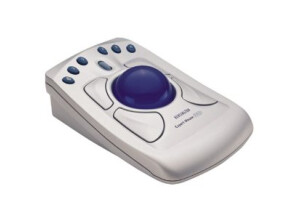
    The Kensington Turbo Mouse is one of the first trackball based mouses for Mac of it's kind that I'm aware of. Kensington no longer makes this model of their ever popular trackball mouses, as it's been replaced by the Expert Mouse. However, I believe that this is where the original idea was executed and the newer ones are simply updated versions. It took me a little while to get used to the trackballs in general, but once you get the hang of it I think you'll really enjoy using them. The professional studio that I work at has these trackball mouses in all of our rooms, with the Turbo Mouse only existing in one of our smaller rooms. We have the Expert Mouse and SlimBlade Trackball mouses in our other rooms, with the Expert Mouse being in a few of them. While the Turbo Mouse may not look as sleek as it's followers, it's still just as effective. It definitely looks like it was made in the earlier days of computers, but nonetheless it seems to have all the options and flexibility that you'd get with the Expert Mouse. For those who haven't used any versions of the Kensington track ball mouses, these are awesome for a number of reasons, mostly being that it's super easy to navigate around on your computer using the trackball, as it's quick and simple. The added buttons are also helpful, although I generally don't use more than the main two. I don't see anything wrong with saving a few bucks and going with the Turbo Mouse rather than one of the newer ones. It's more flexible than your average mouse and if you can find one of these used, will almost be as cheap. This is an awesome tool for Pro Tools and beyond!

  • moosers's review

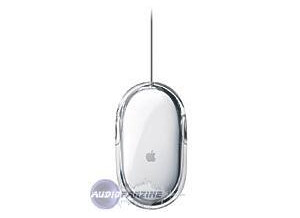
    The Apple Pro Mouse is an early version of Apple's now almost perfected USB based mouse. This isn't a mouse that I would consider using any longer, as compared to the newer Apple Mouses like the Mighty Mouse, it's not very useful. It is USB based, which is rare for a mouse that is 10 years old or more, and shares the same look and general feel of the newer Apple mouses as well. It doesn't feature any buttons or a track ball, and really lacks any special features or anything behind being a simple mouse. Since it's of course designed for use with Apple computers, it doesn't have a right click option and only features the one push down button which is the entire mouse. For simple tasks it will still do the job, but having used one again recently, it's just not the same when you've become use to the Mighty Mouse. I can see how it could be useful for simple internet browsing and other simple tasks, but it's simply no longer adequate to use with your DAW, or at least it's not a mouse that I would find acceptable by modern standards. The upside is that you can get an Apple Pro Mouse virtually for free since there are a few updated versions of it that are also pretty cheap and much more useful. I still do have one of these at home, but doubt I'll ever use it again unless my Mighty Mouse breaks and need it for a few days until I can replace it. If you're doing any amount of work in a DAW or any other in depth computer work, this isn't going to be an adequate mouse considering the other options out there, however, the Pro Mouse will still be just fine for simple computer use...

  • moosers's review

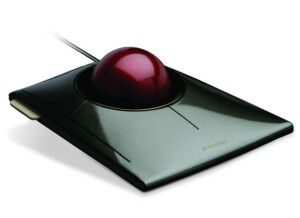
    Kensington's Slimblade Trackball is a unique mouse for use with any computer. I've only used it on a Mac, but it should be the same on either operating system. This mouse is a lot like the Kensington Expert Mouse, but a little bit less in depth. It's got a really smooth feel to it, as I find it extremely easy to move around with the mouse. It will take a little bit of time to get used to, but since I had already used the Expert Mouse a good deal, I already had a pretty good handle on how to control the mouse. Even if you're a little bit slow with it at first, stick with it as I know you'll be glad that you did. It makes moving around in Pro Tools extremely easy. I've only used it for use with Pro Tools, but I'm sure this translates to anything you would want to use it for. While the Slimblade Trackball mouse is certainly slick looking and feeling, and is a great mouse in it's own right, I do have to say that I prefer the Expert Mouse to it. This is most likely because I tried the Expert Mouse first and I'm used to it. In fact, for a bit I was reluctant to get used to the Expert Mouse when compared to Apple's Mighty Mouse, but I'm glad I stuck it out. Perhaps the same thing will happen with the Slimblade Trackball mouse, but there is only one of these at the studio where I work so there's less potential for that. If you are indeed considering getting a trackball based mouse for use with your Digital Audio Workstation or otherwise, I'd highly encourage you to try them out back to back to see what will work best for you. There's really no right or wrong here as these are all great choices...

  • moosers's review

    Kensington's ExpertMouse is an in depth mouse controller for use with any sort of computer. I've used these in a number of different professional recording studios, as these seem to almost be the industry standard when it comes to having complete control with a mouse. I should start off by saying that I do prefer using a regular Apple Mighty Mouse for using Pro Tools and whatever else for that matter, but I do see a lot of potential with the ExpertMouse. It definitely takes practice to get used to the ExpertMouse, as I'm still getting acquainted with it every time that I use it. It has the convenient track ball which makes it really easy to slide from place to place on your screen. It has four different buttons on it, clearly beating the regular Apple mouse which only has one, and the standard PC mouse with two. The only downside to having all of these buttons is that it deifnitely takes a lot of use to get quick with it. Since I'm so used to working with a standard mouse, I'm definitely finding that making the switch over is a bit difficult. However, there's a reason that so many people like using these. It certainly seems like there is a good comfort level with this mouse once you've gotten the hang of it. I don't know that I've seen a mouse out there with more versatility than this one, which is certainly helpful not only in Pro Tools, but any other DAW setting as well. The price is a bit more than your average mouse for sure, but you're getting a lot more with the Kensington ExpertMouse than you would elsewhere. I'd recommend trying this out a bit before getting one, but once you're hooked in I know you'll be finding it hard to work without this...

  • moosers's review

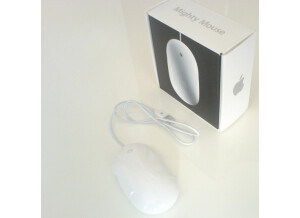
    The Apple Mighty Mouse is a computer mouse designed by and for use with Apple computers, although they can be used with any computer. Like just about all computer mice, it has a USB connector on it and only has a single click to press down (meaning there is no right click.) It also has a scroll ball that allows for movement all around your screen. The scroll ball is one of the main reasons I bought this mouse as it makes it extremely easy to navigate quickly. For me, this is essential as I use it to control Pro Tools LE 7.4 and need my mouse to allow me to control the software as much as possible while running efficiently. For use in Pro Tools, the scroll ball helps me more than I can explain – navigating from place to place is a breeze and it allows me to get done what I need to at the most efficient rate possible. I use the Apple Mighty Mouse on a Mac Book Pro that has a 2.2 Ghz Intel Core 2 Duo processor and 4 GB of RAM, always without any issues. I mention this because I wouldn’t recommend using the Mighty Mouse on a PC, as it doesn’t have a right click that is so essential for the PC. Since it is designed for Apple computers, it works best with them and I wouldn’t recommend deviating. While the price of the Apple Mighty Mouse isn’t as cheap as some other mice out there, I have no regrets as it helps me more than I can say when compared to a standard mouse. The only issue I have ever had with the Mighty Mouse is that sometimes the scroll ball will get stuck due to dust building up. This is a quick fix by spraying compressed air into the ball, which cleans out any dust that may have accumulated. Overall, the Apple Mighty Mouse is a great product that I would recommend all Mac users to have.